
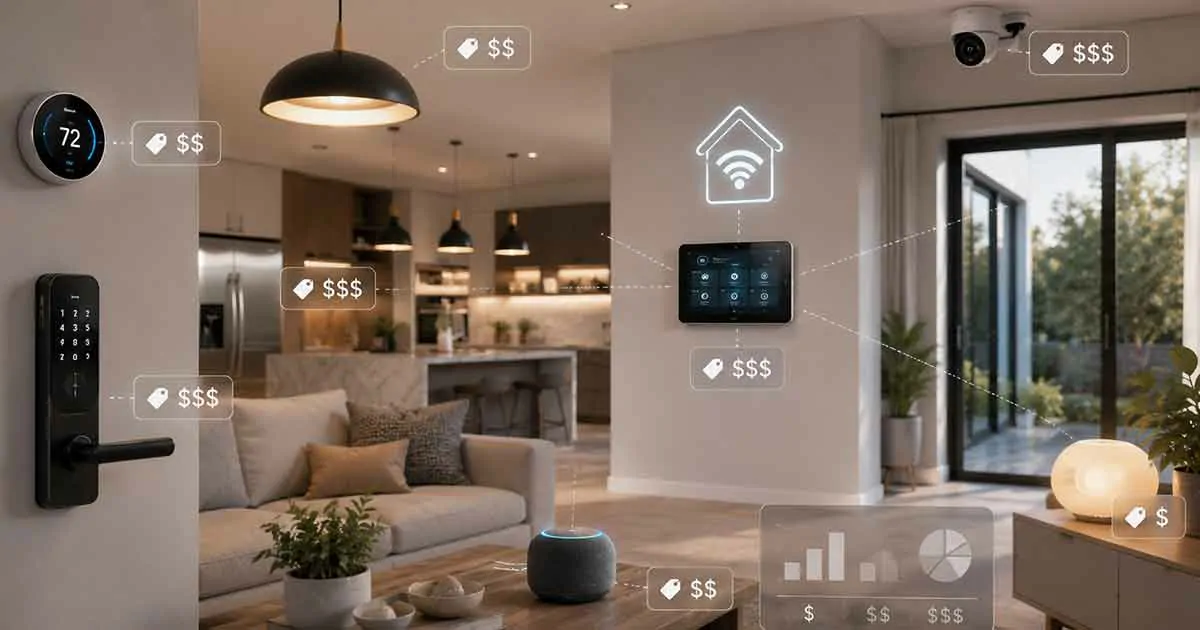
Building a smart home can be as simple as adding a few connected devices or as extensive as installing a whole-home automation system. Because of this, there is no single price that applies to every smart home.
The total smart home system cost depends on the number of devices, the type of technology you choose, installation requirements, networking equipment, security features, and how much automation you want.
A basic setup can cost a few hundred dollars, while a comprehensive professionally installed system can cost several thousand dollars or more.
This guide explains the main costs involved, what you can expect to pay at different levels, and how to build a smart home without spending more than necessary.
Table of Contents
How Much Does a Smart Home Cost?
A typical smart home can cost anywhere from a few hundred dollars for a basic setup to several thousand dollars for a comprehensive whole-home system.
As a general planning guide:
- Basic smart home: Around $200–$500
- Mid-range smart home: Around $500–$2,000
- Advanced smart home: Around $2,000–$5,000+
- Professional whole-home automation: $5,000–$20,000+ depending on the property and equipment
These figures are broad estimates rather than fixed prices. Device prices vary significantly between brands and product categories, while professional installation can substantially increase the total cost.
The most important factor is that you do not need to automate your entire home at once. A smart home can be built gradually as your needs and budget change.
What Determines Smart Home System Cost?
Several factors influence the final cost of a smart home system.
Number of Devices
The number of devices is one of the simplest cost factors.
A home with a smart speaker, two smart plugs, and several smart bulbs will cost considerably less than a home with smart locks, thermostats, security cameras, sensors, automated shades, smart appliances, and multiple controllers.
Before buying anything, decide which areas of your home actually benefit from automation.
Type of Smart Devices
Different categories have very different prices.
For example, basic smart plugs and light bulbs are usually relatively inexpensive, while smart appliances, security systems, motorized shades, and advanced control panels can cost substantially more.
This means two homes with the same number of smart devices can have very different total costs.
Installation
Some smart devices are designed for do-it-yourself installation.
Others may require electrical work, professional configuration, mounting, wiring, or integration with existing systems.
Installation can therefore represent a significant portion of the total smart home budget, particularly for larger projects.
Smart Home Controller or Hub
Some devices can operate independently through Wi-Fi or Bluetooth, while others benefit from a dedicated hub or controller.
A hub can provide centralized communication between compatible devices and may improve automation capabilities.
However, not every smart home requires a separate controller, so this should be treated as an optional cost depending on your chosen ecosystem and devices.
Home Networking
A reliable network is an important part of a connected home.
As the number of smart devices increases, your router and wireless network may need to handle more connected equipment.
Some homeowners may therefore need a better router, additional access points, or a mesh Wi-Fi system.
This cost is easy to overlook when calculating the total price of a smart home.
Smart Home Cost by Budget Level
Thinking about the project in budget levels can make planning easier.
Basic Smart Home: $200–$500
A basic smart home can provide useful automation without requiring a major investment.
A starter setup might include:
- Smart bulbs
- Smart plugs
- One smart speaker or display
- A smart thermostat
- A few basic sensors
This type of setup is suitable for homeowners who want to experiment with smart home technology before investing in more advanced equipment.
You can also expand the system later instead of purchasing everything at once.
Mid-Range Smart Home: $500–$2,000
A mid-range setup can provide automation across several areas of the home.
It might include:
- Multiple smart lighting devices
- Smart thermostat
- Smart locks
- Smart speakers or displays
- Motion sensors
- Door and window sensors
- Smart plugs
- Security cameras
- A compatible hub or controller
At this level, the focus shifts from individual smart products toward coordinated automation.
For example, a motion sensor could trigger lights, while a smart lock could work with an automated security routine.
Advanced Smart Home: $2,000–$5,000+
An advanced system may connect many different parts of the property.
Depending on the home, the system could include:
- Multiple security cameras
- Smart locks
- Automated lighting
- Smart thermostats
- Water leak sensors
- Smoke and fire detection
- Smart appliances
- Motorized blinds
- Whole-home audio
- Advanced controllers
- Improved networking equipment
Professional installation may also become more relevant at this level.
Professional Whole-Home Automation: $5,000–$20,000+
Large or highly customized smart homes can cost considerably more.
Professional systems may integrate lighting, climate control, entertainment, security, access control, shades, networking, and other home systems through centralized automation.
The final price depends heavily on the size of the property, number of zones, equipment selected, wiring requirements, installation complexity, and level of customization.
For this reason, professional whole-home automation should be treated as a custom project rather than a standard package with a universal price.
Smart Home Device Cost Breakdown
Understanding individual device categories can help you create a realistic budget.
Smart Lighting
Smart bulbs, switches, dimmers, and lighting controllers can range from inexpensive individual devices to more substantial whole-home installations.
A small apartment may only need a few smart bulbs or plugs.
A larger home may require smart switches, dimmers, hubs, and multiple lighting zones.
Smart Thermostats
A smart thermostat can add automated temperature control and scheduling.
The cost depends on the brand, features, compatibility, and installation requirements.
Before purchasing one, check whether it is compatible with your heating and cooling system.
Smart Locks
Smart locks can provide keyless entry, remote access, temporary codes, and automated locking.
Because they directly affect home access, compatibility and security should be considered alongside price.
Smart Security Cameras
Security cameras can increase the cost of a smart home significantly, especially when multiple indoor and outdoor cameras are installed.
You may also need to consider storage costs, subscriptions, mounting equipment, and networking requirements.
Smart Sensors
Sensors are among the more affordable ways to expand home automation.
Common options include:
- Motion sensors
- Door and window sensors
- Water leak sensors
- Temperature sensors
- Humidity sensors
- Occupancy sensors
They can trigger automated actions without requiring you to manually control every device.
Smart Displays and Speakers
Smart speakers and displays can act as voice interfaces and convenient control points.
A single device may be enough for a small home, while larger properties may benefit from several strategically placed devices.
Smart Appliances
Smart refrigerators, ovens, washing machines, robotic vacuums, and other connected appliances can add substantial cost.
These products should generally be purchased because their core functions are useful, rather than simply because they have smart features.
DIY vs Professional Smart Home Installation
One of the biggest differences in total cost is whether you install the system yourself.
DIY Installation
DIY installation can keep costs relatively low.
Many modern smart devices are designed for homeowners to install and configure without specialized equipment.
DIY installation is particularly practical for:
- Smart plugs
- Smart bulbs
- Some sensors
- Smart speakers
- Certain smart displays
- Some cameras
- Compatible thermostats and switches
However, electrical work and more complex installations may require professional assistance.
Professional Installation
Professional installation can increase the initial cost but may be worthwhile for larger systems.
Professionals can help with:
- Electrical installation
- Network configuration
- Device placement
- Security camera installation
- System integration
- Centralized control
- Troubleshooting
- Advanced automation
For a complex whole-home system, professional installation can also reduce compatibility and configuration problems.
Are Smart Homes Expensive to Maintain?
The initial purchase is not the only cost to consider.
Some smart home products have ongoing expenses.
Potential recurring costs include:
- Cloud storage subscriptions
- Security monitoring
- Premium automation services
- Replacement batteries
- Internet service
- Equipment upgrades
- Professional maintenance
However, many smart devices do not require monthly fees.
When comparing products, consider the total cost of ownership, not just the purchase price.
A less expensive device that requires an expensive subscription may cost more over several years than a slightly more expensive device without recurring fees.
How to Reduce Smart Home Costs
You do not need to spend thousands of dollars to create a useful smart home.
Start With High-Value Devices
Choose devices that solve an actual problem.
For example, a smart thermostat may provide more practical value to some homeowners than buying several decorative smart devices.
Build the System Gradually
Instead of buying everything at once, start with a small group of compatible products.
You can then expand after determining which features you actually use.
Choose Compatible Devices
Compatibility is important because buying devices from incompatible ecosystems can force you to purchase additional hubs or replace products later.
Before buying a device, check which platforms and standards it supports.
Avoid Unnecessary Subscriptions
Review subscription requirements before purchasing security cameras, monitoring systems, or other connected products.
Calculate the long-term cost rather than focusing only on the initial purchase price.
Improve Your Network When Necessary
A reliable network can prevent connectivity problems and improve the experience of using many smart devices.
However, you should upgrade networking equipment based on actual needs rather than automatically purchasing expensive hardware.
Is a Smart Home Worth the Cost?
Whether a smart home is worth the investment depends on how you use it.
Smart home technology can provide benefits such as:
- Convenience
- Automation
- Remote control
- Energy management
- Security monitoring
- Accessibility
- Improved daily routines
However, not every smart device provides enough value to justify its cost.
The best approach is to identify the problems you want to solve and choose technology that addresses those problems.
For example, someone concerned about energy consumption may prioritize smart thermostats and energy monitoring, while someone focused on security may prioritize smart locks, cameras, sensors, and alarms.
Smart Home Cost: A Practical Budget Strategy
A practical way to control your smart home system cost is to divide the project into stages.
Stage 1: Basic Automation
Start with a few smart plugs, lights, or other inexpensive devices.
The goal is to become familiar with your chosen ecosystem.
Stage 2: Comfort and Convenience
Add devices such as smart thermostats, speakers, displays, sensors, or automated lighting.
At this stage, you can begin creating useful routines.
Stage 3: Security and Monitoring
Once the basic system is working reliably, consider adding smart locks, cameras, door sensors, alarms, and other security equipment.
Stage 4: Advanced Automation
Finally, consider more specialized equipment such as motorized shades, smart appliances, whole-home audio, advanced controllers, or integrated automation.
This staged approach allows you to spread the cost over time and avoid purchasing technology that you ultimately do not need.
Smart Home System Cost vs Long-Term Value
The cheapest smart home system is not necessarily the best one.
A good system should balance:
- Initial cost
- Reliability
- Compatibility
- Security
- Ease of use
- Expansion options
- Recurring costs
- Long-term value
Choosing a coherent ecosystem can also make future expansion easier.
Instead of buying isolated products based solely on price, consider how each device will work with the rest of your home.
Final Thoughts
The smart home system cost can vary from a few hundred dollars for basic automation to many thousands of dollars for a professionally installed whole-home system.
The right budget depends on the size of your home, the devices you choose, installation requirements, networking infrastructure, and the level of automation you want.
For most homeowners, the smartest approach is to start small, prioritize useful features, choose compatible devices, and expand gradually.
A well-planned smart home does not have to be expensive. The goal is not to automate everything—it is to use connected technology where it provides meaningful convenience, security, efficiency, or control.