
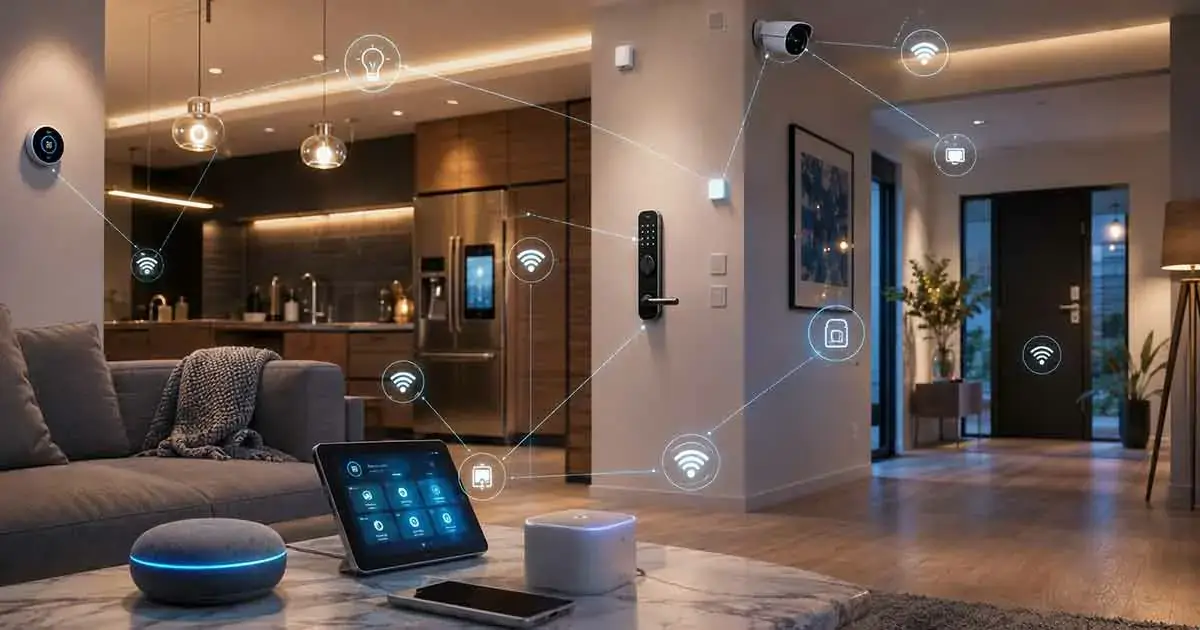
The modern home is becoming more connected every year. From smart thermostats and lighting systems to security cameras, appliances, and connected sensors, homeowners can now use internet-connected technology to automate everyday tasks and manage their homes more efficiently.
These products are commonly described as IoT devices for home. The Internet of Things (IoT) connects physical devices to networks so they can collect data, communicate with other devices, and perform actions based on user commands or automated rules.
For homeowners, IoT technology can make everyday routines more convenient while also supporting home security, energy management, comfort, and automation.
In this guide, we explain what home IoT devices are, how they work, the main types available, how they communicate, and what to consider before adding connected devices to your home.
Table of Contents
What Are IoT Devices for Home?
IoT devices for home are physical products that connect to a network and can exchange data or receive commands through that connection.
Unlike traditional household products, connected IoT devices can often be monitored or controlled remotely using a smartphone, voice assistant, smart display, or home automation platform.
A connected thermostat, for example, can collect temperature information and adjust heating or cooling according to a schedule. A smart light can receive commands through an app or automatically turn on when a specific condition is detected.
Common characteristics of home IoT devices include:
- Network connectivity
- Sensors or other data inputs
- Remote control capabilities
- Automated actions
- Communication with other connected devices
- Smartphone or web-based applications
- Integration with smart home platforms
Some devices operate independently, while others become much more useful when connected to a larger smart home ecosystem.
How IoT Devices Work in a Home
Most connected home devices follow a relatively simple process.
First, the device collects information through sensors or receives a command from the homeowner. The information is then processed locally or transmitted through a network.
Depending on the device, the system may communicate with a cloud service, a local hub, or another compatible device. The resulting action can then be performed automatically.
For example, a smart motion sensor might detect movement and send that information to a smart home system. The system could then activate a hallway light or send an alert to the homeowner.
A typical IoT workflow can look like this:
Sensor → Network → Processing → Automation → Action
The exact architecture depends on the product and the communication technology it uses.
Types of IoT Devices for Home
There are many categories of connected devices available for residential use. Some focus on convenience, while others address security, energy efficiency, entertainment, or household management.
Smart Lighting Devices
Connected lighting products allow homeowners to control lights remotely and create automated lighting routines.
Examples include:
- Smart bulbs
- Smart switches
- Smart dimmers
- Motion-activated smart lights
- Connected outdoor lighting
Many lighting devices can be scheduled or integrated with other home automation systems.
For a broader introduction to connected lighting, see our guide to smart lighting systems.
Smart Thermostats
Smart thermostats monitor indoor conditions and can automatically adjust heating or cooling.
Depending on the model, features may include:
- Remote temperature control
- Scheduling
- Temperature sensors
- Energy monitoring
- Occupancy detection
- Learning routines
- Smart home integration
These capabilities can make temperature management more convenient and potentially reduce unnecessary energy consumption.
Smart Security Cameras
Connected security cameras allow homeowners to monitor areas around or inside their homes through a smartphone or other connected device.
Depending on the model, they may provide:
- Motion detection
- Video recording
- Mobile notifications
- Night vision
- Two-way audio
- Cloud storage
- Local storage
IoT cameras can also become part of broader home security setups.
Our guide to smart security cameras explains how these devices can be used in a connected home.
Smart Door Locks
Smart locks replace or supplement traditional locking systems with electronically controlled access.
Many models allow users to lock or unlock doors through:
- Smartphone applications
- Keypads
- Digital codes
- Fingerprints
- Voice assistants
- Automated routines
Some systems can also provide notifications when doors are locked, unlocked, or accessed.
Smart Speakers and Voice Assistants
Smart speakers are connected audio devices that can respond to voice commands and interact with compatible services and smart home products.
They can be used to:
- Play music
- Answer questions
- Set timers
- Control compatible devices
- Create routines
- Provide reminders
For homeowners interested specifically in voice-based control, our guide to voice control for smart homes provides additional information.
Smart Appliances
Connected appliances extend IoT technology into everyday household equipment.
Examples include:
- Smart refrigerators
- Connected ovens
- Smart washing machines
- Smart dishwashers
- Connected coffee makers
- Smart air conditioners
Some appliances provide remote monitoring and notifications, while others support scheduling and automation.
Our guide to smart appliances explores this category in more detail.
Smart Plugs
Smart plugs are among the simplest ways to add connectivity to traditional appliances.
A smart plug can allow users to switch a connected device on or off remotely or according to a schedule.
They can be useful for:
- Lamps
- Fans
- Coffee makers
- Small appliances
- Holiday lighting
- Electronics
For more information, see our guide to how smart plugs work and their best uses.
Smart Sensors
Sensors are an important part of many IoT systems because they allow devices to detect changes in the environment.
Home sensors can monitor:
- Motion
- Temperature
- Humidity
- Doors and windows
- Water leaks
- Smoke
- Air quality
- Occupancy
These sensors can trigger automated actions or send notifications to homeowners.
Our smart home sensors guide explains the different sensor types and their applications.
How Home IoT Devices Connect
IoT devices can use different communication technologies. The choice affects range, reliability, power consumption, compatibility, and setup requirements.
Wi-Fi
Wi-Fi is one of the most common connectivity methods for consumer IoT devices.
It is particularly useful for products that need relatively high bandwidth, such as:
- Security cameras
- Smart displays
- Smart speakers
- Connected appliances
A major advantage is that most homes already have a Wi-Fi network.
However, adding a large number of connected devices can increase network traffic and place additional demands on the home router.
Bluetooth
Bluetooth is commonly used for short-range communication and device setup.
It can be useful for certain sensors, locks, accessories, and personal devices.
Bluetooth-based products generally operate over shorter distances than Wi-Fi devices, although newer Bluetooth technologies can support improved range and efficiency.
Zigbee
Zigbee is a low-power wireless technology used by many smart home products.
It is particularly useful for battery-powered sensors, switches, lights, and other devices that need efficient communication.
Zigbee networks can use mesh networking, allowing compatible devices to help relay communication throughout the home.
Z-Wave
Z-Wave is another wireless technology designed specifically for home automation.
It is used in products such as:
- Smart locks
- Sensors
- Switches
- Security devices
- Controllers
Like Zigbee, Z-Wave can support mesh networking, which can improve communication across larger homes.
Matter
Matter is an application-layer standard designed to improve interoperability between compatible smart home products.
The goal is to make it easier for devices from different manufacturers and smart home ecosystems to work together.
Matter can operate over technologies such as Wi-Fi, Ethernet, and Thread, while Bluetooth Low Energy can be used during commissioning.
Homeowners considering new IoT products should check whether the devices support Matter when cross-platform compatibility is important.
IoT Devices and Smart Home Platforms
A major advantage of connected devices is their ability to work together.
A smart home platform can provide a central environment for managing compatible products and creating automation routines.
For example, a homeowner could create a routine that:
- Detects that the home is empty.
- Turns off selected lights.
- Adjusts the thermostat.
- Locks compatible doors.
- Activates security monitoring.
The exact capabilities depend on the devices, platform, and communication standards involved.
This is why compatibility should be considered before purchasing multiple IoT products.
Benefits of Smart IoT Devices
Connected home technology can provide several practical benefits.
Convenience
Remote control and automation can reduce the number of routine tasks homeowners need to perform manually.
Lights, thermostats, locks, appliances, and other devices can respond automatically to schedules or conditions.
Home Security
Connected cameras, locks, sensors, and alarms can help homeowners monitor their property and receive notifications about unusual activity.
IoT technology does not replace good physical security practices, but it can provide additional visibility and control.
Energy Management
Connected thermostats, plugs, lighting systems, and energy monitoring equipment can provide information about household energy use.
Automation can also help reduce unnecessary operation of certain devices.
Remote Monitoring
Many connected products allow homeowners to check the status of their property while away.
For example, a homeowner might receive an alert if:
- A water sensor detects a leak.
- A door opens unexpectedly.
- A camera detects motion.
- A smoke detector detects smoke.
- A temperature sensor detects an unusual condition.
Automation
Automation is one of the most important advantages of IoT technology.
Instead of manually controlling every product, homeowners can create rules that allow devices to respond to specific events.
Potential Challenges of Home IoT
Despite their benefits, connected devices also introduce new considerations.
Privacy
IoT devices can collect information about household activity, environmental conditions, device usage, or user interactions.
Before purchasing a device, review its privacy policy and understand what information it collects, where that information is stored, and how it is used.
Cybersecurity
Internet-connected products can introduce cybersecurity risks if they are poorly secured or no longer receive security updates.
Homeowners should use strong, unique passwords, enable available security features, keep device firmware updated, and secure the home network.
Our guide to smart home privacy and security covers these issues in greater detail.
Compatibility
Not every IoT device works with every smart home platform.
Before purchasing a product, check compatibility with the ecosystem and communication standards already used in the home.
Internet Dependence
Some devices rely heavily on cloud services and internet connectivity.
If the internet connection fails, certain remote-control or cloud-dependent features may become unavailable.
Local-control capabilities can therefore be an important consideration for homeowners who want their automation to continue operating during internet outages.
Setup Complexity
A single smart device may be easy to install, but a large connected home can become considerably more complicated.
Network configuration, device compatibility, firmware updates, automation rules, and troubleshooting can all become more important as the number of devices increases.
How to Choose IoT Devices for Your Home
The best IoT devices depend on your needs, existing technology, and budget.
Before purchasing a product, consider the following factors.
1. Define the Problem
Start with the task you want the device to solve.
For example, you may want to:
- Improve home security
- Reduce energy waste
- Automate lighting
- Monitor water leaks
- Control appliances remotely
- Improve convenience
Choosing a device based on a specific need is usually better than buying products simply because they are connected.
2. Check Compatibility
Verify that the device works with your preferred smart home platform.
Compatibility becomes increasingly important when you plan to create automations involving several different manufacturers.
3. Check Connectivity
Determine whether the product uses Wi-Fi, Bluetooth, Zigbee, Z-Wave, Thread, Matter, or another communication technology.
Consider your home’s network coverage and whether additional hubs or controllers are required.
4. Review Security Features
Look for products that receive regular firmware updates and provide appropriate account and security controls.
Avoid relying solely on price when choosing devices that control important household functions.
5. Consider Local vs Cloud Control
Some devices depend heavily on cloud services, while others can perform important functions locally.
If reliability is important, investigate what happens when the internet connection is unavailable.
6. Consider Long-Term Support
IoT devices can remain installed for many years.
Before buying, check whether the manufacturer has a history of providing software updates and maintaining its ecosystem.
How to Build an IoT-Connected Home
You do not need to connect every device in your house at once.
A gradual approach is often easier to manage.
Start with one category that provides an obvious benefit, such as smart lighting, a thermostat, or security sensors.
Once the first devices are working reliably, expand into other categories.
A practical progression could be:
Step 1: Choose a smart home platform.
Step 2: Improve your home network.
Step 3: Add a few high-value IoT devices.
Step 4: Confirm compatibility between products.
Step 5: Create simple automation routines.
Step 6: Secure and update every connected device.
Step 7: Expand the system gradually.
This approach reduces unnecessary complexity and makes troubleshooting easier.
Are IoT Devices Worth It for a Home?
For many homeowners, IoT devices can provide meaningful benefits when they solve specific problems.
A connected thermostat may improve temperature management. Smart lighting can simplify daily routines. Security sensors can provide useful alerts. Smart plugs can add basic automation to existing appliances.
However, adding more connected products is not automatically better.
A well-designed IoT home should be reliable, secure, easy to manage, and appropriate for the homeowner’s actual needs.
The most useful systems combine a limited number of well-chosen devices with sensible automation rather than creating unnecessary complexity.
Final Thoughts
IoT devices for home are becoming an important part of modern residential technology. Connected lighting, thermostats, cameras, locks, appliances, sensors, and entertainment products can communicate through home networks and smart home platforms to provide greater convenience and automation.
The key is to choose devices based on compatibility, security, reliability, privacy, and long-term support.
Instead of trying to connect everything at once, start with the areas of your home where automation provides the clearest practical benefit. As your system grows, a carefully planned IoT ecosystem can make everyday home management more convenient while providing better visibility and control.