
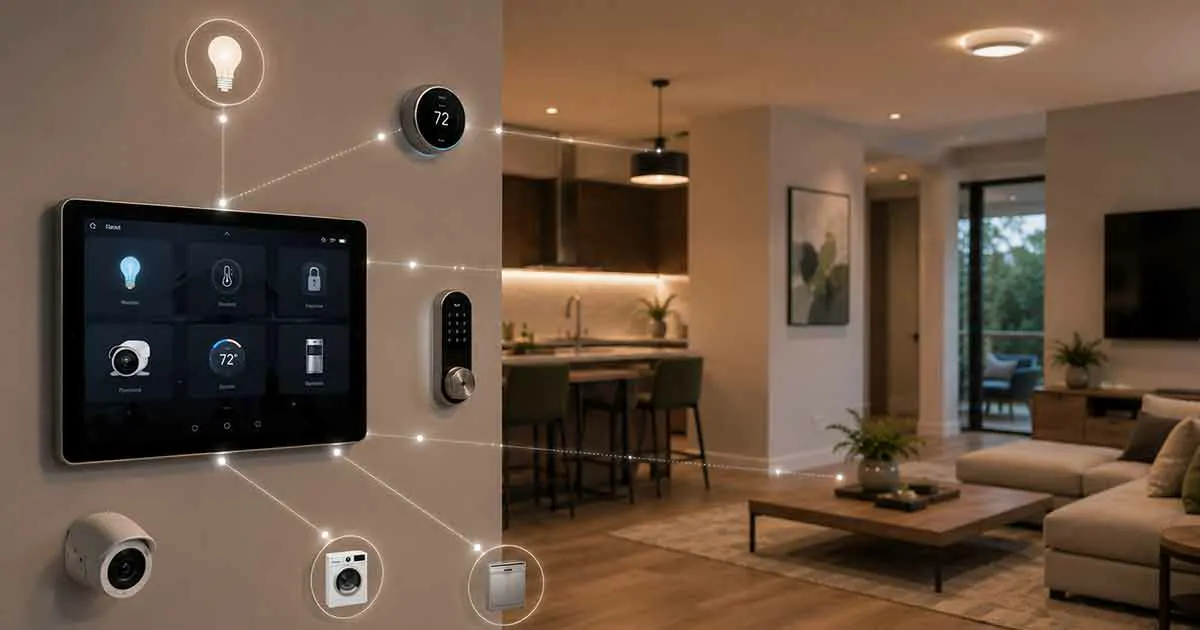
A smart home can include lights, thermostats, smart locks, security cameras, sensors, speakers, appliances, and many other connected devices. But as the number of devices grows, managing them individually can quickly become inconvenient.
This is where a smart home controller can make a major difference.
A smart home controller provides a central way to manage compatible devices, create routines, automate tasks, and control different parts of your home from one interface. Instead of opening a separate app for every device, you can use a controller to bring everyday controls together.
In this guide, we will explain what a smart home controller is, how it works, what features to look for, the different types available, and how to choose the right controller for your home.
Table of Contents
What Is a Smart Home Controller?
A smart home controller is a device, application, or central control interface used to manage connected smart home devices.
Depending on the system, a controller can allow you to turn lights on and off, adjust the thermostat, lock doors, monitor sensors, control appliances, and activate automated routines.
Some controllers work primarily through a smartphone or tablet, while others use a dedicated touchscreen, voice assistant, wall panel, or central device.
The main purpose is simple: give you a convenient way to control multiple smart devices without managing each one separately.
A controller can also coordinate actions between devices. For example, a single command could turn off the lights, adjust the thermostat, lock the doors, and activate security sensors when you leave home.
How Does a Smart Home Controller Work?
Smart home controllers communicate with connected devices using one or more communication technologies.
Depending on the products involved, this can include Wi-Fi, Bluetooth, Zigbee, Z-Wave, Thread, or Matter.
The controller receives an instruction and sends the appropriate command to the connected device.
For example:
- You open your smart home control app.
- You select a smart light.
- The controller communicates with the light.
- The light receives the command.
- The light turns on or off.
More advanced systems can perform multiple actions automatically.
For example, a “Good Night” routine might lock compatible doors, turn off selected lights, adjust the thermostat, and activate security devices with one command.
Smart Home Controller vs Smart Home Hub
The terms smart home controller and smart home hub are sometimes used interchangeably, but they are not always the same thing.
A smart home hub is generally focused on communication between devices and the broader smart home system. A controller is focused more directly on how you interact with and manage those devices.
Some products perform both functions.
For example, a single device may communicate with compatible smart devices while also providing a mobile app, touchscreen interface, or voice control.
This distinction becomes important when choosing equipment because not every controller can communicate directly with every type of smart device.
Types of Smart Home Controllers
There are several ways to control a smart home. The best option depends on the size and complexity of your system.
Smartphone and Tablet Controllers
A smartphone is one of the most accessible ways to control smart home devices.
Manufacturer apps and smart home platforms can provide controls for lights, thermostats, locks, cameras, appliances, and sensors.
The main advantage is convenience because most people already carry a smartphone.
However, relying on many separate manufacturer apps can become frustrating. A good smart home setup should reduce the number of apps you need to use rather than increase it.
Voice Controllers
Voice control allows you to operate compatible devices using spoken commands.
You can use voice commands to perform tasks such as:
- Turn lights on or off
- Adjust the thermostat
- Start a routine
- Control compatible appliances
- Check connected devices
- Control entertainment equipment
Voice control is particularly useful when your hands are occupied or when you want quick access to frequently used functions.
Smart Displays
Smart displays combine voice control with a visual interface.
Instead of relying entirely on spoken commands, you can use a touchscreen to view and control compatible devices.
A smart display can be useful for showing:
- Lights
- Thermostat settings
- Cameras
- Doorbells
- Sensors
- Routines
- Media controls
A centrally positioned display can also provide a convenient control point for the household.
Wall-Mounted Controllers
For larger or more sophisticated smart homes, a dedicated wall-mounted controller can provide centralized access to important functions.
These systems are often installed in convenient locations such as hallways, kitchens, or near the main entrance.
A wall controller can provide quick access to lighting scenes, climate controls, security functions, and other connected systems.
The major advantage is that the control interface remains available without requiring someone to find a smartphone.
Computer-Based Controllers
Some advanced smart home systems can be controlled through a computer or web-based interface.
This approach is more common among enthusiasts and advanced users who want detailed control over automation, device states, dashboards, and customized routines.
Computer-based systems can offer extensive customization, but they may require more technical knowledge than mainstream smart home platforms.
What Can a Smart Home Controller Control?
The range of devices depends on compatibility, but modern controllers can manage many types of smart home equipment.
Smart Lighting
A controller can operate individual lights, groups of lights, switches, and lighting scenes.
For example, you could create a “Movie Night” scene that dims the living room lights while leaving hallway lighting at a lower level.
Smart Thermostats
Compatible thermostats can be controlled through a central interface.
You may be able to adjust temperature settings, schedules, and operating modes without opening a separate thermostat application.
Smart Locks
Smart locks can provide centralized access control.
Depending on the system, you may be able to check lock status, lock compatible doors, or integrate door locks into routines.
Security Devices
Controllers can work with compatible security sensors, alarms, cameras, and other devices.
For example, a home-away routine could activate selected security devices when everyone leaves the house.
Smart Plugs
Smart plugs are simple devices that can turn ordinary appliances into controllable devices.
A controller can switch compatible smart plugs on or off and include them in automation routines.
Smart Appliances
Some connected appliances can also be integrated into a smart home control system.
Depending on compatibility, this may include washing machines, ovens, refrigerators, robotic vacuums, and other appliances.
Entertainment Devices
Compatible televisions, speakers, streaming equipment, and other entertainment products can sometimes be controlled through the same smart home interface.
This can make it easier to create routines that combine lighting, audio, and entertainment.
Why Use a Smart Home Controller?
The biggest advantage of a controller is centralized control.
Without a central interface, a smart home can quickly become a collection of disconnected products.
A controller can simplify everyday management by bringing compatible devices together.
Easier Everyday Control
Instead of searching for different applications, you can access multiple devices through one interface.
Better Automation
Controllers can combine multiple devices into routines.
For example:
Leaving Home
- Turn off selected lights
- Adjust the thermostat
- Lock compatible doors
- Activate security devices
Morning
- Turn on selected lights
- Adjust the thermostat
- Start a compatible appliance
- Provide weather information
Automation can reduce repetitive tasks and make smart devices more useful.
Centralized Device Management
A controller can give you a clearer view of your connected devices and their current states.
This becomes increasingly valuable as the number of devices in your home grows.
Easier Access for the Household
A dedicated control interface can be easier for family members to use than managing multiple individual applications.
Important Features to Look For
Not all smart home controllers offer the same capabilities. Before buying one, consider several important factors.
Device Compatibility
Compatibility should be one of your first considerations.
Check whether the controller supports the devices and platforms you already own or plan to purchase.
A controller that works with only a small selection of products may limit your options later.
Matter Support
Matter is an important consideration when building a modern smart home.
Matter is designed to improve interoperability between compatible smart home products and major platforms.
If you are buying new equipment, choosing a controller and devices with appropriate Matter support can provide greater flexibility.
However, Matter support does not automatically mean that every feature of every device will work identically across all platforms.
Wireless Protocol Support
Consider which communication technologies your devices use.
Depending on your setup, support for technologies such as Wi-Fi, Thread, Zigbee, or Z-Wave may be important.
If your controller does not support the communication methods required by your devices, you may need additional equipment.
Automation Features
A good controller should do more than turn devices on and off.
Look for automation features based on conditions such as:
- Time
- Device status
- Motion
- Temperature
- Location
- Door or window activity
- Sunrise and sunset
These features allow your smart home to respond automatically to changing conditions.
Mobile Access
Remote access can be useful when you are away from home.
Depending on the platform, you may be able to monitor or control compatible devices from your smartphone while traveling or working away from home.
Voice Control
If you frequently use voice commands, make sure the controller works with your preferred voice assistant.
Security and Privacy
Your smart home controller can become an important part of your connected home, so security should not be overlooked.
Look for products from reputable manufacturers that provide regular software and security updates.
You should also use strong account credentials and enable multi-factor authentication when available.
Ease of Use
A technically powerful controller is not necessarily the best controller if it is difficult to operate.
Look for an interface that is clear enough for everyone in your household to use.
Do You Need a Smart Home Controller?
Not every smart home requires a dedicated controller.
If you have only a few devices, individual manufacturer apps or an existing smart home platform may be sufficient.
A dedicated controller becomes more useful when you have multiple categories of devices that need to work together.
For example, if your home includes smart lighting, locks, thermostats, sensors, security devices, and entertainment equipment, centralized control can significantly simplify daily management.
The more complex the system becomes, the more valuable a well-designed control system can be.
How to Choose the Right Smart Home Controller
Start by looking at your existing devices rather than choosing a controller based only on its features.
Step 1: List Your Devices
Write down the smart devices you already have.
Include:
- Lights
- Switches
- Thermostats
- Locks
- Cameras
- Sensors
- Speakers
- Appliances
- Smart plugs
Step 2: Check Compatibility
Determine which platforms and communication technologies those devices support.
This prevents you from purchasing a controller that cannot communicate with important equipment.
Step 3: Decide How You Want to Control Your Home
Consider whether you prefer:
- Smartphone control
- Voice commands
- Touchscreen control
- Wall-mounted controls
- A combination of these options
Many homes benefit from using more than one control method.
Step 4: Consider Future Expansion
Do not choose a controller based only on today’s devices.
Think about what you may add later.
For example, you may eventually want additional security devices, smart lighting, energy monitoring, or automated window coverings.
Choosing a flexible system can reduce compatibility problems in the future.
Step 5: Evaluate Automation
If automation is important to you, examine the controller’s ability to create routines and conditional actions.
This can have a greater impact on everyday usefulness than simply having a large number of supported devices.
How to Set Up a Smart Home Controller
The exact setup process varies between products, but the general process is straightforward.
1. Install the Controller
Set up the controller according to the manufacturer’s instructions.
If it requires a network connection, make sure it has a reliable connection to your home network.
2. Install the Required App
Download the appropriate application and sign in to your account.
3. Add Compatible Devices
Follow the platform’s process for discovering and adding devices.
Give each device a clear name such as “Kitchen Ceiling Light” instead of a generic device name.
4. Organize Devices by Room
Grouping devices by room makes them easier to manage.
For example:
Living Room
- Main lights
- Smart TV
- Speaker
- Thermostat
Bedroom
- Lights
- Blinds
- Fan
- Sensor
5. Create Routines
Start with simple routines that solve real problems.
For example:
Good Night: Turn off downstairs lights, lock compatible doors, and adjust the thermostat.
Away: Turn off selected devices and activate compatible security equipment.
Avoid creating dozens of complicated automations immediately. Start with a few useful routines and expand gradually.
Common Smart Home Controller Mistakes
A controller can simplify your smart home, but poor planning can create new problems.
Choosing Compatibility Based on One Device
Buying a controller because it works with one product can create limitations later.
Consider your entire ecosystem.
Ignoring Network Reliability
Many smart home devices depend on a reliable home network.
If your Wi-Fi coverage is poor, connected devices may become unreliable regardless of how good the controller is.
Creating Too Many Automations
Automation should make your home easier to manage.
If you create complicated routines that frequently behave unexpectedly, the system can become more frustrating than a manual setup.
Using Confusing Device Names
Clear naming is especially important when using voice control.
Names such as “Living Room Lamp” and “Kitchen Ceiling Light” are easier to understand than default product names.
Forgetting Software Updates
Controllers and connected devices should be kept updated to receive important improvements and security fixes.
Can One Controller Manage Everything?
Not always.
Compatibility remains one of the biggest challenges in smart home technology.
A controller may support many devices but still lack support for specific products or advanced features.
This is why it is important to check compatibility before buying new equipment.
Modern standards such as Matter are helping improve interoperability, but the smart home market still contains multiple platforms, protocols, and manufacturer-specific features.
The goal should not necessarily be to make every device work through one application at any cost. Instead, build a system where the most important devices can work together reliably.
Are Smart Home Controllers Worth It?
For a small smart home, a dedicated controller may not be necessary.
For a larger system, however, centralized control can make a significant difference.
The value comes from reducing complexity and connecting everyday actions.
A well-designed controller can turn a collection of individual smart products into a more coordinated home automation system.
Before purchasing one, focus on compatibility, reliability, automation capabilities, security, and ease of use rather than choosing a controller simply because it has the most features.
Final Thoughts
A smart home controller provides a practical way to manage multiple connected devices from a centralized interface.
Whether you use a smartphone, voice assistant, smart display, wall-mounted panel, or a more advanced control system, the right solution can make your smart home easier to operate and automate.
The best controller is not necessarily the most expensive or technically advanced option. It is the one that works reliably with your existing devices, supports the technologies you plan to use, and provides an interface that your entire household can comfortably use.
As your smart home grows, choosing a flexible controller with strong compatibility and automation capabilities can help you build a system that remains useful instead of becoming a collection of disconnected devices.