
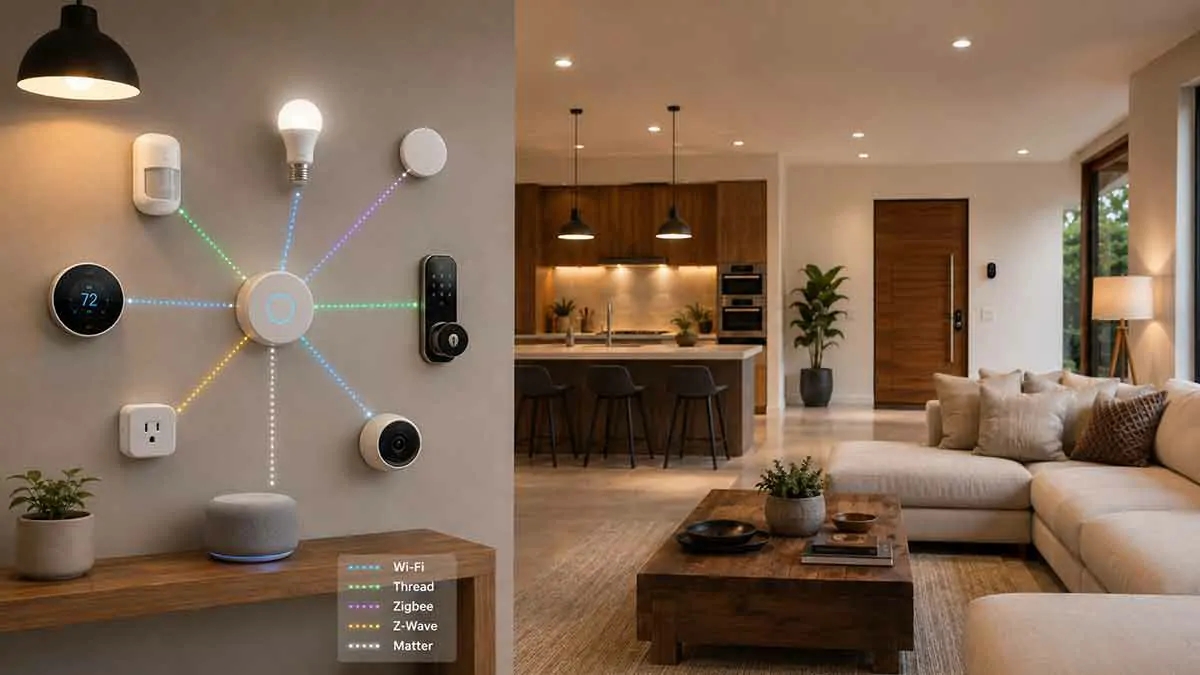
Smart home devices need a way to communicate with each other, your home network, or a central controller. That communication depends on smart home protocols.
Choosing the right protocol can affect device compatibility, range, reliability, power consumption, network performance, and how easily your smart home can expand.
Today, homeowners have several major technologies to choose from, including Wi-Fi, Thread, Zigbee, Z-Wave, and Matter. These technologies are not direct replacements for one another because they operate at different layers and solve different problems.
For example, Wi-Fi and Thread are primarily communication technologies, while Matter is an application-layer standard designed to improve interoperability between compatible smart home devices and platforms.
Understanding these differences can help you avoid buying devices that do not fit your smart home architecture.
In this guide, we’ll explain how the major smart home protocols work, compare their strengths and limitations, and help you determine which technologies make sense for different types of smart home devices.
Table of Contents
What Is a Smart Home Protocol?
A smart home protocol is a set of technical rules that determines how devices communicate.
Depending on the technology, a protocol can define things such as:
- How devices communicate
- How information is transmitted
- How devices identify each other
- How networks are formed
- How devices interact with controllers
- How communication is secured
- How devices handle messages
Different protocols are designed for different requirements.
Some prioritize high bandwidth, while others prioritize low power consumption, range, reliability, or low-cost communication.
The Main Smart Home Protocols
The five technologies covered in this guide are:
- Wi-Fi
- Thread
- Zigbee
- Z-Wave
- Matter
They should not all be viewed as competitors.
A modern smart home can use several of them at the same time.
For example, a system might use:
Wi-Fi → Cameras and smart speakers
Thread → Sensors and low-power devices
Zigbee → Lighting and switches
Matter → Interoperability between compatible devices and platforms
The best choice depends on the device and your overall system.
Wi-Fi for Smart Home Devices
Wi-Fi is one of the most familiar wireless technologies.
Most homes already have a Wi-Fi router, which makes Wi-Fi smart devices relatively easy to install.
Common Wi-Fi smart devices include:
- Smart cameras
- Smart TVs
- Smart speakers
- Smart plugs
- Smart thermostats
- Smart appliances
- Some smart lights
Wi-Fi provides relatively high bandwidth, making it particularly useful for devices that transfer significant amounts of data.
Advantages of Wi-Fi
Wi-Fi has several important advantages.
No Dedicated Hub for Many Devices
Many Wi-Fi products connect directly to your router.
This can simplify installation.
High Bandwidth
Wi-Fi is suitable for data-intensive devices such as cameras and streaming devices.
Familiar Technology
Most homeowners already understand basic Wi-Fi networking.
Broad Availability
Wi-Fi hardware is widely available across many manufacturers and price ranges.
Disadvantages of Wi-Fi
Wi-Fi also has limitations for smart home applications.
Higher Power Consumption
Battery-powered devices may not benefit from traditional Wi-Fi because maintaining a Wi-Fi connection can consume more power than some low-power protocols.
Network Congestion
Adding many Wi-Fi devices can increase the load on your wireless network.
Router Dependency
Wi-Fi devices depend on your network infrastructure.
If the router fails, many devices may stop communicating.
Cloud Dependency
Some Wi-Fi smart devices depend heavily on manufacturer cloud services for control and automation.
Wi-Fi itself does not require cloud control, but the device manufacturer may.
Thread for Smart Homes
Thread is a low-power wireless mesh networking technology designed for connected devices.
It is particularly suitable for devices such as:
- Sensors
- Smart locks
- Smart lights
- Thermostats
- Buttons
- Low-power controllers
Thread is based on IPv6 and is designed to support reliable communication between low-power devices.
How Thread Works
Thread devices can form a mesh network.
Instead of requiring every device to communicate directly with a central router, Thread devices can communicate through other Thread devices within the network.
A simplified structure looks like:
Thread Device → Thread Device → Thread Border Router
This can improve coverage and resilience as the network grows.
What Is a Thread Border Router?
A Thread Border Router connects the Thread network to another IP network, such as your home Wi-Fi or Ethernet network.
It does not necessarily function like a traditional proprietary smart home hub.
Its primary role is to allow Thread devices to communicate with devices and services outside the Thread network.
Some smart home products can act as Thread Border Routers.
Advantages of Thread
Thread offers several advantages for smart home applications.
Low Power Consumption
Thread is designed for low-power devices, making it suitable for battery-powered sensors.
Mesh Networking
Devices can help extend the network’s coverage.
IP-Based
Thread uses IPv6, which fits naturally into modern network architectures.
Good for Sensors
Its low-power characteristics make it particularly useful for sensors and other small devices.
Disadvantages of Thread
Thread also has limitations.
Requires Compatible Infrastructure
You need compatible Thread devices and usually a Thread Border Router for broader network connectivity.
Not Every Thread Device Is Matter
Thread and Matter are different technologies.
A Thread device does not automatically support Matter.
Less Familiar to Beginners
Thread is newer and can be more difficult to understand than traditional Wi-Fi.
Zigbee for Smart Homes
Zigbee is a mature low-power wireless protocol widely used in smart home devices.
It is commonly found in:
- Smart bulbs
- Smart switches
- Motion sensors
- Door sensors
- Smart plugs
- Buttons
- Temperature sensors
Zigbee typically uses a mesh architecture.
How Zigbee Mesh Networks Work
In a Zigbee mesh network, compatible devices can relay communication.
A simplified example is:
Sensor → Zigbee Router → Zigbee Coordinator
This can allow devices farther away from the coordinator to communicate through other powered Zigbee devices.
The exact behavior depends on the device and network configuration.
What Is a Zigbee Coordinator?
The coordinator is the central component that establishes and manages a Zigbee network.
In many consumer smart homes, the coordinator is built into a hub.
The hub may then connect Zigbee devices to your broader smart home platform.
Advantages of Zigbee
Low Power
Zigbee is suitable for battery-powered devices.
Mesh Networking
Powered devices can help extend coverage.
Large Device Ecosystem
Zigbee has been used in smart home products for many years.
Good for Sensors and Lighting
Its characteristics make it suitable for many common automation devices.
Disadvantages of Zigbee
Hub Usually Required
Most Zigbee networks need a coordinator.
Compatibility Can Vary
Two Zigbee devices are not necessarily guaranteed to work together with every Zigbee hub.
Configuration Can Be More Complex
Managing a Zigbee network can require more technical knowledge than connecting a simple Wi-Fi device.
Z-Wave for Smart Homes
Z-Wave is another low-power wireless technology designed specifically for home automation and control.
It is commonly used for:
- Smart locks
- Door sensors
- Motion sensors
- Smart switches
- Smart plugs
- Thermostats
Like Zigbee, Z-Wave can create a mesh network.
How Z-Wave Works
Powered Z-Wave devices can help relay messages across the network.
A typical architecture may look like:
Z-Wave Sensor → Z-Wave Device → Z-Wave Controller
The controller manages the Z-Wave network and connects it to the smart home platform.
Advantages of Z-Wave
Designed for Home Automation
Z-Wave was created specifically for low-power control applications.
Mesh Networking
The network can extend through compatible powered devices.
Low Power
Battery-powered sensors can operate efficiently.
Strong Smart Home Ecosystem
Z-Wave has a long history in home automation.
Disadvantages of Z-Wave
Controller Required
A Z-Wave network generally requires a compatible controller.
Regional Frequency Differences
Z-Wave uses different frequency ranges in different regions.
This means you should buy products designed for your local market.
Device Support Varies
A Z-Wave controller does not necessarily support every feature of every Z-Wave product.
Matter for Smart Homes
Matter is different from Wi-Fi, Thread, and Zigbee.
Matter is an application-layer smart home standard designed to improve interoperability between compatible devices, ecosystems, and platforms.
Matter can operate over different underlying network technologies, including:
- Wi-Fi
- Thread
- Ethernet
Matter therefore sits above some of the connectivity technologies used by smart home devices.
How Matter and Thread Work Together
Matter and Thread are often mentioned together, but they are not the same thing.
A simplified example is:
Matter → Thread → Smart Device
Matter defines how compatible smart home devices communicate at the application level.
Thread provides the underlying low-power network.
This means a Matter device can use Thread for connectivity.
Can Matter Use Wi-Fi?
Yes.
Matter can run over Wi-Fi for supported device categories.
For example, some higher-bandwidth Matter devices may use Wi-Fi rather than Thread.
The important distinction is:
Wi-Fi = network connectivity
Thread = low-power network connectivity
Matter = application-layer interoperability
Advantages of Matter
Better Interoperability
Matter is designed to allow compatible devices to work across supported smart home ecosystems.
Reduced Platform Lock-In
A Matter-compatible device may offer more flexibility when choosing a smart home platform.
Multiple Underlying Networks
Matter can use Wi-Fi, Thread, and Ethernet depending on the device.
Industry Support
Matter has been developed with broad industry participation.
Disadvantages of Matter
Not Universal Compatibility
Matter does not mean every feature works on every platform.
Controller Requirements
Matter devices still need compatible controllers and infrastructure.
Device Type Limitations
Support for device categories and features continues to evolve.
Setup Can Still Be Complex
A Matter device can still encounter problems involving network configuration, commissioning, controllers, or ecosystem support.
Wi-Fi vs Thread
Wi-Fi and Thread serve different purposes.
| Feature | Wi-Fi | Thread |
|---|---|---|
| Primary purpose | General networking | Low-power device networking |
| Power consumption | Generally higher | Low |
| Bandwidth | High | Lower |
| Battery devices | Less ideal for many sensors | Excellent |
| Mesh | Wi-Fi mesh depends on infrastructure | Native mesh architecture |
| Cameras | Excellent | Not intended |
| Sensors | Possible | Excellent |
| Smart lights | Common | Possible |
| Internet connectivity | Direct through router | Via Thread Border Router |
For cameras and high-bandwidth devices, Wi-Fi is generally more appropriate.
For battery-powered sensors, Thread can be a better fit.
Zigbee vs Thread
Zigbee and Thread have several similarities.
Both are:
- Low power
- Designed for smart home devices
- Capable of mesh networking
- Suitable for sensors
- Suitable for smart lighting
The major architectural difference is that Thread is IP-based, while Zigbee uses its own application and networking architecture.
Thread also has a strong relationship with Matter.
Zigbee remains a mature and widely deployed smart home technology.
Z-Wave vs Zigbee
Z-Wave and Zigbee are both established smart home technologies.
| Feature | Z-Wave | Zigbee |
|---|---|---|
| Low power | Yes | Yes |
| Mesh networking | Yes | Yes |
| Sensors | Excellent | Excellent |
| Smart lighting | Excellent | Excellent |
| Hub/controller | Usually required | Usually required |
| Regional considerations | Important | Generally less restrictive |
| Matter native | No | No |
Both can be excellent choices.
The best option depends on the controller, device availability, and ecosystem you choose.
Thread vs Zigbee
Thread and Zigbee are both useful for low-power mesh networks.
Thread’s IP-based architecture makes it particularly attractive for modern smart home systems and Matter.
Zigbee has the advantage of being mature and widely supported by existing smart home hardware.
If you are building a new system, Thread may be attractive if you want to use Matter extensively.
If you already own many Zigbee devices, there may be little reason to replace them.
Matter vs Zigbee
Matter and Zigbee should not be considered direct competitors.
Zigbee provides a wireless networking technology and device ecosystem.
Matter provides an application-layer standard.
A Zigbee device does not become a Matter device simply because it is connected to a Matter-compatible hub.
Some hubs can bridge Zigbee devices into a Matter ecosystem, but this depends on the controller and supported functionality.
Matter vs Z-Wave
The same principle applies to Z-Wave.
Z-Wave is a communication technology used by smart home devices.
Matter is an application-layer interoperability standard.
A smart home controller may bridge Z-Wave devices into another ecosystem, but this does not mean the Z-Wave device itself is natively a Matter device.
Can Smart Home Protocols Work Together?
Yes.
A modern smart home can combine multiple technologies.
For example:
Wi-Fi → Smart cameras
Thread → Motion sensors
Zigbee → Smart bulbs
Z-Wave → Smart locks
Matter → Cross-platform device integration
A central controller may coordinate devices using different protocols.
Why Use Multiple Protocols?
There is no single protocol that is ideal for every smart home device.
Different devices have different requirements.
For example:
Cameras
Need high bandwidth.
Wi-Fi is a natural choice.
Battery Sensors
Need low power consumption.
Thread, Zigbee, or Z-Wave can be excellent choices.
Smart Locks
Need reliability and low power.
Thread, Zigbee, or Z-Wave may be appropriate depending on the product.
Smart Speakers
Need significant network bandwidth.
Wi-Fi is typically appropriate.
Smart Home Protocols and Hubs
Your choice of protocol affects your hub requirements.
A Wi-Fi-only system may not need a dedicated hub.
A Zigbee system generally needs a Zigbee coordinator.
A Z-Wave system generally needs a Z-Wave controller.
A Thread system requires appropriate Thread infrastructure, including a Thread Border Router for communication with other IP networks.
Matter devices require compatible Matter controllers and infrastructure.
Smart Home Protocols and Local Control
Protocol choice can affect how much of your smart home can operate locally.
Local control can reduce dependence on external cloud services.
For example:
Motion Sensor → Local Controller → Smart Light
can operate within the home.
However, the protocol alone does not determine whether a device supports local control.
A Wi-Fi device can support local control.
A Zigbee device can still depend on cloud-connected software through its hub.
A Matter device can still be integrated into a system with cloud-dependent services.
Always check the actual device and controller architecture.
Smart Home Protocols and Internet Outages
A smart home protocol can continue operating locally even when your internet connection is unavailable, depending on the architecture.
For example, a local Zigbee automation may continue working:
Zigbee Sensor → Local Hub → Zigbee Light
The internet connection may not be required.
Similarly, some Thread and Matter systems can maintain local functionality.
However, cloud-dependent features may stop working during an outage.
This distinction is important when evaluating smart home reliability.
Smart Home Protocols and Network Security
Each protocol has its own security architecture, but good network security practices remain important.
You should still:
- Secure your router
- Use strong account credentials
- Enable MFA where available
- Keep firmware updated
- Remove unsupported devices
- Segment IoT devices where practical
- Avoid unnecessary internet exposure
Using a modern protocol does not automatically make a smart home secure.
Which Smart Home Protocol Is Best?
There is no single best protocol for every home.
The best option depends on what you are trying to accomplish.
Best for High-Bandwidth Devices
Wi-Fi
Ideal for cameras, TVs, speakers, and other data-intensive devices.
Best for Low-Power Modern Devices
Thread
Well suited to sensors, locks, and other low-power products.
Best for Mature Smart Home Networks
Zigbee
A strong option with a large range of existing devices.
Best for Established Home Automation
Z-Wave
Particularly attractive for users who want reliable low-power home automation devices.
Best for Interoperability
Matter
Useful when cross-platform compatibility is a priority.
Should You Choose Matter or Thread?
This is not necessarily an either-or decision.
You can use:
Matter over Thread
This combination is particularly attractive for low-power smart home devices.
Matter handles the application-level communication, while Thread provides the underlying network.
You can also use Matter over Wi-Fi or Ethernet for compatible devices.
Should You Choose Wi-Fi or Thread?
Consider the device.
For a security camera:
Wi-Fi makes more sense.
For a battery-powered door sensor:
Thread may be more appropriate.
For a smart speaker:
Wi-Fi is generally preferable.
For a low-power smart lock:
Thread can be an attractive option.
Should You Choose Zigbee or Thread?
If you already have a Zigbee system with many devices, continuing with Zigbee can be perfectly reasonable.
If you are starting from scratch and want a modern Matter-oriented architecture, Thread may be more attractive.
The decision should be based on:
- Device availability
- Controller support
- Matter compatibility
- Local control
- Existing hardware
- Future expansion
Should You Choose Z-Wave?
Z-Wave can still be an excellent choice for homeowners who value its mature ecosystem and broad range of home automation products.
It can be especially useful for:
- Smart locks
- Sensors
- Switches
- Thermostats
However, check regional compatibility and controller support before purchasing.
How to Choose a Smart Home Protocol
Use this process before buying devices.
Step 1: Identify the Device
Determine whether you need a:
- Camera
- Sensor
- Light
- Plug
- Lock
- Thermostat
- Appliance
Step 2: Determine Its Network Requirements
Ask whether it needs:
- High bandwidth
- Low power
- Long range
- Mesh networking
- Local control
Step 3: Choose the Appropriate Protocol
Match the requirements to the technology.
Step 4: Check Controller Compatibility
Make sure your hub or platform supports the protocol.
Step 5: Check Platform Compatibility
Verify that the device works with your chosen smart home ecosystem.
Step 6: Consider Future Expansion
Choose technologies that give you room to add devices later.
Smart Home Protocol Compatibility Checklist
Before buying a device, check:
- Communication protocol
- Wi-Fi requirements
- Thread support
- Zigbee support
- Z-Wave support
- Matter support
- Hub requirements
- Controller compatibility
- Platform compatibility
- Local control
- Offline operation
- Firmware support
- Security updates
- Regional compatibility
Common Smart Home Protocol Mistakes
Assuming Matter Replaces Everything
Matter improves interoperability but does not replace every underlying networking technology.
Assuming Wi-Fi Means Universal Compatibility
Two Wi-Fi devices can still belong to completely different ecosystems.
Confusing Thread With Matter
Thread and Matter operate at different layers.
Buying Devices Before Choosing a Controller
This can create compatibility problems later.
Ignoring Regional Z-Wave Requirements
Z-Wave frequencies vary by region.
Using Too Many Protocols Without a Plan
Multiple protocols can work together, but unnecessary complexity makes troubleshooting harder.
Ignoring Local Control
A device can use a modern protocol while still depending heavily on cloud services.
A Practical Smart Home Protocol Strategy
For many new smart homes, a mixed architecture can make sense.
For example:
Wi-Fi
Use for:
- Cameras
- Smart speakers
- TVs
- High-bandwidth devices
Thread + Matter
Use for:
- Sensors
- Locks
- Lights
- Low-power devices
Zigbee
Use when you want:
- Mature sensor ecosystem
- Smart lighting
- Existing Zigbee hardware
Z-Wave
Use when you want:
- Smart locks
- Sensors
- Switches
- Established home automation hardware
You do not need to choose one protocol for every device.
Final Thoughts
Smart home protocols determine how your connected devices communicate and form the foundation of a reliable smart home.
Wi-Fi remains an excellent choice for high-bandwidth devices and products that can connect directly to your router. Thread provides a low-power mesh network well suited to modern sensors and other devices. Zigbee and Z-Wave remain mature options for home automation. Matter adds an important interoperability layer that can help compatible devices work across supported smart home ecosystems.
The most important thing to remember is that these technologies are not all direct competitors.
A well-designed smart home can use several protocols simultaneously, with each technology handling the devices it is best suited for.
Instead of asking which protocol is universally the best, ask which protocol best fits your devices, controller, network, security requirements, and plans for future expansion.
That approach will help you build a smart home that is easier to manage today and more flexible as new technologies and devices become available.