
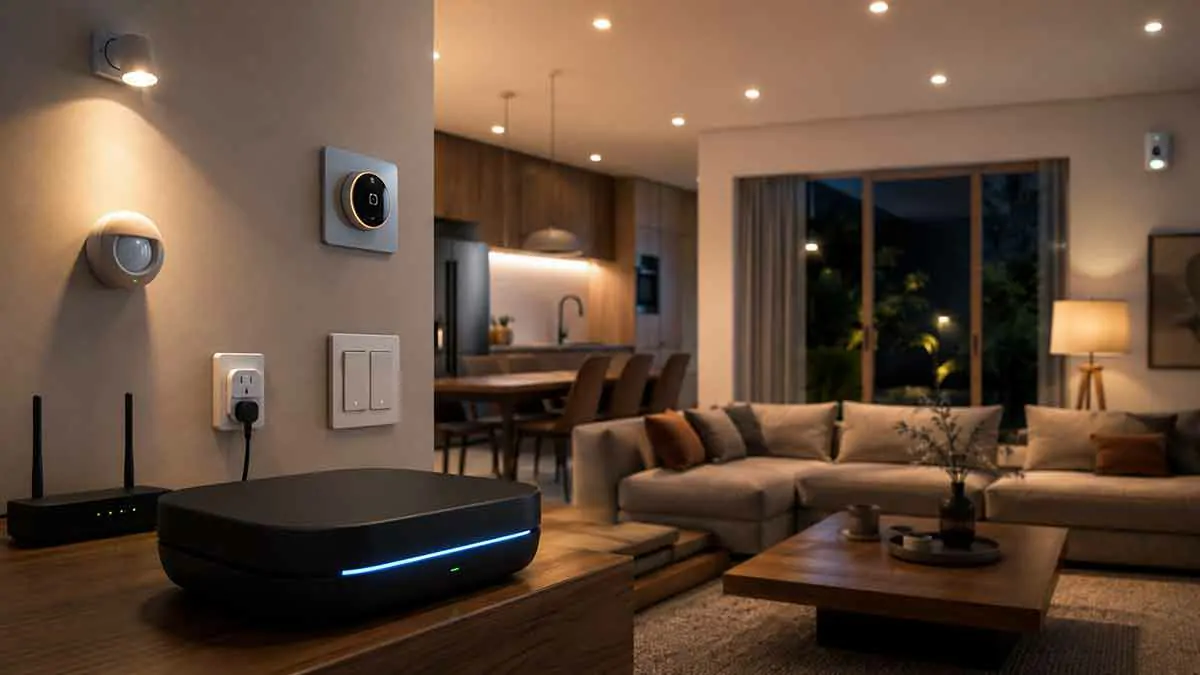
A smart home does not always need the internet to control its devices. In many setups, important functions can operate locally, allowing devices and automation rules to communicate within the home without sending every command through a remote cloud service.
This approach is known as smart home local control.
Local control can improve responsiveness, reduce dependence on internet connectivity, and give homeowners more control over how their smart home operates. It can also be an important consideration for people who want greater privacy or continued automation during an internet outage.
However, local control is not always straightforward. Some devices offer only limited local functionality, while others depend heavily on cloud services for setup, remote access, voice control, or advanced features.
In this complete guide, we’ll explain what smart home local control means, how it works, its benefits and limitations, which devices can use it, how it differs from cloud control, and how to build a smart home that remains useful when the internet connection is unavailable.
What Is Smart Home Local Control?
Smart home local control means that commands and automation processes can operate within your home network or directly between compatible devices without requiring a remote cloud service for every interaction.
For example, when you press a smart switch and a compatible light turns on immediately through a local connection, the command may not need to travel to an external server.
A local smart home can use different communication technologies and controllers, depending on the devices involved.
The important concept is simple:
Local control keeps as much smart home communication and processing as possible inside the home.
This does not necessarily mean the entire smart home works without the internet. Many systems use a combination of local and cloud-based functions.
How Does Local Smart Home Control Work?
A locally controlled smart home generally has a central controller, hub, or compatible devices that can communicate directly over the local network.
A simple example could look like this:
Smart switch → local network → smart home controller → smart light
The command can be processed inside the home rather than being sent to a remote server and back.
Some devices can also communicate directly using protocols designed for local device-to-device communication.
The exact architecture depends on the smart home platform, communication standard, and device manufacturer.
Local Control vs. Cloud Control
The difference between local and cloud control is mainly where commands and processing occur.
Local Control
With local control:
- Commands can be processed within the home
- Some automations can continue during an internet outage
- Response times can be very fast
- Internet access may not be required for supported functions
- Data may remain more localized
Cloud Control
With cloud control:
- Commands may be processed by remote servers
- Internet access is often required
- Remote access can be convenient
- Manufacturer cloud services may provide advanced features
- Device functionality can depend on continued cloud support
Neither approach is automatically better for every smart home.
A hybrid system can combine local reliability with cloud-based features such as remote access and integrations.
Why Is Local Control Important?
Local control can be valuable for several reasons.
Better Reliability
If your internet connection goes down, local devices and automations may continue working.
For example, a locally controlled lighting system could continue responding to switches and sensors even when your internet service is unavailable.
Faster Response
A local command does not always need to travel to a remote server.
This can reduce latency and make certain actions feel more immediate.
Greater Privacy
When automation processing happens locally, less information may need to leave the home network.
This can be attractive for users who want to minimize cloud dependency.
Reduced Cloud Dependency
If a manufacturer changes its service, subscription model, or cloud platform, locally controlled devices may be less affected for supported functions.
However, this depends heavily on the device and software architecture.
Does Local Control Mean No Internet?
No.
This is one of the most common misunderstandings about local smart home control.
A device can support local control while still using the internet for other features.
For example, a smart light might continue working locally while requiring internet access for:
- Remote control from outside the home
- Cloud-based voice assistants
- Firmware updates
- Manufacturer account services
- Remote notifications
- Cloud automation features
Therefore, it is important to distinguish between:
Local control
and
Complete offline operation.
They are not always the same thing.
What Happens When the Internet Goes Down?
The result depends on your specific devices and smart home architecture.
A well-designed local system may continue to support:
- Physical switches
- Local lighting control
- Local sensors
- Local automations
- Some scheduled routines
- Communication between compatible devices
Cloud-dependent features may stop working.
For example, you may still be able to turn on a local smart light from a physical switch, while remote control from your phone outside the home is unavailable.
This is why checking offline capabilities before buying smart home devices is important.
Smart Home Local Control for Lighting
Lighting is one of the easiest areas to benefit from local control.
Imagine that your hallway has a motion sensor connected to a local automation.
When movement is detected, the controller can turn on the hallway light without sending the event to an external cloud service.
This can make the automation responsive and allow it to continue operating during an internet outage.
Local lighting control can also reduce concerns about simple everyday commands depending on an external service.
Smart Home Local Control for Sensors
Sensors are often an important part of a local smart home.
Motion sensors, door sensors, temperature sensors, and other devices can provide information to a local controller.
For example:
Motion detected → local controller processes event → hallway light turns on.
If this entire process remains local, the automation may continue functioning even if the internet connection is unavailable.
However, the sensor itself must communicate using a compatible local protocol or network connection.
Local Control for Smart Thermostats
Smart thermostats can also benefit from local operation.
Basic temperature control should generally continue even if internet access is temporarily unavailable, although advanced smart features may depend on cloud services.
Before buying a thermostat, check whether:
- Local temperature control is supported
- Physical controls remain functional
- Schedules are stored locally
- Automation rules can run without cloud access
- Remote access requires internet connectivity
This distinction becomes particularly important if climate control is a critical part of your home.
Local Control for Smart Plugs
Smart plugs are another good candidate for local automation.
A local controller can potentially switch a smart plug on or off based on a sensor, schedule, or other local event.
For example:
Motion detected → turn on a connected lamp.
This can work without internet access if both the plug and automation system support local operation.
As always, avoid using automatic power control on appliances where an unexpected shutdown could create a problem.
Local Control and Smart Home Hubs
A smart home hub or controller can play a central role in local control.
The controller may:
- Communicate with sensors
- Manage device states
- Run automation rules
- Store schedules
- Connect different device protocols
- Coordinate multiple devices
A local controller can reduce dependence on manufacturer cloud services.
However, not every hub provides the same level of local functionality.
Before choosing one, check which features actually run locally and which still require cloud access.
Communication Technologies Used for Local Control
Different smart home devices use different communication technologies.
Wi-Fi
Wi-Fi devices connect directly to your home network.
Some Wi-Fi smart devices support local control, while others depend heavily on manufacturer cloud services.
Do not assume that a Wi-Fi device is local simply because it is connected to your router.
Zigbee
Zigbee is a low-power wireless protocol commonly used for sensors, lights, switches, and other smart home devices.
Many Zigbee setups use a local hub or coordinator, allowing devices to communicate without depending on the internet for basic operation.
Z-Wave
Z-Wave is another wireless protocol designed for smart home devices.
A compatible controller can manage Z-Wave devices locally, depending on the platform and configuration.
Matter
Matter is a smart home interoperability standard designed to help compatible devices work across supported ecosystems.
Matter can support local communication and control, although the actual behavior depends on the devices, controller, and ecosystem.
Matter should not automatically be interpreted as meaning that every feature is completely offline.
Local Control and Matter
Matter is particularly relevant when discussing local smart home control.
The standard was designed with local device communication and interoperability in mind.
A Matter-compatible device can potentially communicate with a compatible controller on the local network.
This can reduce dependence on a manufacturer’s proprietary cloud for basic device control.
However, some ecosystem features and remote access functions can still rely on internet-connected services.
Therefore, when evaluating Matter devices, check both:
Matter support
and
actual local/offline capabilities.
Local Control and Wi-Fi
Wi-Fi is often misunderstood in discussions about local smart homes.
Some people assume:
Wi-Fi = cloud.
That is not necessarily true.
A Wi-Fi device can support local communication if its software and integration allow commands to be processed within the home network.
At the same time, another Wi-Fi device may require cloud access for almost every command.
The communication method tells you how the device connects.
It does not automatically tell you where its commands are processed.
How to Check Whether a Smart Device Supports Local Control
Before purchasing a device, look for specific information about local operation.
Useful terms include:
- Local control
- Local API
- Local processing
- Offline operation
- LAN control
- Local automation
- Hub-based control
- Cloud-independent operation
Do not rely solely on marketing terms such as “smart” or “connected.”
Check the manufacturer’s technical documentation when possible.
Also look at what happens during an internet outage.
A device may support local control for some functions while still requiring the cloud for others.
Benefits of Building a Local Smart Home
A local-first approach can provide several advantages.
Reliability During Internet Outages
Supported automations can continue operating even when the internet is unavailable.
Lower Latency
Local communication can reduce the time required for commands to travel to remote servers.
More Privacy
Local processing can reduce the amount of home activity data sent to external services.
Greater Independence
You may be less dependent on a manufacturer’s cloud infrastructure.
Better Long-Term Control
Devices with strong local support can sometimes remain useful even if cloud services change.
This is not guaranteed, but local functionality can reduce some forms of vendor dependency.
Limitations of Local Smart Home Control
Local control also has trade-offs.
More Setup Complexity
A local-first system may require more planning than simply buying cloud-based devices and connecting them to an app.
Limited Device Selection
Some popular products may depend heavily on cloud services.
Remote Access
If you are outside your home, local-only services generally cannot be reached directly without an appropriate secure remote-access solution.
Advanced Cloud Features
Some features such as cloud-based voice processing, remote notifications, analytics, and manufacturer integrations may still require internet access.
Maintenance
A locally managed system may require more involvement from the homeowner, especially when managing a dedicated controller or multiple communication protocols.
Hybrid Smart Homes
You do not have to choose between a completely local and completely cloud-based smart home.
A hybrid architecture can use local control for important everyday functions while still using cloud services where they provide value.
For example:
Local:
- Lighting
- Motion sensors
- Door sensors
- Basic thermostat automation
- Local schedules
Cloud:
- Remote access
- Voice assistants
- Remote notifications
- Manufacturer-specific services
- Selected online integrations
This approach can provide a useful balance between reliability, convenience, and flexibility.
How to Build a Local-First Smart Home
If local control is important to you, start with the architecture rather than individual products.
Step 1: Choose Your Controller
Decide whether you want a dedicated smart home hub or another controller capable of running your desired automations locally.
Step 2: Choose Compatible Devices
Look for devices that explicitly support local control and work with your chosen controller.
Step 3: Select Communication Technologies
Decide whether you will primarily use Wi-Fi, Zigbee, Z-Wave, Matter, or a combination.
Step 4: Build Basic Automations
Start with simple local routines such as motion-activated lighting.
Step 5: Test an Internet Outage
Disconnect the internet temporarily and check which functions continue working.
This is one of the best ways to understand the actual offline capabilities of your system.
Step 6: Add Cloud Features Selectively
Once the local foundation is working, add remote access, voice control, or other cloud features where they are genuinely useful.
Local Control and Smart Home Security
Local control can reduce some privacy and cloud-dependency concerns, but it does not automatically make a smart home secure.
A local network still needs proper security.
Use:
- Strong passwords
- Secure Wi-Fi
- Updated firmware
- Trusted controllers
- Appropriate network configuration
- Secure remote-access methods
Avoid exposing local smart home interfaces directly to the public internet.
If remote access is necessary, use a secure method supported by your platform.
Local Control and Smart Home Privacy
One of the main reasons people choose local control is privacy.
A cloud-based smart home can potentially send information about device activity to external servers.
Depending on the service, this could include information related to:
- Device usage
- Automation events
- Sensor activity
- Voice commands
- Location
- Home routines
A local-first architecture can reduce the amount of information that needs to leave your home.
However, privacy depends on the entire system.
A locally controlled device may still communicate with a manufacturer’s cloud for updates, analytics, accounts, or other services.
Common Local Control Mistakes
Assuming Every Smart Device Works Offline
It does not.
Always verify the specific device’s offline behavior.
Confusing Local Network Access With Offline Operation
A device may work locally while still requiring an internet connection for setup or authentication.
Buying Devices Without Checking Compatibility
A device can support local control but still be incompatible with your preferred controller.
Overcomplicating the System
Local control does not require dozens of devices or complicated automations.
Start with the functions that matter most.
Ignoring Updates
Local systems still need firmware and software updates.
Security and compatibility can depend on keeping the system maintained.
Local Control vs. Internet-Independent Smart Home
These terms are related but should not be treated as identical.
Local control means that supported commands can be processed within the home.
Internet-independent operation means that the relevant system can continue functioning without internet access.
A device may support one without providing the other for every feature.
For example, a device may provide local LAN control but require internet access for account authentication or firmware updates.
This is why you should evaluate each feature separately.
Testing Your Smart Home for Offline Operation
If reliability matters, perform an actual test.
Before starting, identify the functions you expect to continue working.
Then temporarily disconnect the home’s internet connection while keeping the local network operating if possible.
Test:
- Physical switches
- Smart lights
- Motion sensors
- Door sensors
- Local automations
- Scheduled actions
- Thermostat control
- Smart plugs
Then identify which features stopped working.
This gives you a much more accurate picture than relying on product marketing.
Best Practices for Smart Home Local Control
To build a reliable local-first system:
- Choose devices with documented local support
- Use a compatible local controller
- Avoid unnecessary cloud dependencies
- Keep important automations local when possible
- Use secure networking practices
- Keep firmware updated
- Test offline behavior
- Maintain manual controls where practical
- Use cloud features selectively
- Document your system and important device settings
Is Local Control Worth It?
For many smart home users, local control is worth considering, especially when reliability, privacy, and long-term independence are important.
You do not need to make every device local-only.
A hybrid approach can provide the best balance for many homes.
Use local control for functions that should continue working during an internet outage, and use cloud services when remote access or online features provide genuine value.
The right balance depends on your technical preferences, budget, device ecosystem, and how much control you want over your smart home.
Final Thoughts
Smart home local control allows compatible devices and automations to communicate and operate within the home rather than depending on a remote cloud service for every command.
It can improve reliability, reduce latency, increase privacy, and reduce dependence on individual manufacturers. However, local control does not automatically mean that every feature will work without internet access.
The best approach is to understand exactly which functions are local, which depend on the cloud, and what happens when your internet connection fails.
For many homeowners, a local-first or hybrid smart home is a practical solution. Start with essential functions such as lighting, sensors, and basic automations. Choose devices with documented local support, test your system during an internet outage, and add cloud-based features only where they provide meaningful benefits.
A smart home does not have to depend entirely on the internet to be useful. With the right architecture, many everyday functions can remain reliable even when your internet connection is temporarily unavailable.