
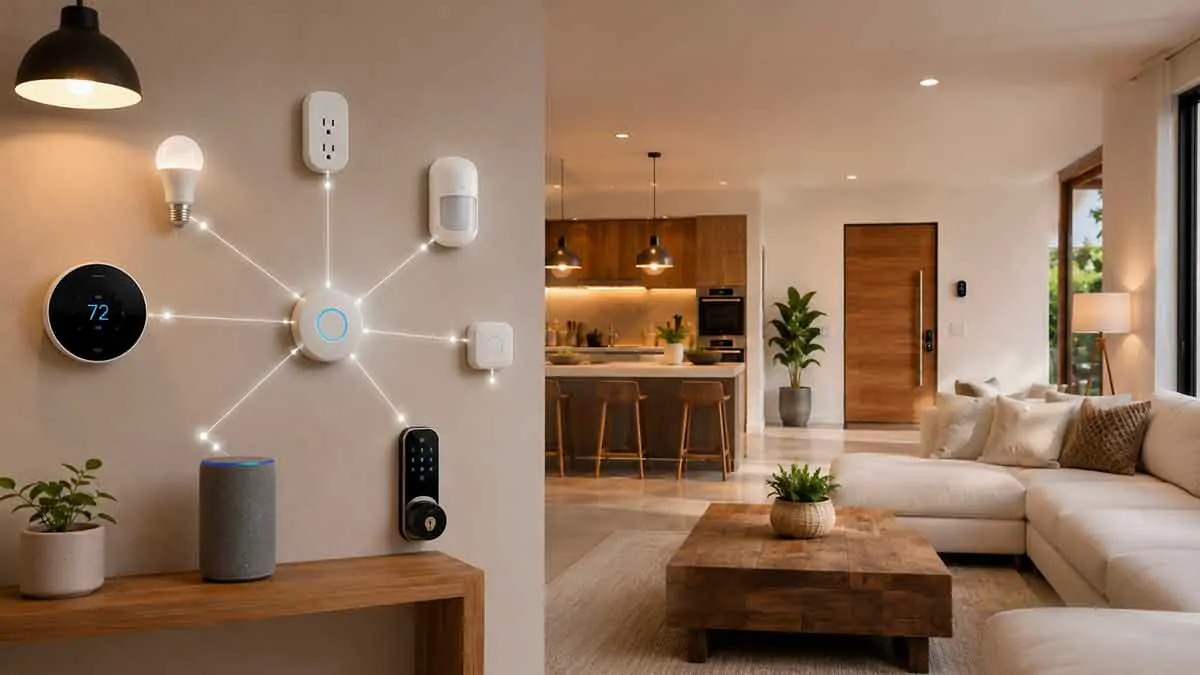
Building a smart home is not simply a matter of buying devices with the word “smart” on the box.
A smart bulb may work with one platform but not another. A smart lock may require a specific hub. A sensor may support Zigbee but not Wi-Fi. Another device may support Matter but still require a compatible controller for certain features.
These differences make smart home device compatibility one of the most important factors to consider before buying connected products.
Compatibility determines whether devices can communicate, whether they can be controlled from the same app, whether automations can connect them, and whether your system can continue to work as you add more products.
In this complete guide, we’ll explain the different types of smart home compatibility, how Wi-Fi, Zigbee, Z-Wave, Bluetooth, and Matter affect compatibility, how hubs and platforms fit into the system, and how to avoid common compatibility problems.
Table of Contents
What Is Smart Home Device Compatibility?
Smart home device compatibility refers to the ability of different smart devices, platforms, hubs, apps, and communication protocols to work together.
Compatibility can mean several different things.
Two devices may:
- Connect to the same wireless network
- Use the same communication protocol
- Work with the same smart home platform
- Appear in the same app
- Share automation triggers
- Respond to the same voice assistant
- Communicate through a compatible hub
However, compatibility is not always all-or-nothing.
A device might work with a platform for basic control while some advanced features remain unavailable.
This is why checking compatibility requires more than looking for a simple “works with” logo.
Why Smart Home Compatibility Matters
A smart home often starts with one or two devices.
You might buy a smart speaker and later add:
- Smart bulbs
- Smart plugs
- Smart switches
- Motion sensors
- Door sensors
- Smart thermostats
- Security cameras
- Smart locks
If these products use incompatible ecosystems, managing them can become complicated.
You may end up with several apps, multiple hubs, and separate automation systems.
Choosing compatible products from the beginning can make the entire system easier to manage.
The Different Types of Smart Home Compatibility
There are several layers of compatibility.
Device-to-Device Compatibility
Two devices can communicate directly or through a hub.
Platform Compatibility
A device works with a smart home platform or ecosystem.
Protocol Compatibility
Devices use the same communication technology, such as Zigbee or Z-Wave.
App Compatibility
Devices can be managed from the same application.
Voice Assistant Compatibility
Devices can respond to supported voice assistants.
Automation Compatibility
One device can trigger an action on another device.
These layers do not always come together.
What Is a Smart Home Ecosystem?
A smart home ecosystem is a platform that allows multiple connected devices and services to work together.
An ecosystem can provide:
- Device management
- Automations
- Voice control
- User accounts
- Remote access
- Notifications
- Scenes
- Device grouping
The ecosystem can become the central layer connecting products from different manufacturers.
However, not every ecosystem supports every device or every feature.
Why Ecosystem Compatibility Is Important
Imagine buying smart lights, a thermostat, and motion sensors.
If all three work with the same ecosystem, you may be able to create an automation such as:
Motion detected → hallway lights turn on → thermostat adjusts
If they belong to incompatible systems, you may need separate apps or third-party integrations.
This is why ecosystem compatibility matters when planning a larger smart home.
Wi-Fi Smart Home Device Compatibility
Wi-Fi is one of the most common connectivity technologies used by smart home devices.
Wi-Fi devices can connect directly to your home router without necessarily requiring a dedicated hub.
Common Wi-Fi smart devices include:
- Smart plugs
- Smart bulbs
- Cameras
- Thermostats
- Smart appliances
- Speakers
However, Wi-Fi compatibility does not guarantee ecosystem compatibility.
Two Wi-Fi devices may connect to the same router but still be unable to communicate with each other.
Does Wi-Fi Mean Devices Are Compatible?
No.
This is one of the most common smart home misconceptions.
Wi-Fi describes how a device connects to the network.
It does not automatically determine which platform or application can control it.
For example, two devices can both use Wi-Fi while relying on completely different cloud platforms.
They may have no direct automation relationship.
Zigbee Compatibility
Zigbee is a wireless protocol widely used in smart home devices.
It is common in:
- Smart bulbs
- Sensors
- Switches
- Smart plugs
- Buttons
- Hubs
Zigbee devices generally require a compatible coordinator or hub to manage the network.
A Zigbee device is not automatically compatible with every Zigbee hub.
The hub must support the specific device and its functionality.
Z-Wave Compatibility
Z-Wave is another wireless protocol used for smart home devices.
It is commonly found in:
- Smart locks
- Sensors
- Switches
- Plugs
- Thermostats
Like Zigbee, Z-Wave devices generally need a compatible controller.
Compatibility can also depend on regional frequency requirements and controller support.
Therefore, check the product specifications for your country before purchasing Z-Wave equipment.
Bluetooth Compatibility
Bluetooth is commonly used for:
- Initial device setup
- Short-range control
- Sensors
- Smart locks
- Speakers
- Configuration
Bluetooth devices may communicate directly with a smartphone or through another smart home controller.
However, Bluetooth compatibility does not automatically mean that a device can participate in every smart home automation system.
Matter Compatibility
Matter is designed to improve interoperability between smart home devices and major ecosystems.
It aims to make compatible devices easier to use across supported platforms.
A Matter device may work with multiple ecosystems without requiring a proprietary connection for basic functions.
However, Matter compatibility does not mean that every feature works everywhere.
Some advanced functions may depend on the ecosystem, controller, or manufacturer.
Why Matter Matters for Compatibility
Before Matter, smart home manufacturers often relied heavily on their own ecosystems and integrations.
Matter provides a common application-layer standard designed to improve interoperability.
This can make it easier to choose devices based on their capabilities rather than being locked into one manufacturer’s ecosystem.
However, Matter is not a guarantee of universal compatibility.
You still need to check:
- Supported device type
- Supported controller
- Ecosystem support
- Firmware requirements
- Available features
Matter Controller Compatibility
A Matter device usually needs a compatible controller within the smart home ecosystem.
The controller allows the device to join the Matter fabric and communicate with compatible services.
Some smart home platforms may use existing hubs or smart speakers as Matter controllers.
Therefore, buying a Matter device without checking your controller can still lead to compatibility problems.
Matter Multi-Admin
One useful Matter capability is multi-admin support.
This can allow a compatible Matter device to be shared across supported ecosystems.
For example, a device may potentially be used with more than one compatible smart home platform.
However, the exact experience depends on the device and ecosystem.
Always verify support before assuming that every Matter product can be shared across every platform.
Smart Home Hubs and Compatibility
A hub can act as a central bridge between smart devices and your smart home platform.
Depending on the system, a hub may:
- Connect Zigbee devices
- Connect Z-Wave devices
- Coordinate Matter devices
- Run automations
- Provide local control
- Connect devices to a cloud service
The hub can therefore have a major impact on compatibility.
Do You Need a Smart Home Hub?
Not always.
Some Wi-Fi devices can work directly with an app or platform.
Others require a hub.
A hub is particularly useful when you want:
- Zigbee devices
- Z-Wave devices
- Local automation
- More advanced device coordination
- Reduced Wi-Fi congestion
- Centralized control
Before buying a hub, check which protocols and devices it supports.
Hub Compatibility Is More Important Than It Looks
A common mistake is choosing a hub after buying devices.
A better strategy is to decide your preferred architecture first.
For example:
Hub → Zigbee sensors → Smart lights → Automations
If the hub does not support the required devices, you may need additional hardware.
Plan the hub and protocol strategy before building a large system.
Cloud Compatibility vs Local Compatibility
A device can be compatible with a platform through the cloud without supporting local control.
For example:
Device → Manufacturer Cloud → Smart Home Platform
This can allow the device to appear in an app and participate in automations.
However, if the cloud integration stops working, the device may lose some functionality.
A locally compatible device can communicate within the home network or through a local controller.
This can provide greater resilience.
What Does “Works With” Actually Mean?
A label such as “Works with” can be useful, but it does not necessarily tell you everything.
It may mean:
- Basic control
- Voice control
- App integration
- Cloud integration
- Limited automation
- Full device support
Before buying, check exactly which functions are supported.
A device may technically “work with” a platform while lacking important features.
Basic Compatibility vs Full Compatibility
Consider a smart thermostat that works with a voice assistant.
You may be able to say:
“Set the temperature to 72 degrees.”
But that does not necessarily mean the thermostat supports every automation available on the platform.
You might not be able to use:
- Every sensor
- Advanced scheduling
- Energy reports
- Specialized automation triggers
Therefore, distinguish between basic control and full integration.
Smart Home Compatibility and Voice Assistants
Voice assistants can provide another compatibility layer.
A smart device may support one or more voice platforms.
Voice compatibility can allow:
- Turning lights on and off
- Adjusting thermostats
- Controlling plugs
- Locking compatible doors
- Running routines
But voice support does not automatically mean that two devices can communicate directly with each other.
The assistant may simply provide a common control interface.
Smart Home Compatibility and Automations
Automation compatibility is more important than basic app control.
Ask whether one device can trigger another.
For example:
Door sensor opens → Entry light turns on
This requires both devices to participate in the same automation system or a compatible integration.
If both devices appear in the same app but cannot be used together in an automation, the integration may be limited.
Scenes vs Automations
A scene typically activates several device states at once.
For example:
Movie Scene
- Lights dim
- Curtains close
- TV turns on
An automation responds to a trigger.
For example:
Motion detected → Hallway light turns on
Compatibility affects whether different devices can participate in these scenes and automations.
Smart Home Compatibility and Sensors
Sensors are particularly important for automation.
Common sensors include:
- Motion sensors
- Door sensors
- Window sensors
- Temperature sensors
- Water leak sensors
- Presence sensors
Before purchasing a sensor, check whether your chosen controller or platform supports it.
A sensor that cannot communicate with your automation system may have limited value.
Smart Home Compatibility and Smart Locks
Smart locks require careful compatibility planning.
Check:
- Communication protocol
- Hub requirements
- Door compatibility
- Platform support
- Voice assistant support
- Remote access
- Battery behavior
A lock may work with your smartphone but not with the rest of your smart home.
For security-critical devices, compatibility should never be assumed.
Smart Home Compatibility and Smart Thermostats
Thermostats can integrate with:
- Smart home platforms
- Voice assistants
- Sensors
- Energy monitoring systems
- Automation routines
Before buying one, check whether your heating and cooling system is compatible with the thermostat itself.
There are two separate questions:
Can the thermostat control my HVAC system?
and
Can the thermostat integrate with my smart home platform?
Both matter.
Smart Home Compatibility and Smart Lighting
Lighting is one of the easiest areas to expand, but compatibility can still become complicated.
You should consider:
- Bulb protocol
- Switch compatibility
- Hub requirements
- Platform support
- Voice control
- Automation support
If you plan to use smart switches and smart bulbs together, check their electrical and functional compatibility as well.
Smart Plugs and Compatibility
Smart plugs are relatively simple devices, but they still vary in ecosystem support.
Before buying, check:
- Wi-Fi or Matter support
- Hub requirements
- App ecosystem
- Voice assistant support
- Energy monitoring
- Local control
- Automation capabilities
If energy monitoring is important, verify that the energy data is available through your chosen platform.
Smart Home Network Compatibility
Device compatibility can also depend on your network.
Potential issues include:
- 2.4 GHz vs 5 GHz requirements
- Wi-Fi security modes
- Router settings
- Network segmentation
- Multicast discovery
- Firewall rules
- Internet requirements
Some smart devices support only 2.4 GHz Wi-Fi.
This does not mean your router is incompatible.
It may simply require the device to connect to the appropriate wireless band during setup.
2.4 GHz vs 5 GHz for Smart Home Devices
Many smart home devices use 2.4 GHz Wi-Fi because it provides greater range and better penetration through walls.
5 GHz can provide higher speeds but generally has shorter range.
Smart home devices usually do not need high bandwidth.
Therefore, 2.4 GHz is often sufficient for:
- Smart plugs
- Sensors
- Light bulbs
- Thermostats
- Switches
Cameras and other higher-bandwidth devices may benefit from faster wireless connections.
Network Segmentation and Compatibility
Separating IoT devices onto another network can improve security, but it may sometimes affect device discovery.
Some smart home ecosystems rely on local network protocols to discover devices.
If your router blocks communication between networks, a phone on your primary network may not automatically discover a smart device on your IoT network.
This means security configuration and compatibility need to be considered together.
Smart Home Compatibility With Older Devices
Older smart home devices can create compatibility challenges.
A device may use:
- Outdated protocols
- Unsupported cloud services
- Proprietary integrations
- Legacy Wi-Fi security
- Discontinued apps
Before building around an older product, check whether the manufacturer still supports it.
A cheap older device can become expensive if you need additional hardware to keep it working.
Backward Compatibility
Backward compatibility means newer technology continues to work with older devices or standards.
However, compatibility varies.
For example, a newer hub may support older Zigbee devices, but not necessarily every device feature.
Similarly, a newer smart home platform may support an older device through a cloud integration but not through local control.
Always verify specific support rather than assuming compatibility.
Proprietary Smart Home Ecosystems
Some manufacturers build tightly integrated ecosystems around their own products.
These systems can provide a polished user experience.
Advantages can include:
- Simple setup
- Consistent apps
- Strong device integration
- Centralized support
The downside can be greater vendor lock-in.
If you later want to switch platforms, replacing several devices may be necessary.
Open Standards vs Proprietary Systems
Open or widely adopted standards can provide more flexibility.
Examples include:
- Matter
- Zigbee
- Z-Wave
Proprietary systems can still work very well, particularly when you prefer one manufacturer’s ecosystem.
The important thing is to understand the trade-off.
Open standards generally offer more interoperability.
Proprietary ecosystems may offer deeper manufacturer-specific integration.
How to Check Smart Home Device Compatibility
Before buying a device, follow a simple checklist.
Step 1: Identify Your Main Platform
Choose the ecosystem or controller you plan to use.
Step 2: Check the Communication Protocol
Determine whether the device uses:
- Wi-Fi
- Matter
- Zigbee
- Z-Wave
- Bluetooth
- Another protocol
Step 3: Check Hub Requirements
Find out whether a hub is required.
Step 4: Check Exact Platform Support
Do not rely only on the manufacturer’s general compatibility claims.
Look for your specific platform.
Step 5: Check Automation Support
Verify whether the device can be used as an automation trigger or action.
Step 6: Check Local Control
If local operation matters to you, confirm that it is supported.
Step 7: Check Important Features
Make sure the features you actually need are supported on your platform.
Read the Manufacturer’s Compatibility List
Manufacturers often publish compatibility information.
Look for details about:
- Supported platforms
- Supported hubs
- Supported protocols
- Voice assistants
- Matter support
- Firmware requirements
- Regional limitations
Read the detailed documentation rather than relying only on product packaging.
Check the Smart Home Platform Before Buying
Your smart home platform may maintain a list of supported devices.
This can be more useful than simply reading the device manufacturer’s marketing material.
Look for the exact model number.
Two products that look almost identical may have different communication hardware or software support.
Check the Exact Model Number
Compatibility can vary between product generations.
For example:
Brand X Smart Plug Model A
may support one protocol while:
Brand X Smart Plug Model B
uses another.
Always verify the exact model number before purchasing multiple units.
Beware of Regional Differences
Some smart home products have regional versions.
Differences can include:
- Wireless frequencies
- Power plugs
- Z-Wave frequencies
- Features
- Cloud services
- Regulatory requirements
A product that works in one country may not work exactly the same way in another.
Smart Home Compatibility and Firmware
Firmware can affect compatibility.
A device may require a minimum firmware version to support:
- Matter
- New platforms
- New automation features
- Security improvements
After installing a device, check whether a firmware update is available.
What Happens When Compatibility Breaks?
Smart home compatibility can change over time.
Manufacturers may:
- Discontinue cloud services
- Remove integrations
- Change APIs
- Stop supporting older products
- Require new hubs
- Introduce subscription requirements
This is why long-term planning matters.
Avoid Excessive Vendor Lock-In
Vendor lock-in can make future upgrades difficult.
To reduce it:
- Prefer widely supported standards
- Choose devices with multiple ecosystem options
- Avoid building everything around one cloud service
- Consider local control
- Keep your configuration documented
You do not need to eliminate vendor lock-in completely.
You simply want to avoid becoming dependent on a platform you cannot easily leave.
Plan Your Smart Home Before Buying
One of the easiest ways to avoid compatibility problems is to plan first.
Define:
- Main ecosystem
- Preferred controller
- Communication protocols
- Security requirements
- Local vs cloud priorities
- Voice assistant
- Device categories
Then choose products that fit that architecture.
This is usually better than buying individual devices based only on price.
Build Around a Core Platform
Instead of buying random smart devices, choose a core platform first.
For example:
Core platform → Hub → Lights → Sensors → Switches → Thermostat
Then expand gradually.
This makes compatibility easier to manage.
Do You Need Multiple Hubs?
Sometimes.
A single hub may not support every protocol or device you want.
You might use:
- One controller for Zigbee
- One controller for Z-Wave
- A Matter controller
- Manufacturer-specific bridges
However, adding multiple hubs increases complexity.
Whenever possible, choose a controller that supports the devices you actually need.
Too Many Hubs Can Create Problems
Multiple hubs can result in:
- Multiple apps
- Multiple accounts
- More firmware updates
- More power requirements
- More automation systems
- More troubleshooting
A multi-hub setup can work well, but it should have a clear purpose.
Smart Home Compatibility and Local Control
Local compatibility is especially valuable if you want a reliable smart home.
A device that can operate locally may continue working even when internet access is unavailable.
However, local compatibility needs to be verified at the device and platform level.
Do not assume that a product works locally simply because it uses Zigbee, Z-Wave, Wi-Fi, or Matter.
Smart Home Compatibility and Security
Compatibility should never be considered separately from security.
Before adding a device, ask:
- Does it receive security updates?
- Does it require a cloud account?
- Can it operate locally?
- Does it support MFA?
- Can it be isolated on an IoT network?
- Is the manufacturer still supporting it?
A device that integrates perfectly but has poor security practices may not be a good choice.
Smart Home Compatibility Checklist
Before buying any smart home device, check:
- Main smart home platform
- Exact model number
- Communication protocol
- Hub requirements
- Ecosystem compatibility
- Voice assistant support
- Automation support
- Local control
- Offline behavior
- Firmware support
- Security updates
- Subscription requirements
- Regional compatibility
- Future expansion options
Common Smart Home Compatibility Mistakes
Buying Based Only on Wi-Fi
Wi-Fi does not guarantee ecosystem compatibility.
Assuming Matter Means Everything Works Everywhere
Matter improves interoperability but does not guarantee identical feature support across platforms.
Ignoring Hub Requirements
Some devices require a specific bridge or controller.
Checking Only Voice Assistant Support
A device working with a voice assistant does not necessarily mean full automation compatibility.
Ignoring Local Control
Cloud compatibility may not provide the reliability you want.
Buying Multiple Devices Before Testing One
Test one device before purchasing large quantities.
Mixing Too Many Ecosystems
Multiple platforms can make your smart home unnecessarily complicated.
Ignoring Future Support
A device that works today may become difficult to maintain if the manufacturer ends support.
A Practical Compatibility Strategy
A practical approach for a new smart home is:
1. Choose your main platform.
2. Choose your preferred communication protocols.
3. Select a compatible hub or controller.
4. Buy one device from each category first.
5. Test setup and automation.
6. Confirm local and offline behavior.
7. Expand only after compatibility is confirmed.
This reduces the risk of buying a large number of devices that later prove difficult to integrate.
Final Thoughts
Smart home device compatibility is one of the most important considerations when building a connected home.
A device can be compatible with your Wi-Fi network without being compatible with your smart home platform. It can support a voice assistant without supporting advanced automations. It can use Matter, Zigbee, or Z-Wave without necessarily supporting every feature through every controller.
The safest approach is to plan your smart home architecture before buying large numbers of devices.
Choose a core platform, understand your preferred protocols, verify hub requirements, check exact model numbers, and confirm the features you actually need.
For long-term flexibility, consider devices that support widely adopted standards and local control where practical.
A well-planned smart home should not only work today. It should also give you room to add new devices, replace older products, and change platforms without rebuilding the entire system from scratch.