
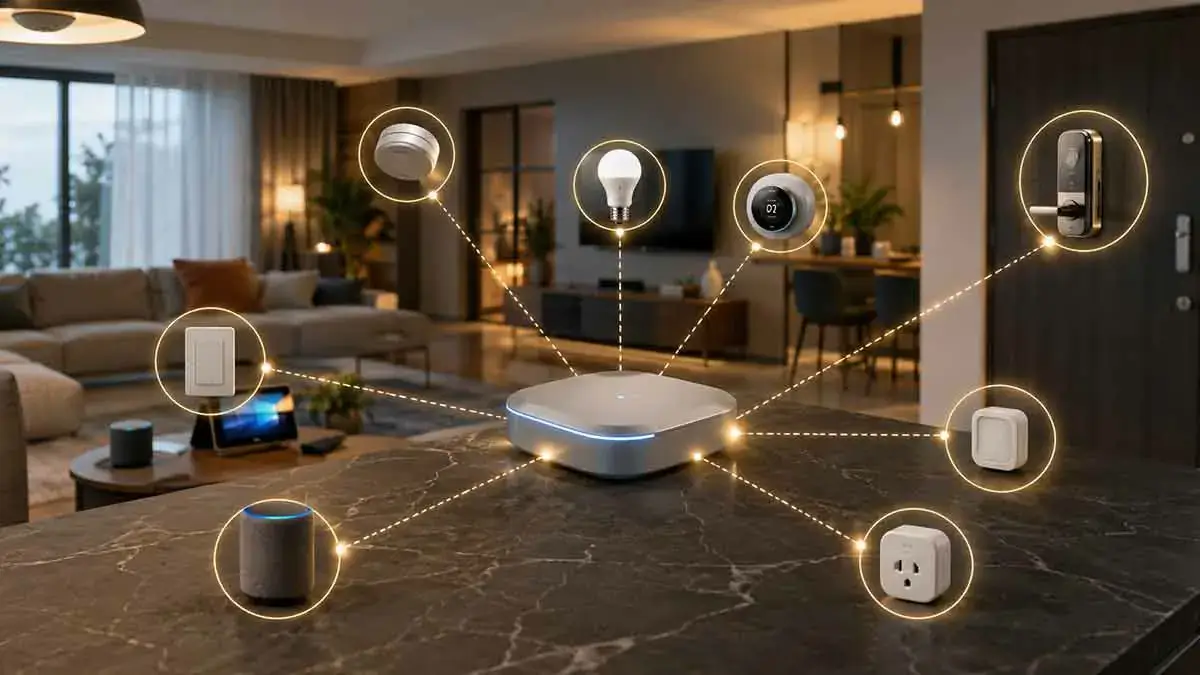
Smart home devices do not all communicate in the same way. Some connect directly to Wi-Fi, while others use technologies such as Zigbee, Z-Wave, or Thread. This is where smart home bridges and hubs become useful.
A bridge or hub can connect devices that would otherwise use different communication methods, centralize device management, run automations, and sometimes provide local control.
However, the terms hub, bridge, controller, and gateway are often used interchangeably even though they can describe different functions.
Understanding these differences can help you choose the right hardware for your smart home and avoid buying unnecessary devices.
In this complete guide, we’ll explain what smart home hubs and bridges do, how they differ, when you need one, how Matter and Thread affect hub requirements, and how to choose a hub that fits your smart home architecture.
Table of Contents
What Is a Smart Home Hub?
A smart home hub is a central device or software system that helps manage and coordinate compatible smart home devices.
Depending on the platform, a hub may:
- Connect wireless protocols
- Manage devices
- Run automations
- Provide local control
- Connect devices to cloud services
- Process scenes and routines
- Provide remote access
- Connect different device types
A hub can therefore act as the central brain of a smart home.
A simplified architecture might look like:
Smart Devices → Hub → Smart Home Platform
The exact architecture depends on the products you use.
What Is a Smart Home Bridge?
A smart home bridge generally connects one ecosystem or communication technology to another.
For example:
Proprietary Device → Bridge → Smart Home Platform
A bridge may allow devices that were originally designed for one manufacturer’s ecosystem to appear in another compatible platform.
Bridges are particularly common with smart lighting systems and proprietary accessories.
Hub vs Bridge: What’s the Difference?
The distinction can be simplified as follows.
Hub: Usually acts as a central controller for devices and automations.
Bridge: Primarily connects one device ecosystem or protocol to another platform.
However, manufacturers do not always use these terms consistently.
A product marketed as a hub may also function as a bridge, while a bridge may provide some hub-like functionality.
Always look at what the device actually does rather than relying only on its name.
What Is a Smart Home Controller?
A smart home controller is the system responsible for managing devices and automations.
The controller can be:
- A dedicated hub
- A smart speaker
- A home automation server
- A software application
- A device with built-in smart home capabilities
The controller determines how devices interact and how automations are executed.
What Is a Smart Home Gateway?
A gateway generally connects different networks or communication systems.
For example, a gateway could connect a local wireless smart home network to an IP-based home network.
In consumer products, the terms gateway, hub, and bridge can overlap significantly.
The important question is not the label but the supported protocols and functions.
Why Do Smart Homes Need Hubs?
Not every smart home needs a dedicated hub.
Many Wi-Fi devices connect directly to your router.
However, a hub can be useful when you want to use:
- Zigbee devices
- Z-Wave devices
- Thread-based devices
- Certain proprietary ecosystems
- Local automations
- Centralized device management
A hub can also reduce the need for every device to communicate directly with your Wi-Fi router.
Smart Home Hubs and Wi-Fi Devices
Some Wi-Fi devices do not require a hub.
For example:
Smart Plug → Wi-Fi Router → App
The manufacturer may provide the software required to control the device.
However, some Wi-Fi products can also integrate with a central hub or smart home controller.
Therefore, Wi-Fi compatibility does not automatically mean that a hub is unnecessary.
Zigbee Hubs
Zigbee networks generally require a coordinator.
In many consumer systems, this coordinator is integrated into a smart home hub.
The hub can manage:
- Smart bulbs
- Sensors
- Switches
- Plugs
- Buttons
A Zigbee hub can then connect those devices to your preferred smart home platform.
Z-Wave Hubs
Z-Wave networks also generally require a controller.
A Z-Wave hub can manage compatible:
- Smart locks
- Sensors
- Switches
- Plugs
- Thermostats
The controller communicates with Z-Wave devices and can expose them to a broader automation platform.
Thread and Smart Home Hubs
Thread changes the traditional hub model somewhat.
Thread is a low-power mesh networking technology, while a Thread Border Router connects the Thread network to other IP networks.
A Thread Border Router does not necessarily perform all the functions of a traditional smart home hub.
For example:
Thread Device → Thread Mesh → Thread Border Router
The border router provides network connectivity, while another system may handle smart home application logic.
What Is a Thread Border Router?
A Thread Border Router connects a Thread network to an IP network such as Wi-Fi or Ethernet.
It allows Thread devices to communicate with other parts of the home network.
Some modern smart home products can provide Thread Border Router functionality, including certain smart speakers, displays, routers, and dedicated controllers.
The exact capabilities depend on the product.
Matter and Smart Home Hubs
Matter introduces another layer to the smart home architecture.
Matter is an application-layer interoperability standard rather than a wireless networking technology.
Matter can operate over:
- Wi-Fi
- Thread
- Ethernet
A Matter-enabled smart home still needs appropriate controllers and network infrastructure.
Therefore, Matter does not eliminate the need for every type of hub or controller.
Matter Controller vs Thread Border Router
These two terms are easy to confuse.
A Matter Controller manages Matter devices and can commission and control them.
A Thread Border Router connects a Thread network to an IP network.
A single physical device can sometimes provide both functions.
For example, a smart speaker or home hub may include:
- Matter Controller
- Thread Border Router
- Voice assistant
- Local automation capabilities
But these are technically different functions.
Do You Need a Matter Hub?
Not necessarily in the traditional sense.
Some Matter controllers are integrated into devices you may already own.
Depending on your ecosystem, a compatible smart speaker, display, hub, or other controller may provide the required Matter functionality.
Before purchasing a dedicated Matter hub, check whether your existing equipment already supports the functions you need.
Smart Home Bridges for Lighting
Smart lighting is one of the most common areas where bridges are used.
A lighting ecosystem may have:
Smart Bulbs → Lighting Bridge → Router → Smart Home Platform
The bridge communicates with the bulbs using the manufacturer’s preferred technology and then connects the lighting system to your network.
This can provide more reliable centralized management than connecting every bulb individually through Wi-Fi.
Why Use a Lighting Bridge?
A lighting bridge can provide:
- Centralized control
- Support for many bulbs
- Local communication
- Advanced lighting features
- Smart home integrations
- Reduced Wi-Fi device count
The exact benefits depend on the lighting ecosystem.
Hub-Based vs Hub-Free Smart Home Devices
Both approaches have advantages.
Hub-Free Devices
Advantages:
- Simple setup
- Fewer devices
- Lower initial hardware cost
- Direct Wi-Fi connection
Disadvantages:
- More devices may use Wi-Fi
- Greater dependence on manufacturer cloud services in some products
- Potentially more apps and ecosystems
Hub-Based Devices
Advantages:
- Centralized control
- Support for low-power protocols
- Local automation possibilities
- Less dependence on Wi-Fi for some devices
- Better integration within a planned system
Disadvantages:
- Additional hardware
- More setup
- Hub compatibility requirements
- Another device that needs maintenance
Do Smart Home Hubs Improve Reliability?
They can, depending on the system.
A well-designed hub-based network can allow devices to communicate locally instead of relying on the internet for every action.
For example:
Motion Sensor → Local Hub → Smart Light
can potentially continue working during an internet outage.
However, this depends on the hub, device, and automation architecture.
A hub does not automatically guarantee offline operation.
Smart Home Hubs and Local Control
Local control is one of the major reasons advanced users choose hubs.
A local controller can process automations inside the home.
For example:
Door Opens → Hub Processes Event → Hallway Light Turns On
No cloud service necessarily needs to process the automation.
This can reduce latency and improve resilience when the internet connection is unavailable.
Cloud-Based Hubs
Some hubs depend heavily on cloud services.
The architecture may look like:
Device → Hub → Internet → Cloud → App
Cloud services can provide:
- Remote access
- Account synchronization
- Notifications
- Voice integrations
- Software updates
However, internet or cloud-service outages can affect certain functions.
Local vs Cloud Smart Home Hubs
| Feature | Local Hub | Cloud-Dependent Hub |
|---|---|---|
| Local automation | Strong | May be limited |
| Internet dependency | Lower | Higher |
| Remote access | Requires additional method or service | Usually easier |
| Privacy | Can reduce cloud dependency | More cloud involvement |
| Setup | Often more technical | Usually easier |
| Offline operation | Often better | Depends on platform |
Neither architecture is automatically right for every homeowner.
Can One Hub Support Multiple Protocols?
Yes.
Some controllers support multiple communication technologies.
For example, one system might support:
- Zigbee
- Z-Wave
- Thread
- Matter
- Wi-Fi integrations
This can reduce the number of separate controllers required.
However, support for a protocol does not guarantee support for every device using that protocol.
Always check device compatibility.
Multi-Protocol Hubs
A multi-protocol hub can be useful when you want to combine different types of devices.
For example:
Zigbee Sensors + Z-Wave Locks + Matter Devices
can potentially be managed through one central automation system.
This can simplify the user experience.
However, multi-protocol systems can also be more complex to configure.
Should You Use One Hub or Multiple Hubs?
For a simple smart home, one primary controller is often easier.
Multiple hubs may become necessary when:
- Different manufacturers require proprietary bridges
- You already own devices from several ecosystems
- A controller lacks support for a specific protocol
- You need specialized functionality
The goal should not be to eliminate every additional bridge.
The goal is to keep the architecture understandable and maintainable.
Problems With Too Many Hubs
Using too many hubs can create:
- Multiple apps
- Multiple accounts
- More firmware updates
- More power adapters
- More network dependencies
- Duplicate automations
- More troubleshooting
Before adding another hub, check whether your existing controller can perform the required function.
How Hubs Affect Wi-Fi Networks
A hub-based system can reduce the number of Wi-Fi-connected devices.
Instead of having 30 individual sensors and switches on Wi-Fi, you might have:
30 Zigbee Devices → One Zigbee Hub → Wi-Fi/Ethernet
This can reduce the number of devices directly using your Wi-Fi network.
However, network performance depends on the entire architecture.
A poorly configured Wi-Fi network can still cause problems regardless of the number of hubs.
Hubs and Network Security
A hub becomes an important part of your smart home’s security architecture.
Protect it by:
- Using strong credentials
- Enabling MFA where available
- Keeping firmware updated
- Restricting unnecessary network access
- Avoiding unnecessary public exposure
- Using network segmentation where appropriate
If the hub controls many devices, compromising it could have a wider impact than compromising a single smart plug.
Hubs and Remote Access
Many hubs provide remote access through cloud services.
You may be able to:
- View device status
- Run automations
- Control lights
- Check sensors
- Manage locks
- Receive notifications
Advanced users may instead use a secure remote connection to access a locally controlled system.
Avoid exposing hub administration interfaces directly to the public internet unless you understand the security implications.
Hubs During Internet Outages
A locally controlled hub may continue running automations when the internet goes down.
For example:
Motion Sensor → Local Hub → Smart Light
may continue functioning.
However, cloud-based functions such as remote access, cloud notifications, or external integrations may stop.
This is why it is important to distinguish between:
Local automation
and
Remote access
They solve different problems.
Hubs During Power Outages
A hub needs electricity.
If the power goes out, the hub may stop working unless it has backup power.
For critical smart home systems, consider placing essential equipment on a UPS or other appropriate backup power system.
Depending on your setup, this could include:
- Router
- Modem or fiber terminal
- Hub
- Network switch
- Security controller
You do not necessarily need to power every smart device.
Choosing a Smart Home Hub
Before purchasing a hub, identify your requirements.
1. Which Protocols Do You Need?
Check whether you need:
- Wi-Fi integrations
- Zigbee
- Z-Wave
- Thread
- Matter
2. Which Devices Do You Already Own?
Your existing products may determine which hub makes sense.
3. Do You Want Local Control?
If yes, verify that the hub supports local processing.
4. Do You Need Remote Access?
Check how remote access works and whether it requires a subscription.
5. How Many Devices Will You Add?
Choose a system that can handle your expected expansion.
6. Do You Want Voice Control?
Check compatibility with your preferred voice platform.
7. What Happens Without Internet?
Check which functions continue working locally.
Check Exact Device Compatibility
Protocol support alone is not enough.
For example, a hub may support Zigbee but not necessarily every Zigbee device.
Before purchasing, verify:
- Exact model number
- Supported protocol
- Supported firmware
- Platform compatibility
- Automation support
- Local control
- Required bridge
This can prevent expensive compatibility problems.
Smart Home Hub and Bridge Compatibility
Compatibility exists at several levels.
A device may be:
Protocol compatible
but not:
Platform compatible
or:
Feature compatible
For example, a device may connect successfully but expose only basic controls.
Always check whether the features you need are actually supported.
Proprietary Bridges
Some manufacturers use proprietary bridges to connect their products to other smart home platforms.
These bridges can be useful when you want to keep a specific ecosystem while integrating it into a broader smart home.
The downside is that proprietary hardware can increase vendor lock-in.
Open Standards and Smart Home Hubs
Standards such as Matter can help reduce some forms of ecosystem lock-in.
A Matter-compatible device may be usable across supported ecosystems.
However, you should still check:
- Controller support
- Device type
- Feature support
- Firmware
- Network requirements
Open standards improve interoperability but do not eliminate compatibility planning.
Smart Home Hubs and Device Expansion
A good hub should give you room to expand.
Before buying, think about what you may add later.
For example:
Current
- Smart lights
- Smart plugs
Future
- Door sensors
- Motion sensors
- Smart locks
- Thermostat
- Water sensors
- Security devices
Choosing a flexible controller early can prevent major changes later.
Can You Build a Smart Home Without a Hub?
Yes.
A simple system can use Wi-Fi devices that connect directly to your router and manufacturer apps.
For example:
Wi-Fi Bulb → Router → Smartphone App
This can work well for a small number of devices.
However, as your system grows, centralized control can become more valuable.
When You Probably Need a Hub
A hub becomes more useful when you want:
- Many smart devices
- Zigbee devices
- Z-Wave devices
- Local automation
- Multiple protocols
- Centralized control
- Complex scenes
- Advanced automations
When You May Not Need a Hub
You may not need a dedicated hub if:
- You have only a few devices
- Your devices use Wi-Fi
- They work with your preferred platform
- You do not need advanced local automation
- The existing ecosystem already provides the required controller
Keep your system as simple as your requirements allow.
Smart Home Hubs and Automation
A central controller can make complex automations easier.
For example:
Motion detected + after sunset → Hallway lights turn on
Or:
Door opens + nobody is home → Security notification
The controller evaluates conditions and executes actions.
This can be much more powerful than controlling devices individually.
Hubs and Smart Home Scenes
A hub can also coordinate scenes.
For example:
Good Night Scene
- Lights turn off
- Doors lock
- Thermostat adjusts
- Security sensors activate
The hub can coordinate these actions through one command.
Hubs and Routines
Routines are another way to coordinate multiple devices.
For example:
Morning Routine
- Bedroom lights turn on
- Thermostat adjusts
- Smart speaker provides information
- Kitchen lights activate
The exact terminology varies between smart home platforms.
Hubs and Sensors
Sensors are particularly useful in hub-based systems.
A central controller can combine information from multiple sensors.
For example:
Motion + Door Sensor + Time → Automation
This allows more sophisticated decisions than a single device can make independently.
Hubs and Smart Home Security
For security-related devices, reliability and access control matter.
If a hub controls:
- Smart locks
- Cameras
- Alarm devices
- Door sensors
protect it carefully.
Use strong authentication and keep the software updated.
Also maintain physical backup options for critical functions.
Common Smart Home Hub Mistakes
Buying a Hub Before Checking Devices
Choose the hub based on your actual requirements.
Assuming Protocol Support Means Full Compatibility
A supported protocol does not guarantee every device feature.
Using Too Many Bridges
Unnecessary hardware increases complexity.
Ignoring Local Operation
Check what happens when the internet is unavailable.
Ignoring Firmware Updates
Hubs need security and compatibility updates.
Exposing the Hub Directly to the Internet
Use secure remote-access methods instead.
Forgetting Backup Power
A hub cannot operate without electricity.
Smart Home Hub Setup Checklist
Before installing a hub, check:
- Supported protocols
- Existing device compatibility
- Exact model support
- Matter support if needed
- Thread Border Router support if needed
- Local automation
- Offline behavior
- Remote access
- Voice assistant support
- Security features
- Firmware updates
- Subscription requirements
- Future expansion capacity
A Practical Smart Home Hub Strategy
A good approach is to choose one primary controller and add bridges only when they serve a clear purpose.
For example:
Primary Controller
↓
Matter / Thread devices
Zigbee devices
Z-Wave devices
↓
Manufacturer bridge where necessary
This keeps the architecture centralized without forcing every device into the same technology.
Final Thoughts
Smart home bridges and hubs can make a connected home easier to manage by connecting devices, coordinating automations, and supporting communication technologies that your main platform may not handle directly.
The important distinction is that a hub, bridge, controller, and Thread Border Router can perform different functions even when manufacturers use the terms interchangeably.
You do not necessarily need a hub for every smart home. A small collection of Wi-Fi devices may work perfectly without one. But as your system grows, a capable controller can provide better organization, automation, local control, and support for multiple protocols.
Before buying a hub, start with your devices and requirements. Check protocol support, exact device compatibility, local operation, Matter and Thread capabilities, remote access, security, and future expansion.
The best smart home hub is not necessarily the one with the most features. It is the one that fits your architecture and lets you build the connected home you actually need without adding unnecessary complexity.