
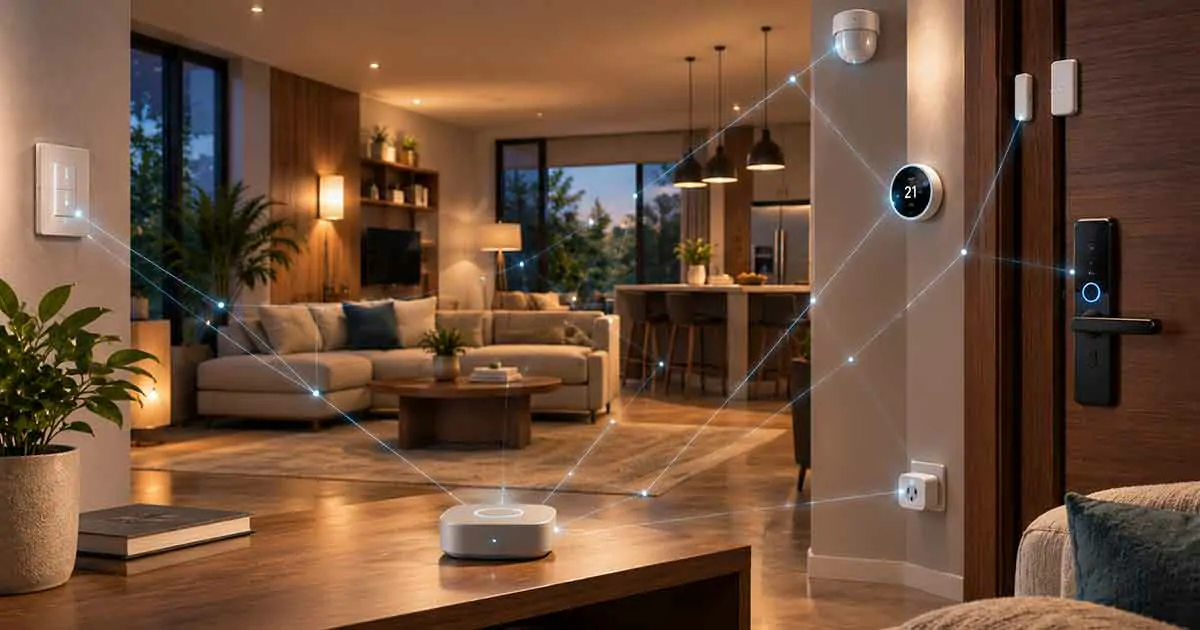
A smart home does not necessarily need a constant internet connection to remain useful.
Many homeowners assume that when the internet goes down, every smart device stops working. In reality, the outcome depends on how the smart home is designed.
Some devices can continue operating locally. Others can communicate through Zigbee, Z-Wave, Thread, Bluetooth, or a local hub. Some Wi-Fi devices can also continue working on the local network even when the internet connection is unavailable.
The biggest distinction is between internet access, Wi-Fi, and local smart home control.
A well-designed system can continue performing important automations during an internet outage, while cloud-dependent features such as remote access, cloud voice assistants, and some notifications may stop working.
This guide explains what smart home automation can work offline, which devices are most suitable, and how to build a smart home that remains reliable when the internet disappears.
Table of Contents
What Is Offline Smart Home Automation?
Offline smart home automation means that an automation can operate without communicating with an external cloud service.
Instead of sending information outside the home, the system processes the automation locally.
A simple example is:
Motion sensor → local hub → smart light
If the motion sensor detects movement and the local controller turns on the light without contacting a cloud server, the automation can potentially continue working even when the internet is unavailable.
This is known as local control.
Offline automation does not necessarily mean that every device operates without a network.
The devices may still communicate through:
- Ethernet
- Wi-Fi
- Zigbee
- Z-Wave
- Thread
- Bluetooth
- Other local wireless protocols
The important point is that the automation does not depend on an active internet connection.
Internet vs Wi-Fi vs Local Network
Understanding these three concepts is essential.
Internet
The internet connects your home to external services and servers.
Wi-Fi
Wi-Fi connects wireless devices to your local network.
Local Network
Your local network allows devices inside your home to communicate with each other.
This means a smart home can lose internet access while its local network remains active.
For example:
Phone → Wi-Fi router → local smart home hub → smart device
The internet is not necessarily required for this communication.
Therefore:
Internet outage ≠ Wi-Fi outage.
And:
Wi-Fi network outage ≠ complete loss of local automation.
What Happens When the Internet Goes Down?
The result depends on your devices and automation architecture.
Some functions may continue normally.
Others may stop immediately.
Functions That May Continue
- Local lighting automation
- Motion-triggered routines
- Door and window sensor automations
- Local thermostat control
- Local smart switch control
- Local security routines
- Some smart lock functions
- Local energy monitoring
- Local scenes
Functions That May Stop
- Remote smartphone control
- Cloud voice assistants
- Cloud-based AI
- Cloud video storage
- Some push notifications
- Remote device management
- Certain third-party integrations
The exact behavior depends on the product and platform.
Which Smart Home Automations Work Offline?
The strongest candidates are automations processed locally.
Motion-Activated Lighting
For example:
Motion detected → hallway light turns on.
If the sensor, controller, and light communicate locally, the automation can continue during an internet outage.
Door Sensor Automation
A door sensor can trigger a local action.
For example:
Front door opens → entry light turns on.
Temperature-Based Automation
A local temperature sensor can trigger an automation.
For example:
Room temperature rises above a set threshold → fan turns on.
Smart Switch Automation
A local smart switch can continue responding to commands from a local controller.
Security Automation
A local sensor can trigger an alarm or lighting routine without requiring cloud access.
The key is that every component involved must support the required local operation.
What Smart Home Devices Work Without Internet?
Several device categories can support offline operation.
Smart Switches
Smart switches are particularly useful because the physical switch usually remains available even if smart connectivity fails.
Smart Sensors
Sensors using Zigbee, Z-Wave, or Thread can communicate with a compatible local controller.
Smart Locks
Some smart locks retain local functions such as keypad access or Bluetooth control.
Smart Plugs
Some smart plugs can be controlled locally through a compatible hub.
Smart Thermostats
The basic HVAC function generally remains available, although advanced cloud features may not.
Smart Home Hubs
A local hub can coordinate multiple devices without requiring constant internet access.
Zigbee and Offline Automation
Zigbee is a low-power wireless protocol commonly used for smart home devices.
It is especially useful for:
- Motion sensors
- Door sensors
- Smart switches
- Smart lights
- Smart plugs
- Temperature sensors
A Zigbee network can operate locally.
For example:
Zigbee sensor → Zigbee coordinator → local automation → Zigbee light
The internet is not necessarily required for this communication.
However, the controller may still use the internet for remote access, cloud integrations, or software updates.
Z-Wave and Offline Automation
Z-Wave is another protocol commonly used for local smart home devices.
It is popular for:
- Smart locks
- Security sensors
- Switches
- Thermostats
- Smart plugs
A Z-Wave device can communicate with a compatible controller without connecting directly to Wi-Fi.
This makes Z-Wave useful for homeowners who want local automation and reduced dependence on cloud services.
Thread and Offline Automation
Thread is a low-power mesh networking technology designed for connected devices.
It is increasingly important in modern smart homes and can be used by compatible Matter devices.
Thread allows devices to communicate through a local mesh network.
Typical applications include:
- Sensors
- Smart locks
- Smart plugs
- Lights
- Thermostats
Thread does not automatically mean that every feature works without internet access.
The complete system still depends on the controller, platform, and cloud services involved.
Matter and Offline Smart Home Automation
Matter is an application-layer smart home standard designed to improve interoperability between compatible devices.
Matter can operate over:
- Wi-Fi
- Ethernet
- Thread
A Matter device using Thread can therefore communicate through a local mesh network rather than connecting directly to Wi-Fi.
This can be useful for offline-oriented smart home designs.
However, Matter itself does not guarantee that every automation is completely cloud-free.
The smart home platform and device manufacturer determine how specific features are implemented.
Can Wi-Fi Smart Home Devices Work Without Internet?
Yes, in some cases.
This is an important distinction.
A Wi-Fi smart device connects to your local router through Wi-Fi. If the internet connection disappears but the router continues working, the device may still be reachable locally.
Whether it actually works offline depends on the product.
Some devices support local control.
Others require communication with a cloud server for almost everything.
Before buying a Wi-Fi smart device, look for documentation mentioning:
- Local control
- LAN control
- Local API
- Offline operation
- No internet required
Do not assume that every Wi-Fi device will work offline.
Can Alexa Work Without Internet?
Cloud-based voice assistants generally depend heavily on internet connectivity.
When the internet is unavailable, functions that require cloud speech recognition or cloud services may stop working.
This is one reason that voice assistants should not be the only control method for important smart home functions.
Physical switches and local automations provide useful redundancy.
Can Google Home Work Without Internet?
Google Home devices and services use cloud infrastructure for many functions.
Some local smart home communication may continue depending on the devices and configuration, but cloud-based features can become unavailable during an internet outage.
Users should therefore distinguish between:
- Local device communication
- Google cloud services
- Remote access
- Voice assistant functionality
The exact offline behavior depends on the specific device and automation.
Can Apple Home Work Without Internet?
Some Apple Home automations can operate locally when supported by the appropriate home hub and compatible devices.
However, features involving remote access or external services may require internet connectivity.
The exact behavior depends on the Home architecture, accessories, and current Apple software.
For critical automations, test the actual system rather than assuming every routine will remain functional.
Local Smart Home Hubs
A local smart home hub can be the foundation of offline automation.
Instead of every device communicating directly with the cloud, the hub coordinates them inside the home.
For example:
Motion sensor → local hub → smart switch → light
The hub can process the automation locally.
Benefits can include:
- Faster response
- Continued operation during internet outages
- Reduced cloud dependence
- Better privacy
- Centralized automation
The hub itself may still require internet access for remote features and updates.
What Does Local Control Mean?
Local control means that a device or automation can be controlled without sending the command to a remote cloud service.
For example:
Local sensor → local controller → local device
instead of:
Sensor → cloud → controller → device
Local control can improve reliability because the automation has fewer external dependencies.
It can also reduce latency.
However, not every feature of a device needs to be local for the device to provide useful offline functionality.
Local Automation vs Cloud Automation
Local Automation
Sensor → local controller → device
Advantages:
- Works during many internet outages
- Faster response
- Reduced cloud dependence
- Potentially better privacy
Cloud Automation
Sensor → internet → cloud service → device
Advantages:
- Remote access
- Advanced cloud processing
- Easier integration with some services
- Cloud-based AI capabilities
Disadvantages:
- Internet dependency
- Possible service outages
- Privacy considerations
- Potential subscription costs
A hybrid approach can provide the best balance.
What Stops Working During an Internet Outage?
The most common failures involve services that require external servers.
Remote Access
You may not be able to control your home from outside the property.
Cloud Voice Assistants
Voice commands may stop working.
Cloud Camera Features
Cloud storage and advanced analysis may become unavailable.
Push Notifications
Some systems cannot send alerts without internet access.
Weather-Based Automations
Routines that depend on online weather data may stop updating.
Cloud AI
AI features that require remote processing may become unavailable.
Third-Party Integrations
Services such as external APIs may stop communicating.
Smart Home Security During an Internet Outage
Security deserves special attention.
A local security automation can continue operating even if internet access is unavailable.
For example:
Door opens → local sensor detects event → local siren activates.
However, the homeowner may not receive a remote notification.
This creates an important distinction between:
Local security response
and
Remote security notification.
A strong system should provide local protection even when external communication is unavailable.
Smart Locks During an Internet Outage
Smart locks vary significantly.
Some can continue supporting:
- Physical keys
- Keypad codes
- Bluetooth access
- Local commands
Others may depend more heavily on cloud connectivity.
Before purchasing a smart lock, check what happens when:
- Wi-Fi is unavailable
- Internet access is unavailable
- Batteries are low
- The smart home hub is offline
For a front door, offline access is particularly important.
Smart Thermostats During an Internet Outage
A thermostat should generally continue controlling the HVAC system locally.
However, cloud-dependent features may stop.
These can include:
- Remote app control
- Weather-based optimization
- Cloud analytics
- AI recommendations
- Remote scheduling
This is another reason to distinguish between basic device operation and advanced smart features.
Smart Lighting During an Internet Outage
Lighting is one of the easiest systems to make resilient.
A physical smart switch provides manual control.
A local automation can provide automatic control.
For example:
Motion sensor → local hub → smart switch
Even if the internet is unavailable, the local automation may continue.
Smart bulbs can be more complicated because they lose power when a wall switch is turned off.
For important lighting, smart switches can therefore provide a more reliable architecture.
Smart Plugs During an Internet Outage
Smart plugs may continue operating locally if they support local control.
For example:
Temperature sensor → local automation → smart plug
could control a fan or other compatible appliance.
Cloud-only smart plugs may stop responding when internet access is lost.
Check the product documentation before relying on one for important automation.
Energy Monitoring Offline
Energy monitoring can also work locally when supported by the hardware.
A local energy monitor can continue collecting data during an internet outage.
The main difference is what happens to the data afterward.
A cloud-based system may be unable to upload information until the connection returns.
A local system can store data inside the home.
This can provide greater resilience and privacy.
Offline Automation for Renters
Renters can build useful offline automation without making major permanent changes.
Good options include:
- Battery-powered sensors
- Smart buttons
- Smart plugs
- Portable smart lights
- Compatible smart locks
- Local hubs
Battery-powered devices are particularly convenient because they require little physical modification.
Offline Automation for Large Homes
Large homes can benefit from mesh networking.
Zigbee, Z-Wave, and Thread can use multiple devices to extend network coverage.
A simplified mesh can look like:
Controller → device → device → sensor
This can be useful when sensors are located far from the central controller.
However, the performance of any mesh network depends on building construction, device placement, interference, and the number of powered routing devices.
Offline Smart Home for Power Outages
An internet outage and a power outage are different problems.
If the electricity goes out, most powered smart home devices will stop operating unless they have backup power.
For higher resilience, consider:
- UPS backup for the network equipment
- Backup power for the smart home controller
- Battery-powered sensors
- Battery-powered locks
- Manual switches
- Backup lighting
A UPS can potentially keep the router, hub, and other essential equipment operating for a limited period.
How to Test Your Smart Home Offline
Do not assume your system works offline.
Test it.
Step 1: Identify Important Automations
Write down routines such as:
- Security alerts
- Door sensors
- Lighting
- Heating and cooling
- Water leak detection
- Smart locks
Step 2: Disconnect the Internet
Disable the WAN connection while keeping the local network active.
Step 3: Test Each Automation
Trigger the sensor or device.
Step 4: Record What Still Works
Separate:
- Fully functional
- Partially functional
- Completely unavailable
Step 5: Restore Internet Access
Verify that cloud services reconnect correctly.
This test can reveal hidden dependencies.
How to Build a More Reliable Offline Smart Home
A reliable architecture should avoid unnecessary cloud dependencies.
Use Local Automation
Prioritize controllers capable of processing routines locally.
Choose Local-Control Devices
Check product specifications before purchasing.
Use Mesh Protocols
Zigbee, Z-Wave, and Thread can reduce dependence on Wi-Fi.
Keep Physical Controls
Important functions should remain manually accessible.
Protect the Network
Use reliable networking equipment and appropriate Wi-Fi coverage.
Add Backup Power
Consider a UPS for essential networking and automation equipment.
Test Offline Operation
Regular testing is more reliable than assuming a feature will work.
Best Devices for Offline Smart Home Automation
For homeowners prioritizing offline operation, useful categories include:
- Local smart home hubs
- Zigbee sensors
- Z-Wave smart locks
- Thread sensors
- Local smart switches
- Local smart plugs
- Temperature sensors
- Door and window sensors
- Motion sensors
- Water leak sensors
The best combination depends on the chosen ecosystem.
Common Mistakes
Confusing Wi-Fi With Internet
A device can use Wi-Fi while remaining disconnected from the internet.
Assuming Zigbee or Z-Wave Automatically Means Offline
The device may still depend on cloud services through its hub.
Relying Entirely on Voice Control
Voice assistants often depend on cloud infrastructure.
Ignoring Power Outages
Local automation cannot operate if the controller and network lose power.
Forgetting Remote Notifications
A local alarm can continue working while your phone receives no alert.
Not Testing the System
Offline capability should be verified in your actual setup.
Final Thoughts
Smart home automation can continue working without internet access when the system is designed around local control.
Zigbee, Z-Wave, Thread, Bluetooth, Ethernet, and local Wi-Fi can all play a role in building a resilient smart home.
The most important principle is simple:
Keep essential automation inside the home whenever possible.
Use local controllers for critical routines.
Choose devices that support local operation.
Keep physical controls for important functions.
And test your system during an internet outage before you actually need it.
Cloud services are useful for remote access, AI, advanced analytics, and integrations. But they should not necessarily be the foundation of every essential smart home function.
A well-designed smart home should remain functional, predictable, and safe even when the internet temporarily disappears.