
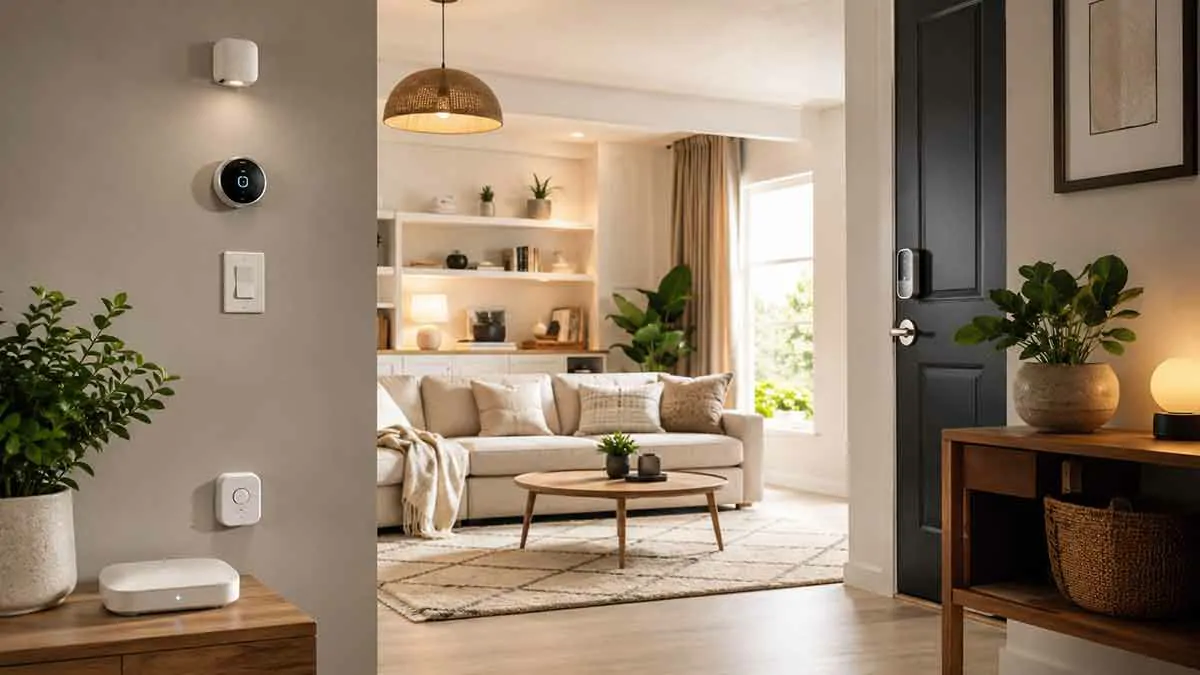
Upgrading an existing home into a smart home does not require replacing everything at once. In fact, starting with too many devices can make the system unnecessarily complicated, expensive, and difficult to maintain.
A better approach is to identify the areas that would benefit most from automation, choose compatible devices, and build the system gradually.
An existing home already has lighting, switches, thermostats, locks, appliances, and a network. The challenge is determining which parts should become smart first and how the new devices will work together.
In this complete smart home upgrade guide, we’ll explain where to start, which devices usually provide the most value, how to choose a smart home platform, what to do with existing equipment, and how to build a reliable system without unnecessary upgrades.
Table of Contents
What Is a Smart Home Upgrade?
A smart home upgrade means adding connected devices and automation to an existing home.
Instead of rebuilding the house, you can add smart technology to selected areas.
Common upgrades include:
- Smart lighting
- Smart switches
- Smart plugs
- Smart thermostats
- Smart locks
- Motion sensors
- Door and window sensors
- Smart speakers
- Smart home hubs
- Energy monitoring devices
The objective is to improve convenience, control, security, or energy efficiency without replacing everything.
Do You Need to Replace Your Existing Devices?
Usually, no.
One of the biggest advantages of upgrading an existing home is that you can keep many of your current devices.
For example:
Existing lamp + smart plug = smart control
Existing light fixture + compatible smart switch = smart lighting
Existing heating system + compatible smart thermostat = smart temperature control
This can make a smart home upgrade considerably more affordable.
Start With Your Biggest Problems
Before buying anything, identify what you want the smart home to accomplish.
Ask yourself:
- Which tasks are repetitive?
- Which devices are difficult to control?
- Where do you waste energy?
- What areas need better security?
- Which tasks would benefit from automation?
- What would make everyday life easier?
This prevents unnecessary purchases.
Set Your Smart Home Goals
Your goals might include:
Convenience
Automate repetitive tasks.
Security
Monitor doors, windows, and other important areas.
Energy Savings
Reduce unnecessary heating, cooling, lighting, and standby consumption.
Accessibility
Make controls easier to operate.
Remote Control
Manage devices when you’re away from home.
Choosing clear goals makes it easier to determine which devices are actually worth installing.
Start With the Smart Home Network
Before adding many smart devices, make sure the network is reliable.
Smart home devices may depend on:
- Wi-Fi
- Thread
- Zigbee
- Z-Wave
- Matter
- Ethernet
A weak or unstable network can create problems throughout the system.
Check Your Wi-Fi Coverage
Walk through the home and identify areas where Wi-Fi is weak.
Pay particular attention to:
- Garage
- Basement
- Upstairs rooms
- Outdoor areas
- Detached structures
If coverage is poor, consider improving the network before installing many smart devices.
Choose a Smart Home Platform
The platform is one of the most important decisions in an upgrade.
Your platform determines which devices can communicate and how automations are created.
Consider:
- Device compatibility
- Voice control
- Local control
- App usability
- Automation capabilities
- Privacy
- Security
- Long-term support
Do not choose a platform simply because it supports the largest number of products.
Choose one that works well with the devices you actually need.
Think About Compatibility Before Buying
Compatibility is one of the most common problems when upgrading an existing home.
A device may support one ecosystem but not another.
Before buying, check:
- Platform compatibility
- Voice assistant compatibility
- Matter support where relevant
- Required hub
- Wi-Fi requirements
- Local control
- Subscription requirements
Avoid buying devices first and figuring out compatibility afterward.
Matter and Smart Home Upgrades
Matter is designed to improve interoperability between compatible smart home products.
A Matter-compatible device may work with multiple supported platforms, depending on the specific product and ecosystem.
However, Matter does not automatically mean that every feature works identically across every platform.
Check the manufacturer’s compatibility information before purchasing.
Decide Between Wi-Fi and Other Protocols
Wi-Fi devices can be convenient because many homes already have Wi-Fi networks.
Other technologies such as Thread, Zigbee, and Z-Wave can offer different advantages.
Your choice depends on:
- Number of devices
- Home size
- Required reliability
- Battery-powered sensors
- Existing equipment
- Platform support
A mixed system can sometimes make sense.
Smart Lighting Is a Good Starting Point
Lighting is one of the easiest upgrades to understand.
You can add:
- Smart bulbs
- Smart switches
- Smart dimmers
- Motion sensors
- Lighting schedules
This can provide an immediate improvement without changing the structure of the home.
Smart Bulbs vs Smart Switches
Smart bulbs replace individual bulbs.
Smart switches replace or upgrade wall switches.
Smart Bulbs
Advantages:
- Easy installation
- Color and brightness control
- Good for lamps
- Simple to add individually
Limitations:
- Physical switch can cut power
- Multiple bulbs may be required
- Household members may accidentally disable them
Smart Switches
Advantages:
- Works with existing wall controls
- Maintains physical control
- Can control traditional light fixtures
- Often better for permanent lighting
Limitations:
- Installation may be more involved
- Electrical compatibility must be checked
Choose based on the existing wiring and how the room is used.
Start With High-Use Rooms
You do not need to automate every light immediately.
Start with rooms where lighting is used frequently.
Good candidates include:
- Living room
- Kitchen
- Bedroom
- Hallway
- Entryway
This lets you evaluate whether smart lighting actually improves the home.
Add Motion Sensors
Motion sensors can make lighting and other automations more responsive.
For example:
Motion detected → Hallway light turns on
They can also be used for:
- Security alerts
- Occupancy-based automation
- Energy management
- Night lighting
Use sensors where they solve a specific problem.
Smart Thermostats
A smart thermostat can be one of the most valuable upgrades for an existing home.
Depending on the model, it can provide:
- Scheduling
- Remote control
- Temperature monitoring
- Energy management
- Automation
Before buying one, confirm compatibility with your heating and cooling system.
Check HVAC Compatibility
Not every smart thermostat works with every HVAC system.
Check:
- Heating type
- Cooling type
- Wiring
- Required power
- Compatibility
- Existing control system
If you’re unsure about the electrical or HVAC requirements, consult a qualified professional.
Smart Temperature Sensors
Additional temperature sensors can help monitor rooms that differ significantly from the thermostat location.
For example:
Main thermostat → Hallway
Additional sensor → Bedroom
A compatible system may use the additional sensor to improve temperature management.
Smart Plugs for Existing Appliances
Smart plugs are useful when you want to upgrade an existing device without replacing it.
For example:
Existing lamp + smart plug = remotely controlled lamp
They can also provide scheduling and, on some models, energy monitoring.
Always verify that the appliance is appropriate for use with the smart plug.
Smart Locks
Smart locks can upgrade an existing front door without changing the entire security system.
Depending on the model, you may get:
- Keypad entry
- Smartphone control
- Remote locking
- Temporary codes
- Automatic locking
Check door and lock compatibility before purchasing.
Keep a Physical Key
Even with a smart lock, maintaining a backup access method is sensible.
Depending on the lock, this may include:
- Physical key
- Mechanical override
- Emergency access procedure
A smart lock should not create a new single point of failure.
Door and Window Sensors
Door and window sensors are relatively simple additions.
They can provide:
- Open/closed status
- Security alerts
- Automation triggers
- Remote monitoring
For example:
Window opens while you’re away → Notification
These sensors can also trigger lighting or other automations.
Smart Speakers and Voice Control
A smart speaker can become a convenient interface for the system.
It can allow you to control:
- Lights
- Thermostat
- Smart plugs
- Compatible locks
- Routines
- Timers
Voice control can reduce the need to open a smartphone application for simple actions.
Keep Physical Controls
Smart technology should not eliminate familiar controls unnecessarily.
Important devices should ideally remain controllable manually.
For example:
- Light switches
- Thermostat
- Door lock
- Essential appliances
This provides a backup when the network or smart system is unavailable.
Create Simple Routines
Once several devices are installed, connect them with simple routines.
For example:
Good Night
- Turn off selected lights
- Adjust thermostat
- Lock selected doors
Morning
- Turn on kitchen lights
- Adjust thermostat
Away
- Turn off unnecessary lights
- Adjust thermostat
- Lock doors
Simple routines are easier to understand and maintain.
Avoid Over-Automation
Adding more automation does not necessarily make the home smarter.
A system with dozens of complicated conditions can become difficult to troubleshoot.
Prioritize automations that are:
- Repetitive
- Predictable
- Useful
- Low risk
Keep unusual or important decisions under manual control when appropriate.
Upgrade Security Gradually
Security can be improved through several layers.
Possible additions include:
- Smart locks
- Door sensors
- Window sensors
- Motion sensors
- Smart cameras
- Smart lighting
- Security notifications
You do not need to install everything simultaneously.
Smart Cameras
Cameras can provide remote visibility.
Common locations include:
- Front door
- Driveway
- Garage entrance
- Backyard
Avoid placing cameras in private areas.
Consider privacy, storage, account security, and local regulations.
Smart Home Energy Monitoring
Energy monitoring can help identify where electricity is being consumed.
Depending on the device, you may be able to monitor:
- Whole-home consumption
- Individual circuits
- Selected appliances
This can help identify inefficient equipment and unusual consumption.
Smart Energy-Saving Devices
After identifying energy usage, consider targeted upgrades.
Examples include:
- Smart thermostats
- Smart plugs
- Smart lighting
- Energy monitors
- Smart power strips
Use data to decide which upgrades are worth making.
Do Not Automate Everything for Energy Savings
Some automations can save very little while adding complexity.
For example, turning off a small lamp automatically may have limited financial impact.
Focus on larger energy consumers such as:
- Heating
- Cooling
- Water heating
- Major appliances
The best upgrades depend on the home.
Smart Home Automation for Existing Homes
An existing home can often support useful automation without major renovations.
Examples include:
Motion detected → Light turns on
Time of day → Thermostat adjusts
Door opens → Notification
Night routine → Lights off + doors lock
Water detected → Alert
These simple automations can provide substantial practical value.
Local Control vs Cloud Control
When upgrading an existing home, consider whether devices depend on cloud services.
Cloud-Based Control
Device → Internet → Cloud → Automation
Advantages can include:
- Remote access
- Easy integrations
- Broad platform support
Potential limitations include:
- Internet dependency
- Cloud service dependency
- Account requirements
Local Control
Device → Local Controller → Device
Potential advantages include:
- Lower dependence on internet access
- Faster local response
- Continued operation during some internet outages
The best approach depends on the devices and platform.
Smart Home Hubs
A smart home hub can connect compatible devices and provide centralized automation.
A hub may be useful when using:
- Zigbee devices
- Z-Wave devices
- Certain Thread setups
- Multiple device types
Not every smart home requires a dedicated hub.
When You Should Use a Hub
A hub may make sense if you:
- Have many devices
- Want local automation
- Use multiple protocols
- Need advanced automations
- Want centralized management
For a very small system, a hub may not be necessary.
Upgrade Your Network if Necessary
If you plan to install many smart devices, network capacity and coverage become more important.
Consider:
- Router quality
- Wi-Fi coverage
- Network segmentation
- Device placement
- Firmware updates
Do not assume every connectivity problem is caused by the smart devices themselves.
Secure Your Smart Home Network
Smart home devices should be treated as connected computers.
Use:
- Strong Wi-Fi security
- Unique account passwords
- Multi-factor authentication
- Firmware updates
- Secure router settings
- Limited permissions
Avoid leaving devices with default credentials.
Plan for Power and Internet Outages
Before installing important automations, ask:
What happens when the internet goes down?
And:
What happens when the power goes out?
For critical systems, maintain manual alternatives.
A UPS can help keep selected network equipment running temporarily.
Existing Home Wiring Matters
Some upgrades are simple plug-and-play products.
Others require electrical work.
Before installing smart switches, dimmers, or other hardwired devices, check:
- Wiring configuration
- Neutral wire requirements
- Electrical box compatibility
- Load requirements
- Manufacturer specifications
If you’re not comfortable working with household electrical wiring, use a qualified electrician.
Renters vs Homeowners
Existing-home upgrades can be different for renters and homeowners.
Homeowners
May be able to install:
- Smart switches
- Smart thermostats
- Smart locks
- Hardwired devices
Renters
May prefer:
- Smart bulbs
- Smart plugs
- Wireless sensors
- Portable smart speakers
- Removable devices
Choose upgrades that are appropriate for the property and lease requirements.
Create a Device Inventory
As your smart home grows, maintain a simple inventory.
Record:
- Device name
- Location
- Manufacturer
- Model
- Platform
- Connection type
- Battery type
- Important settings
This can make troubleshooting much easier.
Use Consistent Device Names
Avoid random names.
Use clear names such as:
- Living Room Light
- Front Door
- Kitchen Plug
- Bedroom Thermostat
- Hallway Motion Sensor
Consistent naming improves voice commands and makes automation easier to understand.
Test Every New Device
After installing a device:
- Confirm basic operation.
- Test manual control.
- Test app control.
- Test automation.
- Test voice control if applicable.
- Check what happens during connectivity problems.
This catches issues before you build additional automations around the device.
Build Your Smart Home in Stages
A gradual upgrade is usually easier to manage.
Stage 1: Foundation
- Reliable network
- Smart home platform
- Basic smart speaker or hub
Stage 2: Convenience
- Smart lighting
- Smart plugs
- Smart thermostat
Stage 3: Security
- Smart locks
- Door sensors
- Window sensors
- Motion sensors
Stage 4: Advanced Automation
- Energy monitoring
- Presence detection
- Multi-device routines
- Advanced local automation
You can stop at any stage if the system already meets your needs.
Smart Home Upgrade Cost
The cost depends heavily on the size of the home and the type of devices selected.
A basic upgrade might involve only a few devices.
A more comprehensive system could include:
- Multiple switches
- Sensors
- Locks
- Thermostats
- Cameras
- Hubs
- Network equipment
Avoid setting a budget based only on the number of devices.
Instead, determine the value each upgrade provides.
Prioritize High-Value Upgrades
A useful priority order is:
High Priority
- Network reliability
- Smart thermostat
- Smart lighting
- Water leak detection
- Smart locks where useful
Medium Priority
- Motion sensors
- Door and window sensors
- Smart plugs
- Voice assistants
Optional
- Advanced presence detection
- Automated blinds
- Complex scenes
- Additional cameras
Your priorities may differ based on the home.
Common Smart Home Upgrade Mistakes
Buying Incompatible Devices
Always check platform compatibility first.
Replacing Everything at Once
This increases cost and complexity.
Ignoring Existing Equipment
Many existing devices can be upgraded rather than replaced.
Using Too Many Platforms
Multiple apps can make the system difficult to manage.
Over-Automating
More rules do not automatically mean a better system.
Ignoring Manual Control
Always maintain practical alternatives.
Installing Devices Without Testing
A device that works individually may behave differently inside an automation.
A Practical Existing Home Upgrade Plan
For a typical home, a sensible sequence might be:
Step 1
Improve Wi-Fi coverage.
Step 2
Choose a primary smart home platform.
Step 3
Install smart lighting in frequently used rooms.
Step 4
Add a smart thermostat if compatible.
Step 5
Add smart plugs for selected existing appliances.
Step 6
Add smart locks and entry sensors.
Step 7
Add motion and water leak sensors.
Step 8
Create simple routines.
Step 9
Add advanced automation only when there is a clear benefit.
This approach avoids unnecessary complexity.
Best Smart Home Upgrades for an Existing Home
The most practical upgrades often include:
Smart Lighting
Improves convenience and enables automation.
Smart Thermostat
Helps automate temperature management.
Smart Locks
Provides convenient access control.
Door and Window Sensors
Provides useful security and status information.
Motion Sensors
Enables responsive lighting and automation.
Smart Plugs
Adds smart control to existing devices.
Water Leak Sensors
Provides early warning of potentially serious problems.
Smart Home Hub
Can centralize compatible devices and local automation.
Final Thoughts
Upgrading an existing home into a smart home does not require starting from scratch.
The best strategy is to begin with the problems you actually want to solve. Improve the network, choose a compatible platform, and then add high-value devices such as smart lighting, thermostats, locks, sensors, and smart plugs.
Keep the system simple and maintain physical controls for important functions. Avoid buying devices simply because they are popular or feature-rich.
Most importantly, build gradually.
A smart home should make the existing home easier to manage—not turn it into a complicated technology project.
By upgrading one area at a time and testing each device before expanding, you can create a reliable smart home that fits your existing property, budget, routines, and long-term goals.