
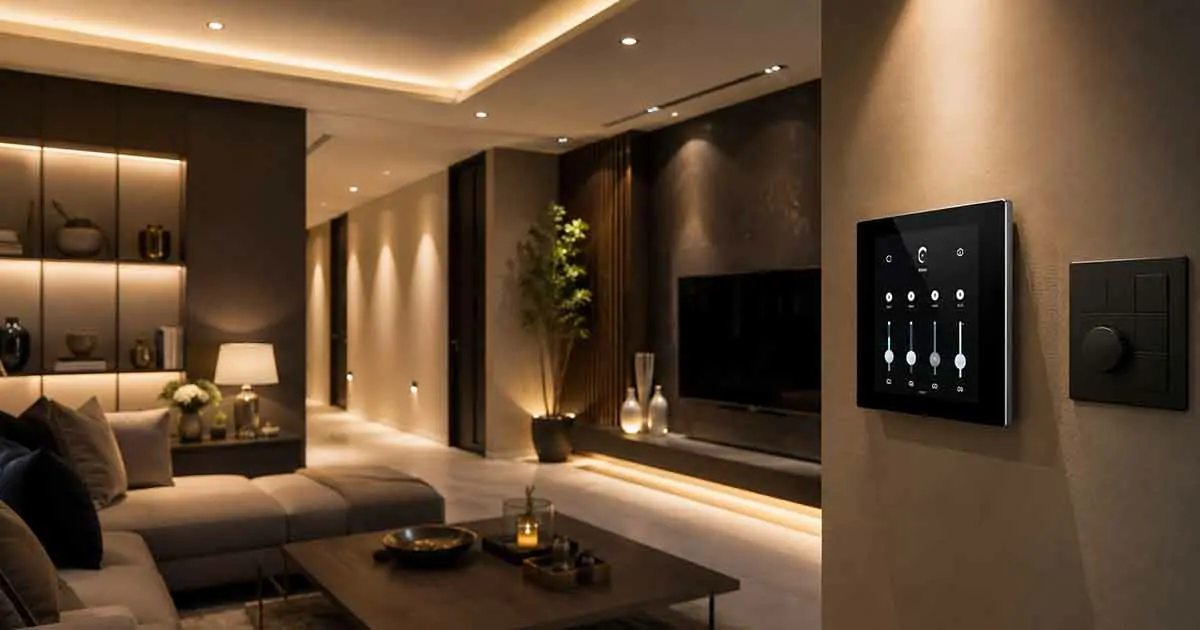
Smart lighting has evolved far beyond simply turning bulbs on and off from a smartphone. Modern lighting control systems can automate when lights operate, adjust brightness, create schedules, respond to motion, and connect with other smart home devices.
While a smart lighting system focuses primarily on the lights, bulbs, fixtures, and switches themselves, smart lighting control systems focus on how those lights are managed and automated throughout the home.
This distinction is important when designing a connected home. You may already have smart bulbs or smart switches, but a well-designed control system can bring everything together into convenient scenes, schedules, sensors, and centralized controls.
In this guide, we explain how smart lighting control works, the different types of controllers available, the benefits and limitations, and how to choose the right solution for your home.
Table of Contents
What Are Smart Lighting Control Systems?
Smart lighting control systems are technologies that allow homeowners to manage and automate multiple lights using connected controls such as smart switches, dimmers, sensors, hubs, mobile apps, voice assistants, or centralized control panels.
Instead of controlling each light independently, a control system can coordinate several lights based on conditions or user commands.
For example, a homeowner could create a “Good Night” scene that:
- Turns off the living room lights
- Dims the bedroom lights
- Turns on a hallway night light
- Switches off outdoor decorative lighting
- Activates selected security lighting
The system can perform these actions with one command or automatically according to a schedule.
Smart lighting control can therefore be viewed as the automation layer that determines when, where, and how lighting operates.
How Smart Lighting Control Works
A smart lighting control system generally consists of several components working together.
These may include:
- Smart switches
- Smart dimmers
- Smart bulbs
- Motion sensors
- Occupancy sensors
- Light sensors
- Hubs or bridges
- Wireless communication protocols
- Smartphone applications
- Voice assistants
- Automation platforms
When you issue a command through an app or voice assistant, the control system sends instructions to the appropriate device.
For example, saying “turn off the downstairs lights” could cause the system to communicate with several switches or bulbs and turn them off simultaneously.
Automation can also happen without a manual command.
A motion sensor could detect movement in a hallway and activate the lights automatically. A schedule could turn outdoor lights on around sunset and off at a predetermined time.
Smart Lighting Control Systems vs. Smart Lighting Systems
These two concepts are closely related but are not exactly the same.
A smart lighting system generally refers to the connected lighting products themselves, such as smart bulbs, smart switches, smart dimmers, and lighting fixtures.
A smart lighting control system is more focused on managing and coordinating those devices.
For example, installing a smart bulb in a bedroom creates a connected lighting device. Adding schedules, motion sensors, scenes, centralized controls, and automation rules creates a more comprehensive control system.
This distinction helps prevent confusion when planning a smart home.
If you are researching the broader category of connected lighting products, see our guide to smart lighting systems for a closer look at the different types of smart lighting available.
Types of Smart Lighting Controls
There are several ways to control smart lighting. The best option depends on the size of the home, existing wiring, desired automation, and budget.
Smart Switches
Smart switches replace traditional wall switches and provide wireless or app-based control.
They are particularly useful when you want to control existing light fixtures without replacing every bulb.
Depending on the model, a smart switch may provide:
- Remote control
- Scheduling
- Dimming
- Automation
- Voice control
- Motion-based operation
- Integration with other smart home devices
Smart switches are often a practical choice for whole-room or whole-home installations.
Smart Dimmers
Smart dimmers provide the same basic functionality as smart switches while adding brightness control.
Instead of simply choosing between on and off, you can configure lighting levels for different situations.
For example:
- 100% brightness for cleaning
- 70% for everyday activities
- 40% for watching television
- 20% for evening relaxation
Some smart dimmers can also be incorporated into automated lighting scenes.
Smart Bulbs
Smart bulbs contain built-in wireless technology and can be controlled through an app, hub, or compatible smart home platform.
Depending on the product, they may offer:
- Brightness adjustment
- Color temperature control
- RGB colors
- Scheduling
- Scenes
- Remote access
- Voice control
Smart bulbs are easy to install in many situations, but they typically need continuous electrical power to remain connected.
Motion and Occupancy Sensors
Sensors can make lighting automation more responsive.
A motion sensor detects movement and can trigger an automation such as turning on a hallway light.
Occupancy sensors can be more sophisticated because they are designed to determine whether a room is being occupied rather than simply detecting a brief movement.
These sensors can help reduce unnecessary lighting and improve convenience.
Light Sensors
Light sensors measure surrounding brightness.
A smart lighting system can use this information to determine whether artificial lighting is necessary.
For example, a hallway could remain off when enough natural light is available and automatically activate when the environment becomes darker.
Centralized Lighting Control
For larger homes, centralized control can provide a more organized approach to lighting management.
Instead of managing every light independently, homeowners can control multiple rooms or zones from a central interface.
A centralized system may provide:
- Whole-home lighting control
- Room-based control
- Scenes
- Schedules
- Automation
- Remote access
- Integration with security systems
- Integration with climate controls
- Integration with smart home platforms
This approach can be especially useful when lighting is part of a larger whole-home automation strategy.
Wireless vs. Wired Lighting Control
One of the most important decisions is whether to use a wireless or wired control system.
Wireless Lighting Control
Wireless systems communicate using technologies such as Wi-Fi, Zigbee, Z-Wave, Bluetooth, or other supported protocols.
Advantages include:
- Easier installation
- Less electrical work
- Good option for existing homes
- Flexible device placement
- Easy expansion
However, wireless systems depend on communication infrastructure, and some solutions may require hubs or bridges.
Wired Lighting Control
Wired systems use dedicated physical connections between components.
They can offer strong reliability and are commonly considered for new construction, major renovations, and larger residential automation projects.
The main disadvantages are higher installation complexity and potentially higher costs.
For an existing home, wireless solutions are often easier to deploy. For new construction, a wired control system may be worth considering during the planning stage.
Smart Lighting Control Protocols
The communication technology behind a lighting system can affect compatibility, reliability, and expansion options.
Wi-Fi
Wi-Fi lighting devices connect directly or indirectly through the home’s wireless network.
Advantages include widespread compatibility and simple setup.
The downside is that a large number of Wi-Fi devices can increase network traffic, particularly in a heavily connected smart home.
Zigbee
Zigbee is a low-power wireless protocol commonly used in smart home devices.
It supports mesh networking, allowing compatible devices to communicate through one another and potentially improve coverage.
Zigbee can be useful for larger lighting installations where many devices need to communicate.
Z-Wave
Z-Wave is another wireless technology designed for smart home automation.
It also uses mesh networking and is commonly used for switches, dimmers, sensors, locks, and other connected devices.
The choice between Zigbee and Z-Wave depends on the ecosystem, devices, hub, and compatibility requirements.
If you are comparing these technologies for your smart home, our guide to Z-Wave vs Zigbee explains their main differences.
Matter
Matter is a newer smart home interoperability standard designed to make compatible devices work more easily across supported ecosystems.
Matter can be particularly useful for homeowners who want greater flexibility when choosing smart home platforms.
However, device compatibility should still be checked carefully because not every feature is necessarily supported across every platform.
Lighting Scenes and Automation
One of the biggest advantages of smart lighting control is the ability to create scenes.
A scene is a predefined combination of lighting settings designed for a particular situation.
Examples include:
Movie Night
The system could dim the living room lights while leaving a small amount of background illumination.
Dinner
Dining room lights could increase to a comfortable brightness while nearby accent lighting remains softer.
Good Morning
Bedroom and kitchen lighting could gradually activate according to a morning schedule.
Good Night
Selected lights could turn off while hallway or exterior security lighting remains active.
Away Mode
The system could simulate normal occupancy by turning selected lights on and off at different times.
Scenes make lighting control more convenient because several devices can respond to one command.
Scheduling Smart Lights
Schedules allow lights to operate automatically at predetermined times.
For example, you could configure:
- Porch lights to turn on in the evening
- Bedroom lights to turn off at bedtime
- Kitchen lights to activate before breakfast
- Outdoor lights to turn off after sunrise
Schedules can reduce the need for manual control and make repetitive tasks automatic.
Some systems can also use sunrise and sunset times instead of fixed clock times, which can make outdoor lighting schedules more practical throughout the year.
Motion-Based Lighting Automation
Motion-based lighting is particularly useful in areas where people frequently move through a space but do not necessarily want to operate a wall switch.
Common locations include:
- Hallways
- Staircases
- Bathrooms
- Garages
- Laundry rooms
- Entryways
- Closets
A typical automation might turn a hallway light on when motion is detected and turn it off after several minutes of inactivity.
The timeout should be configured carefully. If it is too short, the lights may turn off while someone is still using the area.
Voice Control
Voice assistants can make smart lighting easier to operate.
Depending on the ecosystem and compatible devices, users may be able to say commands such as:
- “Turn on the kitchen lights.”
- “Dim the living room lights.”
- “Turn off all downstairs lights.”
- “Set the bedroom lights to 30 percent.”
Voice control is particularly useful when physical access to a switch is inconvenient.
However, voice control should generally be considered an additional interface rather than the only method of controlling essential lighting.
Benefits of Smart Lighting Control
Convenience
Automated lighting reduces repetitive manual tasks.
Lights can respond to schedules, motion, environmental conditions, or other smart home events.
Energy Efficiency
Automation can help reduce unnecessary lighting.
For example, lights can automatically switch off when rooms are no longer occupied.
The actual energy savings depend on lighting technology, household behavior, and automation settings.
Improved Security
Lighting can be integrated with security routines.
Exterior lights can activate when motion is detected, while interior lights can simulate occupancy when the home is empty.
Lighting alone should not be considered a complete security system, but it can complement other security measures.
Better Accessibility
Automated and voice-controlled lighting can make it easier for people to control lights without physically reaching a wall switch.
Customization
Users can create different brightness levels, schedules, and scenes for different rooms and activities.
Potential Drawbacks
Smart lighting control also has limitations.
Initial Cost
Installing smart switches, dimmers, sensors, hubs, and other equipment can cost significantly more than a conventional lighting setup.
Compatibility Issues
Not every smart device works with every platform or protocol.
Before purchasing equipment, check compatibility with your existing ecosystem.
Network Dependence
Some systems rely heavily on Wi-Fi or cloud services.
A network outage may affect certain remote or automated functions.
Installation Requirements
Some smart switches require a neutral wire or specific electrical configurations.
If you are uncertain about your home’s wiring, consult a qualified electrician rather than attempting electrical modifications yourself.
Complexity
A system with dozens of devices can become difficult to manage if it is not planned carefully.
Choosing a consistent ecosystem and establishing clear room names and automation rules can make management easier.
How to Choose a Smart Lighting Control System
Before purchasing equipment, consider the following factors.
1. Start With Your Existing Lighting
Determine whether you have traditional bulbs, smart bulbs, recessed fixtures, ceiling fixtures, or a mixture.
This will influence whether smart bulbs, switches, or dimmers are the better solution.
2. Choose Your Smart Home Ecosystem
Consider which platform you already use.
Common ecosystems include Google Home, Amazon Alexa, and Apple Home.
Choosing compatible products can make future expansion easier.
3. Consider the Communication Protocol
Check whether your devices use Wi-Fi, Zigbee, Z-Wave, Matter, or another technology.
For larger installations, the communication architecture becomes increasingly important.
4. Determine Whether You Need a Hub
Some smart lighting products connect directly to Wi-Fi, while others require a hub or bridge.
A hub-based system may provide additional automation capabilities and can reduce dependence on Wi-Fi for individual devices.
5. Check Dimming Compatibility
Not every light fixture or bulb works correctly with every dimmer.
Always verify compatibility before installing a smart dimmer.
6. Think About Future Expansion
Do not design your system only around today’s needs.
If you plan to add smart locks, sensors, thermostats, security devices, or other automation products later, choose an ecosystem that can accommodate those devices.
7. Evaluate Local vs. Cloud Control
Some systems can continue performing important automations locally when internet access is unavailable.
Others depend more heavily on cloud services.
If reliability is a major priority, investigate how the system behaves during an internet outage.
Smart Lighting Control for Different Areas of the Home
Different rooms benefit from different automation strategies.
Living Room
Consider scenes for:
- Entertainment
- Reading
- Relaxation
- Guests
- Cleaning
Kitchen
Bright task lighting can be combined with softer ambient lighting.
Motion or occupancy sensors may also be useful in certain areas.
Bedroom
Schedules, dimming, and gradual lighting can create a more comfortable nighttime and morning routine.
Hallways and Stairs
Motion-triggered lighting can improve convenience and visibility, especially at night.
Bathroom
Occupancy-based lighting can reduce the need to touch switches and can provide lower brightness during nighttime visits.
Outdoor Areas
Scheduling and motion detection can help automate porch, pathway, and security lighting.
Are Smart Lighting Control Systems Worth It?
For many homeowners, smart lighting control is most valuable when it solves a specific problem rather than simply adding technology.
A small installation might focus on a few high-value areas, such as hallway automation, exterior lighting, or living room scenes.
A larger installation can coordinate lighting throughout the entire home.
The value increases when lighting automation is integrated with other smart home functions.
For example, a security event could trigger exterior lights, while an occupancy routine could adjust indoor lighting automatically.
The best system is therefore not necessarily the one with the most features. It is the one that provides useful automation without unnecessary complexity.
Final Thoughts
Smart lighting control systems provide a way to transform individual connected lights into a coordinated lighting environment.
Instead of manually operating every switch, homeowners can use schedules, scenes, sensors, voice commands, apps, and centralized controls to automate lighting throughout the home.
When choosing a system, consider your existing wiring, preferred smart home ecosystem, communication protocol, compatibility, installation requirements, and plans for future expansion.
For a simple home, a few smart switches or bulbs may be enough. For a larger property, a centralized control system with sensors, scenes, and multiple automation rules can provide a much more comprehensive experience.
The key is to build the system around how your household actually uses each space. Thoughtful automation can make lighting more convenient, potentially reduce wasted energy, and integrate naturally with the rest of your smart home.