
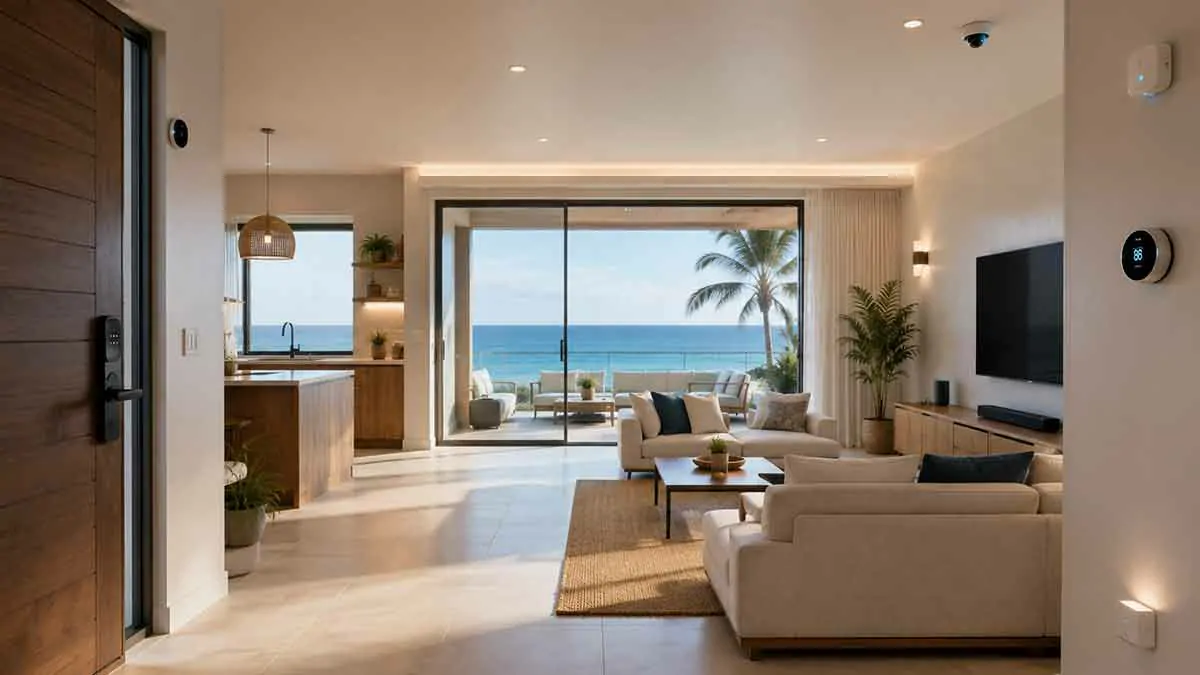
A vacation home can sit empty for days or weeks at a time, making it different from a primary residence. When nobody is there to monitor the property regularly, small problems such as an open door, water leak, power failure, or unusual temperature can become much larger issues.
Smart home automation can help vacation homeowners monitor the property remotely, manage energy use, improve security, and prepare the home before arrival.
The key is to build a system that remains reliable, simple, and useful when the property is unoccupied.
A vacation home does not need dozens of smart devices. A small number of strategically selected sensors, smart locks, thermostats, cameras, and automation rules can provide much of the practical value.
In this guide, we’ll explain how to automate a vacation home, which devices are most useful, how to monitor an empty property, how to prepare for guests, and what to consider when internet or power failures occur.
Table of Contents
What Is Smart Home Automation for Vacation Homes?
Smart home automation for a vacation home uses connected devices and automated routines to monitor and control the property when the owner is away or visiting.
Common examples include:
- Remote lighting
- Smart locks
- Door and window sensors
- Water leak detection
- Smart thermostats
- Security cameras
- Motion sensors
- Smart plugs
- Remote monitoring
- Automated arrival routines
The goal is to make the property easier to manage without requiring someone to be physically present for every task.
Why Vacation Homes Benefit From Automation
A primary residence is usually occupied every day.
A vacation home may remain empty for extended periods.
That creates several challenges:
- Problems can go unnoticed
- Heating or cooling may run unnecessarily
- Doors may be left unlocked
- Water leaks can continue unnoticed
- Devices may remain powered
- Guests may need temporary access
- The property may need preparation before arrival
Automation can address many of these situations.
Start With Remote Monitoring
The first priority for most vacation homes should be visibility.
Before automating complex actions, make sure you can determine the condition of the property remotely.
Useful information includes:
- Door status
- Window status
- Temperature
- Water leaks
- Motion
- Power status
- Lock status
Knowing what is happening is often more valuable than automatically changing everything.
Smart Locks for Vacation Homes
Smart locks are among the most useful devices for vacation properties.
They can provide:
- Keyless entry
- Remote locking
- Temporary access codes
- Guest access
- Lock status
- Access management
This can eliminate the need to exchange physical keys with guests.
Create Temporary Guest Codes
If your smart lock supports temporary access codes, create separate credentials for different guests.
For example:
Guest arrival → Code becomes active
Guest departure → Code expires
This provides better control than sharing one permanent access code.
Use Separate Codes for Different Users
Avoid using one code for everyone if the lock supports multiple users.
Separate access credentials make it easier to:
- Revoke access
- Identify users
- Limit access duration
- Manage cleaners
- Manage maintenance workers
Only provide access when necessary.
Automatic Door Locking
A smart lock can sometimes be configured to lock automatically.
For example:
Door closes → Wait → Lock
This can reduce the possibility of the property being left unlocked.
However, automatic locking should be configured carefully so guests are not unexpectedly locked out.
Smart Door and Window Sensors
Door and window sensors can report whether an opening is open or closed.
This is useful when a vacation home is unoccupied.
For example:
Front door opens → Notification
Or:
Window remains open → Alert
These sensors can provide information without requiring a camera.
Motion Sensors for Empty Properties
Motion sensors can help identify unexpected activity.
For example:
Motion detected while property is vacant → Notification
However, motion sensors should be configured carefully.
Pets, HVAC systems, environmental changes, or other factors can sometimes create false triggers.
Presence Detection and Vacation Homes
Presence detection can help distinguish between normal occupancy and unexpected activity.
For example:
Property marked vacant + unexpected activity → Alert
This can be more useful than simply receiving notifications whenever motion occurs.
Smart Cameras
Cameras can provide visual confirmation when an event occurs.
Potential locations include:
- Exterior entrances
- Driveways
- Main entry areas
- Other appropriate exterior locations
Avoid placing cameras in private areas where guests reasonably expect privacy.
For vacation rentals, understand local laws and platform rules before using cameras.
Use Cameras Carefully
More cameras do not necessarily mean better security.
Consider:
- What area needs monitoring?
- Who can access recordings?
- How long are recordings retained?
- Where is the footage stored?
- Are guests informed where required?
A door sensor may be sufficient for some situations without recording video.
Smart Thermostats for Vacation Homes
Heating and cooling can represent a significant portion of a vacation home’s operating costs.
A smart thermostat can allow remote control and scheduled temperature management.
For example:
Property vacant → Energy-saving temperature
Arrival approaching → Comfortable temperature
This avoids conditioning the property unnecessarily while still allowing it to be comfortable when guests arrive.
Use Vacation Temperature Settings
Rather than turning HVAC systems completely off, use appropriate energy-saving settings when the property is vacant.
The correct temperature depends on:
- Climate
- Season
- Building
- HVAC system
- Humidity
- Risk of freezing
- Local conditions
Extreme settings can create problems.
Protect Against Freezing Temperatures
In cold climates, maintaining a minimum temperature can help protect plumbing.
A temperature sensor can provide an additional warning.
For example:
Temperature falls below threshold → Alert
This can give the owner an opportunity to respond before a problem becomes severe.
Monitor Humidity
Humidity monitoring can be useful in vacation homes, especially in humid climates.
Excessive humidity can contribute to:
- Mold
- Condensation
- Material damage
A smart environmental sensor can provide remote information about temperature and humidity.
Water Leak Sensors
Water damage is one of the most important risks to monitor in an unoccupied property.
Install water leak sensors near potential sources such as:
- Water heaters
- Washing machines
- Sinks
- Dishwashers
- Toilets
- HVAC equipment
A basic automation can be:
Water detected → Immediate notification
Smart Water Shutoff Valves
A compatible smart water shutoff valve can potentially take the next step:
Leak detected → Water supply closes
This can reduce the duration of a leak.
However, automated water shutoff systems should be installed and configured carefully. The system should also provide a reliable manual override.
Smart Plugs
Smart plugs can remotely control compatible devices.
They may be useful for:
- Lamps
- Decorative lighting
- Certain fans
- Selected small appliances
They can also help reduce standby power consumption.
Do not use smart plugs to automate appliances in ways that create fire or other safety risks.
Vacation Lighting Automation
Lighting can make a vacant property appear occupied, but random lighting patterns are generally more convincing than simply turning every light on at the same time.
For example:
Evening → Living room light turns on
Later → Bedroom light turns on
Night → Lights turn off
Use schedules that resemble normal household activity.
Avoid Excessive Lighting Automation
Leaving multiple lights running continuously wastes energy and may not provide meaningful security benefits.
Use a small number of strategically placed lights.
Smart Blinds and Curtains
Motorized blinds can be scheduled to open and close.
For example:
Morning → Blinds open
Evening → Blinds close
This can help manage sunlight and temperature while creating signs of normal activity.
Smart Smoke and Carbon Monoxide Detection
Connected safety detectors can provide remote notifications when supported.
For example:
Smoke detected → Local alarm + remote notification
However, smart features should complement rather than replace appropriate safety equipment.
Make sure required detectors are correctly installed and maintained.
Power Monitoring
Power monitoring can provide useful information about the property’s electrical state.
Unexpected changes in consumption may indicate:
- HVAC operation
- Appliance activity
- Equipment failure
- Unusual activity
Power monitoring should be treated as an additional information source rather than a guaranteed security system.
Monitor Internet Connectivity
A smart vacation home depends heavily on communication.
If the internet connection fails, remote monitoring and control may become unavailable.
Consider using equipment or services that can notify you when the property loses connectivity, where practical.
Backup Internet
For properties where remote monitoring is especially important, a backup internet connection may be worth considering.
Options can include:
- Cellular backup
- Secondary connection
- Failover router
The appropriate solution depends on local network availability and the importance of continuous remote access.
Backup Power
Power failures can disable:
- Router
- Hub
- Cameras
- Smart locks
- Sensors
- Smart thermostat
A UPS can provide temporary backup power for selected network equipment.
For longer outages, additional backup power may be required.
Local Control vs Cloud Control
Vacation homes benefit from understanding the difference between local and cloud-based automation.
Cloud-Based Automation
Device → Internet → Cloud → Automation
If the internet or cloud service fails, the automation may stop working.
Local Automation
Device → Local Controller → Device
Some automations may continue working without internet access.
For critical functions, local control can provide an additional layer of reliability.
Smart Home Automation Without Internet
Not every automation needs internet access.
Depending on the platform, local automations may continue handling:
- Motion lighting
- Some sensor triggers
- Certain thermostat routines
- Selected security functions
Always verify the exact capabilities of your devices before relying on offline operation.
Smart Home Hub for a Vacation Property
A hub or controller can provide a central point for compatible devices.
A hub can help manage:
- Sensors
- Automations
- Lighting
- Locks
- Other connected devices
For an unattended property, reliability and local processing can be particularly valuable.
Keep the Smart Home Simple
Vacation properties should generally have fewer automations than primary homes.
Why?
Because there may be nobody physically present to troubleshoot problems.
Prefer:
Simple automation + reliable device
over:
Complex automation + many dependencies
Avoid Automation Chains With Too Many Dependencies
Consider this automation:
Motion sensor → Cloud service → Hub → Integration → Smart light
Every additional dependency introduces another possible failure point.
When practical, reduce unnecessary dependencies.
Create a Vacation Mode
A dedicated vacation mode can simplify management.
For example:
Vacation Mode ON
- Adjust thermostat
- Activate selected security sensors
- Enable water monitoring
- Adjust lighting schedules
- Disable unnecessary devices
Then:
Vacation Mode OFF
- Restore normal settings
This is easier to manage than manually changing many devices.
Create an Arrival Routine
An arrival routine can prepare the property before guests arrive.
For example:
Arrival scheduled → Thermostat adjusts → Selected lights turn on → Smart lock access enabled
The exact actions should depend on the property and the systems installed.
Create a Departure Routine
A departure routine can help secure the property after guests leave.
For example:
Departure → Lights off → Thermostat changes → Selected doors lock → Vacation mode enabled
Avoid actions that could create safety problems.
Use Guest Arrival Windows
If the property is rented, configure access based on the expected arrival period when supported.
For example:
Check-in time → Guest code active
This reduces unnecessary access outside the reservation period.
Guest Access Management
Do not give every guest permanent access.
Use:
- Temporary codes
- Limited permissions
- Expiration dates
- Separate credentials
Review access regularly.
Cleaner and Maintenance Access
Vacation properties often require access by:
- Cleaners
- Maintenance workers
- Property managers
Use separate access credentials where possible.
This makes it easier to revoke access later.
Notifications That Actually Matter
A vacation home can generate many alerts.
Too many notifications can cause important warnings to be ignored.
Prioritize:
- Water leaks
- Extreme temperatures
- Unexpected entry
- Door left open
- Smoke or environmental alerts
- Power or network failures
Avoid sending notifications for every routine event.
Create Notification Priorities
Critical
- Water leak
- Smoke alarm
- Extreme temperature
- Unexpected entry
Important
- Door left open
- Device offline
- Power outage
Informational
- Routine lighting change
- Scheduled thermostat adjustment
This makes remote management more manageable.
Use Clear Device Names
Name devices according to their location.
Good examples:
- Front Door
- Back Door
- Kitchen Water Sensor
- Upstairs Thermostat
- Living Room Light
Clear naming is especially important when controlling the property remotely.
Organize Devices by Room
A structured system makes troubleshooting easier.
For example:
Entry
- Smart lock
- Door sensor
- Exterior camera
- Entry light
Kitchen
- Water sensor
- Smart light
- Smoke detector
Utility Room
- Water sensor
- Temperature sensor
Living Room
- Smart thermostat sensor
- Smart lights
Monitor Device Batteries
Battery-powered sensors can become unavailable when their batteries are depleted.
This is especially problematic in a vacation home because nobody may be there to replace them immediately.
Keep track of:
- Door sensors
- Motion sensors
- Water sensors
- Other battery-powered devices
Replace batteries proactively when appropriate.
Test the System Between Visits
Do not wait until your next vacation to discover that a sensor stopped working months ago.
Periodically check:
- Door status
- Lock status
- Sensors
- Cameras
- Thermostat
- Internet connection
- Automation logs
Regular remote testing can identify problems early.
Have Someone Local
For important vacation properties, remote automation should not be the only backup.
A trusted local person can help when:
- Internet fails
- Batteries need replacement
- A device stops responding
- A water leak occurs
- A power outage happens
- Physical inspection is required
Technology cannot solve every physical problem remotely.
Smart Home Security for Vacation Homes
Security automation can include:
- Smart locks
- Door sensors
- Window sensors
- Motion sensors
- Cameras
- Lighting automation
- Notifications
Use several layers rather than depending on one device.
Do Not Rely Only on Smart Cameras
A camera may fail because of:
- Power loss
- Internet outage
- Cloud problems
- Device failure
Combine cameras with other sensors when appropriate.
Automate Exterior Lighting
Exterior lighting can improve visibility around entrances.
Possible automation:
After sunset → Entry light turns on
or:
Motion detected → Exterior light turns on
Use appropriate brightness and placement.
Smart Home Security and Privacy
If guests use the vacation property, privacy becomes especially important.
Before enabling monitoring:
- Understand applicable laws
- Follow rental platform rules
- Inform guests where required
- Avoid private spaces
- Limit access to recordings
Do not assume that a device is appropriate simply because it is technically possible to install it.
Protect Smart Home Accounts
Remote access means account security is critical.
Use:
- Strong unique passwords
- Multi-factor authentication
- Updated firmware
- Limited user permissions
- Secure Wi-Fi
Do not share administrator credentials unnecessarily.
Separate Guest Access From Owner Access
Guests should generally receive only the access they need.
For example:
Guest → Door access
while:
Owner → Full smart home administration
This reduces the risk of accidental configuration changes.
Smart Home Automation for Rental Properties
If the vacation home is rented, design automation around predictable guest turnover.
Useful functions include:
- Temporary smart lock codes
- Arrival routines
- Departure routines
- HVAC scheduling
- Water monitoring
- Remote security alerts
- Cleaning access
The system should remain easy for guests to use.
Give Guests Simple Instructions
Guests should not need to understand the entire smart home.
Provide simple instructions for:
- Door access
- Lights
- Thermostat
- Basic controls
- Emergency procedures
Avoid exposing guests to unnecessary automation settings.
Avoid Automatic Actions That Surprise Guests
Automation can become frustrating when guests do not understand it.
For example:
- Lights turning off unexpectedly
- Thermostat changing unexpectedly
- Doors locking at inconvenient times
- Blinds moving unexpectedly
Guest-facing automations should be predictable.
Smart Home Energy Savings
Vacation homes can waste energy when they remain conditioned or illuminated while empty.
Automation can reduce unnecessary consumption through:
- Thermostat schedules
- Smart lighting
- Smart plugs
- Energy monitoring
- Occupancy-based automation
The objective is to reduce waste without compromising property protection.
Monitor Energy Consumption
Energy monitoring can reveal unusual patterns.
For example:
Property vacant → Unusually high energy consumption
This may indicate:
- HVAC running excessively
- Appliance problems
- Unexpected occupancy
- Equipment malfunction
Investigate unusual patterns rather than assuming they always indicate a security issue.
Protect Pipes and HVAC Systems
In climates with extreme temperatures, automation can help monitor conditions that could damage the property.
Examples include:
- Freeze alerts
- High-temperature alerts
- HVAC failure notifications
- Humidity monitoring
These systems should supplement regular property maintenance.
Smart Home Automation for Seasonal Homes
Some vacation homes are used only during certain seasons.
For example:
Summer home → Cooling-focused automation
Winter home → Heating and freeze protection
Seasonal automation can be configured around the property’s actual use.
Create a Maintenance Mode
A maintenance mode can temporarily adjust normal automations.
For example:
Maintenance Mode ON
- Disable selected motion alerts
- Allow maintenance access
- Keep environmental monitoring active
This can reduce false alarms while someone is working at the property.
Create an Emergency Mode
An emergency routine can be designed around specific events.
For example:
Water detected → Notification + compatible water shutoff
Or:
Extreme temperature → Immediate alert
Emergency automations should be tested carefully before being trusted.
What Happens During a Power Outage?
A power outage can affect the entire smart home.
Determine which devices remain operational.
Important questions include:
- Does the smart lock still work?
- Does the hub have backup power?
- Does the router have backup power?
- Will sensors continue operating?
- Will notifications still work?
- What happens when power returns?
Document the answers before relying on the system.
What Happens When the Internet Goes Down?
Determine which functions are local and which depend on cloud services.
If remote access disappears, local automations may still work depending on the system.
A backup connection can help maintain remote monitoring where continuous connectivity is important.
What Happens When a Smart Device Fails?
Have a replacement or manual procedure for critical equipment.
For example:
- Physical key for smart lock
- Manual thermostat control
- Manual water shutoff
- Physical light switches
Redundancy is especially important in unattended properties.
Common Vacation Home Automation Mistakes
Too Many Devices
More hardware creates more maintenance.
Too Many Notifications
Important alerts can get lost.
No Backup Internet
Remote monitoring may disappear during an outage.
No Backup Power
The network and hub may stop working.
No Local Contact
Some problems require physical intervention.
Permanent Guest Access
Access should expire when appropriate.
Overly Complex Automations
Complex systems are harder to troubleshoot remotely.
Ignoring Privacy Rules
Guest monitoring must be handled carefully.
A Practical Vacation Home Smart Setup
A balanced vacation property could include:
Entry
- Smart lock
- Door sensor
- Exterior light
- Optional camera
Living Area
- Smart thermostat
- Smart lights
- Motion sensor
Kitchen
- Water leak sensor
- Smart lighting
- Smoke detection
Utility Area
- Water leak sensor
- Temperature sensor
Network
- Reliable router
- Smart home hub
- Optional backup internet
- UPS for critical equipment
This provides useful monitoring without unnecessary complexity.
Best Smart Home Automations for Vacation Homes
1. Vacation Mode
Property vacant → Security monitoring + energy-saving settings
2. Leak Detection
Water detected → Immediate notification
3. Freeze Protection
Temperature below threshold → Alert
4. Guest Arrival
Arrival approaching → Thermostat adjusts + selected lights activate
5. Guest Departure
Departure → Lights off + thermostat changes + doors lock
6. Temporary Access
Check-in period → Guest code active
7. Exterior Lighting
After sunset → Exterior light turns on
8. Unexpected Entry
Property vacant + door opens → Alert
These automations provide practical value without requiring an unnecessarily complicated system.
How to Choose Devices for a Vacation Home
Before buying a device, check:
- Remote access
- Local control
- Power requirements
- Battery life
- Compatibility
- Security updates
- Cloud dependence
- Failure behavior
- Manual override
A device that works well in a primary residence may not be appropriate for an unattended vacation property.
Build the System Gradually
Start with the highest-priority risks.
A practical order is:
Step 1
Water leak detection
Step 2
Temperature monitoring
Step 3
Smart lock
Step 4
Door and window sensors
Step 5
Smart thermostat
Step 6
Lighting automation
Step 7
Cameras and advanced monitoring where appropriate
This approach prioritizes property protection before convenience features.
Final Thoughts
Smart home automation for vacation homes is most valuable when it helps you know what is happening, respond quickly to problems, and prepare the property without being physically present.
Start with monitoring and protection. Water leak sensors, temperature monitoring, door sensors, smart locks, and reliable notifications can provide significant value. Then add energy management, lighting, guest access, and convenience automations.
Reliability is especially important in a property that may remain empty for long periods. Consider local control, backup power, backup internet, manual alternatives, and a trusted local contact for situations that cannot be solved remotely.
If the property is rented, guest privacy and access management should also be treated as essential parts of the system.
The best vacation home automation system is not the most complicated one. It is a system that continues to provide useful information, performs predictable actions, and gives you practical ways to respond when something goes wrong.