
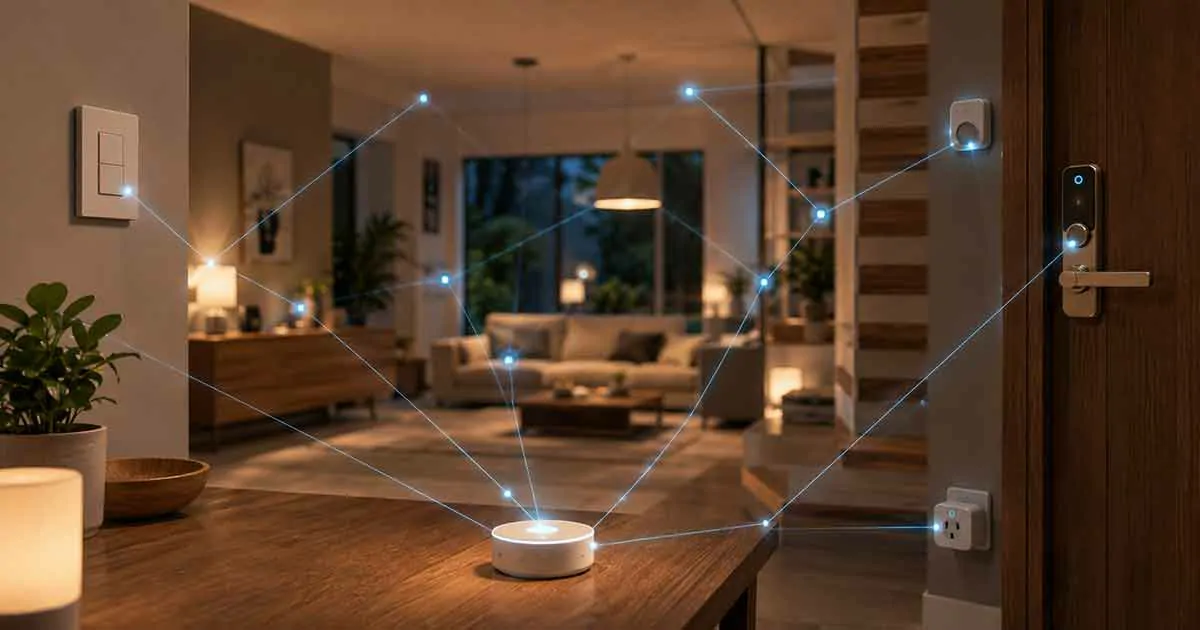
Wi-Fi is one of the most common technologies used in modern smart homes, but it is not essential for every connected device.
Many homeowners assume that a smart home must depend entirely on an internet connection. In reality, several types of smart home devices can continue to perform important functions without Wi-Fi or can communicate through alternative technologies such as Zigbee, Z-Wave, Thread, Bluetooth, or proprietary radio protocols.
This can be particularly useful when internet service is unreliable, when you want to reduce dependence on cloud services, or when you are building a smart home that prioritizes local control.
The important distinction is that a device working without Wi-Fi does not necessarily mean it works without any network or without the internet.
Some devices operate completely offline. Others communicate locally through a hub. Some can perform their basic function without Wi-Fi but lose remote access or advanced features when the internet connection disappears.
Understanding these differences can help you build a more reliable smart home.
Can Smart Home Devices Work Without Wi-Fi?
Yes.
Some smart home devices can operate without Wi-Fi because they use other communication technologies.
Common alternatives include:
- Zigbee
- Z-Wave
- Thread
- Bluetooth
- Proprietary RF
- Wired Ethernet
- Local control through a smart home hub
Some devices can also continue performing their basic function when Wi-Fi or internet access is unavailable.
For example, a smart light switch may still physically turn a light on and off even if its smart features are temporarily unavailable.
The key question is not simply:
“Does this device need Wi-Fi?”
Instead, ask:
“Which features continue working when Wi-Fi or internet access is unavailable?”
Wi-Fi vs Internet: What Is the Difference?
These terms are often confused.
Wi-Fi is a wireless networking technology that connects devices to a local network.
The internet is an external network that allows devices and services to communicate beyond your home.
A smart home device may work over local Wi-Fi without internet access.
For example, a local smart home controller may communicate with a Wi-Fi device inside your home even when the internet connection is down.
Therefore:
No internet ≠ no Wi-Fi.
And:
No Wi-Fi ≠ no smart home connectivity.
This distinction is important when evaluating offline smart home devices.
Why Use Smart Home Devices Without Wi-Fi?
There are several reasons to consider alternatives to Wi-Fi.
More Reliable Local Operation
Devices using Zigbee, Z-Wave, Thread, or other local technologies can continue communicating even when the Wi-Fi network is unavailable.
Reduced Internet Dependence
A local smart home can perform many functions without communicating with cloud servers.
Lower Network Congestion
Large numbers of Wi-Fi devices can increase traffic on a wireless network.
Moving some devices to other protocols can reduce Wi-Fi congestion.
Better Privacy
Local communication can reduce the amount of smart home data sent to external cloud services.
Better Battery Efficiency
Some low-power protocols are designed specifically for battery-powered devices.
Smart Home Devices That Can Work Without Wi-Fi
Several device categories are particularly suitable for homes that want alternatives to Wi-Fi.
1. Z-Wave Devices
Z-Wave is a wireless smart home protocol designed for low-power home automation.
Many Z-Wave devices communicate through a dedicated hub rather than directly through Wi-Fi.
Common Z-Wave products include:
- Smart locks
- Motion sensors
- Door sensors
- Smart switches
- Smart plugs
- Thermostats
- Water leak sensors
The device communicates with the Z-Wave hub, while the hub manages communication with the wider smart home system.
This means the individual device does not need a Wi-Fi connection.
2. Zigbee Devices
Zigbee is another popular low-power wireless technology used in smart homes.
Zigbee devices typically communicate through a mesh network.
Common examples include:
- Smart bulbs
- Motion sensors
- Door sensors
- Temperature sensors
- Smart switches
- Smart plugs
- Buttons
- Sensors
A Zigbee hub or coordinator can connect these devices to a larger smart home system.
Because the devices do not rely directly on Wi-Fi, they can help reduce the number of wireless products competing for Wi-Fi bandwidth.
3. Thread Devices
Thread is a low-power mesh networking protocol designed for connected devices.
It is particularly relevant to modern smart homes because it is also used as a network technology for many Matter devices.
Thread devices can communicate with one another through a mesh network rather than connecting individually to Wi-Fi.
Common Thread device categories include:
- Smart sensors
- Smart plugs
- Smart lights
- Smart locks
- Thermostats
- Other low-power smart home products
Thread devices generally require appropriate infrastructure such as a Thread Border Router for integration with a wider smart home system.
4. Bluetooth Smart Home Devices
Bluetooth is another alternative to Wi-Fi.
Bluetooth is particularly useful for short-range connections.
Examples include:
- Smart locks
- Sensors
- Smart buttons
- Some lighting products
- Smart scales
- Configuration accessories
Bluetooth devices may communicate directly with a smartphone or another nearby device.
The limitation is range.
Bluetooth is generally not intended to replace a whole-home network in the same way that a mesh protocol can.
5. Smart Locks
Smart locks are one of the most useful examples of devices that can provide smart functionality without relying exclusively on Wi-Fi.
Depending on the model, a smart lock may use:
- Bluetooth
- Z-Wave
- Zigbee
- Thread
- Matter
- Proprietary wireless communication
Some locks can continue to provide basic physical access even if the smart home network is unavailable.
For example, a lock may still support:
- Physical keys
- Keypad codes
- Manual locking
- Local Bluetooth access
However, remote control and cloud-based notifications may stop working without an internet connection.
Always check the manufacturer’s specifications for offline functionality.
6. Smart Light Switches
Smart switches can be excellent choices for reliable home automation.
Many models use Zigbee, Z-Wave, Thread, or proprietary protocols instead of Wi-Fi.
The physical switch can often continue controlling the connected light even if the smart home network is temporarily unavailable.
This makes smart switches particularly useful for important lights that should always remain controllable.
A major advantage of a smart switch over a smart bulb is that the physical wall control remains available.
7. Smart Sensors
Sensors are often better suited to low-power protocols than Wi-Fi.
Examples include:
- Motion sensors
- Door sensors
- Window sensors
- Temperature sensors
- Humidity sensors
- Water leak sensors
- Occupancy sensors
These devices typically send small amounts of information and can benefit from low-power mesh technologies.
Battery-powered sensors can therefore operate for long periods without needing a constant Wi-Fi connection.
8. Motion Sensors
A motion sensor does not necessarily need Wi-Fi.
Many smart motion sensors use Zigbee, Z-Wave, or Thread.
The sensor detects movement and communicates with the local smart home network.
For example:
Motion detected → local hub receives event → hallway light turns on.
If the automation is processed locally, the internet may not be necessary for the routine to operate.
9. Door and Window Sensors
Door and window sensors are another excellent use case for low-power wireless technology.
A sensor can detect whether a door or window is:
- Open
- Closed
It can then send the information to a hub.
This can trigger local automation such as:
Window opened → HVAC automation changes.
Or:
Front door opened → entry light turns on.
The exact behavior depends on the smart home controller.
10. Temperature Sensors
Temperature sensors typically send small amounts of data.
This makes low-power protocols particularly suitable.
A temperature sensor using Zigbee, Z-Wave, or Thread can report temperature to a compatible smart home system without requiring its own Wi-Fi connection.
This can be useful when you want multiple sensors throughout a home.
For example:
- Bedroom temperature
- Living room temperature
- Basement temperature
- Garage temperature
A central smart home system can use this information for automation.
11. Smart Plugs
Smart plugs are available using several different communication technologies.
Some use Wi-Fi.
Others use:
- Zigbee
- Z-Wave
- Thread
- Bluetooth
A non-Wi-Fi smart plug can communicate with a compatible hub or controller.
This can be useful for households with many connected devices.
12. Smart Thermostats
Some smart thermostats can operate through technologies other than Wi-Fi.
Depending on the model, a thermostat may use:
- Z-Wave
- Proprietary protocols
- Local wired connections
- A dedicated hub
The thermostat’s basic HVAC control can often continue even if its smart connectivity disappears.
This is an important distinction.
Your heating or cooling system should not stop operating simply because the internet connection fails.
13. Smart Buttons and Remotes
Smart buttons can be extremely simple devices.
They can use low-power wireless protocols to send commands to a smart home controller.
For example:
Button pressed → all downstairs lights turn off.
Or:
Button pressed twice → bedtime routine starts.
These devices can provide physical control without depending on a smartphone.
14. Smart Bulbs
Some smart bulbs use Zigbee, Thread, or proprietary technologies instead of Wi-Fi.
These bulbs can communicate through a compatible hub or controller.
However, smart bulbs can behave differently when the network is unavailable.
The physical wall switch may still cut power to the bulb, but smart control may not be available.
This is why smart bulbs and smart switches should not be treated as identical solutions.
15. Smart Home Hubs
A smart home hub can be the foundation of a non-Wi-Fi smart home.
The hub may communicate with devices using:
- Zigbee
- Z-Wave
- Thread
- Bluetooth
- Other protocols
It can then coordinate automations locally.
A hub can be particularly useful when you have many devices from different manufacturers.
However, the hub itself may still need Ethernet or Wi-Fi for certain cloud services and remote access.
Can a Smart Home Work Without the Internet?
Yes, but the answer depends on how the system is designed.
A properly configured local smart home can continue performing many automations without internet access.
For example:
Motion sensor → local hub → smart switch → light turns on.
No external internet connection is necessarily required for this local automation.
However, cloud-dependent functions may stop working.
These can include:
- Remote smartphone control
- Cloud voice assistants
- Cloud camera analysis
- Cloud notifications
- Remote firmware management
- External integrations
This is why local control is important when designing an offline-capable smart home.
Local Control vs Cloud Control
The difference is fundamental.
Local Control
The automation is processed inside the home.
For example:
Sensor → local hub → device
Advantages can include:
- Faster response
- Continued operation during internet outages
- Greater privacy
- Reduced cloud dependence
Cloud Control
The device communicates with an external service.
For example:
Device → internet → cloud → command
Potential advantages include:
- Remote access
- Advanced cloud processing
- Easier integration
- Cloud-based AI features
Potential disadvantages include:
- Internet dependence
- Privacy considerations
- Service outages
- Possible subscription requirements
A hybrid approach can combine both.
Can Smart Home Devices Work During a Wi-Fi Outage?
Sometimes.
It depends on the device and the automation architecture.
Wi-Fi Smart Device
A Wi-Fi device may lose communication if the local Wi-Fi network is unavailable.
Zigbee Device
A Zigbee device can continue communicating through its Zigbee mesh network.
Z-Wave Device
A Z-Wave device can continue communicating through its Z-Wave network.
Thread Device
A Thread device can communicate through its Thread mesh network.
Bluetooth Device
A Bluetooth device can communicate with a nearby compatible controller.
The exact behavior depends on the device and controller.
Can Smart Home Devices Work Without a Hub?
Some can.
Wi-Fi devices often connect directly to a router.
Bluetooth devices may connect directly to a smartphone.
Some smart home products can also perform basic functions independently.
However, Zigbee and Z-Wave systems commonly require a coordinator or hub.
Thread devices also need appropriate infrastructure for integration into a broader smart home system.
A hub is therefore not inherently bad.
In many cases, it is what makes reliable local automation possible.
Does Matter Require Wi-Fi?
No.
Matter can operate over different underlying network technologies, including Wi-Fi, Ethernet, and Thread.
This distinction is important because Matter is an application-layer standard rather than a replacement for all networking technologies.
A Matter smart home can therefore include Thread-based devices that do not connect directly to Wi-Fi.
Matter Over Thread
Matter over Thread is particularly relevant for battery-powered smart home devices.
Thread provides a low-power mesh network, while Matter provides the application-level interoperability.
A simplified structure is:
Thread → network connectivity
Matter → device communication standard
This combination is increasingly useful for:
- Sensors
- Smart locks
- Smart plugs
- Lights
- Thermostats
A Thread Border Router is generally needed to connect the Thread network with the broader IP network.
Advantages of a Non-Wi-Fi Smart Home
Better Network Efficiency
Moving sensors and other low-bandwidth devices to dedicated protocols can reduce Wi-Fi traffic.
Strong Mesh Networking
Zigbee, Z-Wave, and Thread can create mesh networks where compatible devices relay communication.
Low Power Consumption
Many of these technologies are designed for battery-powered devices.
Local Automation
A local hub can process automation without requiring the cloud.
Reduced Cloud Dependence
The system can remain useful even when internet services are unavailable.
Disadvantages of Smart Home Devices Without Wi-Fi
There are also trade-offs.
Additional Hub Requirements
Some protocols require dedicated hardware.
More Complex Setup
Managing multiple protocols can make the system more complicated.
Limited Device Selection
Wi-Fi has a very large consumer device ecosystem.
Platform Compatibility
A device may require a specific hub or controller.
Remote Access
Local devices may require additional infrastructure for remote control.
Which Protocol Is Best for an Offline Smart Home?
There is no universal winner.
Zigbee
Best suited for:
- Sensors
- Lights
- Switches
- Smart plugs
Z-Wave
Best suited for:
- Security devices
- Sensors
- Locks
- Switches
- Thermostats
Thread
Best suited for:
- Modern low-power devices
- Matter-compatible products
- Sensors
- Smart locks
- Smart plugs
Bluetooth
Best suited for:
- Nearby devices
- Smart locks
- Simple accessories
- Direct smartphone control
The best choice depends on your existing smart home ecosystem.
How to Build a Smart Home That Works Without Wi-Fi
If offline reliability is important, build the system around local control.
Step 1: Choose a Local Smart Home Controller
Select a platform capable of local automation.
Step 2: Choose a Primary Wireless Protocol
Zigbee, Z-Wave, or Thread can reduce dependence on Wi-Fi.
Step 3: Add Sensors
Start with:
- Motion sensors
- Door sensors
- Temperature sensors
- Water leak sensors
Step 4: Add Local-Control Switches
Smart switches can provide reliable physical and automated control.
Step 5: Add Smart Plugs
Use them for appliances and energy monitoring where appropriate.
Step 6: Create Local Automations
Build routines that can operate without cloud services.
Step 7: Test the System Offline
Disconnect the internet and verify which functions continue working.
This is one of the most useful tests you can perform.
Best Smart Home Devices for Internet Outages
If reliability is the priority, focus on devices that retain useful local functionality.
Good candidates include:
- Z-Wave smart locks
- Zigbee motion sensors
- Thread sensors
- Local smart switches
- Local smart plugs
- Temperature sensors
- Water leak sensors
- Local smart home hubs
Security and safety devices deserve particular attention because they should continue performing their essential functions during connectivity failures.
Smart Home Devices That Usually Need Internet Access
Some functions are inherently more dependent on the internet.
Examples include:
- Remote cloud control
- Cloud-based voice assistants
- Cloud AI
- Cloud video storage
- Some security notifications
- Remote firmware services
- Third-party integrations
A device may therefore be “smart” while still requiring internet access for some features.
What Happens to Voice Assistants Without Internet?
Cloud-based voice assistants typically require an internet connection for speech recognition and cloud processing.
If the internet goes down, voice commands may stop working or become significantly limited.
This is one reason physical controls remain important.
A smart switch can still provide a local control method even if a cloud voice assistant becomes unavailable.
Smart Home Security Without Wi-Fi
Security is one of the strongest reasons to consider local smart home technology.
A local system can potentially continue monitoring:
- Doors
- Windows
- Motion
- Temperature
- Water leaks
even if internet access disappears.
For example:
Door opens → local sensor detects event → local alarm or automation responds.
Remote notifications may not work without internet access, but the local security response can continue if the system is designed for it.
Smart Home Devices Without Wi-Fi for Renters
Renters can also benefit from non-Wi-Fi smart home devices.
Battery-powered sensors are particularly useful because they usually require little or no permanent modification.
Potential options include:
- Door sensors
- Motion sensors
- Temperature sensors
- Smart buttons
- Smart locks
- Battery-powered lighting
Always verify installation requirements and property rules before modifying locks or electrical systems.
Smart Home Devices Without Wi-Fi for Large Homes
Large homes can benefit from mesh protocols because the network can potentially extend through compatible powered devices.
For example:
Hub → powered smart device → powered smart device → sensor
This can help improve coverage.
However, the effectiveness of a mesh network depends on building materials, device placement, interference, and the number of routing devices.
Common Mistakes When Building an Offline Smart Home
Assuming Every Smart Device Needs Wi-Fi
Many devices use alternative protocols.
Assuming No Wi-Fi Means No Network
Zigbee, Z-Wave, and Thread are still networks.
Buying Devices Without Checking Hub Compatibility
Always confirm that the device works with your controller.
Ignoring Local Automation
A device can use Zigbee or Z-Wave but still depend on cloud services for certain features.
Forgetting Physical Controls
Important functions should have a manual backup.
Not Testing Internet Outages
Do not assume that an automation is local.
Test it.
How to Check Whether a Device Works Without Wi-Fi
Before purchasing, look for terms such as:
- Local control
- Offline automation
- No internet required
- Zigbee
- Z-Wave
- Thread
- Bluetooth
- Local processing
Then check the manufacturer’s documentation.
The most important question is:
Which features continue working when the internet connection is unavailable?
A product may advertise a non-Wi-Fi protocol while still requiring cloud access for certain functions.
Final Thoughts
Smart home devices do not have to depend entirely on Wi-Fi.
Zigbee, Z-Wave, Thread, Bluetooth, and local smart home controllers can provide alternative ways to connect and automate devices.
For homeowners who prioritize reliability, privacy, and continued operation during internet outages, a locally controlled smart home can be a strong approach.
The ideal system does not necessarily eliminate Wi-Fi.
Instead, it uses the right technology for each device.
Use Wi-Fi where high bandwidth or direct network connectivity makes sense.
Use Zigbee, Z-Wave, or Thread for low-power devices and sensors.
Use local automation for important routines.
And keep physical controls available for critical functions.
A well-designed smart home should remain useful even when the internet temporarily disappears.