
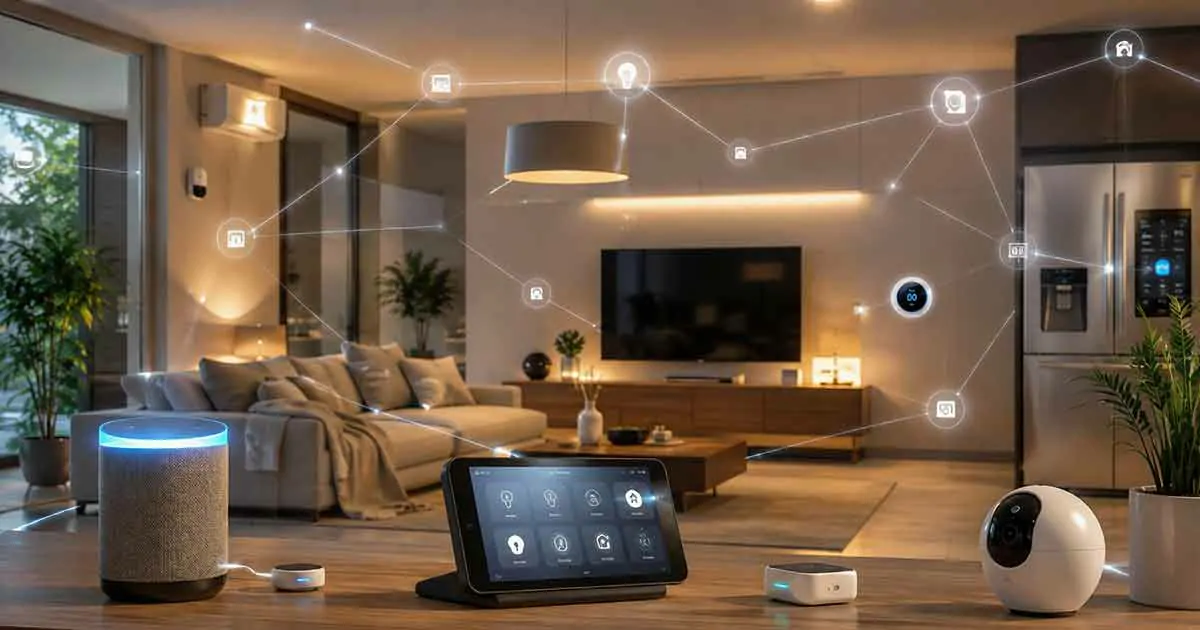
Smart home AI assistants are becoming an important part of modern home automation.
Traditional smart home assistants could already control lights, thermostats, speakers, locks, and other connected devices through voice commands. Newer AI assistants can go further by understanding natural language, interpreting context, answering follow-up questions, and helping users create more sophisticated interactions with their smart homes.
Instead of memorizing specific commands, homeowners can increasingly communicate with their smart home in a more natural way.
For example, instead of saying:
“Turn on the living room light.”
an AI assistant may eventually understand a request such as:
“The room feels a little dark. Make it more comfortable for reading.”
Depending on the assistant and connected devices, that request could involve lighting, temperature, or other home settings.
However, AI capabilities vary considerably between platforms. Some assistants are primarily voice-control interfaces, while others incorporate generative AI, machine learning, or advanced automation features.
This guide explains how smart home AI assistants work, what they can do, their benefits and limitations, and what to consider when choosing one.
Table of Contents
What Is a Smart Home AI Assistant?
A smart home AI assistant is software that uses artificial intelligence to help users interact with connected home devices and services.
It can potentially understand:
- Natural-language commands
- Questions
- Follow-up requests
- Context
- Household routines
- Device states
- User preferences
The assistant may then communicate with compatible smart home devices.
A basic interaction might be:
User → AI assistant → smart home platform → device
For example:
“Turn off the bedroom lights.”
The assistant interprets the request and sends the appropriate command to the connected lighting system.
More advanced AI assistants can potentially interpret more complex requests and coordinate several devices.
How Are AI Assistants Different From Traditional Voice Assistants?
Traditional voice assistants typically rely heavily on predefined commands and intents.
For example:
“Turn on the kitchen lights.”
The system identifies the action and the device.
AI-powered assistants can potentially understand more flexible language.
For example:
“It’s getting dark in here. Can you brighten the kitchen?”
The assistant may interpret the user’s intention without requiring an exact command structure.
Generative AI can also allow more conversational interactions.
A user might ask a follow-up question without repeating the entire context.
The exact capabilities depend on the platform and its current software.
What Can Smart Home AI Assistants Do?
AI assistants can potentially help with several areas of smart home management.
Voice Control
Users can control compatible devices using natural language.
Smart Home Questions
An assistant can answer questions about compatible devices, routines, or general information.
Automation
AI can potentially help create or modify smart home routines.
Personalization
Some systems can adapt responses or recommendations to user preferences.
Energy Management
AI can analyze energy-related information and provide suggestions where supported.
Security Assistance
AI can help interpret security notifications and connected-device events.
Device Coordination
An assistant can potentially control multiple devices as part of one request.
Smart Home AI Assistants and Natural Language
One of the biggest advantages of AI is natural-language understanding.
Traditional smart home commands can feel rigid.
For example:
“Set thermostat to 21 degrees.”
An AI assistant may understand:
“It’s too warm in here. Cool the house down a little.”
The assistant can potentially interpret the intention and determine the appropriate action.
This makes smart homes easier for people who do not want to learn a large collection of exact voice commands.
Generative AI in Smart Homes
Generative AI adds another layer to smart home assistants.
Large language models can understand and generate natural-language responses.
This can make conversations more fluid.
For example, a homeowner might ask:
“Why does the house feel warmer than usual?”
An AI assistant could potentially use available information from a smart thermostat and explain the situation.
Depending on the platform, it might also suggest changing a temperature setting.
Generative AI can also make it easier to describe desired automation in ordinary language.
For example:
“When everyone leaves, turn off the unnecessary lights and adjust the thermostat.”
A compatible AI system could potentially translate that request into an automation.
Not every assistant currently supports this level of automation creation.
AI Assistants and Smart Home Platforms
An AI assistant usually operates within a broader smart home ecosystem.
Popular platforms include:
- Google Home
- Amazon Alexa
- Apple Home
- Samsung SmartThings
Each platform has different device compatibility, automation capabilities, privacy policies, and AI features.
Before choosing an assistant, consider which ecosystem already contains most of your smart home devices.
Switching platforms later can be inconvenient if many devices depend on proprietary features.
Google Home and AI
Google has been integrating generative AI capabilities into its smart home ecosystem.
Google’s Gemini technology is being used to expand natural-language interaction and provide more intelligent assistance across supported Google Home experiences.
Potential applications include:
- More natural conversations
- Smart home control
- Understanding complex requests
- Interpreting camera events
- Creating more useful routines
The exact features available depend on the product, account, region, and current Google Home software.
Google’s AI strategy is increasingly centered around Gemini rather than relying exclusively on traditional voice-assistant behavior.
Amazon Alexa and AI
Amazon has also been developing generative AI capabilities for Alexa.
The goal is to make Alexa more conversational and capable of handling complex requests.
AI-enhanced Alexa experiences can potentially improve:
- Natural-language interaction
- Smart home control
- Recommendations
- Multi-step requests
- Conversational responses
Availability and functionality can vary by device, market, account, and subscription.
Amazon’s evolving Alexa strategy makes it important to check the current features of the specific Alexa device or service before purchasing.
Apple Home and AI
Apple Home provides a smart home platform centered around Apple devices and services.
Siri can control compatible Home accessories using voice commands.
Apple’s broader AI strategy, including Apple Intelligence, may influence future smart home interactions, but smart home capabilities depend on the specific Apple software, hardware, and Home accessories involved.
Apple users should therefore distinguish between:
- Siri smart home control
- Apple Home automation
- Apple Intelligence features
They are related but not identical technologies.
Samsung SmartThings and AI
Samsung SmartThings is another major smart home platform.
It can connect compatible devices and create automation routines.
Samsung has also been incorporating AI capabilities across its ecosystem.
For SmartThings users, the main advantage is the ability to connect a broad range of devices and use automation to coordinate them.
AI can potentially make this interaction more natural by helping users understand and control the connected environment.
AI Assistants and Matter
Matter is an important smart home interoperability standard.
It is designed to help compatible smart home devices work across supported ecosystems.
AI assistants can potentially operate above Matter-compatible devices.
A simplified structure can look like:
Matter devices → smart home platform → AI assistant → user
This can make it easier to combine devices from different manufacturers.
However, Matter does not automatically mean that every feature of a device will be available on every platform.
Some advanced functions remain dependent on the manufacturer or smart home ecosystem.
AI Assistants and Smart Lighting
Lighting is one of the easiest areas to control with an AI assistant.
Users can request:
- Lights on or off
- Brightness adjustments
- Color changes
- Lighting scenes
- Room-specific control
AI can make these commands more conversational.
For example:
“Make the living room feel warmer.”
Depending on the connected lighting system, the assistant could interpret this as a request for warmer color temperature or softer lighting.
The exact behavior depends on the devices and platform.
AI Assistants and Smart Thermostats
AI assistants can make thermostat control easier.
Instead of navigating an app, users can ask:
“Make the bedroom cooler.”
or:
“What’s the temperature downstairs?”
Advanced systems may also combine thermostat data with occupancy information.
This can potentially create more adaptive climate control.
However, homeowners should still monitor energy consumption and verify that automated temperature changes match their preferences.
AI Assistants and Smart Security
AI assistants can also interact with smart security systems.
Potential functions include:
- Checking whether doors are locked
- Viewing compatible camera feeds
- Asking about recent events
- Controlling security routines
- Receiving alerts
AI can potentially summarize security events rather than requiring users to review every notification.
For example, instead of seeing multiple motion alerts, an AI system could potentially provide a concise summary of relevant activity.
Security features vary significantly between platforms and devices.
AI Camera Event Analysis
One of the most promising AI applications is analyzing camera footage.
Traditional motion detection simply identifies movement.
AI can potentially classify detected objects or events.
For example:
Motion → person detected → notification
or:
Motion → package detected → notification
Some systems can go further and provide natural-language descriptions of what happened.
This can make large amounts of camera footage easier to understand.
However, camera AI can make mistakes, so homeowners should not treat automated classifications as infallible.
AI Assistants and Smart Locks
AI assistants can provide convenient access to smart lock information.
For example:
“Is the front door locked?”
An assistant may be able to report the lock status.
Some platforms also support routines involving locks.
However, unlocking a door is a security-sensitive action.
Voice-based unlocking may require additional authentication or may not be supported at all.
For security reasons, homeowners should avoid giving unrestricted access to critical entry systems.
AI Assistants and Energy Management
AI assistants can potentially help homeowners understand energy use.
For example, users could ask:
“Which devices are using the most energy?”
If the smart home has compatible energy-monitoring hardware, the assistant may be able to provide information or recommendations.
AI can also help identify patterns.
For example:
- High consumption during certain hours
- Unusual appliance usage
- Excessive standby power
- HVAC inefficiency
The usefulness of these features depends on the available data.
An AI assistant cannot provide meaningful energy analysis without access to relevant information.
AI Assistants and Smart Plugs
Smart plugs provide a simple way to add connected control to traditional appliances.
An AI assistant can potentially:
- Turn a plug on or off
- Check its status
- Include it in routines
- Analyze energy consumption when supported
For example:
“Turn off the desk lamp.”
can become a simple voice command.
More advanced systems could potentially use AI to coordinate several plugs based on household routines.
Creating Smart Home Routines With AI
One of the most useful future applications of AI assistants is automation creation.
Traditional smart home apps can require users to select:
- Trigger
- Condition
- Device
- Action
AI could potentially simplify this.
A homeowner might say:
“Every night when we go to bed, turn off the downstairs lights, lower the thermostat, and check that the doors are locked.”
The AI assistant could potentially translate this into an automation.
Before enabling the routine, users should review every action.
This is particularly important when the automation controls locks, heating equipment, or appliances.
AI Assistants and Personalized Routines
A household may have different schedules every day.
AI can potentially learn patterns involving:
- Work
- School
- Weekends
- Holidays
- Sleep
- Occupancy
This could allow more flexible automation.
For example, a system might recognize that the home is usually occupied earlier on weekends and adjust routines accordingly.
However, users should have the ability to override learned behavior.
AI Assistants for Families
AI assistants can simplify smart home control for multiple household members.
Family members can use natural-language commands without needing to learn a complicated application.
Potential uses include:
- Lighting
- Temperature
- Entertainment
- Shopping lists
- Timers
- Reminders
- Security status
Voice recognition and personalization features may also allow the system to distinguish between users where supported.
AI Assistants for Older Adults
AI assistants can improve accessibility by reducing dependence on smartphone applications.
Voice interaction can be useful for:
- Lights
- Thermostats
- Doorbells
- Timers
- Reminders
- Connected appliances
For people who find complicated touch interfaces inconvenient, conversational control can make connected devices easier to use.
A physical control should still remain available for important functions.
AI Assistants for Large Smart Homes
Large homes can contain many connected devices.
An AI assistant can potentially provide a simpler interface for managing them.
Instead of opening several apps, a homeowner might ask:
“Turn off all the downstairs lights.”
or:
“Is anything unusual happening around the house?”
The assistant can potentially coordinate information from multiple systems.
However, large smart homes also require reliable networking and carefully organized device naming.
Device Naming Matters
AI assistants can only control devices effectively if they can identify them correctly.
Avoid confusing names such as:
- Light 1
- Light 2
- Device 3
Instead, use clear names:
- Kitchen Ceiling Light
- Bedroom Lamp
- Front Door Lock
- Upstairs Thermostat
Room assignments are also important.
Good device organization makes voice control more reliable.
AI Assistant Privacy
Privacy is one of the biggest considerations when choosing an AI assistant.
Voice assistants may process:
- Voice commands
- Smart home information
- Device states
- Automation data
- Account information
Camera-based AI can involve even more sensitive information.
Before choosing an assistant, review:
- Data collection
- Cloud processing
- Voice recording storage
- Camera data handling
- Account security
- Data deletion controls
- Third-party sharing
Users should enable only the features they actually need.
Local AI vs Cloud AI
AI assistants can process information locally, in the cloud, or through a combination of both.
Cloud Processing
Cloud AI provides access to powerful computing infrastructure.
Benefits can include:
- Advanced models
- Frequent updates
- Complex processing
- Large-scale data analysis
Potential drawbacks include:
- Internet dependence
- Privacy concerns
- Subscription costs
- Cloud outages
Local Processing
Local AI processes information on compatible hardware inside the home.
Potential benefits include:
- Faster response
- Greater privacy
- Reduced internet dependence
The limitation is that local hardware may not support the largest AI models.
A hybrid architecture can provide a balance.
Are AI Smart Home Assistants Secure?
AI assistants should be treated as part of the home’s digital security system.
Important protections include:
- Strong account passwords
- Multi-factor authentication
- Secure Wi-Fi
- Regular firmware updates
- Separate guest access
- Limited permissions
- Careful voice-assistant settings
Security-sensitive devices should receive additional protection.
For example, homeowners should carefully consider whether voice control should be allowed to unlock doors or change security settings.
AI Assistant Subscription Costs
Some advanced AI assistant features may require subscriptions.
Potential premium features include:
- Advanced generative AI
- Camera analysis
- Video summaries
- Extended history
- Advanced automation
- Additional cloud storage
Before choosing a platform, compare both:
Initial hardware cost + recurring service costs.
A free assistant may be sufficient for basic smart home control, while advanced AI features may justify a subscription for some households.
Common Smart Home AI Assistant Mistakes
Choosing an Assistant Before Choosing an Ecosystem
Start by determining which smart home platform fits your existing devices.
Assuming All AI Features Are Available Everywhere
Features can vary by country, device, account, and software version.
Ignoring Compatibility
Always check whether your devices are supported.
Giving AI Too Much Control
Keep security-critical functions protected.
Ignoring Privacy
Understand how voice, camera, and household data are processed.
Creating Complicated Automations
Automation should make life easier, not create more troubleshooting.
Poor Device Naming
Clear names make voice control significantly easier.
How to Choose the Best Smart Home AI Assistant
Consider these factors before choosing a platform.
1. Existing Devices
Choose an assistant that supports the devices you already own.
2. Smart Home Platform
Consider Google Home, Alexa, Apple Home, SmartThings, or another compatible platform.
3. AI Capabilities
Look at the actual AI features rather than relying on marketing terminology.
4. Natural-Language Understanding
Check how well the assistant handles conversational commands.
5. Automation
Determine whether the assistant can create or modify routines.
6. Privacy
Review data collection and processing policies.
7. Subscription Requirements
Check which advanced features require recurring payments.
8. Matter Compatibility
If you plan to use Matter devices, verify compatibility with your chosen platform.
9. Hardware
Consider microphone quality, speaker quality, processing capabilities, and placement.
10. Long-Term Support
Choose an ecosystem with a strong track record of software and security updates.
Best Devices for a Smart Home AI Assistant
You do not necessarily need expensive hardware.
A practical setup can include:
Smart Speaker
Useful as the primary voice interface.
Smart Display
Useful when you want visual information and controls.
Smart Thermostat
Provides climate control and useful environmental data.
Smart Lights
Easy to control through voice and automation.
Smart Plugs
Useful for adding connected control to traditional devices.
Smart Sensors
Provide information about occupancy, doors, windows, and temperature.
Smart Security Cameras
Can provide AI-assisted event detection where supported.
The Future of Smart Home AI Assistants
AI assistants are likely to become more conversational and context-aware.
Instead of issuing isolated commands, homeowners may interact with their homes through ongoing conversations.
For example:
“We’re going to bed.”
The assistant could potentially understand that the household wants a bedtime routine.
It might:
- Turn off selected lights
- Adjust the thermostat
- Check door locks
- Activate security routines
- Stop unnecessary devices
The user may not need to specify every action.
Another important trend is greater integration between AI and local smart home systems.
More powerful processors and local AI models could reduce cloud dependence while improving responsiveness.
Will AI Assistants Replace Smart Home Apps?
Probably not completely.
Smart home apps remain useful for:
- Initial setup
- Detailed configuration
- Device management
- Troubleshooting
- Reviewing settings
- Security controls
AI assistants are better suited to natural-language interaction.
The two approaches can complement each other.
Use the app for configuration.
Use AI for everyday interaction.
Are Smart Home AI Assistants Worth It?
For many homeowners, AI assistants can make smart home technology significantly easier to use.
They are particularly useful when a home contains multiple connected devices.
The greatest advantages include:
- Natural-language control
- Easier automation
- Device coordination
- Personalized interactions
- Faster access to information
- Potential energy-management assistance
However, AI is not necessary for every smart home.
If you only have a few smart lights and plugs, traditional voice control may be sufficient.
AI becomes more valuable as the number of devices, automation requirements, and information sources increases.
Final Thoughts
Smart home AI assistants represent the next stage of interaction between people and connected homes.
Traditional voice assistants made it possible to control devices without opening an app.
AI can make that interaction more conversational, contextual, and potentially more personalized.
The technology can help with:
- Smart home control
- Automation
- Energy management
- Security
- Climate control
- Lighting
- Device coordination
- Natural-language interaction
But the best AI assistant is not necessarily the one with the most advanced AI model.
It is the one that works reliably with your devices, respects your privacy, supports your preferred smart home ecosystem, and provides useful automation without creating unnecessary complexity.
As AI continues to improve, smart home assistants are likely to become less like remote controls and more like intelligent interfaces for the entire home.