
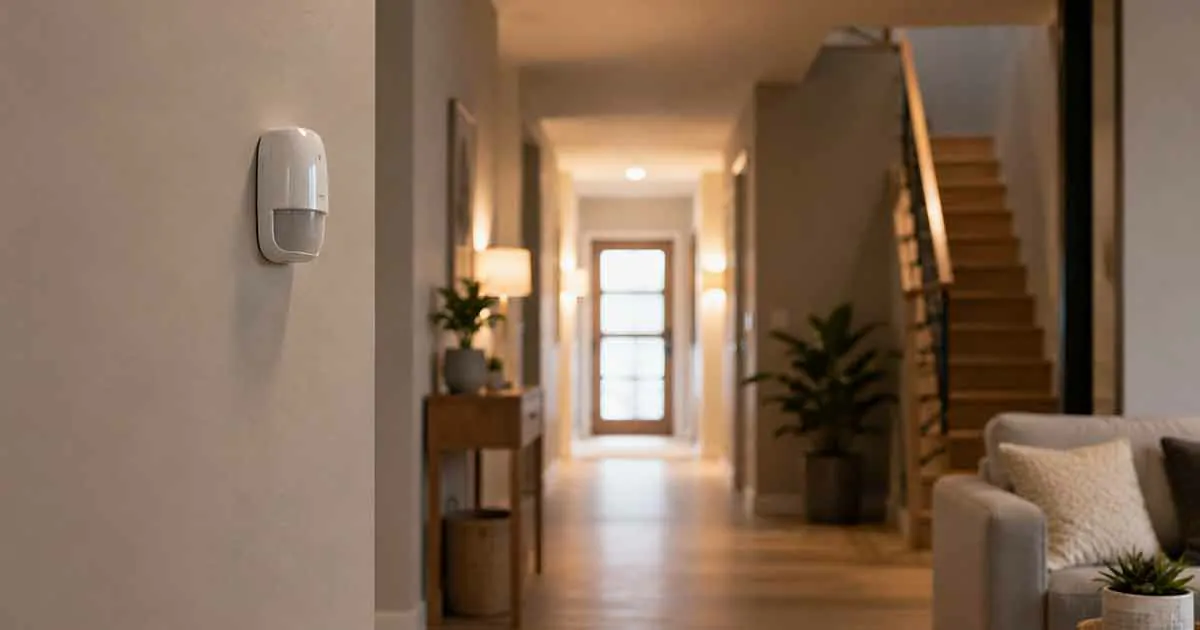
Smart home motion sensors are among the most useful devices for adding automation, security, and energy-saving features to a connected home. Unlike devices that require manual control, motion sensors can detect activity and trigger other smart devices automatically.
A simple motion sensor can turn on a light when someone enters a room, send an alert when movement is detected while you are away, or help a smart home system determine whether an area is being used.
For homeowners and renters alike, motion sensors are also relatively small and easy to integrate into existing smart home systems.
The challenge is choosing the right type of sensor. Different technologies have different strengths, detection ranges, response times, and environmental limitations.
This guide explains how smart home motion sensors work, the main technologies available, the features that matter, and how to use them for security, lighting, energy savings, and home automation.
Table of Contents
What Is a Smart Home Motion Sensor?
A smart home motion sensor is a connected device that detects movement in a specific area and communicates that information to a smart home system.
When motion is detected, the sensor can trigger an automation.
For example:
Motion detected → hallway light turns on.
After a period without activity:
No motion detected → hallway light turns off.
Depending on the sensor and smart home platform, motion information can also trigger:
- Security notifications
- Smart lighting
- Thermostat adjustments
- Cameras
- Smart plugs
- Sirens
- Other connected devices
The sensor itself usually performs one simple task: detecting movement. Its real value comes from what the smart home system does with that information.
Why Use Motion Sensors in a Smart Home?
Motion sensors can improve several areas of a home simultaneously.
Convenience
Lights and other devices can respond automatically when someone enters a room.
Security
A sensor can notify you when movement occurs in an area that should be empty.
Energy Savings
Lights and selected devices can turn off automatically when a space is no longer occupied.
Automation
Motion can act as a trigger for more complex smart home routines.
Accessibility
Automatic lighting can make it easier to navigate hallways, stairs, bathrooms, and other areas without reaching for a switch.
Best Smart Home Motion Sensors
There is no single motion sensor that is best for every home.
The right choice depends on the smart home ecosystem you use, the room where the sensor will be installed, the detection technology, and the type of automation you want to create.
1. PIR Motion Sensors
Passive infrared, or PIR, sensors are one of the most common types of motion sensors.
They detect changes in infrared radiation caused by moving objects, particularly people.
PIR sensors are commonly used for:
- Lighting automation
- Security alerts
- Hallway automation
- Room occupancy triggers
Their advantages include low power consumption and relatively simple operation.
However, PIR sensors generally detect movement rather than simply determining whether a person is present.
Someone sitting still for a long period may not trigger a traditional PIR sensor.
2. mmWave Presence Sensors
Millimeter-wave, or mmWave, sensors use radar technology to detect movement and, with suitable implementations, very small movements.
This makes them useful when you need more reliable presence detection.
For example, a traditional PIR sensor may fail to detect someone sitting at a desk because there is little movement.
An appropriate mmWave presence sensor may be able to detect that the person is still present.
These sensors can be useful for:
- Home offices
- Bedrooms
- Living rooms
- Bathrooms
- Occupancy-based lighting
However, installation and calibration can be more important than with basic PIR sensors.
3. Dual-Technology Motion Sensors
Some sensors combine multiple detection technologies.
A dual-technology design can reduce false triggers by requiring information from more than one sensing method.
The exact technologies vary between products.
These sensors can be useful when reliability is particularly important, although they may cost more than simple PIR models.
4. Outdoor Motion Sensors
Outdoor environments are more challenging because of:
- Changing temperatures
- Sunlight
- Wind
- Moving vegetation
- Animals
- Rain
- Other environmental factors
Outdoor-rated motion sensors should be designed specifically for exterior use.
Do not assume that an indoor sensor is suitable for a porch, driveway, garden, or other exposed area.
5. Indoor Motion Sensors
Indoor sensors are generally easier to install and can be used for:
- Hallways
- Bedrooms
- Kitchens
- Living rooms
- Offices
- Entryways
A compact battery-powered model can often be placed or mounted without electrical work.
Motion Sensors vs. Presence Sensors
The terms “motion sensor” and “presence sensor” are sometimes used interchangeably, but they can describe different capabilities.
A traditional motion sensor generally focuses on movement.
A presence sensor may be designed to determine whether someone remains in an area even when they are relatively still.
This distinction matters for lighting automation.
A PIR sensor may turn a light on when you enter a room but fail to keep it on while you sit quietly.
A suitable presence sensor may provide more reliable occupancy information.
PIR vs. mmWave Motion Sensors
| Feature | PIR | mmWave |
|---|---|---|
| Detects movement | Yes | Yes |
| Detects very small movements | Limited | Generally better |
| Presence detection | Limited | Better suited |
| Power consumption | Usually low | Can be higher |
| Cost | Often lower | Often higher |
| Setup | Usually simple | May require calibration |
| Best use | Basic automation | Advanced occupancy detection |
The best technology depends on the automation you want to create.
Smart Home Protocols for Motion Sensors
Motion sensors can communicate with smart home systems using different technologies.
Wi-Fi
Wi-Fi sensors can connect directly to your home network.
Advantages may include:
- No separate hub in some setups
- Direct network connectivity
- App-based management
The downside is that Wi-Fi devices can consume more battery power than some lower-power alternatives.
Zigbee
Zigbee is widely used in smart home devices and can provide low-power communication through a compatible hub or coordinator.
It can be useful for larger smart home setups with many sensors.
Z-Wave
Z-Wave is another low-power smart home protocol used by many sensors and security devices.
Compatibility depends on the controller and region.
Thread
Thread is a low-power mesh networking technology designed for connected smart home devices.
It can be particularly useful in modern smart home ecosystems.
However, the sensor, controller, and other components need to support the appropriate setup.
Matter
Matter is a smart home interoperability standard designed to improve compatibility between supported ecosystems.
A Matter-compatible motion sensor may be attractive if you want greater flexibility between supported platforms.
However, always verify which features are actually supported by the specific device and platform.
What to Look for in a Smart Motion Sensor
Detection Range
Check how far the sensor can detect movement and the area it covers.
A sensor with a wide detection angle may be useful in open rooms, while a narrower field of view may be better for a hallway.
Detection Angle
The field of view determines how much of the surrounding area the sensor can monitor.
Response Time
Fast response is important for lighting automation and security alerts.
Battery Life
Battery-powered sensors are convenient but require periodic battery replacement or charging.
Local Processing
Some sensors can process detection locally rather than sending all information to a cloud service.
This may provide advantages for privacy and responsiveness.
Smart Home Compatibility
Confirm that the sensor works with the smart home platform and controller you use.
Automation Support
A sensor can be technically compatible with a platform while still offering limited automation capabilities.
Check what triggers and actions are actually supported.
Pet Detection
If you have pets, check whether the sensor provides pet-related configuration options.
No sensor can guarantee perfect pet discrimination in every environment.
Motion Sensor Placement
Placement has a major effect on performance.
A sensor should be positioned according to its detection technology and the room’s layout.
Hallways
Place the sensor where it can detect movement along the hallway.
This can make automatic lighting particularly effective.
Entryways
An entryway sensor can trigger lights when someone enters.
It can also provide a useful security trigger when the home is occupied or away.
Living Rooms
A motion or presence sensor can support lighting and occupancy automation.
Bedrooms
A sensor can trigger low-level nighttime lighting or other routines.
However, privacy and accidental triggers should be considered.
Bathrooms
Motion detection can provide automatic lighting and ventilation-related automation when supported.
Home Offices
Presence detection can be useful for managing lighting and other devices based on whether the workspace is occupied.
Motion Sensors for Smart Lighting
Lighting is one of the most practical uses for motion sensors.
A basic automation might be:
Motion detected → lights turn on.
Then:
No motion for a set period → lights turn off.
This is useful in areas where people frequently forget to switch off lights.
Good locations include:
- Hallways
- Closets
- Bathrooms
- Laundry rooms
- Garages
- Entryways
Motion Sensors for Energy Savings
Motion sensors can reduce unnecessary energy consumption by controlling suitable devices based on activity.
For example:
No activity → selected lights turn off.
They can also work with occupancy-aware heating and cooling systems where supported.
However, motion detection is not the same as energy monitoring.
If you want to measure appliance electricity consumption, an energy-monitoring device is more appropriate.
Motion Sensors for Home Security
Motion sensors can also act as part of a home security system.
A security automation might be:
Motion detected while Away mode is active → smartphone alert.
A more advanced system could also:
- Start recording a compatible camera
- Turn on exterior lighting
- Activate a siren
- Send notifications to multiple users
The exact functionality depends on the sensor and smart home platform.
Motion Sensors for Pets
Pets can create false triggers if sensors are not configured appropriately.
Some motion sensors offer pet-related settings or are designed to reduce triggers from smaller animals.
However, pet detection depends on:
- Animal size
- Sensor height
- Room layout
- Sensor technology
- Movement patterns
If reliable pet filtering is important, check the manufacturer’s specifications carefully.
Smart Motion Sensors for Renters
Motion sensors can be excellent for rental properties because many models are:
- Battery powered
- Wireless
- Compact
- Easy to relocate
- Easy to install
Renters should still check whether mounting methods could damage walls or violate lease terms.
A sensor that can simply sit on a shelf may be preferable when permanent mounting is not allowed.
Smart Motion Sensors for Small Homes
Small homes often need fewer sensors because one device may cover a larger portion of the living space.
However, sensor placement still matters.
For a compact home, useful locations can include:
- Main entrance
- Hallway
- Living room
- Bathroom
Avoid adding multiple sensors that perform the same function unless they solve a specific coverage problem.
Motion Sensors for Smart Home Automation
Motion can serve as the starting point for many routines.
Entry Routine
Motion detected at entrance → entry light turns on.
Night Lighting
Motion detected at night → dim hallway light turns on.
Bathroom Automation
Motion detected → bathroom light turns on.
After inactivity:
Light turns off.
Home Office
Presence detected → desk lighting turns on.
Away Security
Motion detected while Away → security notification.
These routines can make a smart home feel more responsive without requiring manual control.
Motion Sensor Placement Mistakes
Placing a Sensor Too High or Too Low
The appropriate mounting height depends on the sensor design.
Follow the manufacturer’s installation guidance.
Pointing Toward Windows
Direct sunlight and temperature changes can affect some PIR sensors.
Placing It Near Heat Sources
Radiators, HVAC vents, and other heat sources can affect sensor performance.
Covering the Sensor
Furniture or decorative objects can obstruct the field of view.
Installing Too Many Sensors
More sensors do not necessarily produce better automation.
Start with areas where detection provides a clear benefit.
False Motion Alerts
False alerts can occur for several reasons.
Possible causes include:
- Pets
- Moving curtains
- HVAC airflow
- Direct sunlight
- Temperature changes
- Outdoor movement
- Poor sensor placement
Adjusting placement and sensitivity can reduce unwanted triggers.
For security applications, avoid relying on a single sensor as the only protection mechanism.
Motion Sensors and Privacy
Motion sensors generally collect less sensitive information than cameras because they do not necessarily capture video.
However, connected sensors can still generate information about activity patterns.
Depending on the system, activity data may reveal:
- When someone is home
- When rooms are occupied
- Daily routines
- Movement patterns
Review the device’s privacy settings and understand whether activity information is stored locally or in the cloud.
Do Smart Motion Sensors Need a Hub?
Not always.
Some sensors connect directly through Wi-Fi or another supported method.
Others require:
- A smart home hub
- A Matter controller
- A Thread border router
- A Zigbee coordinator
- A Z-Wave controller
A hub can be useful when you plan to connect many devices and create more advanced automations.
For a small setup, a direct-connect sensor may be simpler.
Battery-Powered vs. Wired Motion Sensors
Battery-Powered
Advantages:
- Easy installation
- Flexible placement
- Easy relocation
- Suitable for renters
Disadvantages:
- Batteries need replacement
- Some advanced sensors may consume power quickly
Wired
Advantages:
- Continuous power
- No routine battery replacement
- Suitable for permanent installations
Disadvantages:
- More difficult installation
- Less flexible placement
- May require electrical work
For most basic residential automation, battery-powered sensors provide a convenient starting point.
Are Smart Motion Sensors Worth It?
Smart motion sensors can be worth adding when they solve a specific automation or security problem.
They are relatively small, generally affordable compared with larger smart home devices, and can trigger many useful routines.
The biggest value comes from combining them with other devices.
A sensor by itself does not provide much benefit.
A sensor connected to smart lighting, security devices, or compatible energy-management systems can become much more useful.
How to Choose the Best Smart Home Motion Sensor
Before buying, consider:
- Which room will the sensor monitor?
- Do you need motion or presence detection?
- What detection technology does it use?
- What is the detection range?
- Is it compatible with your smart home platform?
- Does it require a hub?
- How long does the battery last?
- Does it support local control?
- Does it offer pet-related settings?
- What automations will you create?
Choosing the sensor based on these questions is more reliable than selecting one based only on its feature list.
A Simple Motion Sensor Setup
If you are new to smart home automation, start with one sensor.
For example, install a sensor in a hallway and connect it to a smart light.
Create:
Motion detected → light turns on.
Then:
No motion for a defined period → light turns off.
Once this works reliably, you can expand the system to other rooms.
This gradual approach makes it easier to identify useful automations without creating unnecessary complexity.
Final Thoughts
The best smart home motion sensors provide a simple way to make a connected home more responsive.
PIR sensors are a practical choice for basic motion-based automation, while mmWave and other presence-sensing technologies can be more useful when detecting people who remain relatively still is important.
Before choosing a sensor, consider detection technology, range, placement, battery life, connectivity, smart home compatibility, privacy, and the automations you want to create.
For many homes, a few strategically placed sensors can automate lighting, improve security notifications, and reduce unnecessary energy use without adding significant clutter.
The goal is not to install a sensor everywhere. It is to place the right sensor where detecting activity creates a meaningful benefit.