
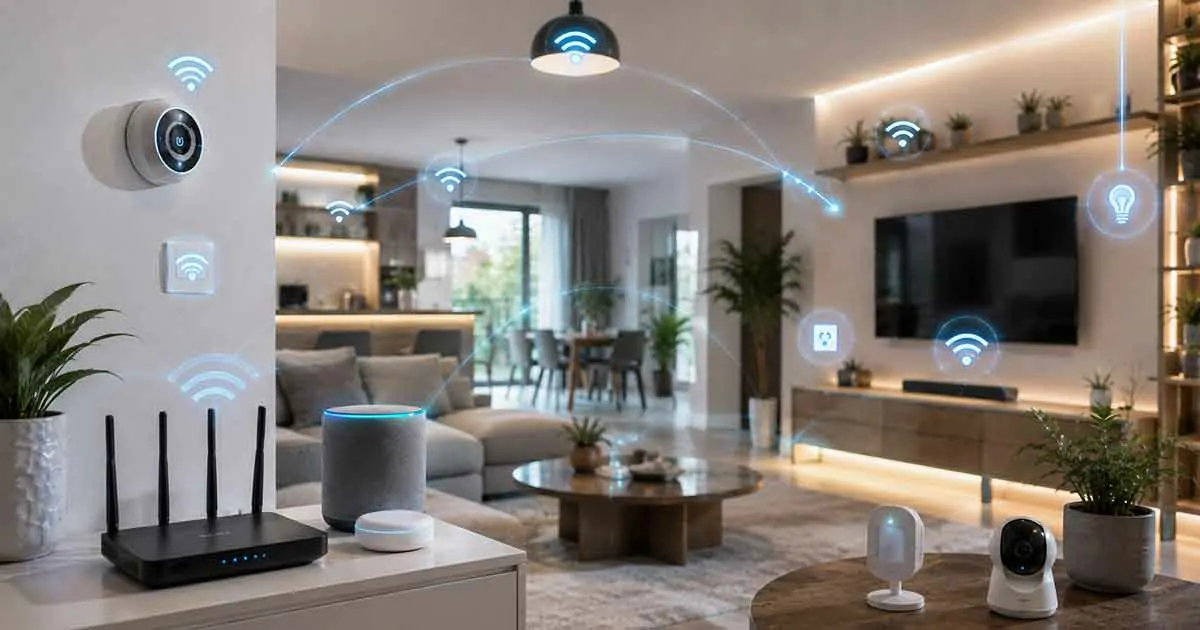
A reliable smart home network is the foundation of a connected home. From smart speakers and security cameras to sensors, smart locks, thermostats, and automation systems, every connected device depends on a network that can provide stable communication.
A well-designed smart home network should provide reliable coverage, secure device connections, enough capacity for future expansion, and the right combination of Wi-Fi and smart home protocols.
This guide explains how a smart home network works, what equipment you need, how to improve coverage and reliability, and how to build a network that can support modern smart home devices.
Table of Contents
What Is Smart Home Networking?
Smart home networking refers to the communication system that allows connected devices to exchange information and work together.
A smart home network may include:
- Wi-Fi devices
- Smart home hubs
- Routers
- Sensors
- Security systems
- Automation platforms
The network acts as the foundation that connects all smart home components.
What Does a Smart Home Network Include?
A typical smart home network can include several layers of connected equipment.
Internet Connection
The internet provides access to cloud services, remote control, software updates, and other external services.
Router
The router manages communication between devices on the local network and provides internet connectivity.
Wi-Fi Access Points
Additional access points can improve wireless coverage throughout larger homes.
Smart Home Hub
A hub can connect devices that use technologies such as Zigbee, Z-Wave, or other smart home protocols.
Smart Devices
These can include:
- Smart lights
- Smart plugs
- Smart thermostats
- Smart locks
- Security cameras
- Motion sensors
- Door and window sensors
- Smart speakers
A reliable smart home network depends on these components working together correctly.
Why Smart Home Networking Matters
A reliable network improves:
- Device performance
- Automation reliability
- Security monitoring
- Remote access
- User experience
Poor networking can result in:
- Delayed responses
- Lost connections
- Automation failures
- Reduced device reliability
Understanding Smart Home Communication Technologies
Different smart home devices use different communication methods.
Wi-Fi
Wi-Fi is one of the most common smart home networking technologies.
Benefits include:
- Wide availability
- Direct internet access
- Easy setup
Common Wi-Fi devices include:
- Smart cameras
- Smart speakers
- Smart appliances
Bluetooth
Bluetooth is useful for short-range communication.
It is commonly used for:
- Device setup
- Local control
- Personal smart devices
Zigbee
Zigbee is a low-power wireless protocol designed for smart home communication.
Benefits include:
- Low energy consumption
- Mesh networking support
- Reliable device communication
Z-Wave
Z-Wave is another popular smart home protocol.
It is commonly used for:
- Smart locks
- Sensors
- Home automation devices
Thread
Thread is a modern networking technology designed for smart homes.
It offers:
- Mesh networking
- Reliability
- Low power consumption
Thread plays an important role in Matter-compatible smart homes.
Essential Components of a Smart Home Network
Router
The router is the central component of most smart home networks.
Choosing a reliable router is important for:
- Coverage
- Speed
- Stability
Smart Home Hub
A smart home hub helps coordinate communication between devices.
It can simplify management and improve automation.
Mesh Wi-Fi Systems
Large homes may benefit from mesh networking systems that use multiple nodes to extend wireless coverage.
Advantages include:
- Better coverage
- Fewer dead zones
- More consistent connectivity
- Easier expansion across multiple floors
A mesh system can be particularly useful when smart devices are installed far from the main router.
However, the quality of the backhaul connection and placement of mesh nodes can have a significant effect on performance.
2.4 GHz vs 5 GHz for Smart Home Devices
Many smart home devices use the 2.4 GHz Wi-Fi band because it generally provides better range and wall penetration than 5 GHz.
The 5 GHz band can provide higher performance at shorter distances.
For a smart home network:
- 2.4 GHz can be useful for many sensors and IoT devices.
- 5 GHz can be useful for higher-bandwidth devices.
- Some newer devices may support additional Wi-Fi bands.
Always follow the manufacturer’s connectivity requirements because not every smart device supports the same Wi-Fi bands.
Network Security Tools
Security tools help protect connected devices from unauthorized access.
Examples include:
- Firewalls
- Network monitoring
- Secure authentication
How to Set Up a Smart Home Network
A basic smart home network can be built in several steps.
Step 1: Start With a Reliable Router
Choose a router that can handle the number of devices you expect to connect.
Step 2: Plan Wi-Fi Coverage
Check every area where you plan to install smart devices.
Large homes may require additional access points or a mesh Wi-Fi system.
Step 3: Connect High-Bandwidth Devices Properly
Security cameras, smart displays, streaming devices, and other higher-bandwidth products can place greater demands on the network.
Where practical, use Ethernet or strong Wi-Fi coverage for these devices.
Step 4: Use the Right Smart Home Protocol
Not every smart device needs to use Wi-Fi.
Depending on the product, Zigbee, Z-Wave, Thread, Bluetooth, or another technology may be more appropriate.
Step 5: Organize Your Smart Devices
Give devices clear names and assign them to the correct rooms.
This makes automation and voice control easier to manage.
Step 6: Test the Network
Check signal strength, connection stability, and automation response in every important area of the home.
How to Build a Reliable Smart Home Network
Start With a Quality Router
The router affects every connected device.
Look for:
- Strong performance
- Good coverage
- Security features
Position Networking Equipment Properly
Router placement influences signal quality.
Avoid:
- Hidden locations
- Thick walls
- Signal interference sources
Use Mesh Networking for Larger Homes
Mesh systems can improve coverage across multiple rooms and floors.
They are often ideal for larger smart homes.
Separate Smart Devices From Personal Devices
Some homeowners create a dedicated network for smart home devices.
This can improve:
- Security
- Performance
- Network management
Monitor Network Performance
Regular monitoring helps identify:
- Congestion
- Connectivity issues
- Device problems
Smart Home Networking and Matter
Matter is helping simplify communication between smart devices.
Combined with technologies such as Thread, Matter supports:
- Improved compatibility
- Easier setup
- Better reliability
As Matter adoption grows, networking will become even more important.
Wi-Fi vs Zigbee vs Z-Wave vs Thread
A smart home network does not have to rely entirely on Wi-Fi.
Different technologies are suited to different devices.
Wi-Fi
Best suited to:
- Smart cameras
- Smart speakers
- Smart displays
- High-bandwidth devices
Zigbee
Useful for:
- Sensors
- Smart lights
- Smart switches
- Low-power devices
Z-Wave
Commonly used for:
- Smart locks
- Sensors
- Switches
- Security devices
Thread
Designed for:
- Low-power smart home devices
- Mesh networking
- Matter-compatible devices
The best approach is often to use a combination of technologies rather than forcing every device onto Wi-Fi.
Common Smart Home Networking Problems
Weak Wi-Fi Coverage
Poor signal strength can affect device performance.
Solutions include:
- Better router placement
- Mesh systems
- Additional access points
Too Many Connected Devices
Large numbers of devices can create network congestion.
Network planning helps reduce performance issues.
Interference
Other electronic devices can interfere with wireless communication.
Reducing interference improves reliability.
Outdated Networking Equipment
Older routers may struggle to support modern smart homes.
Upgrading equipment can improve performance significantly.
Smart Home Network Security
A smart home network should be treated as part of your home’s security infrastructure.
Important practices include:
- Use a strong Wi-Fi password.
- Enable WPA2 or WPA3 security where supported.
- Keep router firmware updated.
- Update smart device firmware regularly.
- Change default device passwords.
- Disable unnecessary remote-access features.
- Review connected devices periodically.
For larger smart homes, some homeowners also use a separate network or VLAN for IoT devices.
This can provide additional network segmentation, although configuration requirements vary depending on the router and networking equipment.
Smart Home Networking Best Practices
Keep Router Firmware Updated
Regular updates improve performance and security.
Use Strong Network Passwords
Strong passwords help prevent unauthorized access.
Review Connected Devices
Remove devices that are no longer needed.
Test Network Performance
Regular testing helps identify problems before they affect automation.
Plan for Future Expansion
Choose networking equipment that can support additional smart devices.
Frequently Asked Questions
Why is networking important for smart homes?
Networking allows connected devices to communicate and work together reliably.
Do smart homes need a hub?
Not always, but hubs can improve automation and device management.
Is Wi-Fi enough for a smart home?
Many smart homes use Wi-Fi successfully, but some devices also benefit from protocols such as Zigbee, Z-Wave, or Thread.
How many devices can a smart home network support?
The number depends on the router, access points, wireless protocol, device traffic, and network design.
A smart home with dozens of low-bandwidth sensors may place less demand on a network than a smaller home with several high-resolution security cameras and streaming devices.
For larger smart homes, network capacity and coverage should be planned before adding a large number of connected devices.
What is the best network setup for a smart home?
The ideal setup depends on home size, device count, and automation requirements.
Does Matter replace Wi-Fi?
No. Matter works alongside technologies such as Wi-Fi, Ethernet, and Thread.
Final Thoughts
Smart home networking is the foundation of every connected home.
By choosing the right networking equipment, improving coverage, maintaining security, and planning for future growth, homeowners can create a reliable smart home environment that supports automation, convenience, and security.
A strong network helps every smart device perform at its best.