
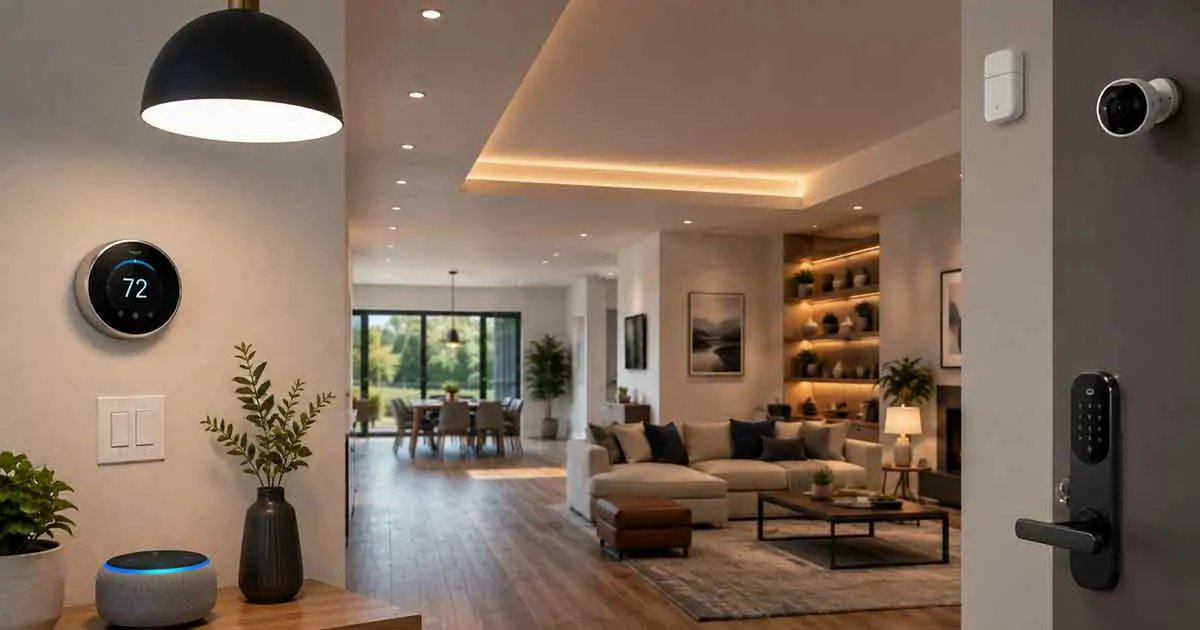
Smart home devices can make family life easier by automating repetitive tasks, improving home security, simplifying daily routines, and helping households manage energy use.
Families often have different needs from individual homeowners. Parents may want better control over doors and entry points, children may need safer and simpler access to certain areas, and busy households can benefit from automated lighting, climate control, and reminders.
The best smart home devices for families are not necessarily the most advanced products. They are the devices that solve everyday problems and work reliably with the rest of the home.
A practical family smart home can combine smart locks, lighting, thermostats, sensors, cameras, speakers, and energy-monitoring devices without becoming unnecessarily complicated.
This guide explains the most useful smart home devices for families, what to consider before buying, and how to build a connected home around safety, convenience, comfort, and energy efficiency.
Table of Contents
Why Families Can Benefit From Smart Home Devices
Family homes are often more active than homes occupied by one or two people.
Doors open and close frequently, lights are used throughout the day, different rooms may be occupied at different times, and household schedules can change constantly.
Smart devices can automate many of these repetitive tasks.
Benefits can include:
- Easier daily routines
- Improved home security
- Automated lighting
- Better temperature management
- Energy monitoring
- Remote access
- Notifications
- More consistent household routines
The goal is not to automate everything.
Instead, focus on tasks that repeatedly consume time or are easy to forget.
Best Smart Home Devices for Families
Different families have different priorities, but several device categories are particularly useful in a busy household.
1. Smart Locks
Smart locks can simplify how family members enter and leave the home.
Depending on the model, they may support:
- Smartphone access
- Keypad codes
- Temporary access
- Automatic locking
- Activity notifications
- Remote management
A keypad can be especially convenient for family members who do not want to carry physical keys.
For example, each household member can potentially use an appropriate access code if the lock supports individual codes.
A useful automation might be:
Door unlocks → entry light turns on.
Before installing a smart lock, verify compatibility with the existing door and lock hardware.
2. Smart Door and Window Sensors
Door and window sensors provide simple information about whether an opening is open or closed.
They can be useful for:
- Security alerts
- Entry notifications
- Lighting automation
- Energy-related routines
For example:
Back door opens → smartphone notification.
Or:
Window opens → compatible HVAC routine changes.
Families can prioritize frequently used doors and accessible windows rather than installing sensors everywhere.
3. Smart Motion Sensors
Motion sensors can help automate lighting and other household routines.
They are particularly useful in:
- Hallways
- Bathrooms
- Entryways
- Stairways
- Garages
- Utility rooms
For example:
Motion detected in hallway → light turns on.
After a period without activity:
Light turns off.
This can be useful when children or other family members move through the home without remembering to operate light switches.
4. Smart Thermostats
A smart thermostat can help families manage heating and cooling around their schedules.
Useful features can include:
- Scheduling
- Smartphone control
- Remote temperature sensors
- Occupancy features
- Energy reports
- Smart home integration
A family may have different temperature preferences in different rooms.
A compatible remote sensor can help provide temperature information from a bedroom, nursery, or home office.
For larger homes, multiple sensors can provide a better picture of conditions throughout the property.
5. Smart Lighting
Smart lighting can make daily routines easier.
Families can use smart lights for:
- Morning routines
- Bedtime routines
- Hallway lighting
- Outdoor lighting
- Vacation schedules
- Automated entry lighting
For example:
Sunset → exterior lights turn on.
Or:
Motion detected at night → hallway light turns on at low brightness.
Smart switches can also be useful for controlling multiple conventional bulbs from one connected system.
6. Smart Plugs
Smart plugs provide an easy way to automate existing appliances and lamps.
Common uses include:
- Lamps
- Fans
- Holiday lights
- Small appliances
- Chargers
- Decorative lighting
Families can use schedules to prevent devices from remaining on unnecessarily.
Some smart plugs also include energy monitoring, allowing households to see how much electricity a connected appliance uses.
7. Smart Security Cameras
Security cameras can provide additional visibility around the home.
Potential locations include:
- Front entrance
- Driveway
- Backyard
- Garage
- Side entrance
Indoor cameras can also be useful in specific situations, but placement should take family privacy seriously.
Avoid placing cameras in private areas.
For families, features such as activity notifications, person detection, and local storage may be useful depending on the product.
Subscription requirements vary, so check what features are available without recurring fees.
8. Smart Video Doorbells
A smart video doorbell can help families monitor visitors and deliveries.
Depending on the model, it may provide:
- Visitor notifications
- Motion detection
- Two-way communication
- Video recording
- Activity history
This can be useful when parents are busy with work, children, or household activities.
A video doorbell can also work with other devices.
For example:
Doorbell detected → smart display shows the entrance camera.
The available automation depends on the smart home platform.
9. Smart Speakers and Displays
Smart speakers can provide voice control throughout the home.
Families can use them for:
- Timers
- Reminders
- Music
- Announcements
- Weather information
- Smart device control
Smart displays can also show:
- Cameras
- Doorbells
- Timers
- Calendars
- Household information
For example, a voice command can turn off downstairs lights without requiring someone to walk through the house.
10. Smart Smoke and Carbon Monoxide Detectors
Smart smoke and carbon monoxide detectors can provide alerts when potentially dangerous conditions are detected.
Some models can send notifications to smartphones when an alarm occurs.
This can be particularly useful for families when they are away from home.
Smart features should complement standard safety practices.
Install detectors according to manufacturer instructions and applicable local requirements, and regularly test them.
11. Smart Water Leak Sensors
Water damage can become a major household problem.
Smart leak sensors can provide early warnings when moisture is detected.
Useful locations include:
- Under sinks
- Near washing machines
- Near water heaters
- Bathrooms
- Kitchens
- Basements
A notification can give the family an opportunity to investigate before a small leak becomes a much larger problem.
12. Smart Water Shutoff Systems
A smart water shutoff system can automatically close the home’s water supply when a leak or unusual water flow is detected, depending on the system.
This can provide another layer of property protection.
Because installation may involve the home’s main water line, professional installation may be appropriate.
13. Smart Garage Door Controllers
A smart garage door controller can help families monitor and control a compatible garage door.
Useful features can include:
- Open/close alerts
- Remote control
- Activity history
- Automatic routines
For example, a compatible system may notify you if the garage door remains open longer than expected.
Garage door automation should always preserve the safety features required by the garage door system.
14. Smart Energy Monitoring Devices
Energy monitoring can help families understand how electricity is being used.
Large households often operate more appliances and electronics than smaller households.
Monitoring can help identify:
- High-energy appliances
- Unusual consumption
- Daily usage patterns
- Potential energy-saving opportunities
A smart plug with energy monitoring can provide information about a single device, while a whole-home energy monitoring system can provide a broader picture.
15. Smart Home Hubs
A smart home hub or controller can help coordinate devices across different protocols and ecosystems.
Depending on the system, a hub may support technologies such as:
- Zigbee
- Z-Wave
- Thread
- Matter
A hub becomes more useful as the number of devices increases.
Families building a larger smart home should consider whether a central controller would simplify their system.
Smart Home Devices for Families With Young Children
Families with young children may prioritize convenience and safety.
Useful devices can include:
- Smart locks
- Door sensors
- Motion sensors
- Smart lighting
- Smart thermostats
- Smoke detectors
- Water leak sensors
For example, motion-activated night lighting can help illuminate hallways without requiring children to operate a switch in the dark.
Smart locks can also provide better control over who has access to the home.
However, connected devices should not be treated as substitutes for normal child safety measures and supervision.
Smart Home Devices for Families With Teenagers
Teenagers can benefit from convenient access and automated routines.
Smart locks can provide individual access codes where supported.
Smart speakers can help with:
- Reminders
- Timers
- Household announcements
- Routines
Smart lighting can also simplify room-level automation.
The goal should be convenience and household coordination rather than unnecessary monitoring.
Smart Home Devices for Busy Families
Busy families can benefit most from automation that removes repetitive tasks.
Useful routines include:
Morning Routine
Scheduled time → selected lights turn on → thermostat adjusts.
Leaving Home
Away mode activated → selected lights turn off → thermostat changes → security devices activate.
Arriving Home
Door unlocks → entry lights turn on.
Bedtime
Bedtime routine → downstairs lights turn off → selected hallway lights activate at low brightness.
The exact automation depends on the smart home ecosystem.
Smart Home Devices for Family Security
A layered approach is generally more useful than relying on one device.
A family security setup might combine:
- Smart locks
- Door sensors
- Window sensors
- Motion sensors
- Exterior lighting
- Cameras
- Video doorbell
- Smart alarm devices
Each device provides different information.
For example:
Door sensor → detects opening
Motion sensor → detects movement
Camera → provides visual information
Combining these devices can create more useful security routines.
Smart Home Devices for Energy Savings
Families can also use smart technology to reduce unnecessary energy consumption.
Useful devices include:
- Smart thermostats
- Smart plugs
- Energy-monitoring systems
- Smart lighting
- Occupancy sensors
For example:
No motion detected → compatible lights turn off.
Or:
Scheduled absence → thermostat adjusts temperature.
However, smart devices do not guarantee a specific amount of savings.
Actual results depend on the home, HVAC system, appliances, climate, and household behavior.
Smart Home Devices Without a Subscription
Families may prefer devices that provide useful features without monthly fees.
Subscription costs can become significant when several products require paid services.
Before buying, check whether subscriptions are required for:
- Video storage
- Advanced camera detection
- Security monitoring
- Activity history
- Extended cloud services
A device with fewer cloud-dependent features may provide lower long-term ownership costs.
Smart Home Devices That Work Together
Interoperability is particularly important in a family home.
A good system allows different devices to trigger useful routines.
For example:
Front door opens → entry light turns on.
Or:
Motion detected at night → hallway light turns on at low brightness.
Another example:
Window opens → compatible climate routine responds.
Before buying, check whether the devices support the same ecosystem or communication standards.
Matter for Family Smart Homes
Matter is designed to improve interoperability between supported smart home products.
This can be useful for families building a system gradually over several years.
Instead of choosing every device based solely on one manufacturer, Matter can provide more flexibility across supported ecosystems.
However, individual features can still vary between platforms.
Always check the product’s supported functions before purchasing.
Smart Home Privacy for Families
Family homes contain information about daily routines, children, visitors, and household activity.
Privacy should therefore be considered when choosing connected devices.
Pay attention to:
- Camera placement
- Account permissions
- Cloud storage
- Activity history
- Voice assistant settings
- Data sharing
- Two-factor authentication
Indoor cameras require particular care.
Avoid placing them in private areas, and make sure family members understand when and where monitoring takes place.
Smart Home Devices for Families With Pets
Pets can trigger motion sensors and security cameras.
When selecting devices, consider whether they provide:
- Pet-related motion settings
- Activity zones
- Person detection
- Adjustable sensitivity
No system eliminates false alerts completely.
Proper placement and configuration are still important.
Wired vs. Wireless Smart Home Devices
Families can use a combination of wired and wireless devices.
Wireless Devices
Advantages:
- Easy installation
- Flexible placement
- Easy relocation
- Suitable for sensors
Wired Devices
Advantages:
- Continuous power
- Less battery maintenance
- Suitable for permanent installations
A practical family home might use wired cameras and smart switches while using wireless door, window, and motion sensors.
Smart Home Network Considerations
A connected family home can contain many devices.
As the number increases, network reliability becomes more important.
Consider:
- Wi-Fi coverage
- Router capacity
- Mesh networking
- Device placement
- Hub location
- Internet reliability
Large homes may require additional networking equipment.
A smart device cannot provide reliable automation if its connection is consistently unstable.
Common Smart Home Mistakes for Families
Buying Too Many Devices
More devices can create more maintenance and complexity.
Ignoring Compatibility
Always check whether products can work together.
Relying on Cloud Services for Everything
Consider whether important functions work locally when practical.
Forgetting Subscription Costs
Calculate long-term costs rather than looking only at the purchase price.
Ignoring Privacy
Be especially careful with cameras, microphones, and activity tracking.
Automating Without Safety Considerations
Not every device should be controlled automatically.
For example, avoid creating routines that could create unsafe conditions for children, pets, or household members.
How to Choose the Best Smart Home Devices for Families
Before purchasing, consider:
- What family problem does the device solve?
- Is it useful every day?
- Does it work with your existing smart home system?
- Does it require a hub?
- Does it require a subscription?
- Can it operate locally?
- Is it easy for everyone in the household to use?
- Does it provide useful notifications?
- Does it protect family privacy?
- Will it remain useful as your household needs change?
These questions help prevent unnecessary purchases.
A Practical Smart Home Setup for Families
A balanced family setup could start with:
Everyday Convenience
- Smart lighting
- Smart plugs
- Smart speaker
- Smart thermostat
Security
- Smart lock
- Door and window sensors
- Motion sensors
- Video doorbell
- Security cameras
Property Protection
- Smart smoke and carbon monoxide detectors
- Water leak sensors
- Smart water shutoff
Energy Management
- Smart thermostat
- Energy-monitoring smart plugs
- Whole-home energy monitoring
There is no need to install everything at once.
Start with the devices that solve the most immediate problems.
Are Smart Home Devices Worth It for Families?
Smart home devices can be worthwhile for families because they can reduce repetitive tasks and provide better visibility into the home.
The most valuable devices are usually those that support:
- Security
- Lighting
- Climate control
- Energy management
- Property protection
- Household routines
The best setup is not the one with the most devices.
It is the one that provides useful automation without making the home difficult to manage.
Final Thoughts
The best smart home devices for families combine convenience, security, comfort, and practical automation.
Smart locks can simplify access, sensors can provide useful alerts, smart thermostats can improve climate management, and smart lighting can make everyday routines easier.
Property-protection devices such as smoke detectors, leak sensors, and smart water shutoff systems can provide additional peace of mind.
When building a family smart home, start with a few high-value devices and make sure they work together reliably. Consider privacy, subscriptions, network coverage, and long-term maintenance before expanding the system.
A well-planned smart home should make family life simpler and more organized—not create another complicated system that everyone has to manage.