
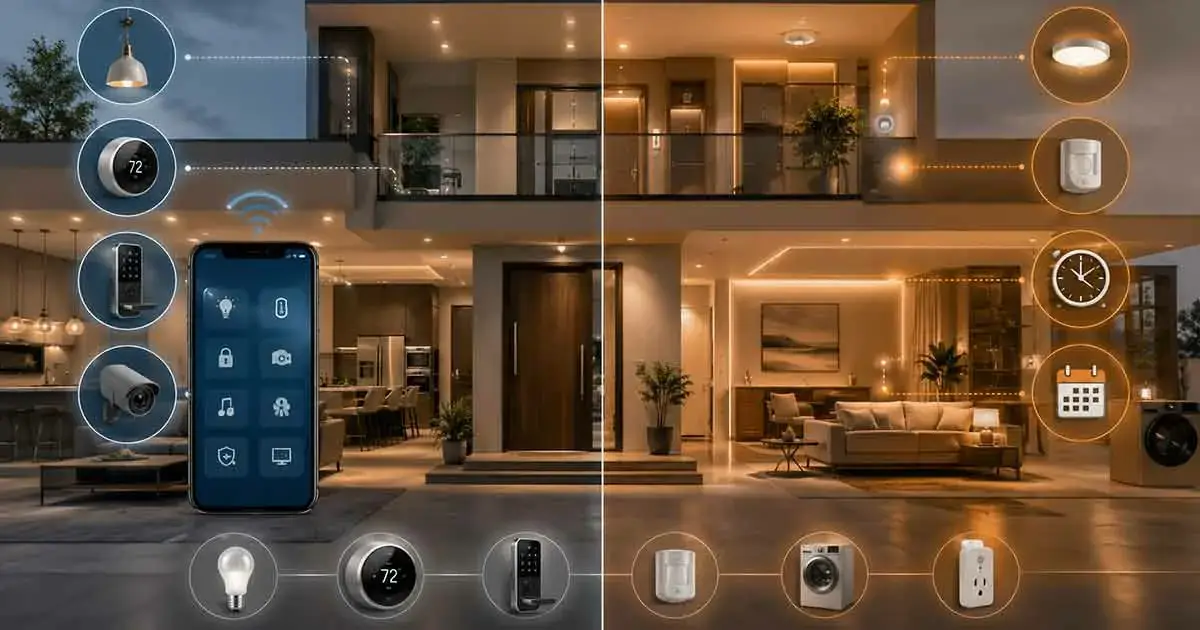
The terms home automation and smart home are often used interchangeably, but they do not mean exactly the same thing.
A smart home can contain connected devices that allow homeowners to monitor, control, and interact with different parts of their property. Home automation goes a step further by allowing those devices and systems to perform actions automatically based on schedules, sensors, conditions, or predefined rules.
Understanding the difference between home automation vs smart home can make it easier to choose the right technology and avoid buying devices that do not provide meaningful benefits.
In this guide, we explain what a smart home is, what home automation means, how they overlap, where they differ, and how to determine which approach is right for your home.
Table of Contents
What Is a Smart Home?
A smart home is a home that uses connected technology to allow homeowners to monitor, control, or manage devices and systems electronically.
Smart home devices may connect to a home network, smart home platform, hub, or mobile application.
Common examples include:
- Smart lights
- Smart thermostats
- Smart locks
- Smart speakers
- Smart displays
- Security cameras
- Video doorbells
- Smart plugs
- Smart appliances
- Motion sensors
- Water leak detectors
A smart home does not necessarily have to perform tasks automatically.
For example, a homeowner can use a smartphone to turn off a smart light remotely. The light is still part of a smart home even if the homeowner manually controls it.
This is one of the key distinctions between a connected smart home and a fully automated environment.
What Is Home Automation?
Home automation means using technology to perform actions automatically according to predefined rules, conditions, schedules, sensors, or other triggers.
Instead of manually controlling a device, the system determines when an action should happen.
For example:
- A light turns on when motion is detected.
- A thermostat changes temperature according to a schedule.
- Smart blinds close when sunlight reaches a certain level.
- A door lock secures the entrance at night.
- Outdoor lights activate automatically after sunset.
Home automation can involve a single device or coordinate multiple devices.
The important characteristic is automatic behavior.
Home Automation vs Smart Home: The Main Difference
The simplest way to understand the difference is:
A smart home gives you connected control. Home automation gives those connected devices the ability to act automatically.
A smart home might allow you to control a thermostat from your phone.
Home automation could allow that thermostat to automatically adjust the temperature when the home becomes unoccupied.
A smart home might provide a smart door lock that you can control remotely.
Home automation could automatically lock the door at a specific time or when an away mode is activated.
Therefore, home automation is often a component of a broader smart home rather than a completely separate concept.
Smart Home Does Not Always Mean Automated
This is one of the most common misunderstandings.
A homeowner could install several smart products without creating any automation rules.
For example, a home might contain:
- Smart bulbs
- A smart thermostat
- Smart speakers
- Smart plugs
- Smart cameras
If the homeowner manually controls each product through an app, the home is connected and smart, but it is not necessarily highly automated.
Automation begins when the system can respond to predefined conditions without requiring manual input.
How Smart Homes and Automation Work Together
Smart home technology provides the connected devices and control infrastructure.
Automation provides the rules that determine what those devices should do.
Consider a smart motion sensor.
By itself, the sensor can detect movement and report it to an app.
When automation is added, the sensor can trigger another action.
For example:
Motion detected → hallway light turns on.
The sensor is the smart device.
The rule connecting the sensor to the light is the automation.
This relationship is central to understanding the difference between the two concepts.
Examples of Smart Home Control Without Automation
There are many useful smart home features that do not require automation.
Remote Lighting Control
A homeowner can open an app and turn lights on or off from anywhere.
Remote Thermostat Control
The thermostat can be adjusted through a smartphone.
Security Camera Monitoring
A homeowner can view a camera feed remotely.
Smart Lock Control
A compatible lock can be checked or controlled through an app.
Smart Appliance Monitoring
Some connected appliances allow homeowners to check their status remotely.
These are all examples of smart home functionality, even when no automatic rules are involved.
Examples of Home Automation
Automation becomes more apparent when actions occur without direct user input.
Motion-Based Lighting
A motion sensor detects someone entering a room and automatically turns on the lights.
Scheduled Climate Control
The thermostat automatically changes temperature according to a daily schedule.
Automatic Door Locking
A smart lock automatically secures the door at a predetermined time.
Sunrise and Sunset Lighting
Outdoor lights automatically turn on after sunset and turn off after sunrise.
Away Mode
When the home enters an away state, selected lights turn off, the thermostat changes settings, and compatible security devices activate.
These examples show how automation can reduce repetitive manual tasks.
Smart Home vs Home Automation: A Practical Comparison
The distinction becomes clearer when comparing their typical characteristics.
| Feature | Smart Home | Home Automation |
|---|---|---|
| Connected devices | Yes | Usually yes |
| Smartphone control | Common | Common |
| Remote access | Often available | Often available |
| Automatic actions | Optional | Central feature |
| Sensors | Useful | Frequently used |
| Schedules | Optional | Common |
| Rules and triggers | Optional | Essential |
| Multi-device coordination | Possible | Common |
| Manual control | Yes | Usually retained |
| Main goal | Connected control and monitoring | Automatic actions and routines |
The two concepts overlap significantly, but their emphasis is different.
Is Home Automation Part of a Smart Home?
In most modern systems, yes.
Home automation can be considered one of the major capabilities of a smart home.
A smart home can include connected devices, remote control, monitoring, voice control, data collection, and automation.
Home automation focuses specifically on using those connected technologies to perform actions automatically.
This means a home can be smart without being heavily automated, but a sophisticated automation system will generally rely on smart or connected devices.
Smart Home vs Automated Home
The terms can also be understood from the user’s perspective.
A smart home asks:
“How can I control and monitor my home more conveniently?”
Home automation asks:
“How can my home perform these tasks without me having to control them manually?”
These are not competing goals.
They complement each other.
A homeowner might begin by adding smart devices for remote control and later introduce automation as the system expands.
Which Is Better: Smart Home or Home Automation?
There is no universal winner because they solve slightly different problems.
A basic smart home may be enough for someone who wants convenient control over a few devices.
For example, a homeowner may simply want to control lighting and temperature from a smartphone.
Home automation becomes more valuable when repetitive actions can be eliminated.
Someone who wants lights, climate control, locks, shades, and security devices to respond automatically may benefit from a more advanced automation setup.
In practice, many homeowners use both.
Smart Home and Home Automation Costs
The cost depends heavily on the number and type of devices involved.
A basic smart home can start with a few relatively inexpensive products such as smart bulbs or smart plugs.
Automation may require additional components such as:
- Sensors
- Hubs or controllers
- Smart switches
- Compatible thermostats
- Automation platforms
- Additional networking equipment
More sophisticated systems can also involve professional installation and programming.
The important point is that automation does not necessarily require an expensive system.
A simple automation can be created with a single sensor and a compatible device.
Does Home Automation Require a Smart Home Hub?
Not always.
Some smart devices can perform automation through their own software or through a cloud-based platform.
Other systems rely on a dedicated hub or controller.
The requirements depend on:
- Device manufacturer
- Communication protocol
- Smart home platform
- Automation features
- Local versus cloud control
Before purchasing devices, check whether they require a specific hub and whether the automation features you want are supported.
The Role of Sensors in Home Automation
Sensors are particularly important because they allow automation systems to respond to conditions in the home.
Common sensors include:
- Motion sensors
- Door sensors
- Window sensors
- Temperature sensors
- Humidity sensors
- Light sensors
- Water leak sensors
- Occupancy sensors
For example, a smart home may display a temperature reading through an app.
An automated system can use that temperature information as a trigger.
Temperature rises above a defined level → cooling system adjusts automatically.
The sensor therefore provides information while the automation rule determines the response.
Voice Control vs Home Automation
Voice control is another area that is sometimes confused with automation.
A voice assistant can allow a homeowner to say:
“Turn off the living room lights.”
That is smart home control, but it is not necessarily automation because the user still initiated the action.
If the lights turn off automatically at a specific time every evening, that is automation.
Voice control and automation can also work together.
A homeowner could use a voice command to activate an entire predefined scene.
Remote Control vs Automation
Remote control and automation solve different problems.
Remote control allows the homeowner to control the home from another location.
Automation allows the home to perform actions without requiring the homeowner to initiate them.
For example:
Remote control:
Open the app and turn off the lights.
Automation:
The lights turn off automatically when everyone leaves.
Both are useful, but automation can eliminate repetitive actions.
Benefits of a Smart Home
A smart home can provide several benefits.
Convenience
Connected devices can be controlled from smartphones, voice assistants, displays, or other interfaces.
Remote Monitoring
Homeowners can monitor certain devices and conditions when away from home.
Centralized Control
Multiple devices can sometimes be managed from one platform.
Accessibility
Smart controls can make some household functions easier to operate for people who have difficulty using traditional controls.
Information
Connected sensors and devices can provide useful information about the home.
These benefits do not necessarily require complex automation.
Benefits of Home Automation
Automation adds another layer of convenience.
Reduced Repetitive Tasks
Routine actions can happen automatically.
Consistent Behavior
Automation rules can make the home respond consistently to predefined conditions.
Potential Energy Savings
Automation can help reduce unnecessary lighting, heating, cooling, or equipment operation when configured appropriately.
Improved Routines
Morning, bedtime, away, and arrival routines can combine multiple actions.
Faster Responses
Some events can trigger immediate actions without requiring manual intervention.
For example, a water leak sensor could trigger an alert as soon as it detects a problem.
Can a Traditional Home Become a Smart Home?
Yes.
Most smart home projects do not require building a new house.
Homeowners can gradually add compatible devices to an existing property.
Common starting points include:
- Smart bulbs
- Smart plugs
- Smart thermostats
- Smart speakers
- Sensors
- Smart locks
The system can then be expanded as needed.
Can a Smart Home Be Automated Later?
Yes.
In fact, gradual expansion can be a practical approach.
A homeowner might begin by installing smart lighting and then add motion sensors.
Later, automation rules can connect the two.
This allows the homeowner to test individual products before building more complex routines.
Home Automation vs Smart Home: Which Should You Start With?
For most homeowners, the best approach is not to choose one or the other.
Start by identifying what you want to improve.
If the main goal is convenient control, begin with appropriate smart devices.
If the goal is eliminating repetitive tasks, identify useful automation opportunities.
For example:
Goal: Stop manually turning hallway lights on at night.
Smart home solution: Install smart lights that can be controlled from an app.
Automation solution: Add a motion sensor and create a rule that turns the lights on when movement is detected during selected nighttime hours.
The second approach builds automation on top of the smart home infrastructure.
Common Mistakes When Building a Smart Home
Buying Devices Without Checking Compatibility
Different products may not work together.
Always verify platform and protocol compatibility before purchasing equipment.
Adding Automation Too Quickly
Complex automation can become difficult to troubleshoot.
Start with a few useful routines.
Ignoring Manual Controls
Automation should make the home easier to use, not make basic functions dependent on complicated rules.
Choosing Devices Without Considering Future Expansion
A device may work well today but create limitations when the system grows.
Consider how the platform and technology can scale.
Automating Tasks That Do Not Need Automation
Not every action needs to happen automatically.
Good automation should solve a real problem rather than exist simply because it is technically possible.
Home Automation vs Smart Home: The Bottom Line
The difference between home automation vs smart home is mainly about how connected technology is used.
A smart home provides connected devices that can be monitored and controlled through digital technology.
Home automation uses those devices to perform actions automatically according to schedules, sensors, conditions, or predefined rules.
The two concepts are closely related rather than mutually exclusive.
A smart home can provide the foundation, while automation makes that foundation more responsive and useful.
For homeowners, the best strategy is to start with practical goals, choose compatible devices, and introduce automation where it genuinely improves convenience, efficiency, security, or comfort.
Final Thoughts
A smart home and an automated home are not exactly the same thing.
A smart home focuses on connected devices, digital control, monitoring, and communication.
Home automation focuses on making those devices perform actions automatically.
The distinction is simple but useful when planning a connected home.
You do not need dozens of devices or complicated routines to benefit from automation. A single sensor connected to a smart light can demonstrate the basic principle.
As the system grows, additional devices and rules can be introduced to create a more coordinated and responsive home environment.