
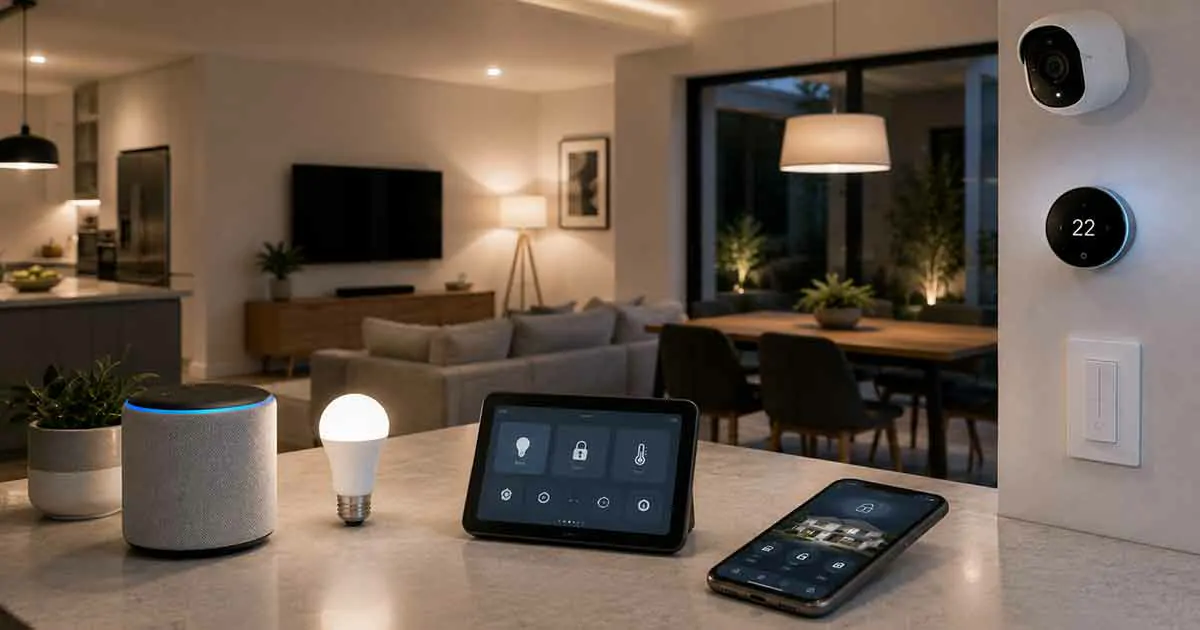
Smart home technology has changed the way people interact with their homes. By connecting everyday devices to the internet, homeowners can control lighting, security, temperature, appliances, and many other functions with greater convenience and efficiency.
From smart speakers and automated lighting to connected thermostats and security systems, smart technology allows homes to become more comfortable, efficient, and easier to manage.
For beginners, understanding where to start can feel overwhelming. With hundreds of connected devices available, choosing the right solutions requires knowing how smart home technology works, what benefits it provides, and which devices are most useful.
This complete guide explains smart home technology, its benefits, essential devices, installation basics, and how to create a smarter home step by step.
What Is Smart Home Technology?
Smart home technology refers to connected devices and systems that can communicate with each other and be controlled automatically or remotely.
These devices typically connect through:
- Wi-Fi
- Bluetooth
- Zigbee
- Z-Wave
- Smart home hubs
Users can control smart devices through:
- Smartphone apps
- Voice assistants
- Automated schedules
- Sensors and triggers
A smart home creates a more connected living environment where everyday tasks can become easier and more efficient.
How Does Smart Home Technology Work?
Smart home systems rely on connected devices that collect information, communicate, and perform actions based on user preferences.
A basic smart home setup includes:
- Smart devices that perform specific functions.
- A network connection that allows communication.
- A control platform or app.
- Automation settings that create routines.
For example, a homeowner can create a routine where lights turn on automatically when motion is detected, the thermostat adjusts temperature, and doors lock at a scheduled time.
Benefits of Smart Home Technology
Convenience and Control
One of the biggest advantages of smart home technology is convenience.
Homeowners can:
- Control devices remotely
- Automate daily tasks
- Manage multiple devices from one app
- Use voice commands
Simple tasks become easier and require less manual effort.
Energy Efficiency
Smart technology can help reduce unnecessary energy usage.
Examples include:
- Smart thermostats adjusting temperatures automatically
- Smart lights turning off when not needed
- Energy monitoring devices tracking consumption
These features can help homeowners make smarter energy decisions.
Improved Home Security
Smart technology has transformed home security.
Connected devices include:
- Smart cameras
- Smart locks
- Video doorbells
- Motion sensors
- Smart alarms
These devices provide better monitoring and control.
Better Comfort
Smart devices can personalize the home environment.
Examples include:
- Automatic temperature adjustments
- Customized lighting scenes
- Smart entertainment settings
Automation allows homes to adapt to individual preferences.
Increased Home Value
Smart features may make properties more attractive to potential buyers.
Modern buyers often appreciate:
- Energy-efficient systems
- Smart security features
- Automated controls
Essential Smart Home Devices
Smart Speakers and Voice Assistants
Smart speakers act as central control points for many connected devices.
They allow users to:
- Control devices with voice commands
- Set reminders
- Play media
- Manage routines
Smart Lighting
Smart lighting systems allow homeowners to control brightness, schedules, and colors.
Benefits include:
- Energy savings
- Convenience
- Custom lighting scenes
- Remote control
Smart Thermostats
Smart thermostats help manage home temperature automatically.
Features may include:
- Learning schedules
- Remote control
- Energy reports
- Temperature automation
Smart Security Devices
Smart security devices provide connected protection.
Common examples include:
- Smart cameras
- Smart locks
- Video doorbells
- Sensors
These devices allow homeowners to monitor their homes from anywhere.
Smart Plugs
Smart plugs are simple devices that make traditional electronics smarter.
They allow users to:
- Turn devices on and off remotely
- Create schedules
- Monitor usage
They are often a good starting point for beginners.
Smart Appliances
Connected appliances can improve convenience and efficiency.
Examples include:
- Smart refrigerators
- Smart ovens
- Smart washing machines
Smart Home Automation Explained
Automation is one of the most powerful features of smart homes.
Instead of controlling every device manually, homeowners can create automated routines.
Examples include:
Morning Routine
- Open smart blinds
- Adjust thermostat
- Turn on lights
- Start coffee maker
Away Mode
- Lock doors
- Turn off lights
- Activate security devices
Night Routine
- Adjust temperature
- Turn off unnecessary devices
- Activate security settings
Smart Home Platforms
Smart devices often work through major platforms.
Common platforms include:
- Google Home
- Amazon Alexa
- Apple HomeKit
Choosing compatible devices helps create a smoother experience.
Smart Home Installation Basics
Creating a smart home does not require replacing everything at once.
A simple approach:
- Start with basic devices.
- Choose compatible products.
- Create simple automations.
- Expand gradually.
Beginners often start with:
- Smart bulbs
- Smart speakers
- Smart plugs
- Smart security devices
Common Smart Home Mistakes
Buying Incompatible Devices
Not all smart devices work together.
Always check compatibility before purchasing.
Adding Too Many Devices Too Quickly
A simple and organized system is easier to manage.
Ignoring Security Settings
Connected devices require:
- Strong passwords
- Software updates
- Secure networks
Choosing Features You Do Not Need
The best smart home setup focuses on solving real problems.
How to Build a Smart Home Step by Step
A practical approach:
Step 1: Identify Your Goals
Decide what you want to improve:
- Security
- Comfort
- Energy savings
- Convenience
Step 2: Start With Essential Devices
Choose devices that provide immediate benefits.
Step 3: Create Simple Automations
Build routines that match your lifestyle.
Step 4: Expand Over Time
Add more devices as your needs grow.
Frequently Asked Questions
Is smart home technology worth it?
Yes. Smart technology can improve convenience, efficiency, comfort, and security.
Do smart home devices require Wi-Fi?
Many devices use Wi-Fi, although some use other communication technologies.
Is smart home technology expensive?
Costs vary. Beginners can start with affordable devices and expand gradually.
Can I install smart home devices myself?
Many smart devices are designed for easy DIY installation.
What is the best first smart home device?
Many beginners start with smart speakers, smart lights, or smart plugs.
Final Thoughts
Smart home technology provides homeowners with new ways to improve comfort, security, and efficiency. By connecting everyday devices and creating useful automations, homes can become more convenient and responsive.
The best smart home approach is to start with clear goals, choose compatible devices, and build gradually. A well-planned smart home can provide long-term benefits while making daily life easier.