
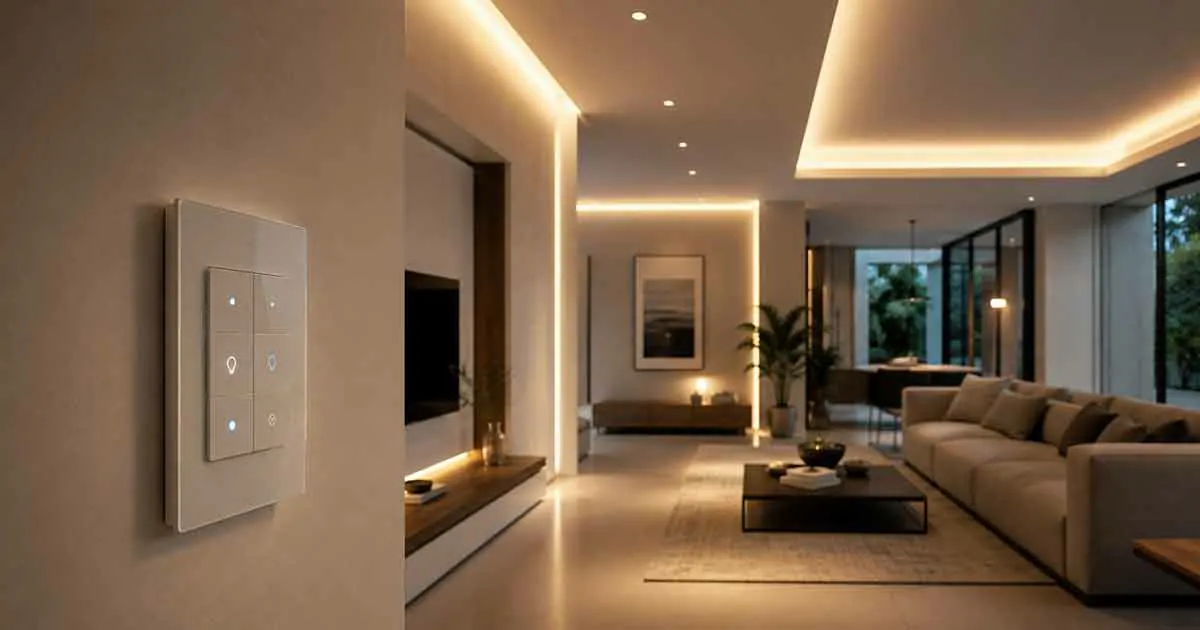
Smart home switches are one of the most practical ways to upgrade a home’s lighting and automation. Unlike smart bulbs, which replace individual light bulbs, smart switches are installed in the wall and control the electrical circuit itself.
For modern homes, a smart switch can provide convenient app control, scheduling, voice commands, scenes, and automation while allowing homeowners to continue using traditional wall controls.
However, choosing the right smart switch requires more than comparing features. Electrical wiring, neutral-wire requirements, load compatibility, dimming support, smart home platforms, installation requirements, and network connectivity can all affect whether a switch is suitable for your home.
This guide explains what to look for when choosing smart home switches and how different types can improve lighting and everyday automation.
Table of Contents
What Is a Smart Home Switch?
A smart home switch is an electrically connected wall switch that allows you to control lights or other compatible loads manually and through a smart home system.
A traditional switch simply turns a circuit on or off. A smart switch can add connected features such as:
- Smartphone control
- Voice control
- Scheduling
- Timers
- Lighting scenes
- Automation
- Remote access
- Energy monitoring on selected models
- Integration with other smart home devices
Once installed and configured, a smart switch can become part of a larger home automation system.
For example, a motion sensor could trigger a connected hallway light, or a bedtime routine could turn off several lights at the same time.
Smart Switches vs. Smart Bulbs
Smart switches and smart bulbs solve similar problems in different ways.
A smart bulb replaces the existing bulb and adds connected functionality to the light itself. A smart switch replaces the wall switch that controls the circuit.
Smart Bulbs
Smart bulbs are usually easier to install because you simply replace the existing bulb.
They can provide features such as:
- Brightness control
- Color adjustment
- Scheduling
- App control
- Voice control
- Lighting scenes
However, smart bulbs generally need to remain powered to stay connected. If someone turns off the physical wall switch, the bulb may become unavailable.
Smart Switches
Smart switches control the circuit from the wall.
This means household members can continue using the physical switch while the light can also be controlled through the smart home system.
Smart switches are often a better option when:
- Multiple people use the room
- You want normal wall-switch operation
- You want to automate existing light fixtures
- You want to control several bulbs together
- You are renovating or upgrading a home
Why Install Smart Switches in a Modern Home?
Smart switches can provide several practical benefits without requiring every light fixture to use a smart bulb.
Convenient Lighting Control
You can control connected lights from a smartphone or compatible smart home platform.
This can be useful when you are already in bed, away from home, or managing several lights at once.
Voice Control
Compatible smart switches can work with voice assistants and smart speakers.
Instead of manually operating the switch, you can use a voice command to turn lights on or off.
Scheduling
Schedules can automatically turn lights on or off at specific times.
For example, outdoor lighting can be scheduled to turn on in the evening and switch off later at night.
Automation
Smart switches can respond to events from other connected devices.
A motion sensor can turn on a hallway light, while a door sensor can trigger an entryway light.
Scenes and Routines
Several smart switches can be included in a single routine.
A “Good Night” routine could turn off bedroom, living room, and hallway lights simultaneously.
Types of Smart Home Switches
Smart switches are available in several configurations.
Single-Pole Smart Switches
A single-pole switch controls a light or circuit from one location.
This is one of the most common switch configurations in homes.
It is suitable for many standard lighting applications, including:
- Bedrooms
- Kitchens
- Bathrooms
- Home offices
- Single-entry rooms
Three-Way Smart Switches
A three-way circuit allows the same light to be controlled from two different locations.
This configuration is common in:
- Stairways
- Hallways
- Large rooms
- Rooms with multiple entrances
If you need a smart switch for a three-way circuit, make sure the specific model supports this configuration.
Some products require a compatible companion switch rather than a standard three-way switch.
Smart Dimmer Switches
Smart dimmers provide connected control over compatible dimmable lights.
They can allow you to:
- Adjust brightness
- Create lighting scenes
- Schedule brightness changes
- Control lights remotely
- Integrate lighting with routines
Compatibility is especially important with dimmers because not every LED bulb works correctly with every dimmer.
Motion-Sensing Smart Switches
Some smart switches include built-in motion or occupancy sensors.
These can automatically turn lights on when movement is detected and turn them off after a period of inactivity.
They can be useful in:
- Bathrooms
- Laundry rooms
- Hallways
- Closets
- Garages
A built-in sensor can also eliminate the need to install a separate motion sensor in some rooms.
Outdoor Smart Switches
Outdoor-rated smart switches can provide connected control for compatible outdoor lighting.
Potential uses include:
- Porch lights
- Landscape lighting
- Exterior fixtures
- Patio lighting
- Security lighting
Outdoor installations require appropriate electrical and weather-resistance considerations.
Do Smart Switches Need a Neutral Wire?
This is one of the most important questions to answer before purchasing a smart switch.
Some smart switches require a neutral wire, while others are designed to operate without one.
A neutral wire is part of the electrical wiring system and may not be present in every existing switch box, particularly in older homes.
Before buying a smart switch, determine whether a neutral wire is available at the installation location.
If you are unsure about your home’s wiring, have a qualified electrician inspect the switch box.
Do not assume that a no-neutral model is automatically compatible with every lighting circuit.
Wi-Fi vs. Other Smart Switch Technologies
Smart switches can use different communication technologies.
Wi-Fi Smart Switches
Wi-Fi switches connect directly to your wireless network.
Advantages can include:
- No dedicated hub for many models
- Simple connectivity
- Wide availability
- Smartphone control
- Easy integration with supported platforms
However, installing a large number of Wi-Fi devices can increase the number of connected devices on your network.
Zigbee Smart Switches
Zigbee switches communicate through a compatible Zigbee network, often using a hub or coordinator.
They can be useful for larger smart homes where many low-power devices are connected.
Z-Wave Smart Switches
Z-Wave is another wireless technology used in smart home automation.
Z-Wave devices typically work through a compatible hub and can be attractive for homeowners who want a dedicated smart home network.
Matter-Compatible Switches
Matter is an interoperability standard designed to improve compatibility between supported smart home products and ecosystems.
Matter-compatible switches can be useful for homeowners who want greater flexibility when selecting their smart home platform.
However, Matter support does not mean every feature works identically across every platform. Always check the manufacturer’s compatibility information.
What to Look for in the Best Smart Home Switch
The right smart switch depends on your home’s electrical system and how you intend to use it.
Electrical Compatibility
Check:
- Voltage requirements
- Load type
- Maximum load
- Neutral-wire requirements
- Grounding requirements
- Single-pole or multi-way compatibility
Bulb Compatibility
If you are buying a dimmer, verify that your bulbs are compatible with the switch.
LED bulbs can sometimes flicker, buzz, or fail to dim correctly when paired with an incompatible dimmer.
Smart Home Compatibility
Check whether the switch works with the platform you already use.
Look for compatibility with the smart home ecosystem that manages your other devices.
App Features
Review the manufacturer’s app and determine whether it provides the controls you need.
Useful features can include:
- Scheduling
- Timers
- Scenes
- Automation
- Remote control
- Device status
- Firmware updates
Physical Design
A smart switch remains part of your home’s interior design, so appearance matters.
Consider:
- Switch size
- Button layout
- Indicator lights
- Finish
- Wall plate compatibility
- Whether the design matches existing switches
Modern homes often benefit from consistent switch styles throughout the property.
Best Places to Install Smart Switches
You do not need to replace every switch in your home.
Start with locations where automation provides a clear benefit.
Living Room
Smart switches can control:
- Main lighting
- Accent lighting
- Ceiling fixtures
- Entertainment-area lights
You can combine them into scenes for activities such as watching movies or entertaining guests.
Kitchen
Smart lighting can make a kitchen more convenient.
You might automate:
- Ceiling lights
- Under-cabinet lighting
- Pantry lights
- Dining-area lighting
Bedroom
A smart switch can allow you to turn off bedroom lights from your phone or include them in a bedtime routine.
Hallways
Hallways are excellent candidates for automation.
A motion sensor can trigger connected lights when someone walks through the area.
Bathroom
Motion-based lighting can be particularly convenient at night.
A smart switch with occupancy detection can reduce the need to search for the switch in a dark bathroom.
Outdoor Areas
Compatible outdoor switches can automate exterior lighting and integrate it with security routines.
Smart Switches and Home Automation
The real advantage of smart switches appears when they interact with other smart home devices.
Motion-Based Lighting
A motion sensor detects movement and triggers a connected switch.
Motion detected → hallway light turns on.
After a defined period without movement, the light can turn off automatically if the platform supports that automation.
Sunrise and Sunset Automation
Outdoor and indoor lights can be scheduled according to sunrise or sunset.
This can be more flexible than using a fixed clock schedule because daylight changes throughout the year.
Away Mode
An away routine can turn selected lights on and off according to a schedule or automation.
This can make a home appear occupied while you are away.
Bedtime Routine
A bedtime routine could turn off multiple smart switches simultaneously.
For example:
Good Night → downstairs lights off → hallway light dimmed → bedroom light remains on.
The exact behavior depends on the smart home platform and switch capabilities.
Smart Switches for Energy Savings
Smart switches can help reduce unnecessary lighting use, although the amount of energy saved depends on how the lights are used.
Scheduling and automation can prevent lights from remaining on when nobody needs them.
For example:
- Turn outdoor lights off automatically
- Switch off hallway lighting after inactivity
- Schedule decorative lighting
- Turn off selected lights when the home enters Away mode
Smart switches are not a replacement for efficient lighting, but they can make it easier to control when lights are operating.
Smart Switches for Renters
Smart switches can be more difficult for renters than smart bulbs because they require electrical installation.
Before installing one, check your lease and ask the property owner or manager if necessary.
Renters who cannot modify electrical wiring may prefer:
- Smart bulbs
- Smart plugs
- Wireless switches
- Battery-powered controls
If a smart switch is allowed, keep the original hardware and reinstall it before moving out if required.
Do Smart Switches Work Without Wi-Fi?
The answer depends on the switch.
Some smart switches may continue to function as physical switches when the internet is unavailable.
However, remote control, cloud-based features, and some automations may stop working.
Other smart home systems can provide local control through a hub or local network.
Before purchasing, check what happens when:
- Internet access is unavailable
- Wi-Fi is unavailable
- The manufacturer’s cloud service is unavailable
- The smart home controller is offline
For critical lighting, reliable manual control should remain a priority.
Do Smart Switches Require a Subscription?
Most basic smart switch functionality does not necessarily require a monthly subscription.
Many switches provide features such as:
- On/off control
- Scheduling
- App control
- Voice control
- Basic automation
However, subscription requirements vary by manufacturer and ecosystem.
Check the product’s current service policy before purchasing, particularly if advanced cloud features are involved.
Smart Switch Installation
Installing a smart switch involves working with household electrical wiring.
The correct installation process depends on the switch, wiring configuration, electrical box, and local requirements.
Before installation:
- Turn off power at the appropriate circuit breaker.
- Verify that the circuit is actually de-energized.
- Identify the existing wiring.
- Confirm that the smart switch is compatible.
- Follow the manufacturer’s installation instructions.
If you are not experienced with electrical work, use a qualified electrician rather than attempting an unfamiliar installation.
Never work on energized electrical wiring.
Common Smart Switch Problems
Switch Does Not Power On
Possible causes include incorrect wiring, an incompatible circuit, or missing electrical connections.
Lights Flicker
Flickering can occur when a dimmer and light bulb are incompatible.
Check the manufacturer’s compatibility information.
Switch Frequently Disconnects
Wi-Fi coverage, network problems, or device software can cause connectivity issues.
Check signal strength and the manufacturer’s troubleshooting instructions.
Automation Does Not Trigger
The problem may involve the smart home platform, sensor, network, or automation settings.
Test each component individually before changing the entire setup.
Switch Works Manually but Not in the App
This can indicate a connectivity or account issue rather than an electrical problem.
Check the device’s network connection and app status.
Smart Switches vs. Smart Plugs
Smart switches and smart plugs both allow connected control, but they serve different purposes.
| Feature | Smart Switch | Smart Plug |
|---|---|---|
| Installation | Wall installation | Plug-in |
| Controls lights | Yes | Yes, through connected lamps |
| Permanent modification | Usually | No |
| Controls existing wall circuit | Yes | No |
| Easy for renters | Sometimes | Usually |
| Appliance control | Limited by circuit/load | Common use |
| Appearance | Integrated into wall | Visible at outlet |
Smart switches are generally better for integrated lighting control, while smart plugs are more flexible for portable appliances and lamps.
Are Smart Home Switches Worth It?
For homeowners who want integrated lighting automation, smart switches can be an excellent upgrade.
They provide a combination of traditional physical control and connected features.
They are particularly useful when you want to automate existing fixtures without replacing every bulb with a smart model.
However, the installation requirements mean that they are not always the best choice for renters or older homes with incompatible wiring.
Final Thoughts
The best smart home switches for modern homes are the ones that fit your electrical system, support your preferred smart home platform, and provide useful automation without unnecessary complexity.
Before choosing a switch, check whether a neutral wire is required, whether your circuit is single-pole or multi-way, whether your bulbs are compatible, and whether the switch works with your existing smart home ecosystem.
For homeowners, smart switches can provide a clean and permanent way to modernize lighting. For renters, smart bulbs, plugs, and wireless controls may be easier alternatives.
Start with the rooms where automated lighting can provide the greatest everyday benefit, then expand your system gradually as your needs grow.