
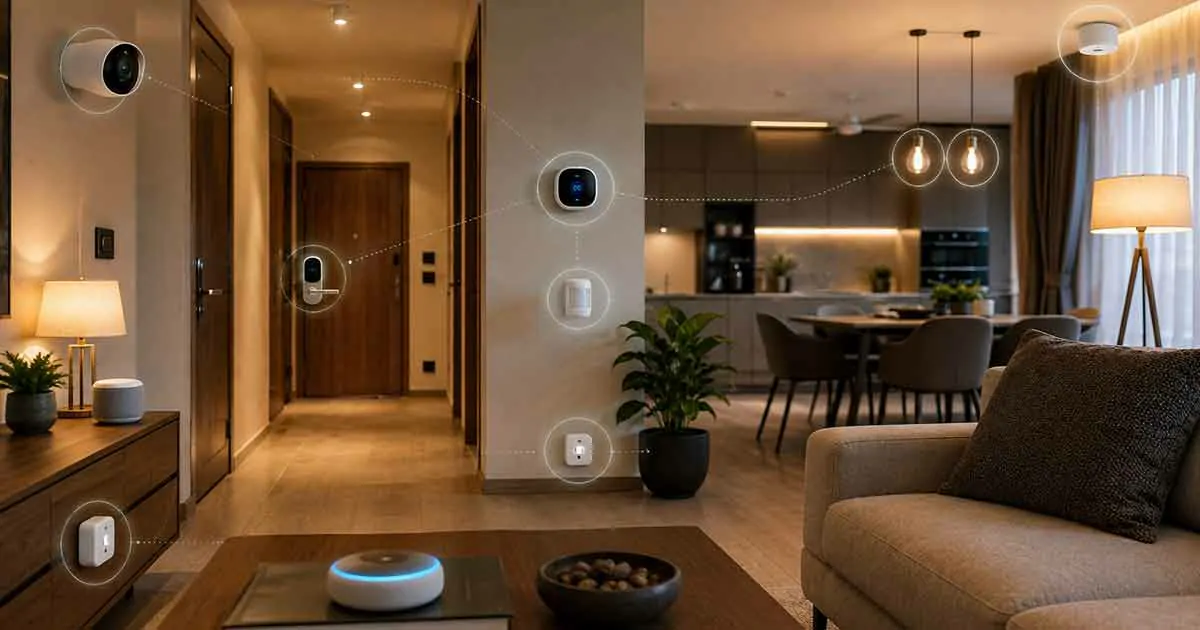
A smart home becomes much more useful when its devices can work together instead of operating as separate products. Lights, smart plugs, thermostats, sensors, cameras, speakers, and other connected devices can be combined into routines that respond automatically to what is happening in your home.
The challenge is that not every smart home device works with every other device. Different manufacturers may use different apps, platforms, communication technologies, and compatibility requirements.
The best smart home devices that work together are therefore not necessarily the most advanced individual products. They are devices that can communicate reliably through a compatible smart home ecosystem and support the automations you actually need.
In this guide, we explain how smart home compatibility works, which types of devices work well together, and how to build a connected system that is easier to manage and expand.
Table of Contents
What Does It Mean When Smart Home Devices Work Together?
When smart home devices work together, one device or event can trigger an action on another device.
For example:
Motion detected → hallway light turns on → light turns off after several minutes.
Another automation could be:
Front door opens → entry light turns on → smart speaker announces that the door was opened.
This type of automation is what makes a collection of smart devices feel like one connected system.
Devices do not necessarily need to come from the same manufacturer. What matters is whether they are supported by the same smart home platform, hub, protocol, or interoperability standard.
Why Compatibility Matters
Buying smart devices individually can seem simple at first. Problems often appear when you try to connect them.
One device may work with one voice assistant but not another. A sensor may require a specific hub. A smart light may use a proprietary system. A camera may have limited integration options.
Choosing compatible devices from the beginning can prevent these problems.
A compatible smart home can provide:
- Easier device control
- More reliable automations
- Fewer separate apps
- Better voice control
- Simpler routines
- Easier troubleshooting
- More flexibility when adding new devices
The Main Smart Home Ecosystems
The ecosystem you choose can have a major effect on which devices work together.
Common smart home platforms include Amazon Alexa, Google Home, and Apple Home.
Amazon Alexa
Amazon Alexa can act as a central voice-control and automation platform for many compatible smart home products.
Compatible devices can be grouped into routines, allowing one action to trigger several others.
For example, an evening routine could turn off selected lights, adjust a compatible thermostat, and switch off certain smart plugs.
Google Home
Google Home provides another way to organize compatible connected devices.
It can combine compatible products into rooms, routines, and automations while providing voice control through supported Google devices.
It can be particularly useful for households that already use Google services and compatible Android devices.
Apple Home
Apple Home provides a smart home environment centered around Apple devices.
Compatible products can be managed through the Apple Home app and controlled using Siri on supported devices.
Apple’s ecosystem can be attractive to households that already rely heavily on Apple hardware.
Matter and Smart Home Compatibility
Matter is a smart home interoperability standard designed to make compatible devices work across supported ecosystems more easily.
Instead of choosing a device solely because it belongs to one manufacturer’s ecosystem, Matter can provide another layer of compatibility between supported products and platforms.
However, Matter does not automatically make every smart home device compatible with every other device.
Compatibility still depends on:
- Device type
- Supported features
- Controller support
- Manufacturer implementation
- Network technology
- Software updates
Before buying a Matter-compatible product, check which features are supported by the specific ecosystem you intend to use.
Wi-Fi, Thread, Zigbee, and Other Technologies
Smart home devices can communicate using different technologies.
Wi-Fi
Wi-Fi devices connect directly to your home network.
Advantages can include:
- Easy setup
- No dedicated hub for some devices
- Broad availability
- High bandwidth for products such as cameras
However, a large number of Wi-Fi devices can increase network traffic and place additional demands on your router.
Thread
Thread is a low-power wireless networking technology designed for connected devices.
It is particularly relevant to modern smart home products and can work alongside Matter in supported setups.
Thread devices may require a compatible border router or controller depending on the setup.
Zigbee
Zigbee is another low-power wireless technology used by many smart home products.
Zigbee devices commonly communicate through a hub or coordinator.
One benefit of using a compatible Zigbee ecosystem is that many devices can communicate without relying on a direct Wi-Fi connection for every device.
Bluetooth
Bluetooth can also be used by smart home products, particularly for setup, local communication, or specific types of connected devices.
Its role varies significantly depending on the product.
Best Smart Home Devices to Combine
Certain device combinations provide particularly useful automations.
Smart Lights + Motion Sensors
This is one of the simplest smart home combinations.
A motion sensor can detect movement and trigger compatible lights.
For example:
Motion detected in hallway → hallway lights turn on.
This can be useful at night when you do not want to search for a light switch.
You can also create conditions that prevent the lights from turning on when sufficient natural light is available.
Smart Plugs + Smart Speakers
A smart plug can make a traditional appliance controllable through a compatible smart home platform.
When combined with a smart speaker, you can control the connected appliance using voice commands.
For example:
“Turn on the living room lamp.”
The smart speaker sends the command through the connected smart home system, and the compatible smart plug controls the lamp.
Smart Thermostat + Temperature Sensors
A smart thermostat can become more useful when combined with compatible temperature sensors.
Instead of relying exclusively on the temperature near the thermostat, additional sensors can provide information from other areas of the home.
This can help create more useful temperature-based automations where supported.
Door Sensors + Smart Lights
A door sensor can trigger lighting when a door opens.
For example:
Front door opens → entry light turns on.
This is particularly useful in entryways, garages, bedrooms, and other areas where immediate lighting is convenient.
Door Sensors + Security Notifications
A door or window sensor can also trigger an alert when unexpected activity occurs.
For example:
Window opens while you are away → smartphone notification.
Combining sensors with notifications can provide a simple layer of awareness without requiring a complicated security system.
Smart Cameras + Smart Displays
Compatible cameras can sometimes be viewed through smart displays.
This can make it easier to check an entryway, nursery, or other monitored area without opening a phone app.
However, camera compatibility varies considerably between platforms and manufacturers.
Smart Locks + Smart Lights
A compatible smart lock can work with smart lighting to create arrival and departure routines.
For example:
Door unlocks → entry lights turn on.
Or:
Door locks → selected lights turn off.
These automations can reduce the number of manual actions required when leaving or entering your home.
Smart Plugs + Energy Monitoring
A smart plug with energy monitoring can provide information about the electricity consumption of a connected appliance.
This can help you understand how frequently an appliance operates and identify opportunities to reduce unnecessary energy use.
Best Smart Home Device Combinations for Beginners
If you are new to smart home automation, avoid starting with a complicated system.
A simple combination can include:
- Smart speaker or compatible controller
- Smart bulbs
- Smart plugs
- Motion sensors
- Door sensors
These devices can support several useful automations without requiring a large investment.
Once the basic system is reliable, you can add thermostats, cameras, locks, energy monitoring devices, and other products.
Best Smart Home Setup for Automation
If automation is your primary goal, sensors should be an important part of your setup.
Smart devices become more useful when they can react to events instead of requiring manual commands.
For example:
Motion detected → lights turn on.
Door opens → entry light turns on.
Temperature changes → thermostat adjusts.
You leave home → selected devices turn off.
You arrive home → selected lights turn on.
The exact capabilities depend on your ecosystem and the devices involved.
Best Smart Home Devices for Voice Control
Voice control is useful when devices are integrated into the same ecosystem.
A compatible smart speaker can act as a convenient interface for lights, plugs, thermostats, locks, and other supported products.
Instead of controlling each product through a separate app, you may be able to use a single voice command.
For example:
“Good night.”
A compatible routine could:
- Turn off selected lights
- Turn off compatible appliances
- Adjust the thermostat
- Lock compatible doors
This is one reason choosing a common ecosystem can simplify a connected home.
How to Choose Smart Devices That Work Together
Before buying a new smart home device, check several compatibility factors.
Check Platform Compatibility
Look for compatibility with the ecosystem you already use.
If you already have several devices connected through one platform, adding products that support the same platform can make setup easier.
Check Matter Support
If you want flexibility across supported ecosystems, check whether the product supports Matter and which device features are included.
Do not rely solely on the Matter logo. Review the manufacturer’s compatibility information.
Check Required Hubs
Some devices require a hub or bridge.
Others can connect directly to Wi-Fi or another supported network technology.
A product that appears inexpensive may require additional hardware to unlock its full functionality.
Check Automation Support
Two devices may both work with the same platform but still have different automation capabilities.
Before purchasing, check whether the specific actions and triggers you want are supported.
Check Voice Assistant Compatibility
If voice control is important, verify compatibility with your preferred assistant.
Do not assume that every smart device works with every voice platform.
Check Future Expansion
Think about the devices you may want to add later.
If you plan to install smart locks, sensors, thermostats, cameras, and lighting, choose an ecosystem that supports the categories you expect to use.
One Ecosystem vs. Multiple Ecosystems
Using one ecosystem can make a smart home easier to manage.
Advantages include:
- Fewer apps
- Easier automation
- Consistent device management
- Simpler voice control
- Easier troubleshooting
However, using multiple ecosystems can sometimes provide access to products or features that are unavailable within one platform.
The best approach depends on your priorities.
For beginners, keeping the majority of devices within one compatible ecosystem is generally simpler.
How to Build a Smart Home That Works Together
A reliable smart home is usually built gradually.
Step 1: Choose Your Main Platform
Decide which ecosystem will manage most of your devices.
Consider the devices you already own and the platforms you use regularly.
Step 2: Start With Lighting
Smart bulbs or switches are easy to integrate into routines.
Create simple automations before adding more complicated devices.
Step 3: Add Sensors
Sensors provide triggers that allow your smart home to react automatically.
Motion, door, window, temperature, and leak sensors can all provide useful inputs.
Step 4: Add Smart Plugs
Smart plugs can bring ordinary appliances into your connected system.
Use them for devices that are appropriate for remote switching and scheduling.
Step 5: Add Comfort and Security Devices
Once your basic system works reliably, consider adding a thermostat, smart lock, camera, or other devices that solve specific problems.
Step 6: Create Simple Routines
Start with routines that solve everyday problems.
Examples include:
- Good morning
- Good night
- Away
- Welcome home
- Movie time
- Bedtime
- Evening lighting
Avoid creating complicated automations until you understand how your devices interact.
Common Compatibility Problems
Even compatible devices can sometimes experience problems.
Different Apps
A device may require its own manufacturer app for setup or advanced features.
This can make the system more complicated even when the product works with your main platform.
Missing Features
A device may technically be compatible with a platform while certain features are unavailable.
For example, basic control may work while advanced settings remain limited to the manufacturer’s app.
Hub Requirements
Some devices require a specific hub or bridge.
If you do not have the required hardware, the device may not function as expected.
Network Problems
Weak Wi-Fi, router configuration, interference, and network congestion can affect smart home reliability.
For larger systems, choosing appropriate connectivity technologies can help reduce network problems.
Software Updates
Compatibility can change as manufacturers release firmware and software updates.
Keep important devices updated and check compatibility information when expanding your system.
Smart Home Devices That Work Together Without a Subscription
You can build a connected smart home without necessarily paying recurring fees.
Smart bulbs, smart plugs, sensors, and many other devices can provide basic automation without a subscription.
However, subscription policies vary by manufacturer and device.
Security cameras are particularly important to check because cloud video storage and advanced security features may require a paid plan.
Before buying a device, identify which features remain available without a subscription.
How Many Smart Home Devices Do You Really Need?
There is no ideal number of smart devices for every home.
A small apartment may only need a few products, while a larger house may benefit from more sensors and automation points.
Instead of counting devices, focus on useful functions.
For example:
- One motion sensor can automate a hallway.
- Two or three smart bulbs can improve evening lighting.
- A few smart plugs can automate selected appliances.
- Door sensors can provide useful security alerts.
- A smart thermostat can automate temperature management.
The objective is a home that is easier to control, not a home filled with technology.
Are Smart Home Devices That Work Together Worth It?
Yes, especially when the devices solve real problems and share a compatible ecosystem.
The biggest advantage of connected devices is not that each product is smart on its own. It is that several devices can respond to the same events and work together automatically.
A smart light is useful.
A smart sensor is useful.
But a sensor that automatically controls a light when someone enters a room can be considerably more convenient.
That is where smart home automation becomes genuinely useful.
Final Thoughts
The best smart home devices that work together are products that share a compatible ecosystem, support the automations you need, and can be expanded without creating unnecessary complexity.
Start with a platform, add a few compatible devices, and build simple routines around everyday activities. Smart lights, plugs, sensors, thermostats, cameras, speakers, and locks can work together when the appropriate compatibility requirements are met.
Before purchasing any new device, check platform support, Matter compatibility where relevant, required hubs, automation capabilities, and subscription requirements.
A well-designed smart home is not about owning the most devices. It is about choosing the right devices and making them work together reliably.