
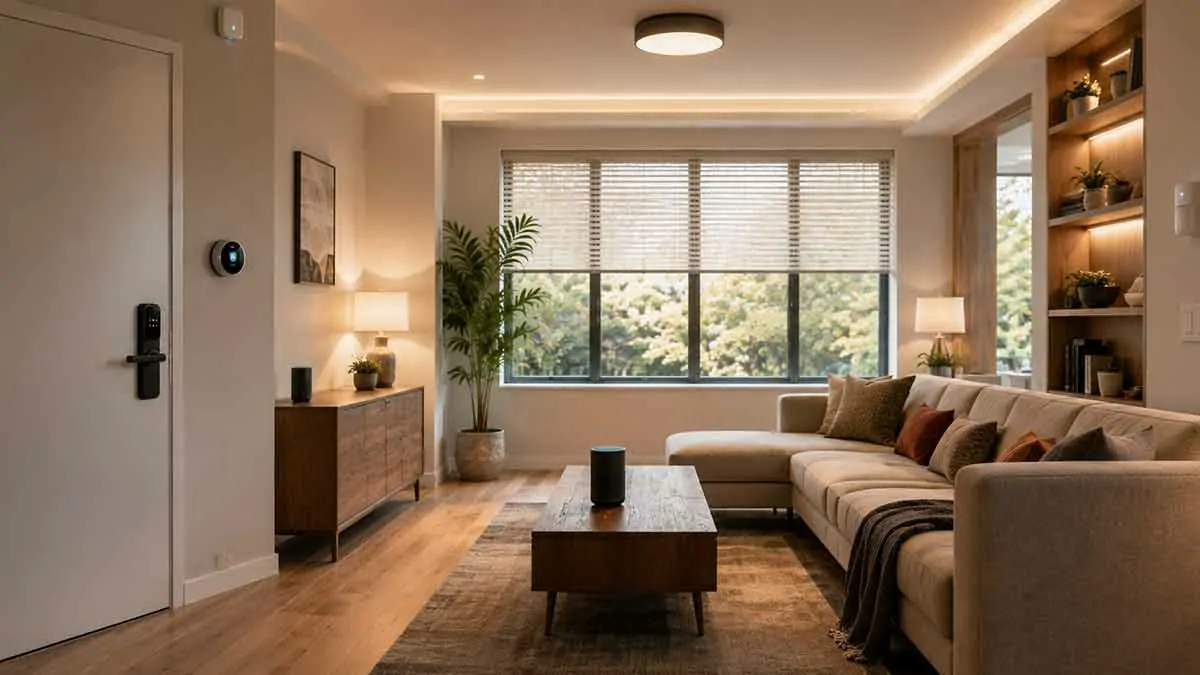
Smart home automation can make a home more accessible by reducing the physical effort required to perform everyday tasks. Lights, thermostats, locks, doors, appliances, and other devices can be controlled through voice commands, mobile apps, sensors, switches, and automated routines.
For people with disabilities, the value of smart home technology is not simply convenience. The right system can help make common household tasks easier to perform independently.
However, accessibility needs vary considerably. A solution that works well for someone with limited mobility may not be appropriate for someone with visual, hearing, cognitive, or other accessibility requirements.
The best approach is therefore to design the smart home around the person’s specific needs rather than buying devices based only on their features.
In this guide, we’ll explain how smart home automation can improve accessibility, which devices are most useful, how to choose appropriate controls, how to build reliable automations, and what to consider when designing an accessible smart home.
Table of Contents
What Is Smart Home Automation for People With Disabilities?
Smart home automation for people with disabilities uses connected technology to reduce barriers to controlling and interacting with the home.
Depending on the individual’s needs, automation can reduce the need to:
- Reach physical switches
- Walk between rooms
- Operate small controls
- Manually adjust thermostats
- Carry keys
- Repeatedly perform routine tasks
- Navigate difficult interfaces
For example:
Voice command → Living room lights turn on
Or:
Motion detected → Hallway light turns on
The goal is to make the home easier to operate while preserving control and independence.
Accessibility Needs Are Different for Everyone
There is no universal accessible smart home.
Different people may benefit from different forms of control.
Mobility and Physical Accessibility
Useful technologies can include:
- Voice control
- Remote controls
- Automated lighting
- Smart locks
- Smart switches
- Motion sensors
- Automated blinds
Visual Accessibility
Potentially useful features include:
- Voice feedback
- Audio notifications
- Voice-controlled devices
- High-contrast interfaces
- Clearly identifiable physical controls
Hearing Accessibility
Useful options can include:
- Visual notifications
- Smartphone alerts
- Smart displays
- Flashing or visible status indicators
Cognitive Accessibility
Helpful features may include:
- Simple routines
- Consistent controls
- Clear device names
- Limited notifications
- Predictable automation
- Minimal interfaces
The correct solution depends on the individual’s specific requirements and preferences.
Start With the Problem, Not the Device
One of the biggest mistakes when designing an accessible smart home is starting with products.
Instead, identify the tasks that are difficult.
Ask:
What does the person have difficulty doing independently?
For example:
- Turning lights on
- Reaching switches
- Opening doors
- Adjusting temperature
- Checking whether doors are locked
- Operating appliances
- Moving around at night
Then determine whether automation can reduce that difficulty.
Smart Lighting for Accessibility
Lighting is one of the simplest areas to automate.
Smart lights can be controlled through:
- Voice commands
- Smartphone apps
- Remote controls
- Motion sensors
- Smart switches
- Scheduled routines
This can reduce the need to physically reach a switch.
Voice-Controlled Lighting
Voice control can allow a person to control lights without physically interacting with a switch.
Examples include:
“Turn on the bedroom light.”
“Turn off the kitchen lights.”
“Dim the living room lights.”
This can be particularly useful when physical access to switches is difficult.
Motion-Activated Lighting
Motion sensors can automatically turn lights on when movement is detected.
For example:
Motion detected → Hallway light turns on
This can eliminate the need to locate and operate a switch.
Motion-based lighting can be useful in:
- Hallways
- Bathrooms
- Bedrooms
- Entryways
- Kitchens
Automatic Night Lighting
Nighttime lighting can be automated to reduce the number of actions required during nighttime movement.
For example:
Motion detected between 10 PM and 6 AM → Low-level hallway light turns on
The light can turn off automatically after a defined period.
Smart Switches
Smart switches can provide an accessible alternative to conventional controls.
Depending on the installation, a smart switch may allow control through:
- Voice
- App
- Automation
- Physical button
Physical controls remain important because they provide a fallback when automation is unavailable.
Smart Plugs
Smart plugs can provide remote control for compatible devices.
For example:
Voice command → Lamp turns on
This can make a manually operated lamp easier to control.
However, smart plugs should only be used with compatible appliances and according to manufacturer safety requirements.
Smart Thermostats
Thermostats can be difficult to operate when their controls are small, mounted high, or require precise physical interaction.
A smart thermostat can provide alternative control methods such as:
- Voice
- Smartphone
- Scheduled automation
- Remote access
For example:
Voice command → Set temperature
This can reduce the need to physically reach the thermostat.
Temperature Automation
Instead of manually adjusting the temperature throughout the day, a schedule can handle predictable changes.
For example:
Morning → Comfort setting
Daytime → Energy-saving setting
Evening → Comfort setting
Night → Sleep setting
The exact settings should reflect the user’s comfort and household requirements.
Smart Temperature Sensors
Separate temperature sensors can help monitor rooms independently.
This can be useful when the main thermostat is located somewhere that does not accurately represent another room.
For example:
Bedroom temperature sensor → Smart home system → Thermostat adjustment
Whether this works depends on the capabilities of the chosen platform.
Smart Locks and Accessibility
Smart locks can reduce the need to manipulate traditional keys.
Depending on the model, they may support:
- Keypad entry
- Smartphone control
- Voice-assisted control
- Remote locking
- Temporary access codes
- Automatic locking
For someone who has difficulty handling small keys, an appropriate smart lock can provide an alternative access method.
Keep a Backup Method for Door Access
Smart locks should not eliminate all alternative access methods.
Consider maintaining an appropriate backup such as:
- Physical key
- Mechanical override
- Emergency access procedure
Also consider what happens during a power failure or network outage.
Automatic Door Locking
An automation can lock a door automatically under certain conditions.
For example:
Door closed → Wait → Lock
This can reduce the need to manually operate the lock.
However, automatic locking should be configured carefully to prevent unexpected lockouts.
Remote Door Access
Remote access can allow an authorized person to unlock a door when appropriate.
This may be useful when:
- A caregiver needs access
- A family member needs to enter
- A service provider needs temporary access
Access permissions should be limited to trusted individuals.
Smart Door and Window Sensors
Door and window sensors can provide information about whether an opening is open or closed.
They can be useful for:
- Notifications
- Security
- Automation
- Home awareness
For example:
Door remains open → Notification
This can provide useful information without requiring someone to physically check the door.
Smart Home Voice Assistants
Voice assistants can serve as an alternative interface for smart home control.
Instead of operating several physical controls, a person may be able to use voice commands.
Possible commands include:
- Turn lights on
- Turn lights off
- Adjust temperature
- Lock a door
- Start a routine
- Set a timer
- Ask for the time
Voice control can be particularly valuable when physical interaction is difficult.
Use Simple Voice Commands
Voice commands should be easy to remember.
Prefer:
“Turn on bedroom light.”
over complicated commands involving multiple device names and conditions.
Use clear, consistent device names throughout the home.
Smart Speakers and Accessibility
Smart speakers can provide both control and information.
They may support:
- Voice commands
- Timers
- Reminders
- Announcements
- Device control
A centrally positioned smart speaker can reduce the need to move around the home to control connected devices.
Smart Displays
Smart displays can provide visual controls alongside voice interaction.
Depending on the platform, they may display:
- Device controls
- Time
- Reminders
- Status information
- Cameras
- Notifications
Large, clear interfaces may be useful for some users.
Visual Notifications
For people who cannot rely on audible alerts, visual notifications can be important.
Examples include:
- Smart displays
- Smartphone notifications
- Visual indicators
- Lighting alerts
For example:
Doorbell pressed → Smart display notification
The appropriate solution depends on the person’s needs.
Audio Notifications
Audio alerts can provide useful information without requiring visual attention.
Examples include:
- Door opened
- Water detected
- Reminder
- Timer finished
- Security event
Keep notification sounds understandable and avoid creating excessive alerts.
Smart Doorbells
A smart doorbell can provide remote information about visitors.
Depending on the system, it may provide:
- Video
- Audio communication
- Motion detection
- Notifications
- Remote viewing
For some users, this can reduce the need to physically reach the door immediately.
Smart Cameras and Accessibility
Cameras can provide useful visual information, but they also introduce privacy considerations.
A camera may be useful for:
- Checking who is at the door
- Viewing an entryway
- Monitoring a specific area
However, not every accessibility problem requires a camera.
A simple sensor may sometimes provide the required information with less privacy impact.
Smart Blinds and Curtains
Opening and closing blinds can require physical effort.
Motorized smart blinds can provide alternatives through:
- Voice commands
- Schedules
- Apps
- Automation
For example:
Morning → Blinds open
Evening → Blinds close
This can reduce repetitive manual tasks.
Smart Appliances
Some appliances can be integrated into a smart home.
Depending on the appliance, automation may allow:
- Remote status checking
- Scheduling
- Notifications
- Selected controls
However, appliances that generate significant heat or require supervision should not be automated in ways that create safety risks.
Smart Kitchen Automation
The kitchen contains many repetitive tasks that may benefit from carefully selected automation.
Examples include:
- Automated lighting
- Voice-controlled timers
- Smart displays
- Appliance notifications
- Motion-based lighting
The goal should be reducing unnecessary physical interaction without introducing unsafe automatic actions.
Smart Bathroom Automation
Bathrooms can benefit from:
- Motion-activated lighting
- Voice-controlled lighting
- Water leak sensors
- Automatic ventilation
- Night lighting
Because bathrooms can be hazardous environments, automation should be designed conservatively.
Smart Home Sensors
Sensors provide information that can trigger useful automations.
Common options include:
- Motion sensors
- Presence sensors
- Door sensors
- Window sensors
- Temperature sensors
- Water leak sensors
- Light sensors
A useful way to think about sensors is:
Sensor = information
Smart device = action
For example:
Motion detected → Smart light turns on
Presence Sensors vs Motion Sensors
Motion sensors detect movement.
Presence sensors are designed to determine whether someone remains in an area, depending on the technology.
This distinction can matter.
A person who remains seated may no longer trigger a conventional motion sensor.
A suitable presence sensor may continue detecting occupancy.
Smart Home Automation for Mobility Limitations
For people with limited mobility, automation can reduce physical movement.
Useful examples include:
- Voice-controlled lights
- Automated blinds
- Smart thermostats
- Smart locks
- Remote appliance control
- Motion-activated lighting
The system should reduce unnecessary movement without removing manual control.
Smart Home Automation for Limited Reach
If reaching switches or controls is difficult, consider relocating or duplicating control.
Possible solutions include:
- Voice commands
- Wireless buttons
- Smart switches
- Remote controls
- Smartphone control
A physical wireless button placed at an accessible height can sometimes be simpler than relying entirely on voice commands.
Smart Home Automation for Wheelchair Users
Home automation can potentially reduce the need to reach high or difficult-to-access controls.
Useful areas may include:
- Lighting
- Doors
- Blinds
- Thermostats
- Security systems
- Appliances
Device placement is just as important as the technology itself.
An accessible smart home should combine automation with physically accessible hardware.
Smart Home Automation for Visual Accessibility
People with visual impairments may benefit from:
- Voice control
- Audio feedback
- Spoken notifications
- Consistent automation
- Clearly structured interfaces
Voice assistants can provide an alternative to navigating visual menus.
However, devices should still provide reliable feedback so the user knows whether an action was completed.
Smart Home Automation for Hearing Accessibility
People with hearing impairments may benefit from visual or tactile notifications.
Examples include:
Doorbell → Smart display notification
Alarm → Visual alert
Water leak → Smartphone notification
Multiple notification methods can provide redundancy.
Smart Home Automation for Cognitive Accessibility
For people who benefit from predictable routines, automation can reduce the number of decisions required throughout the day.
Examples include:
- Scheduled lighting
- Consistent temperature settings
- Simple routines
- Automatic locking
- Reminder systems
Avoid unnecessary complexity.
Predictability is often more valuable than having many advanced features.
Use Consistent Device Names
Device names should be easy to understand.
Good examples:
- Bedroom Light
- Living Room Light
- Front Door
- Kitchen Thermostat
- Hallway Light
Avoid confusing names such as:
- Device 17
- Light 2B
- Sensor 04
Consistent naming improves both voice control and app navigation.
Create Simple Scenes
A scene can combine several actions.
For example:
Good Night
- Turn off selected lights
- Turn on hallway night light
- Adjust thermostat
- Lock selected doors
Morning
- Turn on kitchen lights
- Open selected blinds
- Adjust thermostat
Scenes should remain simple enough to understand and troubleshoot.
Create Simple Routines
Routines can automate predictable tasks.
For example:
Every evening → Living room lights on → Thermostat adjusts
Or:
Every morning → Bedroom lights on → Blinds open
Avoid adding unnecessary conditions.
Avoid Over-Automation
Automation should solve problems rather than create complexity.
An accessible smart home should not require someone to understand dozens of rules.
Automate tasks that are:
- Repetitive
- Predictable
- Useful
- Low risk
Keep important decisions under the user’s control when appropriate.
Keep Manual Controls Available
Automation should supplement physical controls rather than eliminate them.
Important functions should ideally remain accessible manually.
For example:
- Light switch
- Door lock
- Thermostat
- Essential appliances
If the internet fails or the smart system stops responding, the home should remain usable.
Local Control and Accessibility
Local control can be particularly valuable for accessibility.
If a simple automation works locally, it may continue functioning even if internet access is unavailable.
For example:
Motion sensor → Local controller → Hallway light
This can provide reliable basic functionality.
However, local operation depends on the specific devices and platform.
Smart Home Automation Without Internet
Not every smart home requires an internet connection for every function.
Some systems can execute selected automations locally.
This can be useful for essential functions such as:
- Lighting
- Sensors
- Certain locks
- Thermostats
Before depending on offline operation, verify that the specific devices and automation platform support it.
Backup Power
Power outages can affect smart home equipment.
Consider backup power for important network components such as:
- Router
- Hub
- Network equipment
A UPS can keep selected equipment running temporarily.
Critical home functions should still have manual alternatives.
Smart Home Network Reliability
An accessible smart home should have a reliable network.
Problems with Wi-Fi or other communication technologies can make automation unreliable.
Check:
- Wi-Fi coverage
- Router stability
- Device placement
- Network configuration
- Firmware updates
If an automation is critical to daily accessibility, reliability should be tested under realistic conditions.
Reduce Dependence on a Smartphone
A smartphone should not necessarily be the only way to operate the home.
An accessible system can combine:
- Voice control
- Physical switches
- Wireless buttons
- Sensors
- Automated routines
- Smartphone control
Multiple control methods provide flexibility.
Use Accessible Physical Controls
Smart technology does not mean every control must be virtual.
Consider:
- Large physical buttons
- Accessible mounting height
- Tactile controls
- Clearly labeled switches
- Easy-to-reach controls
The best solution often combines smart and traditional interfaces.
Smart Home Automation and Independence
The primary objective should be supporting independence.
For example:
Voice command → Lights
allows a person to control lighting without assistance.
Smart lock → Keypad
may make entering the home easier.
Automatic blinds → Schedule
may remove a repetitive physical task.
Small improvements can have a significant practical effect.
Smart Home Automation and Caregiver Support
With the user’s permission, selected smart home features can help family members or caregivers provide support.
Possible notifications include:
- Water leak detected
- Door left open
- Unusual temperature
- Security event
- Device failure
However, monitoring should be limited to what is genuinely useful.
Privacy and Consent
Accessibility technology should not automatically mean increased surveillance.
Before adding cameras or occupancy monitoring, consider:
- What information is collected
- Who can access it
- Where the data is processed
- How long it is stored
- Whether the monitoring is actually necessary
The person using the home should have as much control over their data as possible.
Smart Home Security
Accessibility should not come at the expense of security.
Use:
- Strong account passwords
- Multi-factor authentication where available
- Updated firmware
- Secure Wi-Fi
- Limited user permissions
- Regular device reviews
Avoid sharing administrator access unnecessarily.
Choose Devices With Long-Term Support
A device may be accessible today but become difficult to use if the manufacturer stops supporting it.
Before purchasing, check:
- Firmware support
- Platform compatibility
- Security updates
- Manufacturer reputation
- Replacement availability
Long-term reliability matters when the technology becomes part of everyday routines.
Test Before Expanding
Start with one or two devices.
For example:
Smart light + voice assistant
Test whether the controls are comfortable and reliable.
Then add:
Motion sensor
Then:
Smart thermostat
This gradual approach makes it easier to identify what actually improves accessibility.
Build the System Around Daily Routines
Think about the user’s normal day.
Morning
- Bedroom lights turn on
- Blinds open
- Thermostat adjusts
Daytime
- Lights respond to occupancy
- Temperature remains comfortable
Evening
- Selected lights turn on
- Blinds close
- Thermostat changes
Night
- Hallway lighting activates with movement
- Selected doors lock
Automation should follow real routines rather than arbitrary technology features.
Common Mistakes When Building an Accessible Smart Home
Buying Devices Without Identifying the Problem
Start with accessibility needs.
Relying Entirely on Voice Control
Voice systems can fail or misunderstand commands.
Removing Physical Controls
Always maintain accessible alternatives where appropriate.
Using Too Many Apps
Complexity reduces usability.
Creating Complicated Automations
Simple routines are easier to maintain.
Ignoring Network Reliability
Connectivity problems can make automation unreliable.
Adding Excessive Monitoring
Accessibility should not automatically mean surveillance.
Ignoring Long-Term Support
Unsupported devices can become difficult to maintain.
A Practical Accessible Smart Home Setup
A basic system might include:
Entryway
- Smart lock
- Door sensor
- Smart light
- Motion sensor
Hallway
- Motion sensor
- Automated night lighting
Living Room
- Smart lights
- Voice assistant
- Smart thermostat sensor
Bedroom
- Smart light
- Voice control
- Temperature sensor
Bathroom
- Motion-activated lighting
- Water leak sensor
Kitchen
- Smart lighting
- Voice-controlled timers
- Water leak detection
This setup provides multiple accessibility improvements without requiring excessive complexity.
Best Smart Home Automations for Accessibility
Some of the most useful automations include:
1. Automatic Lighting
Motion detected → Light turns on
2. Voice-Controlled Lights
Voice command → Light changes
3. Automatic Night Lighting
Nighttime motion → Low-level light turns on
4. Smart Temperature Control
Schedule → Thermostat adjusts
5. Door Status Notification
Door remains open → Notification
6. Automatic Blinds
Morning → Blinds open
7. Good Night Routine
Night routine → Lights adjust + thermostat changes + selected doors lock
8. Water Leak Alert
Water detected → Notification
These automations focus on practical accessibility rather than unnecessary complexity.
How to Choose the Right Smart Home Platform
When selecting a platform, consider:
- Ease of use
- Device compatibility
- Voice control
- Local automation
- Accessibility features
- Privacy
- Security
- Long-term support
- Family access
The best platform is the one that supports the required control methods reliably.
How to Maintain an Accessible Smart Home
Regular maintenance should include:
- Checking device batteries
- Updating firmware
- Testing automations
- Reviewing user permissions
- Checking network reliability
- Removing unused devices
- Confirming manual backups
Keep a simple record of important devices and automations.
Smart Home Accessibility Checklist
Before considering the system complete, check:
- Important lights can be controlled without difficult physical access
- Voice control works where useful
- Physical controls remain accessible
- Nighttime paths have adequate lighting
- Doors can be controlled and accessed reliably
- Important devices have manual alternatives
- Notifications use appropriate visual or audio methods
- Sensors are correctly positioned
- The network is reliable
- Critical automations work locally where possible
- Privacy settings are understood
- User permissions are limited appropriately
- Devices receive ongoing support
- Backup procedures are available
Final Thoughts
Smart home automation for people with disabilities should focus on accessibility, independence, reliability, and personal control.
Voice-controlled lighting, smart thermostats, automated blinds, smart locks, sensors, and carefully designed routines can reduce physical effort and make everyday tasks easier.
But technology alone does not create an accessible home.
The system should be designed around the person’s actual needs. Physical controls should remain available, important functions should have backups, and automation should remain simple enough to understand and maintain.
Privacy is equally important. Cameras and occupancy monitoring should only be used when they provide a clear benefit and with appropriate consent.
The best accessible smart home is not the one with the most devices. It is the one that removes meaningful barriers while allowing the person to control their environment in the way that works best for them.
Start with one difficult task, choose a reliable solution, test it in real-world conditions, and expand gradually. This approach can create a smart home that is genuinely useful, rather than simply technologically impressive.