
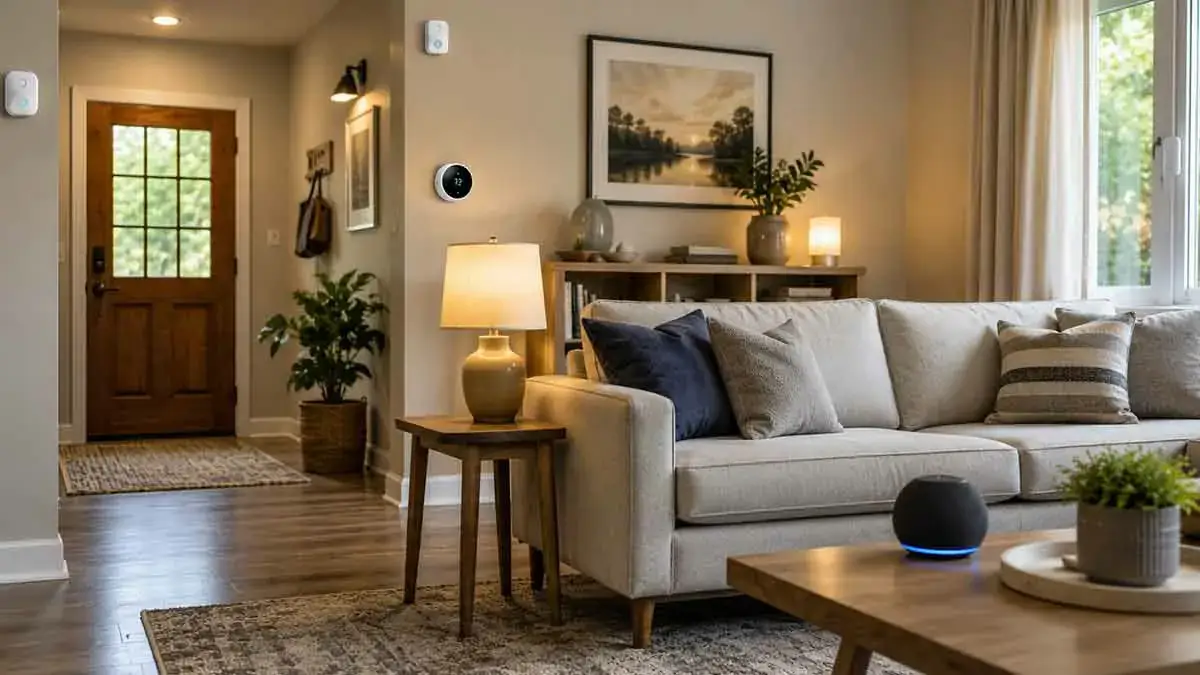
Smart home automation can make everyday living easier, safer, and more convenient for older adults. The right combination of connected lights, sensors, smart locks, thermostats, and voice controls can reduce repetitive tasks while making important parts of the home easier to manage.
However, a smart home for seniors should not simply contain as many devices as possible.
The most useful systems are designed around simplicity, reliability, accessibility, and practical needs.
A complicated setup with too many apps, confusing controls, or unreliable automations can create more problems than it solves. A well-designed system should make everyday tasks easier without requiring constant technical attention.
In this complete guide, we’ll explain how smart home automation can support seniors, which devices are most useful, how to design simple automations, what safety considerations matter, and how to create a system that remains easy to use over time.
Table of Contents
What Is Smart Home Automation for Seniors?
Smart home automation for seniors means using connected devices and automated routines to simplify everyday activities and improve comfort, convenience, and home awareness.
Examples include:
- Turning lights on automatically
- Adjusting the thermostat
- Controlling appliances remotely
- Receiving door or window alerts
- Using voice commands
- Detecting unusual activity
- Monitoring water leaks
- Automating nighttime lighting
- Locking doors automatically
The objective is not to automate everything.
The objective is to reduce unnecessary effort while keeping important controls simple.
Why Smart Home Automation Can Be Useful for Seniors
Everyday tasks can become more convenient when repetitive actions happen automatically.
For example, instead of walking to a light switch in a dark hallway:
Motion detected → Hallway light turns on
Instead of manually adjusting the thermostat several times a day:
Schedule → Thermostat adjusts automatically
Instead of checking whether a door was left open:
Door sensor → Notification
These small improvements can add up to a more comfortable home.
Simplicity Should Be the Priority
The most important design principle is simplicity.
A senior-friendly smart home should ideally have:
- Simple controls
- Clear device names
- Reliable automations
- Minimal apps
- Physical backup controls
- Easy troubleshooting
- Straightforward notifications
Avoid creating complicated systems that require frequent intervention.
If an automation saves a few seconds but creates confusion every week, it may not be worth having.
Smart Lighting for Seniors
Lighting is one of the easiest places to introduce useful automation.
Smart lights can be controlled through:
- Motion sensors
- Voice commands
- Schedules
- Smartphone apps
- Physical smart switches
Good lighting automation can reduce the need to search for switches in dark areas.
Automatic Hallway Lighting
A motion sensor can turn on hallway lights when movement is detected.
For example:
Motion detected at night → Hallway light turns on
The light can automatically turn off after a set period.
This can be especially useful when moving between bedrooms and bathrooms at night.
Automatic Bathroom Lighting
A motion sensor can also automate bathroom lighting.
For example:
Motion detected → Bathroom light turns on
After a period without movement:
No motion → Light turns off
A manual switch should still be available.
Bedroom Lighting Automation
Smart lighting can make bedtime and morning routines easier.
A simple nighttime scene could:
- Turn off main lights
- Turn on a bedside light
- Reduce brightness
- Activate hallway lighting
Morning automation could gradually turn on selected lights.
Night Lights and Path Lighting
Low-level lighting can be useful in areas where people walk at night.
Consider automated lighting for:
- Hallways
- Stairs
- Bathrooms
- Bedrooms
- Entryways
Motion-based lighting can provide illumination without requiring someone to find a switch in the dark.
Smart Switches vs Smart Bulbs
For many homes, smart switches can be easier to manage than smart bulbs.
A smart bulb may become unavailable if someone turns off its physical power switch.
A smart switch maintains control at the wall while also providing smart functionality.
Choose the approach that fits the home’s existing electrical system and the user’s preferences.
Voice Control for Seniors
Voice control can reduce the need to operate small buttons or navigate smartphone applications.
A user may be able to say:
- “Turn on the living room lights.”
- “Set the thermostat to 70 degrees.”
- “Turn off the kitchen lights.”
- “Lock the front door.”
Voice control can be particularly useful when hands are occupied.
However, voice control should complement rather than replace physical controls.
Keep Physical Controls Available
Smart automation should not eliminate familiar controls for important functions.
For example:
- Keep light switches accessible
- Maintain manual door-lock options
- Keep thermostat controls available
- Provide physical controls for essential appliances
If an automation fails, the user should still have a straightforward way to operate the device.
Smart Thermostats for Seniors
Temperature control is another area where automation can simplify daily life.
A smart thermostat can:
- Follow schedules
- Adjust temperature automatically
- Provide remote control
- Use temperature sensors
- Send alerts
- Help manage energy consumption
A simple schedule can eliminate frequent manual adjustments.
Use Simple Temperature Schedules
Instead of creating many complicated rules, use a straightforward schedule.
For example:
Morning → Comfortable temperature
Daytime → Energy-saving setting
Evening → Comfortable temperature
Night → Sleep setting
The exact temperatures should be based on the household’s comfort requirements.
Smart Temperature Sensors
A separate temperature sensor can help monitor rooms that are far from the main thermostat.
For example, if the thermostat is located in a hallway, a temperature sensor in a bedroom can provide additional information.
This can help create more responsive temperature management when supported by the system.
Smart Door and Window Sensors
Door and window sensors are simple devices that can provide useful information.
They can detect:
- Door open
- Door closed
- Window open
- Window closed
This information can be used for notifications and automation.
Door Open Notifications
A notification can be sent if a particular door remains open for too long.
For example:
Back door open for 10 minutes → Notification
This can help users remember doors that may have been left open accidentally.
Smart Locks for Seniors
Smart locks can simplify access to the home.
Depending on the system, they may support:
- Keypad entry
- Smartphone control
- Temporary access codes
- Remote status checking
- Automatic locking
A smart lock can be particularly useful when carrying physical keys is inconvenient.
Keep a Physical Backup for Smart Locks
A smart lock should not be the only way to access a home.
Depending on the lock, maintain an appropriate backup method such as:
- Physical key
- Mechanical override
- Emergency access procedure
Also consider what happens during a power or network failure.
Automatic Door Locking
An automation can lock the door after a certain period.
For example:
Door closes → Wait → Lock door
However, automatic locking should be configured carefully.
Avoid automations that could lock someone out or create unexpected behavior.
Smart Plugs for Simple Appliance Control
Smart plugs can provide convenient control over compatible appliances.
They can be useful for:
- Lamps
- Fans
- Certain small appliances
- Decorative lighting
A smart plug can make it possible to schedule or remotely control connected equipment.
Be Careful With High-Risk Appliances
Not every appliance should be connected to a smart plug.
Avoid using smart plugs in ways that could create a safety hazard, especially with appliances that:
- Produce significant heat
- Require supervision
- Have mechanical controls
- Should never operate unattended
Always follow the appliance and smart plug manufacturer’s instructions.
Smart Sensors for Water Leaks
Water leak sensors can provide an early warning when water is detected.
Useful locations include:
- Near water heaters
- Under sinks
- Near washing machines
- Near dishwashers
- In utility rooms
A simple automation can be:
Water detected → Phone notification
A more advanced system may also integrate with a compatible water shutoff valve.
Smart Smoke and Environmental Alerts
Connected safety devices can provide notifications in addition to local alarms when supported.
Examples include alerts related to:
- Smoke
- Carbon monoxide
- Water leaks
- Extreme temperatures
Do not replace required safety equipment simply because a smart device provides notifications.
Traditional safety equipment should remain properly installed and maintained.
Smart Home Monitoring for Seniors
Sensors can provide information about conditions in the home.
Examples include:
- Door activity
- Motion
- Temperature
- Water leaks
- Device status
This information can help identify problems without requiring constant manual checking.
However, monitoring should be designed carefully to respect privacy.
Activity-Based Automation
Motion and presence sensors can trigger useful routines.
For example:
Morning movement detected → Kitchen lights turn on
Or:
Nighttime hallway movement → Low-level lighting turns on
These automations can make the home respond naturally to activity.
Avoid Excessive Monitoring
A smart home should support independence rather than make the resident feel constantly watched.
Avoid unnecessary monitoring systems.
Use sensors where they solve a clear problem, particularly when privacy is important.
Smart Home Automation for Medication Routines
Smart technology can sometimes provide reminders for daily routines.
For example, a smart speaker may provide a scheduled reminder.
However, smart home automation should not be treated as a medical management system.
Use appropriate dedicated solutions for critical medication management when necessary.
Smart Speakers and Reminders
Smart speakers can provide useful reminders for:
- Appointments
- Household tasks
- Regular routines
- Shopping lists
- Scheduled activities
Voice reminders can be easier to use than manually checking a phone.
Smart Displays
A smart display can provide visual information such as:
- Time
- Weather
- Reminders
- Timers
- Device controls
For some users, a larger visual interface may be easier to understand than navigating a smartphone application.
Make Notifications Simple
Too many notifications can become annoying and eventually get ignored.
Prioritize important alerts such as:
- Water leaks
- Doors left open
- Security events
- Smoke or environmental alerts
- Unusual device states
Avoid sending notifications for every minor event.
Use Clear Notification Names
Instead of:
Sensor 14 detected
use clear names such as:
Back Door Open
or:
Kitchen Water Leak Detected
Clear naming makes alerts easier to understand.
Smart Home Automation for Family Members
With permission, family members or caregivers may be able to receive selected alerts.
For example:
Water leak detected → Alert sent to resident and designated family member
The goal should be targeted assistance rather than unnecessary surveillance.
Privacy and Consent
When other people can access smart home data, privacy becomes important.
Before enabling shared access, determine:
- Who can see device status
- Who can control devices
- Who receives notifications
- Who can access cameras
- Who can change automations
Only provide the permissions necessary for the intended purpose.
Smart Cameras and Seniors
Cameras can provide additional visibility, but they also raise significant privacy concerns.
Consider whether a camera is actually necessary.
For some situations, a less intrusive sensor may be enough.
For example:
Door sensor → Door status
may provide the required information without recording video.
Voice Assistants and Privacy
Voice assistants can be convenient, but users should understand that voice commands may be processed by cloud services depending on the platform.
Review:
- Privacy settings
- Voice recording controls
- Account permissions
- Device history
Choose settings that match the user’s comfort level.
Smart Home Automation Without Internet
Internet dependence is an important consideration.
Some automations can operate locally:
Sensor → Local Controller → Smart Device
Others may depend on cloud services:
Sensor → Cloud Service → Automation → Device
A senior-friendly system should ideally keep essential local functions available when possible.
Local Control Can Improve Reliability
Local automation can reduce dependence on external internet services.
For example:
Motion sensor → Local hub → Hallway light
may continue operating during an internet outage if all required components support local operation.
However, not every smart home system provides this capability.
Check the manufacturer’s documentation before relying on offline operation.
Backup Power for Smart Homes
Power outages can affect:
- Router
- Hub
- Smart lights
- Smart locks
- Smart displays
- Security equipment
A UPS can keep selected networking equipment and controllers running for a limited period.
For critical functions, maintain manual alternatives.
Smart Home Network Reliability
A reliable network is essential for connected devices.
Consider:
- Good Wi-Fi coverage
- Stable router
- Appropriate network placement
- Updated firmware
- Secure configuration
If the network is unreliable, automations may become unreliable as well.
Reduce the Number of Apps
One of the biggest usability problems in smart homes is having too many apps.
If possible, consolidate devices under a primary smart home platform.
For example, instead of requiring separate apps for every device, use a compatible central platform for everyday control.
Manufacturer apps may still be necessary for setup or advanced features.
Use Simple Device Names
Use names that are easy to say and understand.
Good examples:
- Living Room Light
- Bedroom Light
- Front Door
- Kitchen Thermostat
- Hallway Light
Avoid complicated names or numbers.
Organize Devices by Room
Room-based organization makes smart home systems easier to understand.
For example:
Living Room
- Main Light
- Floor Lamp
- Thermostat Sensor
Bedroom
- Ceiling Light
- Bedside Lamp
- Temperature Sensor
Entryway
- Front Door Sensor
- Front Light
This makes voice commands and app control easier.
Create Simple Scenes
Scenes can combine several actions into one command.
For example:
Good Night
- Turn off living room lights
- Turn on hallway light
- Adjust thermostat
- Lock selected doors
Morning
- Turn on kitchen light
- Adjust thermostat
- Turn off nighttime lighting
Keep scenes understandable and avoid combining too many unrelated actions.
Create Simple Routines
A routine can automate a predictable sequence.
For example:
Every evening → Turn on entry light → Adjust thermostat
Simple routines are generally easier to maintain than complicated conditional systems.
Avoid Over-Automation
Not every action needs to be automatic.
For example, automatically opening blinds, adjusting temperature, turning lights on and off, and controlling appliances based on dozens of sensors may become confusing.
Automate tasks that are:
- Repetitive
- Predictable
- Useful
- Low risk
Keep important or unusual decisions under manual control when appropriate.
Accessibility Should Guide Device Selection
Consider how the user interacts with technology.
Important factors include:
- Button size
- Display readability
- Voice control
- App simplicity
- Physical accessibility
- Response time
- Device placement
The best smart home is not necessarily the most technologically advanced one.
It is the one that the resident can use confidently.
Use Physical Controls for Essential Functions
Critical functions should have straightforward manual alternatives.
Examples include:
- Lighting
- Heating
- Door access
- Important appliances
If a smartphone is lost, the internet goes down, or an automation fails, the home should remain usable.
Label Important Controls
Simple labels can make controls easier to understand.
For example:
Entry Light
Hallway Light
Front Door
Clear physical labeling can complement smart controls.
Choose Reliable Devices Over Cheap Devices
The lowest purchase price is not always the lowest total cost.
An unreliable device may require:
- Frequent resets
- Battery replacement
- Troubleshooting
- Replacement hardware
For senior-friendly systems, reliability should generally be more important than having the maximum number of features.
Consider Long-Term Support
Before buying a device, check whether the manufacturer provides:
- Firmware updates
- Security updates
- Platform compatibility
- Replacement parts
- Customer support
A device that loses support can become a problem later.
Smart Home Automation and Independence
The best automation can support independence by reducing unnecessary physical effort.
Examples include:
- Automatic lighting
- Voice control
- Remote device control
- Automated temperature management
- Door status alerts
The technology should assist the resident rather than take control away from them.
Smart Home Automation and Caregiver Support
When appropriate and with consent, selected automations can provide useful information to family members or caregivers.
For example:
- Door left open
- Water leak detected
- Unexpected temperature change
- Security event
Use only the monitoring that is genuinely necessary.
Build the System Gradually
Do not install an entire smart home at once.
Start with a few high-value improvements.
A practical progression could be:
Phase 1
- Smart lighting
- Smart speaker
- Simple reminders
Phase 2
- Door sensors
- Motion sensors
- Smart thermostat
Phase 3
- Water leak detection
- Smart lock
- Advanced automation
Phase 4
- Additional monitoring or energy management
This approach makes the system easier to learn and troubleshoot.
Test Every Automation
Before relying on an automation, test it under normal conditions.
For example:
Motion → Light
Test:
- Daytime
- Nighttime
- Different entry directions
- Manual control
- Network interruption if applicable
Do not assume an automation works correctly simply because the configuration looks right.
Have a Manual Backup Plan
For important functions, ask:
What happens if the smart system fails?
Consider:
- Manual light switches
- Physical keys
- Manual thermostat control
- Battery backup
- Traditional smoke alarms
- Emergency contact procedures
Redundancy is particularly valuable for essential home functions.
Common Smart Home Mistakes for Seniors
Too Many Devices
More devices do not automatically create a better home.
Too Many Apps
Fragmented control increases complexity.
Overly Complicated Automations
Complex rules are harder to understand and troubleshoot.
No Manual Backup
Every important function should have an alternative.
Too Many Notifications
Excessive alerts can cause important messages to be ignored.
Poor Device Placement
Even good hardware can perform badly when installed incorrectly.
Ignoring Privacy
Monitoring technology should always be introduced thoughtfully.
A Practical Senior-Friendly Smart Home Setup
A balanced setup might include:
Entryway
- Smart light
- Motion sensor
- Door sensor
- Smart lock if appropriate
Hallway
- Motion sensor
- Automated night lighting
Living Room
- Smart lights
- Voice assistant
- Temperature sensor
Bedroom
- Smart light
- Bedside control
- Temperature sensor
Bathroom
- Motion-activated lighting
- Water leak sensor nearby where appropriate
Kitchen
- Smart lighting
- Water leak sensor
Utility Area
- Water leak sensor
- Temperature monitoring if needed
This provides useful automation without making every part of the home unnecessarily complicated.
Best Smart Home Automations for Seniors
Some of the most practical automations include:
1. Automatic Night Lighting
Motion detected at night → Hallway light turns on
2. Door Left Open Alert
Door open for several minutes → Notification
3. Water Leak Alert
Water detected → Immediate notification
4. Scheduled Lighting
Evening → Selected lights turn on
5. Automatic Lighting Off
No motion for a defined period → Light turns off
6. Temperature Scheduling
Time of day → Thermostat adjusts
7. Good Night Routine
Night routine → Lights adjust + thermostat changes + selected doors lock
8. Voice-Controlled Lighting
Voice command → Light changes
These automations solve practical problems without requiring complicated programming.
How to Choose the Right Smart Home Platform
When choosing a platform, consider:
- Ease of use
- Device compatibility
- Voice control
- Local automation
- Privacy
- Security
- Long-term support
- Family access
- Reliability
Do not choose a platform only because it has the largest number of compatible products.
Choose one that the resident can comfortably use.
How to Keep a Smart Home Easy to Maintain
After installation:
- Update devices regularly
- Replace batteries when needed
- Review automations periodically
- Remove unused devices
- Keep account credentials secure
- Test critical automations
- Maintain manual backups
- Document important settings
A simple maintenance routine can prevent many problems.
Smart Home Automation Checklist for Seniors
Before considering the system complete, check:
- Important lights can be controlled easily
- Nighttime paths have adequate lighting
- Smart devices have manual alternatives
- Important doors can still be accessed manually
- Notifications are useful rather than excessive
- Sensors are correctly positioned
- Batteries are monitored
- The network is reliable
- Essential automations can work locally where possible
- Privacy settings are understood
- Family access is configured only when appropriate
- Critical safety equipment remains independent
- The user knows how to operate the basic controls
Final Thoughts
Smart home automation for seniors should be designed around practical benefits rather than technological complexity.
Automatic lighting, voice control, smart thermostats, door sensors, water leak detection, and carefully selected notifications can make everyday tasks easier while improving awareness of important conditions around the home.
The most effective approach is to start small. Automate repetitive, predictable tasks first, keep physical controls available, reduce the number of apps, and choose reliable devices with long-term support.
Privacy and safety should also remain priorities. Not every room needs sensors or cameras, and important safety functions should not depend entirely on an internet connection or a single smart device.
A well-designed senior-friendly smart home should feel simple rather than complicated. When the technology works quietly in the background and still gives the resident clear control, automation becomes a practical tool for a more comfortable and manageable home.