
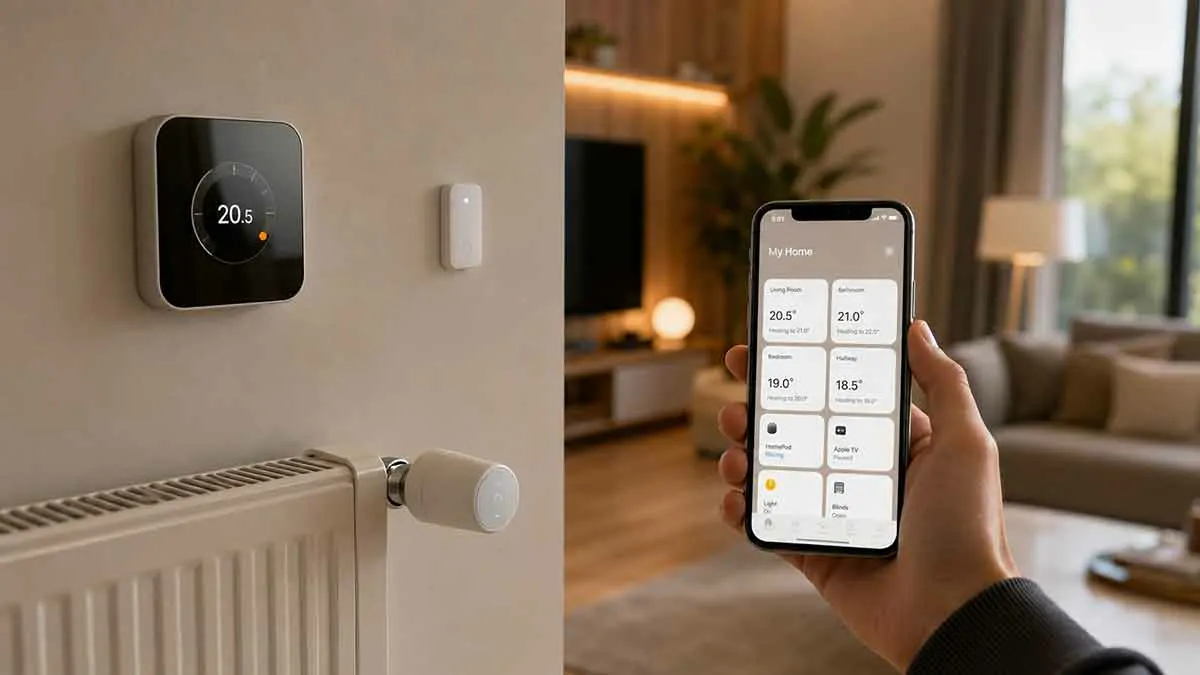
A HomeKit thermostat can bring heating and cooling into the Apple Home ecosystem, allowing you to manage compatible climate controls from the Home app, use Siri, and include temperature settings in smart home automations.
Apple’s current Home accessory directory includes several thermostat options, including ecobee Smart Thermostat models, Honeywell Home products, Meross, Mysa, Netatmo, Sensi, tado°, and other compatible heating controls. Some newer products also use Matter and Thread, giving Apple Home users more flexibility when building a modern smart home.
The best thermostat for your home depends on your heating or cooling system, the type of property you have, your preferred smart home features, and whether you need room-by-room control.
This guide explains the best types of HomeKit-compatible thermostats, what to look for before buying, and how to choose the right option for your Apple smart home.
What Is a HomeKit Thermostat?
A HomeKit thermostat is a compatible smart thermostat or heating control that can be integrated with Apple’s Home ecosystem.
Once connected, supported controls can be managed alongside other Apple Home accessories.
Depending on the thermostat and its integration, you may be able to:
- Adjust the temperature
- Change heating or cooling modes
- Create schedules
- Use Siri voice commands
- Include climate control in scenes
- Create automations
- Control the system remotely through an appropriate Apple home hub
Apple now promotes both Apple Home and Matter compatibility when choosing smart home accessories, so the term “HomeKit thermostat” can refer to traditional HomeKit-certified products as well as newer Matter-compatible products that work with Apple Home.
Best HomeKit Thermostats at a Glance
| Thermostat Type | Best For | Main Advantage |
|---|---|---|
| ecobee Smart Thermostat Premium | Feature-rich homes | Advanced climate and sensor features |
| ecobee Smart Thermostat Enhanced | Balanced setup | Smart temperature control with fewer extras |
| ecobee Smart Thermostat Essential | Value-focused buyers | Lower-cost smart thermostat option |
| tado° Smart Thermostat X | Modern multi-room systems | Matter and Thread integration |
| Eve Thermo | Radiator heating | Room-by-room radiator control |
| Netatmo Smart Thermostat | Apple-focused European homes | HomeKit-compatible climate control |
| Mysa Thermostats | Electric heating | Specialized electric heating control |
| Meross Smart Thermostat | Apple Home users seeking compatibility | Smart heating integration |
| Honeywell Home T9 | Zoned comfort | Room sensor support |
Apple’s official Home accessory directory currently lists these and other compatible climate products.
1. ecobee Smart Thermostat Premium
The ecobee Smart Thermostat Premium is one of the strongest choices for homeowners looking for a feature-rich smart thermostat that integrates with Apple Home.
Apple currently lists the ecobee Smart Thermostat Premium among its supported thermostat accessories.
The Premium model is designed for homeowners who want more than basic temperature control.
Depending on the system and region, the ecobee platform can provide features such as:
- Smart temperature control
- Remote access
- Room sensor support
- Occupancy information
- Energy-related features
- Apple Home integration
- Siri support through compatible configurations
ecobee’s current thermostat lineup includes Premium, Enhanced, and Essential models, giving homeowners several price and feature levels to choose from.
The Premium model makes the most sense when you want a more sophisticated climate-control system rather than a basic connected thermostat.
2. ecobee Smart Thermostat Enhanced
The ecobee Smart Thermostat Enhanced is a middle option in ecobee’s current lineup.
It is suited to homeowners who want smart temperature control and Apple Home integration without necessarily choosing the most feature-rich model.
Apple lists the Enhanced model as an Apple Home-compatible thermostat.
It can be a good choice when the primary goal is:
- Remote temperature management
- Smart scheduling
- Home automation
- Integration with other smart home devices
The Enhanced model can be particularly attractive for households that want a modern thermostat without paying for every additional feature available on a premium model.
3. ecobee Smart Thermostat Essential
The ecobee Smart Thermostat Essential is another option in the current ecobee range.
It is designed as a more accessible entry point while maintaining smart thermostat functionality.
Apple currently lists the Essential model as compatible with Apple Home.
This makes it worth considering for homeowners who want to build an Apple smart home gradually.
The key point is to compare the exact HVAC compatibility and features rather than selecting solely based on price.
4. tado° Smart Thermostat X
The tado° Smart Thermostat X is particularly interesting for modern European smart heating systems.
The current tado° X range uses Matter and Thread, allowing compatible devices to integrate with ecosystems including Apple Home. tado° states that its Smart Thermostat X, Smart Radiator Thermostat X, and Wireless Temperature Sensor X can be added to Apple Home as Matter accessories.
This makes tado° X especially attractive if you are designing a multi-room heating system rather than simply replacing a single thermostat.
The system can be expanded with additional room-control products, allowing homeowners to manage heating more selectively.
A compatible home hub is required for connecting tado° X devices to Apple Home.
5. Eve Thermo
Eve Thermo is different from a conventional wall-mounted thermostat.
It is a smart radiator valve designed for homes with compatible radiator heating.
This makes it particularly useful when the goal is room-by-room heating control.
Eve Thermo supports Matter and Thread and works with Apple Home. Eve also states that schedules can be stored directly on the device, allowing the radiator valve to continue following its schedule without relying on cloud services.
Potential uses include:
- Separate temperatures for individual rooms
- Heating schedules
- Presence-based heating
- Open-window detection
- Apple Home automation
- Local schedules
Eve also offers the Eve Thermo Control temperature sensor and controller, which can provide temperature information from a more representative location in the room instead of relying solely on the temperature near the radiator.
For radiator-based homes, Eve Thermo can therefore be a more appropriate choice than a conventional smart wall thermostat.
6. Netatmo Smart Thermostat
Netatmo offers smart thermostat products that are listed by Apple as compatible with Home.
Apple’s current accessory directory includes both the Netatmo Smart Thermostat and Netatmo Smart Modulating Thermostat.
These products can be particularly relevant for homes where heating control needs to integrate with an existing boiler-based system.
Netatmo also offers smart radiator valves, creating the possibility of a broader room-by-room heating setup.
Before purchasing, verify which Netatmo thermostat version is appropriate for your specific heating system and which features are available through Apple Home.
7. Honeywell Home T9
The Honeywell Home T9 is another thermostat listed by Apple among compatible accessories.
Its main appeal is the ability to incorporate room sensors into the heating strategy.
That can be useful in a home where the temperature around the central thermostat does not accurately represent the rooms that occupants use most.
For example, a thermostat located in a hallway may show a different temperature from an upstairs bedroom.
Room sensing can help create a more comfortable climate strategy, although the exact behavior depends on the thermostat configuration and HVAC system.
8. Meross Smart Thermostats
Meross offers smart thermostat products that appear in Apple’s current Home accessory directory.
The Meross Smart Wi-Fi Thermostat is listed as compatible with Apple Home.
Meross can be attractive for homeowners who already use other compatible Meross products and want to keep more devices within a familiar ecosystem.
As always, compatibility with your actual heating system should be confirmed before installation.
9. Mysa Smart Thermostats
Mysa specializes in electric heating controls.
Apple’s current accessory directory includes multiple Mysa products, including smart thermostats for:
- Electric baseboard heating
- Electric in-floor heating
- Air conditioners
- Other supported electric heating applications
This makes Mysa particularly interesting for homeowners whose heating system does not use a conventional central furnace or boiler.
Choosing a thermostat designed specifically for the type of electric heating installed in your home is important.
A thermostat designed for low-voltage HVAC equipment is not necessarily suitable for electric baseboard or in-floor heating.
10. Sensi Smart Thermostats
Sensi offers smart thermostat products that are included in Apple’s compatible accessory directory.
Apple currently lists the Sensi Touch Wi-Fi Thermostat among supported thermostat accessories.
The Sensi range can be worth considering when you want a conventional thermostat form factor with smart features and Apple Home integration.
Compatibility with the home’s wiring and HVAC configuration should be verified before purchase.
HomeKit Thermostats vs Smart Radiator Valves
One of the most important buying decisions is determining whether you actually need a traditional smart thermostat.
If your home uses central HVAC or boiler control through a wall thermostat, a smart thermostat is usually the natural choice.
If your home uses individual radiators, smart radiator valves may provide greater flexibility.
For example:
Central thermostat: Controls the overall heating system.
Smart radiator valve: Controls heat output at an individual radiator.
A multi-room radiator setup can therefore provide room-level temperature control without replacing a central heating controller.
Eve Thermo and tado° Smart Radiator Thermostat X are examples of this approach. Both support Apple’s smart home ecosystem, with tado° X using Matter and Thread.
What to Check Before Buying a HomeKit Thermostat
Compatibility should be the first consideration.
HVAC Compatibility
Determine whether your heating system uses:
- Central HVAC
- Boiler
- Heat pump
- Radiators
- Electric baseboard
- Electric underfloor heating
- Another heating configuration
The thermostat must support the specific system.
Wiring
Some thermostats require particular wiring configurations or power sources.
Do not assume that an existing thermostat can simply be replaced without checking the wiring.
Apple Home Support
Look specifically for:
Works with Apple Home
HomeKit
or appropriate Matter compatibility.
Apple recommends looking for these compatibility indicators when choosing smart home accessories.
Matter and Thread
Matter can be particularly useful when building a newer smart home because compatible devices can work across supported ecosystems.
Thread can also be important for battery-powered heating accessories such as smart radiator valves.
tado° X and Eve Thermo are examples of heating products using Matter and Thread.
Room Sensors
If your home has large temperature differences between rooms, room sensors can be more valuable than adding more features to the thermostat itself.
Home Hub
Some Apple Home configurations require a compatible home hub for remote access and certain automations.
Apple identifies HomePod, HomePod mini, and compatible Apple TV devices as home hub options for the Home ecosystem.
Best HomeKit Thermostat for Different Homes
Best for Feature-Rich HVAC Control
ecobee Smart Thermostat Premium
A strong option when you want advanced features and room sensing within an Apple-centered smart home.
Best for a More Affordable ecobee Setup
ecobee Smart Thermostat Essential
A practical choice for homeowners who want a simpler entry into the ecobee ecosystem.
Best for Multi-Room Radiator Heating
Eve Thermo
A strong choice when individual radiators need separate schedules and room-level control.
Best for Matter-Based Heating
tado° Smart Thermostat X
An attractive option for homeowners building a newer Matter and Thread-based system.
Best for Electric Heating
Mysa
A particularly relevant choice for compatible electric baseboard or in-floor heating systems.
Best for Netatmo Ecosystems
Netatmo Smart Thermostat
Worth considering when you want Apple Home integration alongside Netatmo’s broader heating products.
HomeKit Thermostats and Room-by-Room Heating
Room-by-room control is one of the biggest advantages of combining a smart thermostat with sensors or radiator valves.
Instead of maintaining the same temperature everywhere, you can create different comfort levels.
For example:
Bedroom: 18°C at night
Living room: 20°C during the evening
Home office: 20°C during working hours
Guest room: Lower setting when unused
The exact temperature settings should reflect household preferences and local conditions.
The important concept is that smart heating allows the system to follow actual room usage instead of treating the entire home as one space.
HomeKit Thermostat Automations
Once the thermostat is connected to Apple Home, climate control can become part of broader smart home routines.
Examples include:
Good Morning
Increase the heating setting before the household wakes up.
Away
Reduce heating when everyone leaves.
Welcome Home
Restore a comfortable temperature when someone returns.
Bedtime
Reduce temperature during sleeping hours.
Open Window
Reduce or pause heating when a compatible sensor detects an open window.
The exact automation features depend on the thermostat and accessory types being used.
Siri and HomeKit Thermostats
Siri can make compatible climate control more convenient.
Depending on the product and available Apple Home controls, you can use voice commands to ask Siri to adjust supported temperature settings.
Clear names are useful.
Instead of naming a thermostat:
Thermostat 1
use:
Living Room Thermostat
or:
Upstairs Heating
This becomes especially important when the home has multiple zones or climate devices.
HomeKit Thermostats and Energy Saving
Smart thermostats can support energy management by making it easier to avoid unnecessary heating.
Useful strategies include:
- Lowering temperature while away
- Using schedules
- Controlling individual rooms
- Using room sensors
- Reducing heating when windows are open
- Adjusting settings based on occupancy
However, smart control alone does not guarantee significant energy savings.
Building insulation, heating equipment efficiency, outdoor temperature, temperature settings, and household behavior all affect energy consumption.
The thermostat should be viewed as a control tool rather than a replacement for an efficient heating system.
Privacy and HomeKit Thermostats
Climate devices can collect information about temperature, schedules, occupancy, and household routines.
Privacy can therefore be an important factor when comparing products.
Apple’s Home ecosystem supports local smart home technologies, while Matter is designed to support local operation between compatible devices and platforms.
Some manufacturers also emphasize local operation.
For example, Eve states that Eve Thermo does not use cloud-based technology and stores schedules on the device.
However, privacy and local-control behavior can differ between products, so the manufacturer’s documentation should always be checked.
Common HomeKit Thermostat Mistakes
Buying the Wrong Thermostat Type
A thermostat designed for central HVAC may not work with electric baseboard heating or a radiator system.
Ignoring Wiring
Thermostat wiring and power requirements can determine whether installation is possible.
Assuming HomeKit Means Every Feature Is Available
A product may support Apple Home while keeping some advanced features inside its own app.
Forgetting About Room Sensors
One thermostat cannot always represent the temperature of an entire home.
Ignoring Home Hub Requirements
Remote control and some automations can require appropriate Apple home hub hardware.
Installing Without Checking the Heating System
For wired heating equipment, professional installation may be the safest choice.
Are HomeKit Thermostats Worth Buying?
A HomeKit thermostat can be a good investment when you already use Apple devices and want climate control to become part of your smart home.
The benefits become greater when the thermostat can work with room sensors, smart radiator valves, presence information, or other compatible devices.
For some homes, a single smart thermostat is enough.
For larger properties, room-by-room control can provide a more useful solution.
The best choice is therefore determined by the heating system first and smart home platform second.
Final Thoughts
The best HomeKit thermostat depends on the type of heating system, the size of the home, and how much control you want over individual rooms.
The ecobee Smart Thermostat range is well suited to feature-rich central HVAC setups, while Eve Thermo is particularly useful for radiator-based room-by-room heating. tado° X provides an interesting Matter and Thread option for modern multi-room heating, while Mysa focuses on compatible electric heating systems. Apple currently lists all of these categories among its supported Home accessories.
Before buying, verify HVAC compatibility, wiring, room sensor support, Apple Home or Matter compatibility, hub requirements, and installation needs.
A good HomeKit heating system should not simply give you control from an iPhone. It should make heating easier to manage, respond to how your home is used, and integrate naturally with the rest of your smart home.