
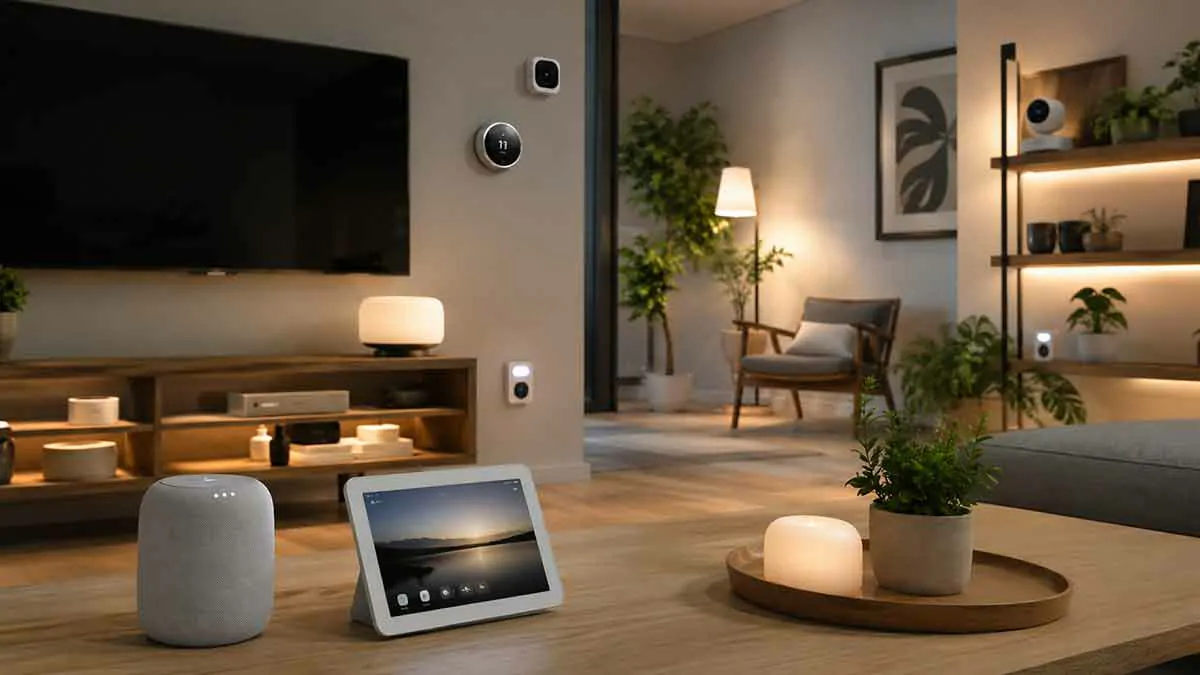
Building a smart home around Google Home starts with choosing devices that work well together. From smart speakers and displays to lights, thermostats, plugs, cameras, and Matter-compatible products, the right combination can make everyday tasks easier while giving you more control over your home.
Google Home supports Google Nest products as well as a large ecosystem of third-party devices. Google currently says Google Home works with more than 80,000 compatible devices, while Matter is designed to improve compatibility and simplify setup across supported smart home platforms.
That does not mean you need dozens of devices. A better approach is to choose a few products that solve practical problems and build your system gradually.
In this guide, we will look at the best types of Google Home devices for smart homes, what each device does, what to consider before buying, and how to create a setup that is easy to manage.
What Are Google Home Devices?
Google Home devices are smart home products that can be controlled or managed through the Google Home ecosystem.
They include Google-branded products such as:
- Google Home and Nest speakers
- Nest Hub displays
- Nest cameras and doorbells
- Nest thermostats
- Nest Wi-Fi products
- Google TV devices
Google Home can also connect compatible third-party products such as smart lights, smart plugs, appliances, sensors, and other smart home equipment.
For many homes, Google Home is less about owning Google-branded hardware and more about creating a common control system for compatible devices.
Best Google Home Devices at a Glance
The best device depends on what you want your smart home to accomplish.
| Device Type | Best For | Main Benefit |
|---|---|---|
| Google Home Speaker | Voice control and automation | Hands-free smart home control |
| Nest Hub | Central home control | Touchscreen plus voice control |
| Smart Lights | Lighting automation | Easy scheduling and routines |
| Smart Plugs | Existing appliances | Adds smart control without replacing devices |
| Nest Thermostat | Climate control | Automated temperature management |
| Nest Cameras | Home monitoring | Connected video and alerts |
| Nest Doorbell | Entry monitoring | Door and visitor awareness |
| Matter Devices | Flexible smart home setups | Better interoperability |
| Google TV Streamer | Smart entertainment | TV control and smart home integration |
1. Google Home Speaker
A smart speaker is one of the simplest ways to start a Google Home system.
The new Google Home Speaker, introduced for 2026, is designed as a central voice-controlled device for Google Home. Google also continues to support products such as Nest Audio and Nest Mini within its connected home ecosystem.
A speaker can be useful for:
- Controlling compatible smart lights
- Controlling plugs and other devices
- Running household automations
- Playing music and other audio
- Using voice commands
- Getting information through Google’s home ecosystem
For someone starting from scratch, a smart speaker is often a practical first device because it can become the voice-control center of the home.
Before choosing one, consider where you want to use it. A small speaker may be ideal for a bedroom or office, while a larger speaker can make more sense in an open living area.
For more options, our guide to smart speakers for home covers the broader smart speaker category.
2. Google Nest Hub
A Nest Hub adds a display to the Google Home experience.
Instead of relying entirely on voice commands, you can use the screen to interact with supported controls and view information.
A display can be particularly useful in:
- Kitchens
- Living rooms
- Bedrooms
- Home offices
It can also provide a more convenient interface for checking supported smart home devices.
Google lists the Nest Hub and Nest Hub Max among its connected home devices, and the second-generation Nest Hub and Nest Hub Max can also act as Matter hubs with Thread support.
A Nest Hub can therefore be especially attractive when you want both a smart speaker and a central touchscreen.
3. Smart Lights
Smart lighting is one of the easiest smart home upgrades.
With compatible lighting connected to Google Home, you can control lights using voice commands or the Google Home app and incorporate them into automations.
Useful examples include:
- Turning lights on at sunset
- Turning lights off at bedtime
- Creating morning lighting schedules
- Controlling several rooms together
- Using lighting as part of an arrival or departure routine
Smart lights are also useful because they do not require you to replace every light fixture in the home at once.
Start with the rooms where lighting automation provides the most value, such as the living room, bedroom, entryway, or exterior lighting.
When buying smart lighting, check whether the product has Works with Google Home or Matter compatibility. Google notes that supported third-party devices can be connected through the Google Home app, although the controls available can vary between products.
4. Smart Plugs
Smart plugs are one of the most flexible additions to a Google Home setup.
They allow compatible everyday appliances to be controlled as part of your smart home without replacing the entire appliance.
A smart plug can be useful for devices such as:
- Lamps
- Fans
- Coffee makers with suitable operating behavior
- Decorative lighting
- Small appliances
For example, you could connect a living room lamp to a smart plug and include it in an evening automation.
The main limitation is that a smart plug does not make every appliance intelligent. It mainly gives you control over its power supply.
For that reason, always check how the appliance behaves when power is restored.
Our guide to best smart plugs covers this device category in more detail.
5. Google Nest Thermostat
A smart thermostat is one of the most valuable Google Home devices for homes where heating and cooling represent a significant part of energy use.
Google’s current connected home lineup includes the Nest Learning Thermostat (4th generation), along with other Nest thermostat products.
A compatible thermostat can give you:
- Remote temperature control
- Scheduling
- Smart home integration
- Automation opportunities
- Better visibility into heating and cooling settings
A thermostat is also a good example of why compatibility matters.
Before buying one, check whether your HVAC system is supported and whether the thermostat has the features you actually need.
You can also compare different options in our guide to best smart thermostats.
6. Google Nest Temperature Sensor
A temperature sensor can complement a compatible Nest thermostat by providing temperature information from another part of the home.
This can be useful when the temperature near the thermostat does not represent the temperature in the room where you spend most of your time.
For example, a bedroom upstairs may have a different temperature from the hallway where the thermostat is installed.
Google lists the Nest Temperature Sensor as part of its connected-home products.
This type of device is most useful when temperature differences between rooms are noticeable and you want more control over comfort.
7. Google Nest Cameras
Smart cameras can add connected monitoring to your Google Home environment.
Google’s current connected home lineup includes several Nest Cam products, including indoor and outdoor options.
Depending on the model, cameras can be used for areas such as:
- Entry points
- Driveways
- Yards
- Living spaces
- Indoor monitoring areas
When choosing a camera, look beyond video quality.
Consider:
- Indoor or outdoor installation
- Power source
- Night visibility
- Field of view
- Mounting options
- Storage and subscription requirements
- Privacy features
- Integration with your Google Home setup
Security cameras should complement, rather than replace, other appropriate home security measures.
8. Google Nest Doorbell
A smart doorbell can be particularly useful for monitoring the front entrance.
Depending on the model, a Nest Doorbell can provide video and notifications through the Google home ecosystem.
Google’s current device lineup includes battery and wired Nest Doorbell models.
Before selecting one, think about the physical conditions around your entrance.
A wired model may be preferable when constant power is available, while a battery model may be easier to install in locations without suitable wiring.
You should also consider Wi-Fi coverage at the front door because a smart doorbell needs reliable connectivity to provide dependable remote features.
9. Matter-Compatible Devices
Matter is one of the most important things to consider when buying new smart home products.
Matter is an industry standard intended to improve interoperability between compatible devices and smart home platforms.
Google says Matter-enabled devices can work with Google Home and can offer improved setup, compatibility, responsiveness, and reliability.
Matter can be especially useful when you plan to buy devices from several manufacturers.
Supported Matter products can include different categories such as:
- Lights
- Plugs
- Sensors
- Thermostats
- Appliances
- Security-related devices
- Other supported smart home products
Support for device categories continues to expand, so compatibility should always be checked for the specific product you are considering.
10. Google TV Streamer
A smart home does not have to be limited to lighting and security.
Google TV Streamer can combine entertainment with your broader Google Home environment.
Google currently lists the Google TV Streamer (4K) as part of its connected home ecosystem, and it can also serve as a Matter hub with Thread support.
This makes it useful in a living room where you want:
- Streaming entertainment
- Google Home integration
- Voice control
- Smart home interaction
It can be particularly attractive when the living room is the main hub of your household’s connected devices.
What Should You Buy First?
You do not need to buy every category listed above.
A practical Google Home setup can begin with just a few devices.
Best Starter Setup
A simple setup could include:
- One Google Home or Nest speaker
- A few compatible smart lights
- One or two smart plugs
- Optional thermostat integration
This gives you several useful functions without creating unnecessary complexity.
Best Setup for a Larger Home
A larger setup might include:
- Multiple Google Home speakers
- One or more Nest Hub displays
- Smart lighting
- Smart plugs
- Thermostat
- Temperature sensors
- Cameras
- Doorbell
- Matter-compatible devices
In a larger home, device placement and Wi-Fi coverage become increasingly important.
What to Look for When Buying Google Home Devices
Compatibility should be your first consideration.
Google Home Compatibility
Check for the Works with Google Home badge or verify the product in Google’s supported device ecosystem. Google notes that some third-party products may appear in Google Home while offering only limited controls, so compatibility should be checked before purchase.
Matter Support
Matter can be a strong advantage for a new purchase because it is designed to improve interoperability between supported smart home platforms.
Wi-Fi and Thread
Check how the device communicates with your network.
Matter devices may use Wi-Fi or Thread. Thread devices require a compatible Thread border router, while Google Home supports a range of hubs that can provide Matter connectivity.
App and Cloud Requirements
Some products rely heavily on a manufacturer’s app or cloud service.
Read the product requirements before buying because a device’s behavior can depend on third-party services.
Automation Support
A device may be compatible with Google Home but still offer fewer controls than you expect.
Consider what you actually want to automate before buying the product.
For example, if the goal is a simple sunset lighting routine, you do not necessarily need an expensive premium device.
Do You Need a Google Home Hub?
Not every smart home requires a separate dedicated hub.
Google Home can use compatible Google devices as hubs for Matter. Google’s current list includes products such as the Google Home Speaker (2026), Nest Hub, Nest Hub Max, Nest Wifi Pro, and Google TV Streamer, with some models also supporting Thread.
If you are building a new Matter-based system, checking which device can serve as the appropriate hub can help you avoid buying unnecessary hardware.
For a broader explanation of hub options, see our guide to best smart home hubs.
How Google Home Devices Work Together
The real benefit of Google Home becomes clearer when several compatible devices are connected.
Consider an evening automation:
Starter: Sunset
Actions:
- Turn on the porch light
- Turn on the living room lamp
- Adjust a compatible thermostat
- Run another supported home action
Another example could be an arrival routine:
Starter: Someone arrives home
Actions:
- Turn on selected lights
- Adjust supported devices
- Perform another compatible action
These automations can turn separate products into one coordinated system.
The Google Home platform currently supports automations using starters, conditions, and actions, allowing compatible devices to respond to schedules, events, and conditions.
Google Home Devices for Energy Saving
Smart devices can also help reduce unnecessary energy use.
Smart lights can be scheduled to turn off, smart plugs can control suitable loads, and compatible thermostats can help manage heating and cooling schedules.
However, buying more smart devices does not automatically reduce energy consumption.
The most useful approach is to automate specific habits that would otherwise waste energy.
For example:
Everyone leaves → Turn off selected lights
or:
Bedtime → Turn off unnecessary devices
These simple automations can be more useful than building complicated systems with little practical benefit.
Google Home Devices and Privacy
Privacy should be part of your buying decision, particularly for cameras, doorbells, microphones, and other devices that collect information about activity inside or around your home.
Before purchasing a device, check:
- What information it collects
- Where information is stored
- Whether a subscription is required
- What account is required
- What controls are available
- Whether the device offers local or cloud-dependent functionality
Google provides information about privacy and security for its connected home devices and services, but third-party products can have different policies and requirements.
Common Mistakes When Building a Google Home
One of the biggest mistakes is buying devices without checking compatibility first.
Another common mistake is purchasing too many products at once.
A better strategy is to start with the devices that provide the greatest practical benefit.
It is also important to avoid depending entirely on one automation for important household functions. Connectivity problems, third-party services, and device failures can affect smart home systems.
Finally, keep your device names and room assignments organized from the beginning. A clean setup becomes increasingly valuable as more products are added.
Are Google Home Devices Worth It?
Google Home devices can be a strong choice for households that want voice control, automation, connected entertainment, security devices, and compatibility with a broad range of third-party products.
The biggest advantage is the ability to combine different types of devices in one ecosystem.
Matter is making this approach more attractive by improving interoperability between supported devices and platforms.
However, the best Google Home setup is not necessarily the one with the most devices.
A small number of compatible products that work reliably can provide more value than a large collection of complicated devices.
Final Thoughts
The best Google Home devices for a smart home depend on what you want to automate and control.
A Google Home speaker is an excellent starting point for voice control, while a Nest Hub adds a convenient touchscreen interface. Smart lights and plugs offer some of the easiest automation opportunities, while Nest thermostats, cameras, and doorbells can extend the system into climate control and home security.
For new purchases, Matter compatibility is also worth considering because it can improve interoperability and simplify integration with Google Home.
The smartest approach is to start with a few useful devices, confirm compatibility, and expand your system gradually.
With the right combination of Google Home, compatible third-party products, and well-designed automations, you can build a connected home that is convenient without becoming unnecessarily complicated.