
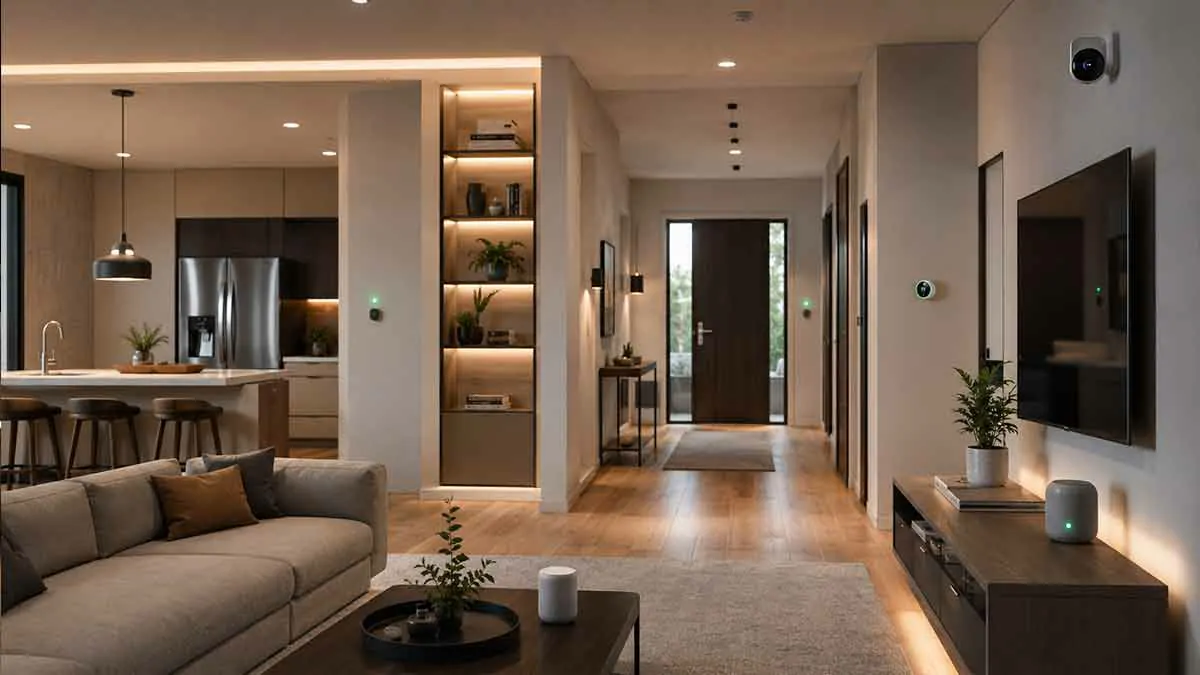
Smart home design is about more than adding connected devices to a house. A well-designed smart home combines technology, comfort, convenience, security, and energy efficiency in a way that feels natural to use.
The difference between a smart home filled with devices and a thoughtfully designed smart home is planning. Instead of buying products one at a time and hoping they work together, you can design your system around how you already use each room.
A successful smart home design considers device placement, connectivity, automation, lighting, climate control, security, entertainment, and everyday routines. It should also remain easy to operate manually when technology is unavailable.
This guide explains how to design a smart home from the ground up, how to organize devices by room, what technologies to consider, and how to avoid common design mistakes.
What Is Smart Home Design?
Smart home design is the process of planning how connected technology will be integrated into a home.
This includes deciding:
- Which devices you actually need
- Where each device should be installed
- How devices will communicate
- How different systems will work together
- Which tasks should be automated
- How users will control the home
- How the system can be expanded later
The goal is not to automate everything.
The goal is to create a home where technology solves real problems without making everyday life more complicated.
For example, a well-designed bedroom might use automated lighting, temperature control, and scheduled routines. A kitchen might prioritize smart appliances, lighting, and safety devices. A front entrance might combine lighting, a smart lock, and a doorbell or camera.
Each room should have a purpose within the overall smart home system.
Start With Your Home and Lifestyle
Before choosing devices, consider how you actually use your home.
Think about your daily routines.
When do you normally wake up?
When do you leave?
Which rooms do you use most?
Which lights are frequently left on?
Are there rooms that become too hot or too cold?
Do you need better visibility around entrances?
Do you want easier control of entertainment systems?
These questions help determine where automation can provide genuine value.
For example, a family that spends most of its time in the kitchen and living room may benefit more from smart lighting, speakers, and climate control than from installing advanced devices in every bedroom.
Good smart home design starts with household needs rather than product specifications.
Create a Smart Home Plan Before Buying Devices
One of the easiest ways to waste money is to buy smart devices without a clear plan.
Instead, divide your home into functional areas.
A simple planning structure could include:
Living areas: lighting, entertainment, speakers, climate control
Bedrooms: lighting, temperature, sleep-related automation
Kitchen: lighting, appliances, safety devices
Bathrooms: lighting, ventilation, environmental monitoring
Entryways: locks, lighting, doorbells, cameras
Outdoor areas: lighting, cameras, irrigation, environmental devices
You do not need every category in every room.
Create a list of problems you want technology to solve and prioritize those problems before deciding which products to purchase.
Design Around Functions, Not Brands
A common mistake is choosing a collection of products from different brands simply because each device looks attractive.
A better approach is to define the function first.
For example:
Goal: Automatically control the living room lights.
Then determine which ecosystem and device type can accomplish that goal reliably.
This approach reduces compatibility problems and prevents unnecessary hardware.
It also makes future expansion easier because you can identify the standards and platforms that your existing system supports.
Choose a Smart Home Ecosystem
The ecosystem is one of the most important decisions in smart home design.
Common platforms include:
- Google Home
- Amazon Alexa
- Apple Home
- Samsung SmartThings
- Other manufacturer-specific ecosystems
Your choice affects which devices can connect, how automations are created, how voice control works, and how different products interact.
You do not necessarily have to use products from one manufacturer. Many modern smart home devices support multiple platforms.
Matter has also become increasingly important because it is designed to improve interoperability between compatible smart home products and platforms.
When designing a new system, consider the ecosystem you already use rather than choosing a platform based only on individual devices.
Think About Connectivity From the Beginning
A smart home depends on reliable communication between devices.
Depending on the product, devices may use:
- Wi-Fi
- Thread
- Bluetooth
- Zigbee
- Z-Wave
- Ethernet
- Other communication technologies
Wi-Fi devices can be convenient because they connect directly to your home network, but a large number of devices can increase the importance of network capacity and coverage.
Other technologies can reduce congestion and provide different advantages for low-power sensors and connected devices.
Your smart home design should therefore include a connectivity strategy rather than treating networking as an afterthought.
Plan Wi-Fi Coverage
A smart home is only as reliable as the network supporting its connected devices.
Before installing cameras, smart doorbells, outdoor devices, or other network-dependent products, consider where your Wi-Fi signal is strongest and weakest.
Pay particular attention to:
- Garages
- Basements
- Upper floors
- Outdoor areas
- Thick walls
- Large properties
- Detached structures
A device placed in a location with poor connectivity can become unreliable regardless of how good the device itself is.
For larger homes, a well-planned mesh Wi-Fi system or wired network infrastructure can make the overall smart home more dependable.
Design the Home’s Lighting System
Lighting is one of the best places to start smart home design because it affects both functionality and atmosphere.
Instead of thinking only about whether a room needs smart bulbs, think about the different lighting layers.
A room can have:
- Ambient lighting
- Task lighting
- Accent lighting
- Decorative lighting
- Outdoor lighting
Smart controls can then be added where they provide useful benefits.
For example, a living room may use different lighting levels for:
Morning
Bright, comfortable lighting.
Evening
Warmer and softer lighting.
Movie time
Dimmed ambient lighting.
Bedtime
Low-level lighting for movement through the home.
This approach creates a better result than simply turning every smart light on or off at predetermined times.
Smart Lighting Placement Matters
Smart lighting works best when it matches how the room is used.
For example:
A hallway may benefit from motion-based lighting.
A bedroom may benefit from scheduled dim lighting.
A kitchen may need bright task lighting.
A front entrance may need automatic lighting after sunset.
An outdoor area may need lighting based on schedules or motion.
The automation should follow the room’s purpose rather than forcing every space into the same pattern.
Design for Comfort and Climate Control
Temperature is another important part of smart home design.
Smart thermostats and sensors can help manage heating and cooling more efficiently while improving comfort.
However, the placement of sensors matters.
A sensor placed near a heat source, direct sunlight, a draft, or another unusual temperature source may provide an inaccurate representation of the room.
When designing climate control, think about the rooms where temperature differences matter most.
For a two-story house, for example, the upstairs sleeping area may require different temperature management from the main living area.
Smart Home Design for Security
Security should be planned as a complete system rather than a collection of isolated devices.
Depending on your home, this may include:
- Smart locks
- Video doorbells
- Security cameras
- Motion sensors
- Door and window sensors
- Exterior lighting
- Smoke and carbon monoxide detection
- Alarm systems
The placement of security devices is just as important as the hardware.
A camera should cover an important area without creating unnecessary blind spots.
Exterior lighting should illuminate entrances and pathways effectively.
Sensors should be installed where they can accurately detect the events they are intended to monitor.
Automation can support security, but critical safety functions should not depend entirely on cloud connectivity or a single automated routine.
Design the Entryway Carefully
The front entrance is one of the most useful areas for smart home technology.
A well-designed entryway may combine:
- Smart lock
- Video doorbell
- Exterior lighting
- Entryway lighting
- Motion detection
- Door sensors
These devices can work together.
For example, when someone arrives home, the system could activate appropriate lighting and perform other supported actions.
At night, exterior lighting can provide better visibility around the entrance.
The objective is not to install every available device. It is to make entering and leaving the home safer and easier.
Smart Home Design for the Living Room
The living room is often the central area of a connected home.
It can combine:
- Smart lighting
- Smart speaker
- Smart display
- Streaming device
- Television
- Climate control
- Smart plugs
- Curtains or blinds
- Security notifications
Instead of controlling each product independently, design the room around activities.
For example:
Relaxation
Comfortable lighting and temperature settings.
Movie Night
Entertainment equipment activated with appropriate lighting changes.
Evening
Automated lighting and climate settings.
Leaving Home
Selected devices turned off when everyone leaves.
Activity-based design creates a more natural smart home experience.
Smart Home Design for the Kitchen
The kitchen often needs a different approach.
Useful smart home features may include:
- Bright task lighting
- Under-cabinet lighting
- Smart speakers
- Smart displays
- Appliance monitoring
- Smart plugs for suitable devices
- Temperature or environmental sensors
Voice control can be particularly useful when your hands are occupied.
Lighting automation is also useful because the kitchen may require bright lighting during food preparation and softer lighting later in the evening.
For safety, avoid automating appliances in ways that could create hazardous situations.
Smart Home Design for Bedrooms
Bedrooms should prioritize comfort and simplicity.
Useful features can include:
- Bedside smart lighting
- Automated blinds
- Temperature monitoring
- Smart thermostat control
- Voice control
- Bedtime routines
A common design pattern is to create a bedtime automation that gradually prepares the bedroom for sleep.
This could include dimming lights, adjusting compatible devices, and turning off unnecessary equipment.
The best bedroom automation is subtle. It should reduce interaction rather than constantly demand attention.
Smart Home Design for Bathrooms
Bathrooms have specific environmental requirements.
Humidity and water exposure make device selection and placement especially important.
Smart features can include:
- Lighting automation
- Ventilation control
- Humidity monitoring
- Motion-based lighting
Only use devices that are appropriate for the environment and follow the manufacturer’s installation requirements.
Smart technology should never compromise electrical or water safety.
Smart Home Design for Outdoor Areas
Outdoor smart home design can include:
- Landscape lighting
- Entry lighting
- Security cameras
- Doorbells
- Irrigation systems
- Outdoor sensors
- Garage controls
Outdoor devices should be selected specifically for outdoor installation and weather exposure.
Connectivity is also important because exterior locations can be far from the main router or access point.
The most useful outdoor automations usually involve lighting, security, and practical maintenance tasks.
Add Smart Home Automations
Automation is where a well-designed smart home becomes genuinely useful.
Instead of controlling each device manually, you can connect actions to schedules, events, presence, or other supported triggers.
Useful automation categories include:
Morning
Lights gradually activate and selected devices prepare the home for the day.
Arrival
Selected lights turn on when someone arrives.
Evening
Outdoor and interior lighting activate according to the time or available conditions.
Bedtime
Lights turn off and selected devices move to nighttime settings.
Away
Unnecessary devices are switched off when everyone leaves.
Vacation
Selected lighting and other devices follow schedules while the household is away.
Start with a small number of automations.
Too many routines can create conflicts and make troubleshooting difficult.
Use Scenes and Routines
Scenes and routines can simplify smart home control by grouping multiple actions together.
Instead of saying separate commands for several devices, you can activate a predefined state.
Examples include:
Good Morning
Leaving Home
Welcome Home
Movie Night
Dinner
Bedtime
The exact capabilities depend on your chosen smart home platform and compatible devices.
Plan for Manual Control
One of the most important principles of smart home design is maintaining manual control.
Technology should enhance the home rather than making basic functions impossible to use without an app.
For example, lights should still have a practical way to be switched manually.
Important doors should retain appropriate physical access.
Critical safety systems should have independent protections where appropriate.
This makes the smart home more resilient when connectivity or automation fails.
Design for Family Members and Guests
A smart home should be easy to use for people who do not manage the technology.
A visitor should not need to understand your entire automation system to turn on a light.
Family members should also be able to control important devices without learning complicated procedures.
This means physical switches, simple controls, intuitive naming, and sensible defaults remain important.
Good technology disappears into the background.
Choose Device Placement Carefully
Placement affects both usability and performance.
Smart speakers should be placed where voice commands can be heard clearly.
Sensors should represent the area they are intended to monitor.
Cameras should have useful views while respecting privacy.
Displays should be positioned where people can actually see them.
Wi-Fi-dependent products should be placed where the network is reliable.
A smart device installed in the wrong location may perform poorly even if the product itself is excellent.
Design Around a Central Network
For a larger smart home, it can be useful to think of your network as infrastructure rather than simply an internet connection.
Consider:
- Router placement
- Access point locations
- Ethernet connections
- Network capacity
- Outdoor coverage
- Network equipment power
- Backup options
Wired connections can be especially valuable for stationary devices such as certain entertainment equipment, computers, network equipment, and access points.
The more demanding your smart home becomes, the more valuable good network planning becomes.
Consider Power Requirements
Some smart devices need continuous power.
Others operate from batteries.
Battery-powered sensors can be convenient, but replacing batteries across a large smart home can eventually become a maintenance task.
For permanent installations, consider power access before finalizing the design.
This is especially important for:
- Cameras
- Doorbells
- Displays
- Smart thermostats
- Network equipment
- Outdoor devices
A beautiful design that ignores power requirements can become difficult to maintain.
Design for Future Expansion
Your smart home will probably evolve.
You may eventually add:
- More lighting
- New sensors
- Security equipment
- Energy monitoring
- Smart appliances
- Automated blinds
- Additional speakers
- New Matter-compatible devices
Do not design the initial system so tightly that there is no room for expansion.
Choose an ecosystem and connectivity approach that gives you reasonable flexibility.
This is another reason to pay attention to interoperability standards and compatibility before making major purchases.
Think About Energy Efficiency
Smart home design can support energy efficiency when automation is based on real household behavior.
Examples include:
- Turning lights off when rooms are empty
- Scheduling temperature changes
- Managing compatible appliances
- Monitoring energy consumption
- Using presence information
- Reducing unnecessary standby operation
The most effective approach is to identify where energy is actually being wasted and then use automation to address those situations.
Technology alone does not guarantee lower energy use.
Avoid Over-Automation
A common mistake is creating automations for everything.
Not every task needs automation.
For example, an automation that changes lighting several times a day may be useful.
An elaborate system that constantly changes settings based on multiple sensors may be harder to understand than simply using a switch.
A good rule is:
Automate repetitive tasks that provide a clear benefit.
Leave occasional or unpredictable tasks under manual control when that makes more sense.
Common Smart Home Design Mistakes
Several mistakes appear repeatedly when people build connected homes.
Buying Devices Before Choosing an Ecosystem
This can result in products that cannot work together as expected.
Ignoring Network Coverage
A device in a weak-signal area may become unreliable.
Installing Too Many Devices
More devices create more maintenance, configuration, and potential points of failure.
Creating Conflicting Automations
Two routines can attempt to control the same device differently.
Forgetting About Guests and Family
A technically advanced system can still be frustrating if basic controls are difficult to use.
Ignoring Privacy
Cameras, microphones, sensors, and cloud-connected products should be selected with privacy considerations in mind.
Designing Without Future Expansion
A system that cannot accommodate new devices can become expensive to replace.
Removing Manual Controls
Important functions should remain usable when automation or connectivity fails.
A Simple Smart Home Design Strategy
For most households, the easiest approach is to build the system in stages.
Stage 1: Infrastructure
Start with:
- Reliable internet
- Good Wi-Fi coverage
- Appropriate power
- A suitable smart home platform
Stage 2: Lighting
Add smart lighting in the rooms where automation provides the most value.
Stage 3: Voice and Control
Add smart speakers or displays where they improve convenience.
Stage 4: Climate
Add compatible thermostats or sensors when temperature management is a priority.
Stage 5: Security
Add locks, cameras, sensors, lighting, or other security equipment based on your actual needs.
Stage 6: Advanced Automation
Once the system is stable, connect devices through useful routines and automations.
This staged approach helps control costs and makes troubleshooting much easier.
Smart Home Design Checklist
Before purchasing or installing a new smart device, ask:
- Does it solve a real problem?
- Is it compatible with my smart home platform?
- Does it require a separate hub?
- Does it support the connectivity standard I want?
- Does it need continuous power?
- Will it have reliable network coverage?
- Can family members use it easily?
- Can it still be controlled manually?
- Does it introduce privacy concerns?
- Will it work with future devices I may add?
These questions can prevent many expensive mistakes.
Is Professional Smart Home Design Necessary?
Simple smart homes can often be designed and installed by homeowners.
Professional assistance becomes more useful when a project includes extensive wiring, security systems, climate control, networking, whole-home audio, motorized shades, or a large number of integrated devices.
Professional planning can also be valuable during a new construction or major renovation because wiring and device placement can be incorporated before walls are finished.
For smaller projects, careful planning can often achieve excellent results without a full professional installation.
Final Thoughts
Smart home design is fundamentally about creating a home that is easier, safer, more comfortable, and more efficient to live in.
The most successful systems do not necessarily contain the largest number of devices. They are designed around the people who use the home and the problems they want technology to solve.
Start with your routines, divide the home into functional areas, choose an appropriate ecosystem, plan connectivity and power, and introduce automation gradually.
Focus on useful lighting, climate control, security, entertainment, and energy management before adding complexity.
A well-designed smart home should feel simple even when the technology behind it is sophisticated. When devices work together naturally and manual control remains available, smart technology becomes part of the home rather than becoming another system you have to manage.