
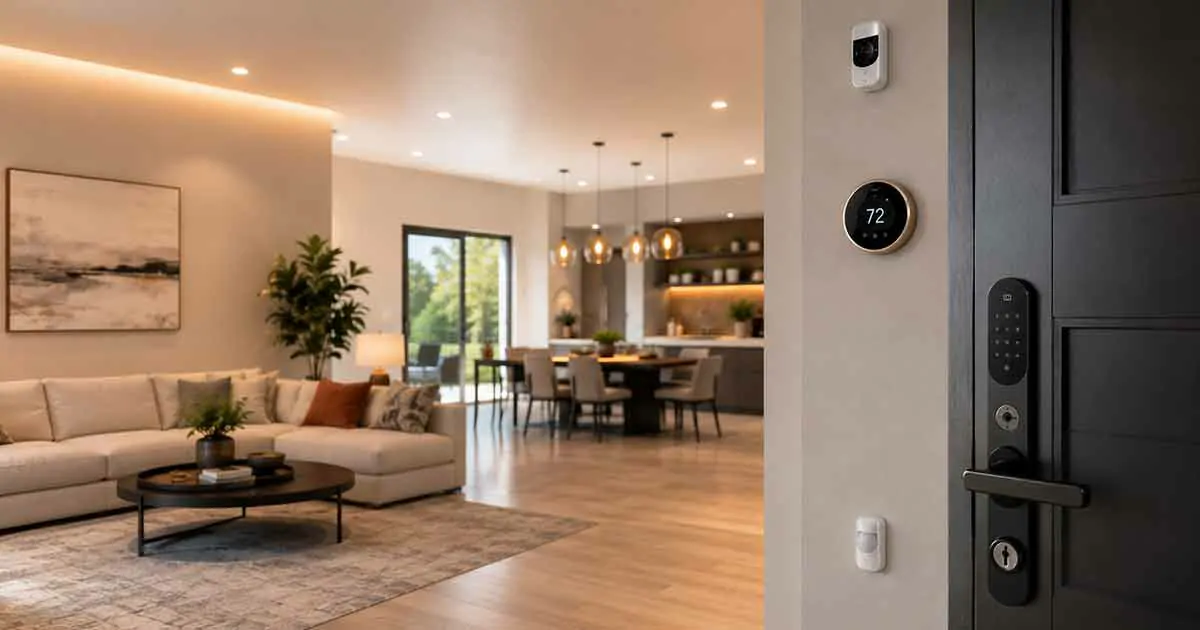
Moving into a new home is one of the best opportunities to build a smart home from the ground up. Instead of adding connected devices randomly over time, homeowners can plan the system around the property’s layout, electrical infrastructure, security needs, and daily routines.
A new home also gives you more flexibility. You may be able to install smart switches, wired security cameras, smart thermostats, network equipment, leak detection systems, and other permanent devices before furniture and finishes make installation more difficult.
The best smart home devices for new homes are therefore not necessarily the products with the longest feature lists. The goal is to choose devices that solve practical problems, work together reliably, and remain useful as the home evolves.
This guide covers the most useful smart home devices to consider when setting up a new home, how to prioritize them, and what to plan before buying.
Why Build a Smart Home From the Beginning?
Adding smart technology during the early stages of home setup can be easier than retrofitting everything later.
You can plan:
- Network coverage
- Smart switches
- Thermostat placement
- Security cameras
- Door sensors
- Window sensors
- Lighting
- Water protection
- Energy monitoring
- Smart home hubs
Planning early can also reduce unnecessary purchases.
Instead of buying a Wi-Fi device simply because it is easy to install, you can decide which devices should be wired, which should be wireless, and which smart home ecosystem will control them.
Best Smart Home Devices for New Homes
A new home does not need every type of smart device immediately.
The following categories provide a practical foundation.
1. Smart Thermostat
A smart thermostat is one of the most useful upgrades for a new home with compatible HVAC equipment.
It can provide:
- Smartphone control
- Scheduling
- Temperature monitoring
- Energy reports
- Remote access
- Smart home integration
- Support for compatible remote sensors
Installing the thermostat early also gives you an opportunity to verify wiring and HVAC compatibility before committing to a specific model.
For a larger home, remote temperature sensors can help monitor rooms that are far from the main thermostat.
2. Smart Lighting
Lighting should be considered early because it is one of the most noticeable parts of a home.
Homeowners can choose between:
- Smart bulbs
- Smart switches
- Smart dimmers
- Smart fixtures
- Motion-activated lighting
For a new home, smart switches can be particularly attractive because they provide permanent control at the wall switch rather than depending on individual smart bulbs.
Useful locations include:
- Living rooms
- Bedrooms
- Hallways
- Kitchens
- Entryways
- Outdoor areas
For example:
Sunset → exterior lights turn on.
Or:
Motion detected → hallway lights activate.
3. Smart Door Lock
A smart door lock can provide convenient keyless access to a new home.
Depending on the model, features may include:
- Keypad entry
- Smartphone access
- Temporary codes
- Automatic locking
- Activity history
- Remote control
A smart lock can also work with other devices.
For example:
Door unlocks → entry lights turn on.
When selecting a lock, check compatibility with the existing door, deadbolt, and smart home platform.
4. Smart Door and Window Sensors
Door and window sensors are inexpensive ways to add useful security and automation.
They can detect when an opening changes from closed to open.
Useful locations include:
- Front door
- Back door
- Patio doors
- Accessible windows
- Garage entry doors
A simple automation might be:
Window opens while Away mode is active → smartphone alert.
In a new home, planning sensor locations before furniture is installed can make installation easier.
5. Smart Motion Sensors
Motion sensors can automate lighting and security routines.
Good locations include:
- Entryways
- Hallways
- Stairways
- Garages
- Bathrooms
- Utility rooms
For example:
Motion detected at night → hallway light turns on at low brightness.
More advanced presence sensors can detect occupancy even when someone is relatively still, depending on the technology.
6. Smart Security Cameras
Security cameras can provide visual monitoring around a new property.
Potential locations include:
- Front entrance
- Driveway
- Backyard
- Side entrance
- Garage
Homeowners building a new property may have more opportunities to plan power and network connections for cameras.
Wired Ethernet-connected cameras can provide advantages for permanent installations, while wireless models can offer easier placement.
When installing cameras, consider privacy, viewing angles, weather exposure, lighting, network coverage, and local requirements.
7. Smart Video Doorbell
A smart video doorbell can combine visitor detection with a connected camera.
Depending on the model, features may include:
- Visitor alerts
- Motion detection
- Two-way communication
- Video recording
- Activity history
A video doorbell can be particularly useful for monitoring deliveries and visitors.
Before installation, consider the doorbell wiring, transformer requirements, Wi-Fi coverage, and whether you want local or cloud video storage.
8. Smart Smoke and Carbon Monoxide Detectors
Safety devices should be among the earliest smart home upgrades.
Smart smoke and carbon monoxide detectors can provide alerts when dangerous conditions are detected.
Some models can send notifications to a smartphone when an alarm occurs.
For a new home, install detectors according to manufacturer instructions and applicable safety requirements.
Smart features should complement standard fire and carbon monoxide safety practices, not replace them.
9. Smart Water Leak Sensors
Water damage can become expensive very quickly.
Smart leak sensors can detect moisture and send an alert when a potential leak is discovered.
Useful locations include:
- Under kitchen sinks
- Under bathroom sinks
- Near water heaters
- Near washing machines
- Near dishwashers
- In basements
- Near plumbing equipment
Installing leak sensors early can help protect a new property before problems occur.
10. Smart Water Shutoff System
A smart water shutoff system can provide more comprehensive water protection.
Depending on the system, it can monitor water flow and automatically close the main supply when a leak or unusual flow pattern is detected.
This can be particularly useful when the home is unoccupied.
Because installation may involve the main water line, professional plumbing installation may be appropriate.
11. Smart Energy Monitoring System
A new home is an excellent time to consider energy monitoring.
A whole-home energy monitoring system can provide information about electricity consumption and help identify unusual usage patterns.
Depending on the system, you may be able to monitor:
- Total electricity consumption
- Major circuits
- Energy trends
- High-use equipment
- Daily usage patterns
This information can help homeowners make better decisions about energy efficiency.
12. Smart Plugs With Energy Monitoring
Smart plugs can provide a simpler form of energy monitoring.
They can measure the electricity used by compatible individual appliances.
Useful applications include:
- Entertainment equipment
- Lamps
- Fans
- Office equipment
- Small appliances
For a new home, they can complement a whole-home energy monitoring system.
13. Smart Home Hub or Controller
A central smart home controller can become useful as the number of devices increases.
Depending on the ecosystem, it may support:
- Matter
- Thread
- Zigbee
- Z-Wave
A hub can help coordinate sensors and automation while reducing dependence on individual manufacturer apps.
However, not every new home needs a dedicated hub.
If you only have a few Wi-Fi devices, your existing ecosystem may be sufficient.
14. Smart Speaker or Display
A smart speaker can provide voice control for compatible devices.
You can use it to control:
- Lights
- Thermostats
- Plugs
- Smart locks
- Cameras
- Routines
Smart displays can also provide visual access to compatible cameras and other devices.
For a new home, placing a smart speaker in a central area can make everyday control more convenient.
15. Smart Garage Door Controller
If the new home has a garage, a smart garage door controller can provide remote status and control for a compatible garage door.
Depending on the system, it may provide:
- Open and close notifications
- Remote control
- Activity history
- Automation
For example:
Garage door remains open → smartphone notification.
Always ensure that any automation preserves the safety mechanisms required by the garage door system.
16. Smart Outdoor Lighting
Outdoor lighting can improve convenience and visibility around a new property.
Smart exterior lights can be scheduled or triggered by:
- Motion
- Time
- Sunset
- Smart home routines
Useful areas include:
- Front entrance
- Walkways
- Garage
- Backyard
- Side passages
Outdoor lighting can also work with security routines.
For example:
Motion detected outside at night → selected exterior lights turn on.
Planning Smart Home Wiring in a New Home
One of the biggest advantages of a new home is the opportunity to plan wiring before walls are finished.
Consider wiring for:
- Ethernet
- Security cameras
- Access points
- Smart doorbells
- Smart switches
- Network equipment
- Home entertainment
Even if you plan to use wireless devices today, wired infrastructure can provide valuable flexibility later.
Running Ethernet to strategic locations can be especially useful for permanent cameras and wireless access points.
Planning Wi-Fi Coverage
A smart home depends on reliable connectivity.
Large homes, thick walls, multiple floors, and certain construction materials can create Wi-Fi dead zones.
When setting up a new home, consider:
- Router location
- Ethernet backhaul
- Mesh Wi-Fi
- Wireless access points
- Smart device locations
Do not place the main router in a location simply because it is convenient for the internet connection.
Plan network coverage around the entire property.
Smart Home Devices for New Homeowners
If you have just moved into a new property, prioritize devices that provide immediate benefits.
A practical order might be:
- Smart thermostat
- Smart lighting
- Smart lock
- Smoke and carbon monoxide protection
- Door and window sensors
- Water leak sensors
- Security cameras
- Energy monitoring
- Additional automation
This approach allows you to build the system gradually.
Smart Home Devices for New Construction
New construction provides additional opportunities because systems can be planned before completion.
Consider discussing the following with your builder, electrician, or contractor:
- Ethernet cabling
- Camera wiring
- Access point locations
- Smart switch boxes
- Thermostat wiring
- Doorbell wiring
- Electrical outlets
- Network equipment location
It is much easier to add certain infrastructure before walls are closed than after the home is finished.
Wired vs. Wireless Smart Home Devices
A new home gives you the opportunity to combine both.
Wired Devices
Best suited to permanent installations such as:
- Security cameras
- Network access points
- Smart switches
- Certain thermostats
- Home networking equipment
Advantages include:
- Continuous power
- Reliable connectivity
- Less battery maintenance
Wireless Devices
Useful for:
- Motion sensors
- Door sensors
- Window sensors
- Temperature sensors
- Leak sensors
Advantages include:
- Flexible placement
- Easy installation
- Easy relocation
A hybrid approach can provide the best balance between reliability and flexibility.
Choosing a Smart Home Ecosystem
Choose your ecosystem before buying large numbers of devices.
Common platforms include:
- Apple Home
- Google Home
- Amazon Alexa
- Samsung SmartThings
- Matter-compatible systems
The ideal choice depends on the devices you already own and how you want to control the home.
For a new home, ecosystem planning is particularly important because it can prevent compatibility problems later.
Matter for New Homes
Matter is designed to improve interoperability between supported smart home devices.
This can be useful when building a new smart home that will grow over several years.
Matter can provide more flexibility when selecting compatible devices from different manufacturers.
However, Matter does not guarantee that every feature will work across every platform.
Always check the specific device’s supported functionality.
Smart Home Devices Without a Subscription
Subscription-free devices can reduce long-term ownership costs.
Before buying, check whether important features require a monthly or annual fee.
Common subscription-based features can include:
- Cloud video storage
- Advanced camera detection
- Security monitoring
- Extended activity history
- Premium cloud services
Calculate the total cost of ownership rather than comparing only purchase prices.
Smart Home Privacy and Security
A new smart home can contain many connected devices, so security should be planned from the beginning.
Use:
- Strong unique passwords
- Two-factor authentication where available
- Updated firmware
- Secure Wi-Fi
- Separate guest access where appropriate
For cameras and microphones, carefully consider placement and account permissions.
Also review whether devices store information locally or in the cloud.
Smart Home Devices for Energy Efficiency
New homeowners can use smart technology alongside traditional efficiency improvements.
Useful devices include:
- Smart thermostats
- Energy monitoring systems
- Smart plugs
- Smart lighting
- Occupancy sensors
However, smart devices are only one part of energy efficiency.
Insulation, windows, HVAC efficiency, air sealing, and appliance efficiency can have major effects on long-term energy use.
Common Mistakes When Setting Up a New Smart Home
Buying Everything at Once
A large collection of devices can become difficult to manage.
Ignoring Network Infrastructure
Poor connectivity can undermine an otherwise excellent smart home.
Choosing Devices Before an Ecosystem
Buying first and checking compatibility later can lead to unnecessary replacements.
Using Wireless Devices Everywhere
Some permanent devices may benefit from wired power and connectivity.
Ignoring Future Expansion
Plan enough network capacity and infrastructure for future devices.
Installing Devices Without a Clear Purpose
Every device should solve a specific problem or provide a meaningful benefit.
How to Choose the Best Smart Home Devices for a New Home
Before buying, consider:
- What problem does the device solve?
- Is the device needed immediately?
- Does it work with your chosen ecosystem?
- Does it require a hub?
- Does it require a subscription?
- Should it be wired or wireless?
- Can it integrate with future devices?
- Does the installation require professional work?
- Does it improve security, comfort, convenience, or efficiency?
- Will the device remain useful as your home changes?
These questions help build a system around the property rather than around individual products.
A Practical Smart Home Plan for a New Home
A balanced setup can be divided into several stages.
Stage 1: Infrastructure
Plan:
- Internet connection
- Ethernet
- Wi-Fi access points
- Camera wiring
- Thermostat wiring
- Smart switch locations
Stage 2: Core Devices
Install:
- Smart thermostat
- Smart lighting
- Smart lock
- Smart speaker or display
Stage 3: Security
Add:
- Door and window sensors
- Motion sensors
- Video doorbell
- Security cameras
Stage 4: Property Protection
Add:
- Smart smoke and carbon monoxide detectors
- Water leak sensors
- Smart water shutoff
Stage 5: Energy and Advanced Automation
Add:
- Energy monitoring
- Smart plugs
- Temperature sensors
- Advanced routines
This staged approach keeps the installation manageable while leaving room for future expansion.
Are Smart Home Devices Worth It for New Homes?
Smart home devices can be particularly worthwhile in a new home because the infrastructure and installation decisions can be planned from the beginning.
Permanent devices such as smart switches, network access points, security cameras, thermostats, and water protection systems can be easier to install when the property is being built or renovated.
The key is to prioritize infrastructure and high-value devices before adding optional gadgets.
A smart home should support the way you live rather than create unnecessary complexity.
Final Thoughts
The best smart home devices for new homes are the ones that provide long-term value and work together as part of a coherent system.
Smart thermostats can improve climate management, smart lighting can simplify daily routines, smart locks can improve access control, and sensors can provide useful security and property alerts.
New homeowners also have an important advantage: the ability to plan wiring, network coverage, device locations, and future expansion before the home is fully set up.
Start with infrastructure, choose a compatible ecosystem, install the most useful devices first, and expand gradually.
A well-planned smart home can become easier to manage, more secure, more comfortable, and more efficient without turning the property into an unnecessarily complicated collection of connected gadgets.