
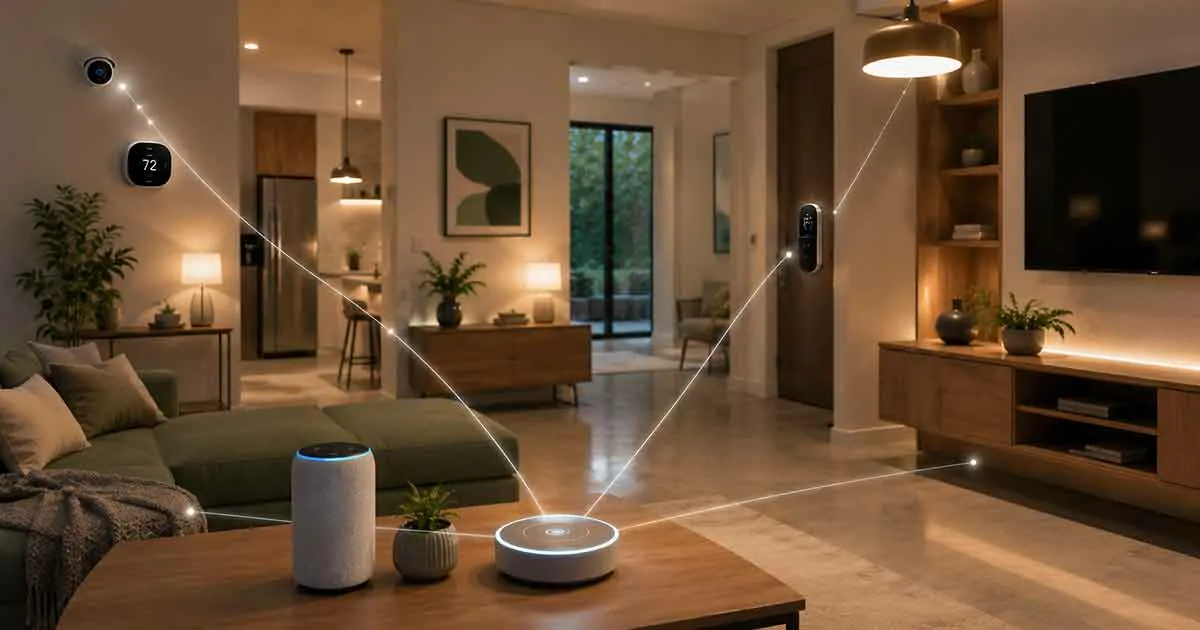
A smart home is more than a collection of connected devices. The real value comes from how those devices communicate, work together, and can be managed from one place. This connected environment is known as a smart home ecosystem.
Choosing the right ecosystem can make it easier to control smart lights, thermostats, locks, security cameras, speakers, sensors, and other connected products. It can also determine which devices you can add later and how smoothly your home automation routines work.
Whether you are building your first connected home or expanding an existing setup, understanding how smart home ecosystems work can help you avoid compatibility problems and unnecessary expenses.
Table of Contents
What Is a Smart Home Ecosystem?
A smart home ecosystem is a collection of connected devices, software, communication standards, and control platforms that work together within a home.
Instead of managing every device independently, an ecosystem allows compatible products to communicate through a central platform or application.
For example, a single ecosystem may allow you to control:
- Smart lights
- Smart thermostats
- Smart locks
- Security cameras
- Video doorbells
- Smart speakers
- Motion sensors
- Smart plugs
- Smart appliances
- Window and door sensors
The goal is not simply to connect more devices. A good ecosystem should make those devices easier to manage and allow them to interact through automation routines.
How Does a Smart Home Ecosystem Work?
A typical ecosystem contains several layers that work together.
Smart Devices
The devices are the physical components of the system. They collect information, respond to commands, or perform automated actions.
Examples include smart bulbs, thermostats, cameras, locks, sensors, and appliances.
If you are new to connected-home technology, our guide to smart home devices explains the main categories and how they can be used around the house.
Communication Protocols
Smart devices need a way to communicate.
Common technologies include:
- Wi-Fi
- Bluetooth
- Zigbee
- Z-Wave
- Thread
- Matter
Different devices may use different communication technologies, so compatibility is an important consideration when building an ecosystem.
Hub or Controller
Some ecosystems use a central hub or controller to coordinate compatible devices.
Other platforms can operate many devices directly through Wi-Fi or cloud services without requiring a traditional hub.
For homes that use many different types of devices, a compatible hub can simplify communication and automation.
Our guide to smart home hubs explains how hubs work and what to consider before choosing one.
Smart Home Platform
The platform provides the interface used to manage the ecosystem.
Depending on the products you choose, you may use a smartphone application, smart display, voice assistant, wall panel, or another control interface.
Why Does the Smart Home Ecosystem Matter?
Choosing an ecosystem early can affect almost every future purchase you make.
A device may work perfectly on its own but provide limited functionality when used with another platform.
For example, a smart thermostat may support one ecosystem but have limited integration with another. A smart lock may offer voice control through one platform while requiring a separate application for another.
Selecting a compatible ecosystem helps create a more unified experience.
Better Compatibility
The most important advantage is compatibility.
When devices support the same platform or communication standards, they are more likely to work together without complicated workarounds.
Easier Automation
A well-integrated ecosystem allows multiple devices to respond to a single event.
For example:
A motion sensor detects movement → hallway lights turn on → the thermostat adjusts → a security notification is sent.
This is where a smart home becomes more useful than a collection of individually controlled gadgets.
For a deeper look at automated routines, see our guide to smart home automation.
Centralized Control
Instead of opening several applications, homeowners can often manage multiple devices through a single platform.
This can make everyday tasks faster and easier.
Easier Expansion
A well-chosen ecosystem gives you a foundation that can grow over time.
You might start with smart lighting and plugs, then add security devices, thermostats, locks, sensors, and appliances later.
Major Smart Home Ecosystems
Several major platforms are widely used for connected homes.
Google Home
Google Home provides a platform for managing compatible smart home devices through the Google Home application and Google Assistant.
It can be particularly useful for households already using Android phones, Google services, or compatible Nest products.
The platform can combine compatible devices into rooms, routines, and automated actions.
Amazon Alexa
Amazon Alexa is another major smart home platform.
Alexa-compatible devices can be controlled through voice commands and the Alexa application.
The ecosystem supports a large range of smart home products, including lighting, plugs, thermostats, locks, cameras, appliances, and sensors.
Alexa can also create routines that trigger multiple actions from a single command or event.
Apple Home
Apple Home is designed for users who already rely heavily on Apple devices.
It integrates smart home control with Apple products and supports compatible devices through the Home application and Siri.
Privacy, integration with Apple hardware, and a consistent user experience are important reasons some households choose this platform.
Samsung SmartThings
Samsung SmartThings provides another broad smart home platform.
It supports a variety of connected products and can be useful for households looking for flexible device integration.
SmartThings can connect compatible devices and create routines that coordinate different parts of the home.
Matter and the Future of Smart Home Ecosystems
One of the biggest developments in smart home compatibility is Matter.
Matter is an industry-supported smart home standard designed to improve interoperability between compatible devices and major platforms.
Instead of choosing a product solely because it works with one ecosystem, Matter-compatible devices can potentially work across multiple supported platforms.
However, Matter does not automatically make every device compatible with every feature.
A product may support Matter for basic control while requiring its manufacturer’s application for advanced functions.
Therefore, consumers should still check exactly which features and platforms a device supports before purchasing it.
Smart Home Ecosystem vs. Smart Home Platform
These terms are sometimes used interchangeably, but they are not exactly the same.
A smart home platform is the software environment used to control and manage devices.
A smart home ecosystem is broader. It includes the platform, compatible devices, communication technologies, services, applications, and integrations that work together.
For example, a homeowner might use a particular platform as the main interface while connecting devices from several manufacturers.
How to Choose the Right Smart Home Ecosystem
The best ecosystem depends on your existing technology, preferred devices, budget, and long-term plans.
1. Start With Your Existing Devices
Before choosing a platform, make a list of the smart devices you already own.
Check which platforms and standards they support.
This prevents you from building a new system around products that cannot communicate with your existing equipment.
2. Consider Your Smartphone
Your smartphone can influence the most convenient ecosystem.
Android users may prefer platforms that integrate naturally with Google services, while Apple users may value deeper integration with Apple Home.
However, your phone should not be the only factor.
Device compatibility and long-term flexibility are equally important.
3. Check Device Compatibility
Never assume that a smart product will work with your preferred ecosystem.
Look for compatibility information before purchasing.
Pay particular attention to:
- Platform support
- Matter support
- Thread support
- Wi-Fi requirements
- Hub requirements
- Voice assistant support
- Required applications
4. Think About Your Most Important Devices
Your priorities should influence the ecosystem you choose.
If security is your main concern, focus on compatibility with cameras, locks, sensors, and alarms.
If energy management matters most, investigate thermostats, energy monitors, lighting, and smart plugs.
If entertainment is important, consider speakers, displays, televisions, and audio equipment.
5. Consider Automation
Think about what you actually want your home to do automatically.
For example:
- Turn lights on when you arrive home
- Lock doors at night
- Adjust the thermostat when you leave
- Turn off unnecessary devices
- Notify you when a door opens
- Turn on outdoor lighting after sunset
The ecosystem should support the routines you expect to use.
6. Evaluate Privacy and Security
Connected devices can collect information about your home and daily routines.
Before choosing an ecosystem, review its privacy controls and security features.
Use strong passwords, enable multi-factor authentication when available, keep firmware updated, and avoid purchasing devices from manufacturers with unclear security practices.
7. Consider Long-Term Compatibility
Do not choose an ecosystem only because one product is attractive today.
Think about what you may want to add in the next few years.
A flexible ecosystem can make future expansion easier and reduce the need to replace existing equipment.
Centralized vs. Multi-Platform Smart Homes
You do not necessarily have to use only one ecosystem.
Some homeowners prefer a centralized setup where most devices work through one platform.
Others combine multiple platforms based on device availability, price, features, or personal preferences.
A multi-platform setup can provide greater flexibility, but it may also create additional complexity.
You may need multiple applications, different automation systems, or separate accounts.
For beginners, keeping the system relatively simple is usually easier.
Should You Use a Smart Home Hub?
A hub is not always necessary.
Many modern smart devices can connect directly through Wi-Fi or use standards such as Matter and Thread.
However, a hub can still be useful when you have many devices or use technologies that benefit from centralized coordination.
A hub may provide:
- More reliable local control
- Better automation capabilities
- Support for specific communication protocols
- Reduced dependence on individual manufacturer applications
- A centralized control point
The right choice depends on the devices and standards used in your home.
Common Smart Home Ecosystem Mistakes
Buying Devices Without Checking Compatibility
This is one of the most common mistakes.
A cheap device is not necessarily a good purchase if it cannot integrate with the rest of your system.
Choosing Too Many Platforms
Using several unrelated platforms can make the home harder to manage.
Start with a primary ecosystem and add other platforms only when there is a clear reason.
Ignoring Communication Standards
Wi-Fi is not the only technology used by smart home products.
Understanding Matter, Thread, Zigbee, and Z-Wave can help you build a more reliable system.
Focusing Only on the Initial Price
A low-cost device may require additional hubs, subscriptions, or separate controllers.
Consider the total cost of ownership rather than the purchase price alone.
Forgetting Future Expansion
A system that works for two devices may become difficult to manage after twenty devices.
Think about future growth before making major purchases.
How to Build a Smart Home Ecosystem Step by Step
You do not need to automate your entire house immediately.
A gradual approach is often more practical.
Step 1: Choose Your Primary Platform
Select the ecosystem that best matches your existing devices and priorities.
Step 2: Start With a Small Number of Devices
Begin with a few useful products such as smart lights, plugs, or a thermostat.
Step 3: Create Basic Automations
Build simple routines before creating complicated automation chains.
For example, you could automatically turn off selected lights at bedtime.
Step 4: Add Security and Sensors
Once the basic system is stable, consider adding door sensors, motion sensors, cameras, or smart locks.
Step 5: Expand Gradually
Add devices only when they solve a real problem.
A smart home should make everyday life easier, not create unnecessary complexity.
Is a Smart Home Ecosystem Worth It?
For many homeowners, a well-designed ecosystem can provide meaningful benefits.
The biggest advantage is not simply remote control. It is the ability to make different devices work together.
A properly designed system can improve convenience, energy management, security, and everyday routines.
However, the benefits depend on choosing compatible products and maintaining a manageable system.
You do not need dozens of devices to create a useful smart home.
A few well-integrated products can provide more value than a large collection of disconnected gadgets.
Final Thoughts
Choosing a smart home ecosystem is one of the most important decisions when building a connected home.
The right ecosystem should support your existing devices, provide the automation features you need, offer suitable privacy and security controls, and leave room for future expansion.
Google Home, Amazon Alexa, Apple Home, Samsung SmartThings, and Matter-compatible products can all play important roles in modern smart homes. The best choice depends on your devices, preferences, budget, and long-term plans.
Start small, prioritize compatibility, and build around practical needs rather than buying devices simply because they are labeled smart.
A well-planned ecosystem can turn individual connected products into a coordinated home that is easier to control, automate, and expand.