
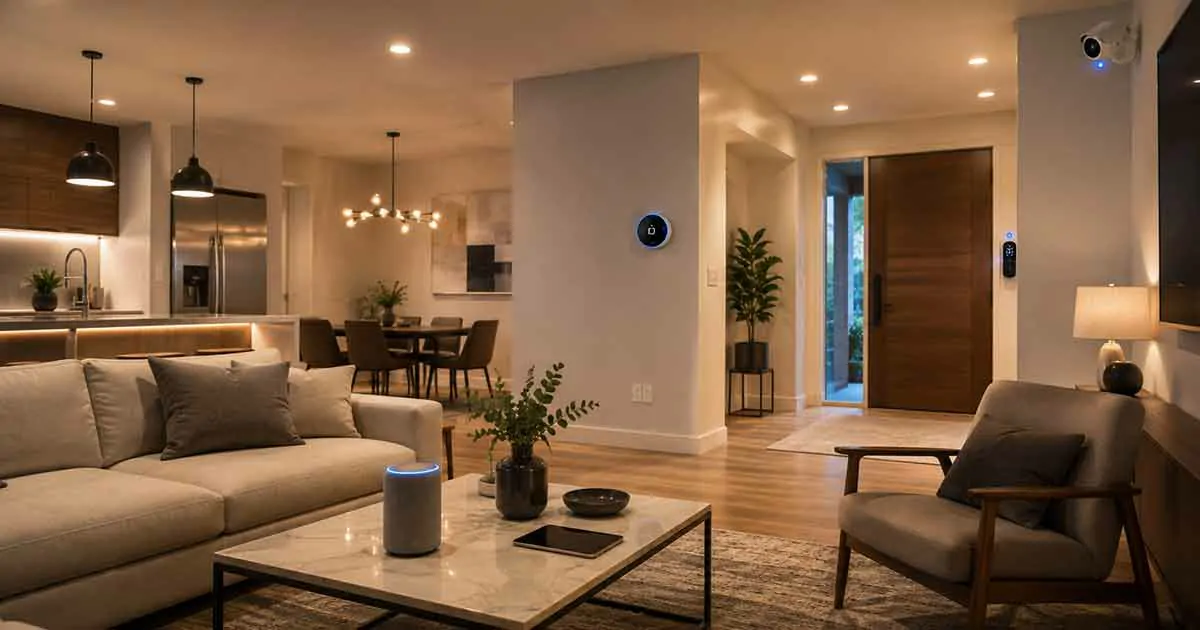
Smart home technology has changed the way people interact with their homes. From lighting and thermostats to security systems, appliances, and entertainment, connected devices can make a home more convenient, comfortable, secure, and energy-efficient.
A smart home does not have to be complicated or expensive. Homeowners can start with a few simple devices and gradually build a connected system that fits their needs and budget.
Whether you are completely new to smart home technology or already have several connected devices, understanding how these systems work can help you make better decisions and avoid compatibility problems.
This complete guide explains what a smart home is, how smart home technology works, which devices are available, how automation works, how to improve security, and how to build a reliable smart home step by step.
Table of Contents
What Is a Smart Home?
A smart home is a home equipped with connected devices that can communicate with each other and be controlled through apps, voice commands, schedules, sensors, or automated routines.
Instead of manually operating every device, homeowners can create systems that respond automatically to specific conditions.
For example, a smart home can:
- Turn lights on when someone enters a room
- Adjust the thermostat according to a schedule
- Lock doors automatically at night
- Send an alert when motion is detected
- Turn off selected devices when everyone leaves
- Detect water leaks and send notifications
- Adjust lighting according to the time of day
The goal is not simply to add more technology to a home. The goal is to use technology to solve practical problems and make everyday living easier.
How Does a Smart Home Work?
A smart home typically combines connected devices, a home network, control software, and automation routines.
The main components may include:
- Smart devices
- Sensors
- Wi-Fi or other wireless protocols
- Smart home hubs or controllers
- Mobile applications
- Voice assistants
- Automation routines
A device connects to the home’s network or communicates through another supported wireless technology. The homeowner can then control the device directly or create rules that allow it to respond automatically.
For example:
Trigger: Motion detected in the hallway
Action: Hallway lights turn on.
Another example could be:
Trigger: Everyone leaves the home
Actions: Lights turn off, doors lock, and the thermostat switches to an energy-saving setting.
This combination of devices and rules is what makes a connected home more intelligent.
Smart Home Devices You Can Use
There are many types of connected products available today, ranging from simple smart plugs to sophisticated security and climate-control systems.
If you are starting from scratch, understanding the major device categories is important.
For a more detailed introduction to the main categories and beginner-friendly options, see our guide to Smart Home Devices.
Smart Lights
Smart bulbs, switches, and lighting systems allow homeowners to control lighting remotely or automatically.
Common features include:
- Scheduling
- Dimming
- Voice control
- Motion activation
- Color adjustment
- Sunset and sunrise routines
Smart lighting is often one of the easiest ways to start building a connected home because many products can be installed without major electrical changes.
Smart Plugs and Outlets
Smart plugs can add connected control to compatible appliances and electronics.
They can be useful for:
- Lamps
- Fans
- Coffee makers
- Small appliances
- Entertainment equipment
A smart plug can also be used to create schedules or automatically turn equipment off when it is no longer needed.
Smart Thermostats
Smart thermostats can automatically adjust heating and cooling based on schedules, occupancy, temperature, or other conditions.
They can help homeowners:
- Improve temperature control
- Reduce unnecessary heating and cooling
- Create schedules
- Monitor energy usage
- Control temperatures remotely
However, compatibility with the existing heating and cooling system should always be checked before purchasing a thermostat.
Smart Speakers and Displays
Smart speakers and displays can act as convenient control interfaces for connected devices.
Depending on the platform, users may be able to:
- Control lights
- Adjust thermostats
- Check cameras
- Start routines
- Play music
- Ask questions
- Control compatible appliances
Smart Locks
Smart locks can provide keyless access and remote control.
Features may include:
- Smartphone unlocking
- Temporary access codes
- Automatic locking
- Activity notifications
- Scheduled access
Smart locks can be particularly useful when combined with other home security devices.
Smart Security Cameras
Connected cameras allow homeowners to monitor areas around the home through smartphones and other supported devices.
Depending on the product, features may include:
- Motion detection
- Person detection
- Night vision
- Two-way audio
- Cloud storage
- Local storage
- Smartphone notifications
Security cameras should be configured carefully because they collect potentially sensitive information about the home.
Smart Sensors
Sensors can make a smart home more responsive.
Common examples include:
- Motion sensors
- Door and window sensors
- Temperature sensors
- Humidity sensors
- Water leak sensors
- Smoke and safety sensors
Sensors are particularly useful because they can act as triggers for automation routines.
What Is a Smart Home Hub?
A smart home hub or controller can connect and coordinate compatible devices across a home.
Some smart home systems can operate without a traditional dedicated hub, while others rely heavily on a central controller.
A hub can be useful when you want multiple devices to communicate through a common platform or when you use wireless technologies that are different from standard Wi-Fi.
When choosing a hub, consider:
- Device compatibility
- Supported wireless protocols
- Voice assistant support
- Automation capabilities
- Local versus cloud processing
- Platform compatibility
- Long-term support
The best hub is not necessarily the one with the most features. It is the one that works reliably with the devices and platforms you actually plan to use.
Smart Home Automation
Automation is one of the most valuable features of a connected home.
Instead of controlling devices individually, you can create routines that perform several actions automatically.
For example, a bedtime routine could:
- Turn off selected lights
- Lock the doors
- Adjust the thermostat
- Activate security devices
- Turn off entertainment equipment
Our detailed guide to Smart Home Automation explains how to create practical routines and automation systems for different areas of the home.
Common Smart Home Automation Ideas
Useful automation examples include:
Morning Routine
A morning routine could gradually increase bedroom lighting, adjust the thermostat, and provide information through a smart speaker.
Leaving Home
An away routine could turn off lights, lock compatible doors, adjust the thermostat, and activate selected security devices.
Arriving Home
An arrival routine could turn on selected lights, adjust the temperature, and disable certain security settings.
Bedtime Routine
A bedtime routine can simplify several tasks at once, such as locking doors and turning off lights.
Motion-Based Lighting
Motion sensors can trigger lights when movement is detected and turn them off after a period of inactivity.
The best automations are practical and predictable rather than unnecessarily complicated.
Smart Home Platforms and Ecosystems
A smart home ecosystem is the software and hardware environment used to manage connected devices.
Popular ecosystems include platforms associated with companies such as Google, Amazon, Apple, Samsung, and other smart home manufacturers.
Before buying devices, consider whether they work with your preferred ecosystem.
Important compatibility factors include:
- Smartphone support
- Voice assistant compatibility
- Automation support
- Device compatibility
- Matter support
- Wireless protocols
- App quality
- Future product support
Choosing a platform early can reduce compatibility problems later.
Matter and Smart Home Compatibility
Smart home compatibility has historically been one of the biggest challenges for homeowners.
Different manufacturers may use different communication standards and platforms. A device that works with one ecosystem may not offer the same functionality with another.
Matter is designed to improve interoperability between supported smart home devices and ecosystems.
However, Matter support does not automatically mean that every feature works identically across every platform.
Before purchasing a device, check:
- Whether Matter is supported
- Which platforms are supported
- Which features work with each platform
- Whether a compatible hub or controller is required
- Whether the device can operate locally or depends on cloud services
Compatibility should be considered before buying a large number of devices.
Smart Home Security
Adding connected technology also introduces new security considerations.
A smart home may contain cameras, locks, sensors, speakers, thermostats, and other devices that connect to the internet or a local network.
Basic security practices include:
- Use strong and unique passwords
- Enable two-factor authentication when available
- Keep firmware and applications updated
- Secure the home Wi-Fi network
- Review connected accounts regularly
- Remove devices that are no longer used
- Use reputable manufacturers
- Review privacy and data-sharing settings
Security should be considered when designing a smart home, not added as an afterthought.
For broader home protection strategies, see our Home Security guides.
Smart Home and Energy Efficiency
Smart technology can also help homeowners manage energy consumption more effectively.
Examples include:
- Scheduling heating and cooling
- Turning off lights automatically
- Monitoring electricity consumption
- Adjusting thermostats when nobody is home
- Using smart plugs to control selected equipment
- Automating blinds or shades
- Monitoring unusual energy consumption
Smart devices do not automatically guarantee lower energy bills. Savings depend on how the devices are configured and how they are used.
The biggest benefit is often better visibility and control over energy consumption.
Smart Home Networking
A reliable network is one of the foundations of a reliable smart home.
As the number of connected devices increases, network performance becomes increasingly important.
Important considerations include:
- Wi-Fi coverage
- Router performance
- Network congestion
- Firmware updates
- Device placement
- Wireless interference
- Network security
Large homes may require additional access points or mesh Wi-Fi systems to provide consistent coverage.
It is also useful to organize connected devices rather than adding products without considering how they will communicate.
How to Build a Smart Home Step by Step
You do not need to purchase everything at once.
A gradual approach is usually easier to manage.
Step 1: Identify Your Goals
Start by deciding what you want your smart home to accomplish.
Your priorities might include:
- Convenience
- Security
- Energy savings
- Comfort
- Entertainment
- Accessibility
Clear goals make it easier to choose useful devices.
Step 2: Choose Your Main Ecosystem
Decide which platform or ecosystem will serve as the foundation of your setup.
Consider the phones, voice assistants, devices, and services you already use.
Step 3: Start With a Few Devices
Beginners can start with simple products such as:
- Smart bulbs
- Smart plugs
- Smart speakers
- Sensors
- A compatible thermostat
There is no need to automate the entire home immediately.
Step 4: Create Simple Automations
Once your devices are working reliably, create a few practical routines.
Start with automations that solve obvious problems.
Step 5: Improve Network Reliability
Make sure your Wi-Fi coverage and network security are adequate before adding a large number of devices.
Step 6: Expand Gradually
Add devices according to actual needs rather than buying products simply because they are available.
A gradual approach makes troubleshooting easier and prevents unnecessary spending.
Smart Home Ideas by Room
Different rooms can benefit from different types of connected technology.
Living Room
Useful options include:
- Smart lighting
- Smart speakers
- Entertainment automation
- Temperature sensors
- Smart displays
Bedroom
Common ideas include:
- Automated lighting
- Smart blinds
- Temperature control
- Sleep routines
- Motion-based lighting
Kitchen
Smart technology can support:
- Appliance monitoring
- Smart lighting
- Leak detection
- Smart plugs
- Voice-controlled timers
Bathroom
Possible applications include:
- Automated lighting
- Humidity monitoring
- Ventilation automation
- Water leak detection
Garage
Useful devices may include:
- Smart garage controllers
- Security cameras
- Motion sensors
- Door sensors
- Smart lighting
Outdoor Areas
Outdoor smart technology can include:
- Security lighting
- Cameras
- Motion sensors
- Smart irrigation
- Outdoor environmental sensors
Common Smart Home Mistakes
Building a smart home can become frustrating when homeowners focus on technology instead of practical needs.
Buying Incompatible Devices
One of the most common mistakes is purchasing products without checking ecosystem compatibility.
Always verify compatibility before buying.
Creating Too Many Automations
Complex automation can become difficult to troubleshoot.
Start with simple routines and add complexity only when it provides a clear benefit.
Ignoring Network Performance
A poor network can make otherwise reliable devices appear unreliable.
Improve coverage and network stability before expanding significantly.
Neglecting Security
Connected devices should be treated as part of the home’s technology infrastructure.
Keep accounts secure and devices updated.
Buying More Devices Than Necessary
More devices do not necessarily create a better smart home.
The goal should be useful automation and better control, not the maximum number of connected products.
How Much Does a Smart Home Cost?
The cost of a smart home varies considerably depending on the number and type of devices.
A basic setup might consist of only a few affordable devices, while a larger system could include:
- Multiple lighting systems
- Smart thermostats
- Security cameras
- Smart locks
- Sensors
- Smart appliances
- Home hubs
- Advanced automation equipment
Instead of setting a fixed budget for an entire home, it is often better to prioritize the areas where smart technology provides the greatest practical value.
Is a Smart Home Worth It?
For many homeowners, smart home technology can be worthwhile when it solves genuine problems.
The biggest benefits can include:
- Greater convenience
- Better control
- Improved security awareness
- More flexible routines
- Potential energy savings
- Remote access to selected devices
However, connected technology also introduces additional setup, maintenance, and security responsibilities.
A smart home is most valuable when it makes everyday life easier rather than adding unnecessary complexity.
Smart Home Maintenance
Once a smart home is established, regular maintenance helps keep it reliable.
Important tasks include:
- Installing software updates
- Checking batteries
- Testing sensors
- Reviewing account security
- Checking network performance
- Removing unused devices
- Testing automation routines
Regular maintenance can prevent small problems from becoming larger ones.
Frequently Asked Questions
What is the best way to start a smart home?
Start with a specific goal and a small number of compatible devices. Smart lighting, smart plugs, sensors, and smart speakers are common starting points.
Do I need a smart home hub?
Not necessarily. Some devices can connect directly through Wi-Fi or other supported technologies. A hub can become useful when you want to connect and automate a larger range of compatible devices.
Can I build a smart home without replacing existing appliances?
Yes. Smart plugs, smart switches, sensors, and other products can add connected functionality to many existing household devices.
Does smart home technology save money?
It can help reduce unnecessary energy use when devices are configured effectively. However, the actual savings depend on the products, settings, home, and household behavior.
Is smart home technology secure?
Smart home security depends partly on how devices and accounts are configured. Strong passwords, two-factor authentication, software updates, secure networks, and careful privacy settings can reduce common risks.
Can different smart home brands work together?
Yes, but compatibility varies. Check ecosystem support, communication protocols, and Matter compatibility before purchasing devices from different manufacturers.
What is the most useful smart home device?
There is no single best device for every home. Smart lighting, plugs, thermostats, sensors, locks, and security devices can all be useful depending on the homeowner’s goals.
How many smart devices should a home have?
There is no ideal number. Start with the devices that solve specific problems and expand gradually as your needs become clearer.
Final Thoughts
A smart home is not defined by how many connected devices it contains. It is defined by how effectively those devices improve everyday life.
The best approach is to start with clear goals, choose compatible products, build a reliable network, and introduce automation gradually.
Whether your priority is convenience, security, comfort, or energy management, smart home technology can provide useful solutions when it is planned carefully.
By understanding the major device categories, platforms, automation options, compatibility considerations, and security practices, homeowners can build a connected home that is easier to manage today and flexible enough to evolve with future technology.