
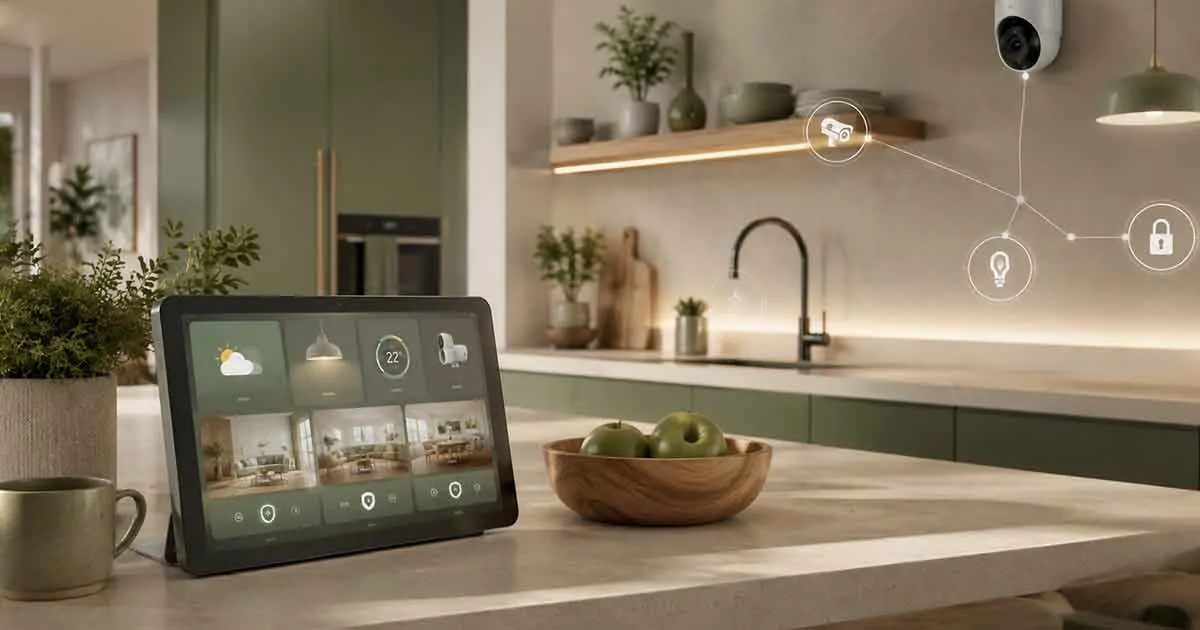
A smart home display can make a connected home easier to use by combining a touchscreen, voice control, information, and smart device management in one place. Instead of relying entirely on a smartphone, homeowners can use a dedicated display to check the weather, control lights, view compatible security cameras, manage routines, play media, and access other smart home features.
Smart displays are available in different sizes and are designed for different rooms and purposes. Some are compact enough for a bedside table, while larger models can serve as a central information and control point in a kitchen or living room.
Choosing the right display depends on the smart home ecosystem you use, the devices you want to control, the screen size you need, and where you plan to install it.
Table of Contents
What Is a Smart Home Display?
A smart home display is a connected device that combines a touchscreen with smart assistant functionality and, depending on the model, speakers, microphones, cameras, and smart home controls.
Unlike a traditional smart speaker, a display provides visual information in addition to voice interaction.
A smart display can show:
- Weather information
- Calendars and reminders
- Timers and alarms
- Recipes
- Music controls
- Video content
- Smart home devices
- Security camera feeds
- Doorbell notifications
- Photos
- Home automation routines
The exact features depend on the device and its supported ecosystem.
How Do Smart Home Displays Work?
A smart display connects to your home network, usually through Wi-Fi, and communicates with compatible online services and smart home devices.
You can interact with it using:
- Touch controls
- Voice commands
- Mobile apps
- Automated routines
For example, you could say a voice command to turn off compatible lights, then use the touchscreen to adjust the thermostat or view a camera feed.
The display itself does not necessarily communicate directly with every smart device. Depending on the ecosystem, devices may communicate through a compatible hub, platform, or cloud service.
What Can a Smart Display Do?
The capabilities vary between platforms, but most smart displays are designed to handle several everyday tasks.
Control Smart Home Devices
Compatible smart displays can provide visual controls for devices such as:
- Smart lights
- Smart plugs
- Thermostats
- Smart locks
- Cameras
- Doorbells
- Smart blinds
- Other connected appliances
This can be particularly useful when you want a quick visual overview rather than controlling everything through individual smartphone applications.
View Security Cameras
Some displays can show compatible security cameras and video doorbells.
For example, you may be able to view who is at the front door or check a particular room without opening a separate application.
Camera compatibility should always be checked before purchasing a display.
Manage Daily Routines
Smart displays can help organize everyday activities through alarms, reminders, calendars, timers, and automation routines.
A morning routine might provide weather information, display calendar events, and activate selected smart devices.
Stream Media
Many smart displays can play music, podcasts, radio, and, depending on the model, video content.
Screen size and speaker quality become particularly important if entertainment is a major reason for buying the device.
Display Information
A smart display can provide information visually instead of relying entirely on spoken responses.
Depending on the platform, it may display:
- Weather forecasts
- Traffic information
- Recipes
- Shopping lists
- Calendar appointments
- Photos
- Notifications
Smart Display vs Smart Speaker
Smart displays and smart speakers perform many of the same basic functions, but the display adds visual interaction.
A smart speaker is primarily designed around audio and voice commands.
A smart display adds a touchscreen that can show information and provide visual controls.
A display is generally more useful when you want to:
- View security cameras
- Follow recipes
- See calendars
- Browse visual information
- Control devices using a touchscreen
- Watch compatible video content
A smart speaker may be preferable when you mainly want music, voice commands, and a smaller device without a screen.
Smart Display vs Smart Home Control Panel
A smart display can control smart home devices, but it is not necessarily the same thing as a dedicated smart home control panel.
A smart display is typically a multifunctional consumer device designed for information, entertainment, voice assistance, and basic smart home control.
A dedicated control panel is usually designed specifically for centralized home automation and may provide deeper control over lighting, security, climate, shades, and other integrated systems.
For a simple smart home, a display may be sufficient. More complex whole-home automation systems may require a dedicated control interface.
Types of Smart Home Displays
Smart displays come in several formats.
Compact Smart Displays
Small displays are suitable for:
- Bedrooms
- Nightstands
- Small kitchens
- Home offices
They generally consume less space and are convenient for alarms, timers, weather, and basic smart home control.
Medium-Sized Smart Displays
Medium displays provide a balance between visibility and footprint.
They are often suitable for kitchens, living rooms, and shared spaces.
Large Smart Displays
Larger screens are better suited to situations where visual information is important.
They can be useful for:
- Video calls
- Recipes
- Camera feeds
- Entertainment
- Family calendars
However, a larger display also takes up more space and may cost more.
Wall-Mounted Displays
Some smart home systems support wall-mounted displays or tablets.
These can function as a convenient interface for selected smart home controls.
Before installing one permanently, consider power requirements, network reliability, viewing angle, and whether the software is optimized for continuous use.
Where Should You Put a Smart Display?
Location has a major effect on how useful the device will be.
Kitchen
The kitchen is one of the most practical locations.
A display can provide:
- Recipes
- Timers
- Shopping lists
- Music
- Weather
- Smart home controls
A screen that is easy to see from different parts of the kitchen can be especially useful.
Living Room
A living room display can provide access to entertainment, smart home controls, calendars, and information.
It can also provide a convenient interface for compatible cameras and doorbells.
Bedroom
A smaller display can work well as a bedside device.
Common uses include:
- Alarms
- Sleep routines
- Weather
- Reminders
- Music
- Lighting control
Home Office
A display can provide quick access to calendars, timers, reminders, and smart home functions while working.
Key Features to Consider
The right smart display depends on how you intend to use it.
Screen Size
Consider how far away you will normally be from the display.
A small screen may be adequate on a bedside table but inconvenient for viewing camera feeds or recipes from across a kitchen.
Display Quality
Look for a screen that provides clear text, good viewing angles, and sufficient brightness for the intended location.
If the display will be used in a bright kitchen, screen visibility becomes more important.
Voice Assistant
The built-in voice assistant determines how you interact with the device and which services are available.
Choose an ecosystem that works well with the smart home devices you already own or plan to purchase.
Microphone Quality
Good microphone performance is important because smart displays are often controlled from several feet away.
If the device struggles to hear commands, the convenience of voice control decreases significantly.
Speaker Quality
If you plan to use the display for music or video, speaker performance matters.
For basic voice responses and alarms, a high-end speaker may not be necessary.
Camera
Some smart displays include cameras for video calls and other functions.
If privacy is important, consider whether the device includes a physical camera shutter or another way to disable the camera.
Smart Home Compatibility
This is one of the most important considerations.
Before buying a smart display, check compatibility with the devices you already use, including:
- Smart lights
- Thermostats
- Cameras
- Doorbells
- Smart locks
- Plugs
- Sensors
A display that does not support your existing ecosystem may provide limited value.
Matter and Smart Home Displays
Matter is becoming increasingly important for smart home interoperability.
A display with appropriate Matter support can potentially provide better compatibility with devices from different manufacturers.
However, Matter compatibility does not mean that every device feature will automatically be available through every smart display.
Always check the specific device, platform, and feature compatibility before purchasing.
Privacy Considerations
Smart displays often include microphones, and some models include cameras.
Because these devices can be placed in private areas of the home, privacy should be considered before installation.
Useful precautions include:
- Review privacy settings
- Disable features you do not need
- Use physical camera controls when available
- Keep software updated
- Use a secure home network
- Review connected accounts and permissions
Avoid placing camera-equipped displays in locations where unnecessary video monitoring could create privacy concerns.
Smart Display for Beginners
A smart display can be a useful starting point for someone building a smart home.
Rather than buying many different devices at once, beginners can start with a display and a few compatible products such as smart lights or smart plugs.
This allows you to learn how the ecosystem works before expanding.
The important thing is to choose an ecosystem with enough compatible devices for your future plans.
Smart Display for an Existing Smart Home
If you already have connected devices, compatibility should be your first consideration.
Check which ecosystem your devices use and whether the display supports them.
For example, if your home already contains several devices based on the same platform, choosing a display from that ecosystem may provide a more consistent experience.
Common Mistakes When Buying a Smart Display
Several mistakes can reduce the usefulness of a smart display.
Choosing Based Only on Price
The cheapest display may not provide the compatibility, screen quality, or features you actually need.
Ignoring Ecosystem Compatibility
A display can have excellent hardware but still be a poor choice if it cannot control your existing devices.
Buying a Screen That Is Too Small
If you plan to use the display for recipes, cameras, or video, a very small screen may become frustrating.
Ignoring Privacy
Devices with microphones and cameras should be configured carefully.
Buying More Features Than You Need
Not every home needs a large, expensive display.
Choose features based on how you will actually use the device.
How to Choose the Right Smart Home Display
A simple decision process can make the choice easier.
First, identify your main purpose.
If you mainly need alarms, weather, and basic voice control, a compact display may be enough.
If you want recipes, camera feeds, video, and family information, consider a larger screen.
Next, identify the smart home ecosystem you use.
Then check compatibility with your existing and planned devices.
Finally, consider the location, screen size, audio quality, privacy features, and budget.
Are Smart Home Displays Worth It?
A smart home display can be worthwhile if you regularly use visual information or want an easier way to interact with compatible smart home devices.
The biggest advantage over a smart speaker is the touchscreen. Seeing camera feeds, recipes, calendars, device status, and other information can make everyday interactions more convenient.
However, a display is not essential for every smart home. If you mainly use voice commands and have only a few connected devices, a smart speaker or smartphone may be sufficient.
The best choice depends on how you use your home and which smart home ecosystem you plan to build around.
Final Thoughts
Smart home displays combine voice assistance, touchscreen controls, information, entertainment, and smart home functionality in one device.
When choosing one, focus first on ecosystem compatibility, then consider screen size, audio quality, microphone performance, camera and privacy features, Matter support, and where the device will be used.
A good smart display should make your smart home simpler rather than adding another layer of complexity. Choosing a device that fits your existing ecosystem and future plans will provide the most useful long-term experience.