
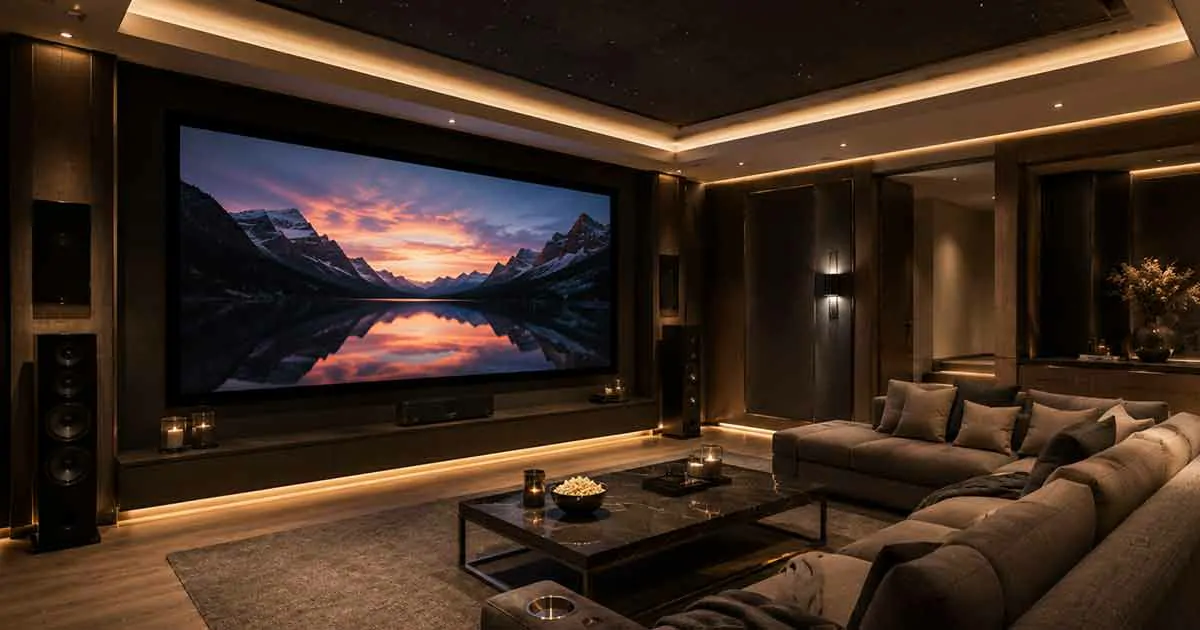
A smart home theater system brings movies, TV shows, music, gaming, and streaming together in one connected entertainment experience. Instead of controlling each component separately, a smart theater can connect the display, audio equipment, streaming devices, lighting, and other components so they work together.
Modern home theaters can range from a simple living-room setup with a smart TV and soundbar to a dedicated entertainment room with a projector, surround sound, automated lighting, and centralized control.
The key advantage is convenience. With the right setup, you can start a movie, adjust the room lighting, control the volume, and switch between entertainment sources with a single command or through one control system.
This guide explains how smart home theater systems work, what components you need, how to plan a setup, and which features matter most when building a connected home theater.
Table of Contents
What Is a Smart Home Theater System?
A smart home theater system is an interconnected entertainment setup that combines video, audio, streaming, and control technologies.
Unlike a traditional home theater where every device may require a separate remote, a smart system allows multiple components to communicate through a central control method.
A typical system may include:
- Smart TV or projector
- AV receiver
- Speakers or surround sound system
- Streaming device
- Media player
- Smart lighting
- Universal or smart remote
- Home network
- Voice control
- Automated scenes
The exact configuration depends on the room, budget, entertainment preferences, and level of automation you want.
How Smart Home Theater Systems Work
A smart home theater connects several entertainment devices through a combination of wired connections, wireless networking, and control technologies.
The display provides the picture, while the audio system handles sound. A receiver or other central component may manage multiple sources and distribute audio and video to the appropriate equipment.
The home network can connect streaming devices and compatible smart equipment. A control system then allows you to operate different components without switching between multiple remotes.
For example, a movie scene could be configured to:
- Turn on the television or projector.
- Select the preferred streaming source.
- Set the audio system to the correct input.
- Adjust the room lighting.
- Set the volume to a comfortable level.
This type of automation makes the theater easier to use while reducing the number of manual steps required.
Smart Home Theater Components
A smart home theater can contain many different components, but not every system needs all of them.
Display
The display is the main visual component of the theater.
Common choices include:
- Smart TVs
- Large-screen televisions
- Projectors
- Ultra-short-throw projectors
- Projection screens
A television is usually easier to install and use, while a projector can provide a larger cinematic image when the room is suitable.
Consider screen size, viewing distance, room brightness, resolution, refresh rate, and available space when choosing a display.
Audio System
Audio has a major impact on the overall theater experience.
Possible configurations include:
- Soundbars
- Stereo speaker systems
- Surround sound systems
- Dolby Atmos systems
- Multi-channel speaker configurations
The best choice depends on the room size, seating arrangement, budget, and desired level of immersion.
AV Receiver
An AV receiver can act as a central connection point for multiple entertainment devices.
Depending on the model, it may handle:
- Audio processing
- Video switching
- Multiple HDMI inputs
- Surround sound formats
- Speaker connections
- Network connectivity
- Device control
An AV receiver becomes particularly useful when the theater includes multiple sources and several speakers.
Streaming Devices
Streaming devices provide access to online entertainment services and other digital content.
Depending on your television or theater equipment, streaming may be handled directly by the smart TV or through a separate streaming device.
A dedicated streaming device can be useful when you want a specific operating system, interface, performance level, or compatibility with other equipment.
Smart Lighting
Lighting can significantly improve the theater experience.
Smart lighting allows you to create scenes for different activities, such as:
- Movie night
- Gaming
- Watching television
- Cleaning
- Entering the room
For example, a movie scene could gradually reduce the lights when playback begins.
Smart lighting can also help maintain enough illumination for safe movement without making the room too bright.
Smart Home Theater Control
Control is one of the most important differences between a conventional theater and a smart home theater.
Instead of using separate remotes for the television, receiver, streaming device, and other components, compatible equipment can often be managed through a centralized control method.
Common control options include:
- Smartphone apps
- Smart remotes
- Touchscreen interfaces
- Voice commands
- Smart home controllers
- Automated scenes
The goal is to make everyday operation simple.
For example, instead of manually turning on several devices, you could activate a predefined movie scene that prepares the entire room.
Voice Control for a Smart Home Theater
Voice control can make a theater easier to operate when compatible devices are connected to the same smart home environment.
Depending on the equipment, voice commands may allow you to:
- Adjust volume
- Pause or resume playback
- Change channels
- Start compatible entertainment
- Control lighting
- Turn devices on or off
Voice control is particularly convenient when the remote is not nearby.
However, compatibility should be checked before purchasing equipment. Not every television, receiver, streaming device, and lighting product supports the same voice platform.
Smart Home Theater Automation
Automation allows the theater to respond to predefined commands or conditions.
A simple automation might turn off the main lights and activate low-level lighting when a movie begins.
More advanced setups can coordinate several components simultaneously.
Examples include:
Movie Mode
A movie mode could:
- Turn on the display
- Select the correct input
- Activate the audio system
- Dim the lights
- Close motorized shades
- Adjust the room environment
Gaming Mode
A gaming scene could:
- Turn on the display
- Select the gaming console
- Set the appropriate audio input
- Adjust lighting
- Activate connected entertainment equipment
End-of-Movie Mode
An end-of-movie automation could restore normal room lighting and turn off selected devices.
The more components you connect, the more useful automation becomes.
Smart Home Theater and Surround Sound
Surround sound can create a more immersive experience by distributing audio around the listening area.
Traditional surround sound systems use multiple speakers positioned around the room. More advanced systems can use additional channels and overhead or upward-firing speakers to create a greater sense of spatial audio.
Room layout is important because speaker placement directly affects the listening experience.
Before installing speakers, consider:
- Seating position
- Room dimensions
- Speaker placement
- Listening distance
- Wall construction
- Cable routing
- Acoustic treatment
A well-planned smaller system can perform better than a larger system that is poorly positioned.
Smart Home Theater Networking
A reliable home network is important when your theater depends on streaming services, wireless control, and connected devices.
Network performance can affect:
- Streaming quality
- Playback reliability
- Device communication
- Remote control
- Software updates
- Smart home integration
For equipment that supports wired Ethernet, a wired connection can provide a stable alternative to Wi-Fi.
Wireless devices should be placed where they can maintain a reliable connection to the home network.
If your home has weak wireless coverage, improving the network may be more useful than immediately upgrading entertainment equipment.
Smart Home Theater for Streaming
Streaming has become a central part of many home theater systems.
A modern setup may combine several entertainment sources, including:
- Streaming services
- Live television
- Blu-ray players
- Game consoles
- Media servers
- Cable or satellite equipment
The goal is to make switching between sources simple.
When choosing equipment, check whether the devices support the video formats, audio standards, streaming services, and connectivity options you actually use.
Smart Home Theater for Gaming
A smart home theater can also serve as a gaming environment.
Large displays and surround sound can create an immersive gaming experience, but performance requirements should be considered separately from movie viewing.
Gamers should pay attention to:
- Input lag
- Refresh rate
- Resolution
- HDMI capabilities
- Variable refresh rate support
- Audio latency
- Console compatibility
A system designed primarily for movies may not automatically be ideal for gaming.
Smart Home Theater Lighting
Lighting should be planned as part of the theater rather than treated as an afterthought.
Bright overhead lighting can create reflections and reduce contrast, particularly when using a projector.
A better approach may include several independently controlled lighting zones.
For example:
- Ceiling lights for normal use
- Low-level pathway lighting
- Accent lighting
- Wall lighting
- Screen-side lighting
Smart lighting allows these zones to be combined into scenes that match different activities.
Smart Shades and Window Control
Windows can affect both image quality and comfort.
External daylight can produce reflections on television screens and reduce projector image visibility.
Motorized shades or blinds can help control the amount of natural light entering the room.
When integrated with the smart home system, shades can automatically close when a movie scene begins.
This can improve consistency without requiring manual adjustment every time you use the theater.
Dedicated Room vs Living Room Theater
A smart home theater does not necessarily require a dedicated room.
Living Room Setup
A living room theater is usually easier to install and can serve multiple purposes.
Advantages include:
- Lower installation complexity
- Flexible furniture arrangements
- Easier access to natural light
- Shared use of the room
- Lower overall cost
Dedicated Theater Room
A dedicated room provides greater control over the viewing environment.
It can make it easier to manage:
- Lighting
- Acoustics
- Seating
- Screen size
- Speaker placement
- Cable management
- Ambient light
The right choice depends on your available space and how frequently you use the theater.
Wired vs Wireless Smart Home Theater
Both wired and wireless equipment can be used in a smart home theater.
Wireless equipment can simplify installation and reduce visible cables. It can be especially useful when running cables through walls is difficult.
Wired connections, however, can provide greater stability and are often preferred for important components such as network connections and certain audio or video equipment.
A hybrid setup is often practical.
For example, you might use wired connections for the main theater equipment while using wireless connectivity for smart lighting and control devices.
Smart Home Theater Compatibility
Compatibility should be considered before buying individual components.
A theater may contain products from several manufacturers, but they need to communicate effectively if you want centralized control.
Check compatibility between:
- Television and streaming devices
- AV receiver and display
- Audio equipment and control systems
- Lighting and smart home platforms
- Voice assistants and entertainment devices
- Network equipment and connected components
Choosing products based only on individual specifications can lead to compatibility problems later.
How to Plan a Smart Home Theater
Planning the system before buying equipment can prevent unnecessary upgrades and installation problems.
Start by defining how you will use the room.
Consider:
- What will you watch?
- Will you play games?
- How many people will use the room?
- Do you want a television or projector?
- How important is surround sound?
- Do you want voice control?
- Do you want automated lighting?
- How much wiring can you install?
- What smart home platform will you use?
- What is your total budget?
Once these questions are answered, you can select equipment that works together rather than building the system around individual products.
Common Smart Home Theater Mistakes
Several mistakes can reduce the performance and usability of a smart theater.
Buying Equipment Without Checking Compatibility
Individual products may work well but fail to integrate properly.
Always check compatibility before purchasing major components.
Ignoring Room Acoustics
Expensive audio equipment cannot completely compensate for a poorly managed room.
Room shape, surfaces, furniture, and speaker placement all affect sound.
Choosing a Projector Without Considering Ambient Light
Projectors generally require more careful light management than televisions.
Consider the room’s natural and artificial lighting before choosing a projection system.
Using Too Many Separate Control Apps
A theater becomes less convenient when every device requires a different app.
Where possible, choose equipment that can be controlled through a compatible central platform.
Poor Cable Management
A large number of visible cables can make the installation look unfinished.
Plan cable routes before installing equipment.
Over-Automating the System
Automation should make the theater easier to use.
If a simple activity requires several complicated scenes or commands, the system may become frustrating rather than convenient.
How Much Does a Smart Home Theater Cost?
The cost of a smart home theater can vary considerably.
A basic setup may use an existing smart TV, soundbar, streaming device, and smart lighting.
A more advanced system may include:
- Large premium display
- Projector and screen
- AV receiver
- Multiple speakers
- Dedicated control system
- Automated shades
- Smart lighting
- Acoustic treatment
- Professional installation
The most important factor is not simply the amount spent but how well the components work together.
A carefully planned mid-range system can provide an excellent experience without requiring a fully dedicated theater room.
How to Make a Smart Home Theater More Energy Efficient
Entertainment equipment can consume electricity even when it is not actively being used.
Smart automation can help reduce unnecessary energy consumption.
For example, an automation scene could turn off selected equipment after a period of inactivity.
You can also:
- Use efficient displays
- Turn off unused equipment
- Avoid unnecessary standby devices
- Use smart plugs where appropriate
- Schedule equipment shutdowns
- Reduce unnecessary lighting
Energy-saving features should be configured carefully so that they do not interrupt normal use.
Is a Smart Home Theater Worth It?
A smart home theater can be worthwhile if you regularly watch movies, stream content, play games, or use your entertainment room for multiple activities.
The biggest benefit is not simply having more equipment. It is the ability to make the entire entertainment environment work together.
A well-designed system can provide:
- Easier control
- Better entertainment experiences
- Flexible automation
- Improved lighting
- Centralized device management
- Better integration with the rest of the smart home
However, you do not need an expensive dedicated theater to benefit from smart technology.
A simple setup can provide many of the same convenience features when the components are selected carefully.
Final Thoughts
A smart home theater system combines entertainment equipment with connected control and automation to create a more convenient viewing experience.
The best system is not necessarily the one with the largest screen, most speakers, or most expensive components. It is the system that fits the room, matches your entertainment needs, and allows the different components to work together reliably.
Start with the essentials: a suitable display, reliable audio, dependable networking, and simple control. From there, you can add smart lighting, automated shades, voice control, and other features as your needs grow.
With careful planning and good compatibility between components, a smart home theater can become one of the most enjoyable and useful parts of a connected home.