
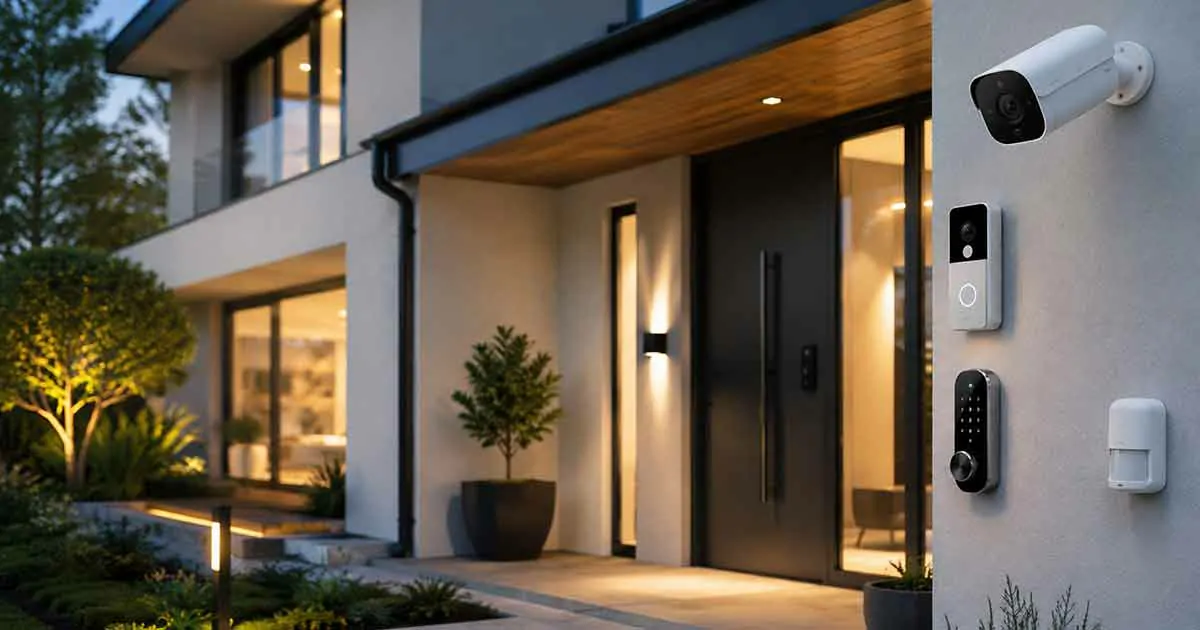
Smart home security devices are changing the way homeowners protect their properties. By combining connected technology, automation, and remote monitoring, these devices make it easier to improve safety and manage home security from anywhere.
Modern security solutions allow homeowners to monitor their homes, receive alerts, control access, and respond quickly to potential problems.
Whether you are building a smart home from the beginning or upgrading an existing security system, understanding smart home security devices can help you choose the right solutions for your needs.
This complete guide explains what smart home security devices are, their benefits, common types, important features, and how to create a reliable connected security system.
What Are Smart Home Security Devices?
Smart home security devices are connected security products that use internet technology to monitor, protect, and manage a home.
Unlike traditional security equipment, smart security devices can often be controlled through:
- Mobile applications
- Voice assistants
- Smart home platforms
- Automated routines
These devices provide homeowners with greater visibility and control over their property.
How Smart Home Security Devices Work
Smart security devices usually connect through Wi-Fi or other wireless technologies.
The basic process includes:
- Installing the security device.
- Connecting it to a home network.
- Setting up the mobile application.
- Configuring alerts and automation.
- Monitoring activity remotely.
When a device detects an event, it can send notifications directly to the homeowner.
Benefits of Smart Home Security Devices
Remote Monitoring
One of the biggest advantages of smart security devices is the ability to monitor your home from anywhere.
Homeowners can:
- View camera feeds
- Check door status
- Receive alerts
- Monitor activity
Real-Time Notifications
Smart security devices can send instant alerts when unusual activity occurs.
Examples include:
- Motion detection
- Door opening
- Security alarms
- Suspicious activity
Improved Access Control
Connected security devices make it easier to manage who can access your home.
Features may include:
- Smart locks
- Temporary access codes
- Remote unlocking
- Activity records
Integration With Smart Homes
Smart security devices can work together with other connected systems.
Examples:
- Smart lighting
- Smart speakers
- Smart home automation
- Voice control systems
Common Types of Smart Home Security Devices
Smart Security Cameras
Smart cameras are among the most popular home security devices.
Features often include:
- Live video streaming
- Motion detection
- Night vision
- Cloud storage
- Mobile alerts
They allow homeowners to monitor indoor and outdoor areas.
Video Doorbells
Video doorbells combine door access with video monitoring.
Common features include:
- Two-way communication
- Motion alerts
- Visitor notifications
- Remote viewing
They help homeowners identify visitors before opening the door.
Smart Door Locks
Smart locks improve home access management.
They may provide:
- Keyless entry
- Smartphone control
- Temporary codes
- Remote locking
Smart Alarm Systems
Connected alarm systems provide additional protection.
Features can include:
- Sensors
- Sirens
- Mobile alerts
- Automation integration
Motion Sensors
Smart motion sensors detect movement and can trigger automated actions.
Examples:
- Turning on lights
- Sending alerts
- Activating security routines
Smart Garage Door Controllers
Connected garage controllers allow homeowners to:
- Open and close doors remotely
- Check garage status
- Receive notifications
Important Features to Consider
Mobile App Control
A reliable app makes it easier to manage security devices.
Look for:
- Simple controls
- Notifications
- Device management
- Remote access
Video Quality
For cameras and video doorbells, consider:
- Resolution
- Night vision
- Viewing angle
- Storage options
Smart Home Compatibility
Choose devices that work with your existing ecosystem.
Compatibility may include:
- Google Home
- Amazon Alexa
- Apple HomeKit
Privacy and Security Features
Security devices should protect both your home and your data.
Important features include:
- Encryption
- Secure accounts
- Software updates
- Privacy controls
Automation Features
Automation can improve security without constant manual control.
Examples:
- Lights turning on when motion is detected
- Doors locking automatically
- Security mode activation
How to Choose Smart Home Security Devices
Assess Your Security Needs
Identify the areas that need protection.
Consider:
- Entry points
- Outdoor areas
- High-value spaces
- Family safety
If you are working with a limited budget, start with the areas that create the greatest security risk and prioritize the most practical improvements. Our guide to home security on a budget explains how to build protection gradually without trying to purchase every security device at once.
Start With Essential Devices
Beginners can start with:
- Smart door locks
- Security cameras
- Motion sensors
Additional devices can be added later.
Check Compatibility
Ensure all devices work together before purchasing.
A compatible system is easier to manage.
Consider Installation Requirements
Some devices require professional installation, while others are designed for easy setup.
Common Smart Home Security Mistakes
Buying Incompatible Devices
Always check ecosystem compatibility before purchasing.
Ignoring Privacy Settings
Review account and device security settings regularly.
Installing Cameras in Poor Locations
Camera placement affects coverage and effectiveness.
Using Weak Passwords
Strong passwords and secure accounts are essential.
Smart Home Security Devices and Automation
Smart security becomes more powerful when combined with automation.
Examples:
Away Mode
When leaving home:
- Lock doors
- Turn off selected devices
- Activate security monitoring
Night Mode
Before sleeping:
- Lock entrances
- Activate sensors
- Adjust lighting
Emergency Responses
Security events can trigger:
- Alerts
- Lighting changes
- Notifications
Frequently Asked Questions
Are smart home security devices worth it?
Yes. They provide easier monitoring, better control, and improved awareness of home activity.
Do smart security devices need Wi-Fi?
Most connected features require internet access.
Can smart security devices work together?
Yes. Many devices can connect through smart home platforms.
Are smart cameras safe?
Security depends on proper setup, privacy settings, and regular updates.
What is the best smart security device to start with?
Many homeowners begin with smart cameras, video doorbells, or smart locks.
Final Thoughts
Smart home security devices provide homeowners with powerful tools to protect their properties through monitoring, automation, and remote control.
By choosing compatible devices and building a security system gradually, homeowners can create a safer and more connected living environment.
Smart security technology continues to improve, making modern home protection more convenient, accessible, and effective.