
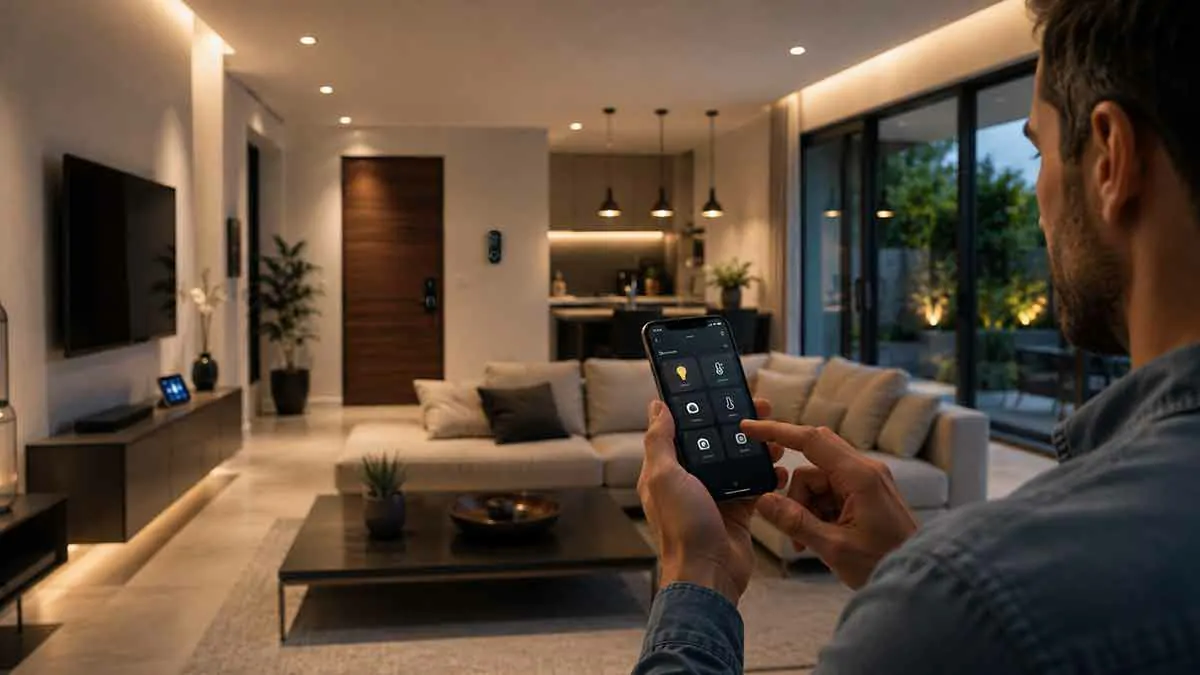
Smart home technology makes it possible to control lights, thermostats, cameras, locks, sensors, and other devices from almost anywhere. But convenient remote control depends on more than simply installing a smart device.
Your home needs a way to communicate securely with you when you are away.
This is where smart home remote access becomes important.
Remote access allows you to interact with your smart home while you are outside the house. Depending on your setup, you may be able to check cameras, unlock a door, adjust the thermostat, turn off lights, receive notifications, or monitor sensors from another location.
However, remote access also creates security considerations. A poorly configured remote-access system can expose your home network or smart devices to unnecessary risks.
In this guide, we’ll explain how smart home remote access works, the different methods available, the security risks to consider, and how to create a convenient and secure remote-access setup.
Table of Contents
What Is Smart Home Remote Access?
Smart home remote access is the ability to communicate with and control your smart home when you are not connected directly to your home’s local network.
For example, you could be:
- At work
- Traveling
- Shopping
- Visiting friends
- Away on vacation
and still use your smartphone to check or control compatible devices at home.
Remote access can include:
- Turning lights on or off
- Adjusting a thermostat
- Viewing security cameras
- Checking door sensors
- Locking smart locks
- Receiving security alerts
- Managing smart home automations
- Checking whether appliances are operating
The exact features depend on your smart home ecosystem and devices.
How Does Smart Home Remote Access Work?
There are several ways remote access can be implemented.
A common cloud-based architecture looks like this:
Smartphone → Internet → Cloud Service → Home Device
Another approach uses a secure connection into your home network:
Smartphone → Secure Remote Connection → Home Network → Smart Home Controller
The first approach is usually easier for consumers.
The second can provide greater control but requires more configuration.
Cloud-Based Remote Access
Many smart home products provide remote access through the manufacturer’s cloud service.
You install the manufacturer’s app, sign into your account, and the service handles communication between your phone and home.
For example:
Phone → Manufacturer Cloud → Smart Home Device
This approach is popular because you usually do not need to configure your router manually.
Cloud-based remote access can support features such as:
- Device control
- Notifications
- Voice assistants
- Camera viewing
- Account synchronization
- Remote automation management
For beginners, this is often the simplest approach.
Local Remote Access
A local-first smart home can also support remote access.
In this architecture, your smart home controller remains inside your home and handles local device communication.
A secure remote connection allows your phone to reach the controller from outside.
The architecture may look like:
Phone → Secure Tunnel → Home Controller → Smart Devices
This can provide remote access while keeping many automation functions local.
However, setting up secure remote access may require more technical knowledge.
VPN Remote Access
A Virtual Private Network (VPN) can create a secure connection between your remote device and your home network.
Once connected, your phone may be able to communicate with devices as though it were connected locally.
A VPN can be useful for users who want greater control over their remote-access architecture.
However, VPN configuration must be done correctly.
A poorly configured VPN can create security problems instead of solving them.
Why Use a VPN for Smart Home Access?
A VPN can provide several benefits.
Secure Connection
It can encrypt traffic between your remote device and home network.
Local Access
You may be able to access local smart home services without exposing them directly to the public internet.
Greater Control
You can decide which devices or services are reachable through the connection.
Reduced Public Exposure
Instead of exposing multiple smart home services individually, you can use a controlled remote-access gateway.
What Is Port Forwarding?
Port forwarding allows traffic from the internet to reach a specific device or service inside your home network.
For example:
Internet → Router → Specific Internal Device
Port forwarding can be useful for certain applications, but it can also increase your attack surface.
If a smart home service does not need to be publicly accessible, exposing it through port forwarding is usually unnecessary.
Why Is Direct Internet Exposure Risky?
A publicly exposed service can potentially be discovered and targeted by automated scanning and attacks.
If the service has:
- Weak authentication
- Outdated software
- Security vulnerabilities
- Poor configuration
an attacker may be able to exploit it.
For this reason, avoid exposing smart home management interfaces directly to the internet unless you have a specific requirement and understand how to secure the service.
Smart Home Remote Access and Security
Remote access should be designed with security in mind from the beginning.
Your smart home may contain devices that control:
- Doors
- Cameras
- Alarms
- Heating
- Lighting
- Appliances
Unauthorized access could therefore have real-world consequences.
A secure remote-access setup should use strong authentication, encrypted communication, updated software, and minimal internet exposure.
Use Strong Passwords
Your smart home account is one of the most important parts of remote access.
Use a long, unique password that you do not use anywhere else.
Avoid passwords based on:
- Names
- Birthdays
- Addresses
- Phone numbers
- Common phrases
A password manager can help generate and store strong credentials.
Enable Multi-Factor Authentication
Where supported, enable multi-factor authentication (MFA).
MFA adds another layer of protection beyond your password.
For example:
Password + Authentication Code
or another supported verification method.
This can significantly reduce the risk associated with stolen passwords.
Secure Your Email Account
Your email account can be an important part of smart home security.
If your smart home account uses your email address for password recovery, an attacker who compromises your email could potentially attempt to reset your smart home credentials.
Secure the email account with:
- Strong unique password
- MFA
- Updated recovery information
- Security notifications
Secure Your Smartphone
Your smartphone may effectively become a remote control for your home.
Protect it with:
- Screen lock
- Strong device authentication
- Biometric authentication where appropriate
- Updated operating system
- Updated smart home applications
Avoid installing suspicious applications that could access your credentials or notifications.
Smart Home Remote Access for Security Cameras
Cameras are one of the most common reasons homeowners want remote access.
A remote camera system can allow you to:
- Check your property
- View live video
- Receive motion notifications
- Review recordings
- Monitor entrances
Cloud-connected cameras often make this particularly easy.
However, security and privacy are important considerations.
Use strong account protection and keep camera firmware updated.
Local Camera Remote Access
Some camera systems store recordings locally.
This can reduce dependence on cloud storage.
However, if you want to view local cameras while away from home, you still need a secure remote-access method.
Possible approaches include:
- Manufacturer-supported remote access
- Secure VPN
- Secure remote gateway
- Cloud relay service
Avoid exposing camera administration interfaces directly to the internet without proper security controls.
Smart Home Remote Access for Smart Locks
Remote smart lock control can be convenient.
For example, you might:
- Unlock the door for a family member
- Lock the door after leaving
- Check lock status
- Receive access notifications
But remote lock control is a security-sensitive function.
Use strong account protection and MFA where available.
Also maintain a backup access method in case:
- Your phone is unavailable
- Internet access fails
- The smart lock battery is depleted
- The cloud service is unavailable
Remote Thermostat Control
Remote thermostat access can provide practical benefits.
You may be able to:
- Adjust the temperature before returning home
- Change schedules
- Monitor the thermostat
- Receive alerts
Cloud-based systems often make this simple.
Local-first systems can also support remote access through a secure connection.
Remote Lighting Control
Remote lighting is one of the simplest smart home applications.
You can turn lights on or off while away to:
- Prepare the home before arriving
- Avoid leaving lights on unnecessarily
- Create the appearance of occupancy
However, lighting control generally does not justify exposing a smart home controller directly to the internet.
Use the secure remote-access options provided by your platform.
Remote Sensor Monitoring
Sensors can provide useful information while you are away.
You might monitor:
- Door openings
- Window status
- Motion
- Temperature
- Water leaks
- Smoke or other alerts where supported
Cloud services can deliver notifications to your phone.
Local systems can also send remote notifications through an appropriate secure integration.
Smart Home Remote Access During an Internet Outage
Remote access requires some form of communication between you and your home.
If your home’s internet connection fails, cloud-based remote access will usually stop working.
However, local automations may continue functioning.
This distinction is important.
For example:
Internet fails → local motion sensor → local light automation
may continue working.
But:
Internet fails → smartphone → cloud service → home
cannot provide normal remote access.
This is one reason local control and remote access should be considered separately.
What Happens During a Power Outage?
A power outage creates another challenge.
Even if your internet service remains available, your router, modem, hub, or smart devices may lose power.
Remote access can therefore fail.
A backup power system can help keep essential networking and smart home equipment operating during short outages.
For example:
UPS → modem + router + smart home controller
can provide a limited period of continued operation.
Remote Access and Backup Power
Remote access becomes more reliable when critical infrastructure has backup power.
Consider prioritizing:
- Modem or fiber terminal
- Router
- Network switch
- Smart home controller
- Security equipment
You do not necessarily need to back up every smart device.
The goal is to keep the infrastructure required for essential remote access operational.
Remote Access and Local Control
Local control and remote access are not opposites.
You can build a smart home where:
Local control handles everyday automation
while
Remote access provides control when you are away.
For example:
Motion sensor → Local controller → Hallway light
can operate locally.
At the same time:
Smartphone → Secure remote connection → Controller
can allow you to check system status remotely.
This architecture can provide both resilience and convenience.
Cloud vs Local Remote Access
Both approaches have advantages.
| Feature | Cloud Remote Access | Local Remote Access |
|---|---|---|
| Setup | Usually easier | More technical |
| Remote control | Excellent | Excellent when configured |
| Local automation | Depends on platform | Usually strong |
| Internet dependency | Higher | Still required for remote access |
| Privacy | More cloud involvement | Can reduce cloud dependence |
| Maintenance | Usually simpler | Requires more management |
| Control | More dependent on provider | More user control |
The right option depends on your technical comfort and priorities.
Is Cloud Remote Access Safe?
Cloud remote access can be safe when the service is well designed and the user follows good security practices.
Important factors include:
- Strong authentication
- MFA
- Encryption
- Secure software updates
- Account monitoring
- Reputable service provider
- Clear security policies
No system is completely risk-free.
The goal is to minimize unnecessary exposure and use reputable security practices.
Is Local Remote Access Safer?
Local remote access can reduce dependence on third-party cloud services.
However, it requires careful configuration.
A VPN, remote gateway, or other secure system must itself be properly secured.
Local control is not automatically secure simply because it stays inside your home.
Zero-Trust Principles for Smart Home Remote Access
Advanced users can apply basic zero-trust principles.
Instead of assuming that a device or connection is trusted, require authentication and limit access to what is necessary.
For example:
- Authenticate every remote user
- Limit access to specific services
- Avoid broad network access
- Keep administrative interfaces protected
- Monitor unusual activity
This can provide a stronger security model than simply opening access to your entire home network.
Avoid Sharing Your Main Smart Home Account
If multiple people need access, use separate accounts when the platform supports them.
This is preferable to sharing one administrator password.
Separate accounts can provide:
- Individual authentication
- Better accountability
- Easier access removal
- Different permission levels
For example, a family member may only need to control lights and thermostats rather than administer the entire smart home system.
Use the Principle of Least Privilege
The principle of least privilege means giving each user or service only the access it actually needs.
For example:
A guest may need:
- Door access
but not:
- Camera administration
- Network settings
- Smart home configuration
This limits the potential impact of compromised credentials.
Keep Remote Access Software Updated
Remote-access software can have security vulnerabilities.
Keep updated:
- Smart home controller
- VPN software
- Router firmware
- Smartphone
- Smart home applications
- Remote-access gateway
If a security update is available, install it according to the manufacturer’s recommendations.
Monitor Remote Access
If your platform provides login history or security alerts, review them periodically.
Look for:
- Unknown login locations
- Unrecognized devices
- Failed login attempts
- Unexpected password resets
- New users
If something looks suspicious, change the relevant credentials and investigate.
Use Security Notifications
Security notifications can alert you when important events occur.
Examples include:
- New account login
- Device added
- Password changed
- Smart lock unlocked
- Security sensor triggered
- Camera detects motion
Not every notification needs to be enabled.
Focus on alerts that provide useful information without creating notification overload.
Remote Access for Families
A family smart home may have several users.
Create separate accounts whenever possible.
For children or guests, use the minimum permissions required.
This prevents one shared password from becoming the single point of failure for everyone.
Remote Access While Traveling
Remote access becomes especially useful while traveling.
You may want to:
- Check whether doors are locked
- Monitor cameras
- Receive security alerts
- Turn lights on or off
- Adjust the thermostat
- Check for water leaks
Before leaving home, test remote access.
Do not wait until you are hundreds of miles away to discover that your remote connection is not working.
Test Remote Access Before You Need It
A good test involves disconnecting your smartphone from your home’s Wi-Fi and using cellular or another external connection.
Then test:
- Camera access
- Smart lock status
- Lighting
- Thermostat
- Sensors
- Smart home controller
- Notifications
This confirms that your system works from outside the local network.
Common Smart Home Remote Access Mistakes
Exposing the Smart Home Controller Directly
Avoid unnecessary public exposure.
Using a Weak Password
A weak password can compromise remote access.
Reusing Credentials
A password compromised elsewhere can put your smart home at risk.
Disabling MFA for Convenience
Convenience should not come at the expense of account security.
Ignoring Updates
Outdated software can contain known vulnerabilities.
Sharing Administrator Credentials
Use individual accounts where possible.
Forgetting Backup Access
Maintain practical alternatives for important physical functions.
Never Testing Remote Access
A system that has never been tested may fail when you need it most.
Best Practices for Smart Home Remote Access
For a secure and reliable setup:
- Use strong unique passwords
- Enable MFA
- Secure your email account
- Keep devices and software updated
- Avoid unnecessary port forwarding
- Use secure remote-access methods
- Consider a VPN for local-first systems
- Use separate user accounts
- Apply least-privilege principles
- Monitor account activity
- Back up important configurations
- Test remote access regularly
- Maintain physical backup access for critical devices
Smart Home Remote Access Checklist
Use this checklist when setting up or reviewing remote access:
- Remote access is enabled only where needed
- Smart home account uses a unique password
- MFA is enabled
- Email account is protected
- Router firmware is current
- Smart home controller is updated
- Unnecessary port forwarding is disabled
- Remote administration is properly secured
- Separate user accounts are used
- Camera access is protected
- Smart lock access is protected
- Remote access has been tested externally
- Backup access methods are available
- Critical devices have appropriate backup power
Final Thoughts
Smart home remote access provides significant convenience, especially for security monitoring, smart locks, thermostats, lighting, and sensors.
But remote access should never be treated as simply turning on a feature in an app.
It creates a connection between your home and the outside world, which means authentication, encryption, software updates, account security, and network architecture all matter.
For many homeowners, manufacturer-provided cloud access is the easiest option. Advanced users may prefer a local smart home controller combined with a secure VPN or another controlled remote-access method.
The most important principle is to avoid unnecessary exposure.
Use strong authentication, enable MFA, keep your systems updated, limit remote permissions, and never expose services to the public internet without understanding exactly what you are doing.
When designed carefully, remote access can give you the convenience of controlling and monitoring your home from almost anywhere without making security an afterthought.