
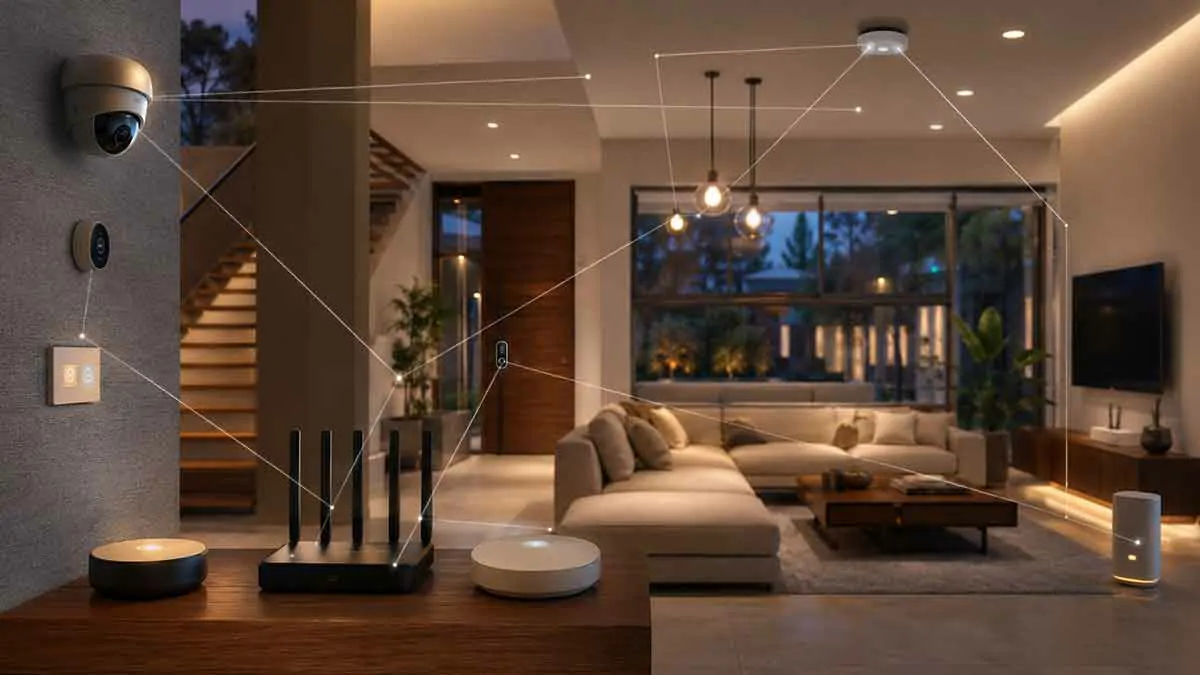
Smart home devices can make a home more convenient, efficient, and secure, but every connected device also becomes part of your home network.
Smart speakers, cameras, smart locks, thermostats, lighting systems, hubs, televisions, sensors, and appliances may communicate with your router and, in many cases, external cloud services. If these devices are poorly configured, outdated, or protected with weak credentials, they can increase the security risks facing your network.
This makes smart home network security an important part of building and maintaining a connected home.
The good news is that you do not need to be a cybersecurity expert to improve your smart home security. Strong passwords, updated firmware, secure Wi-Fi, network segmentation, careful device selection, and good account security can significantly reduce unnecessary risks.
In this complete guide, we’ll explain how smart home network security works, the most common vulnerabilities, how to secure your router and devices, when to use a guest or IoT network, and how to create a safer connected home.
Table of Contents
What Is Smart Home Network Security?
Smart home network security is the process of protecting your home network and connected devices from unauthorized access, malicious activity, data exposure, and other cybersecurity threats.
It involves securing several layers of your smart home.
These include:
- Router and Wi-Fi network
- Smart home hubs
- Connected devices
- User accounts
- Mobile apps
- Cloud services
- Network configuration
- Device firmware
- Remote access
A secure smart home therefore requires more than simply installing security cameras or smart locks.
The network connecting those devices needs protection as well.
Why Is Smart Home Network Security Important?
The number of connected devices in a typical home can grow quickly.
You might have:
- Smart bulbs
- Smart plugs
- Smart speakers
- Smart TVs
- Security cameras
- Video doorbells
- Smart locks
- Thermostats
- Motion sensors
- Smart appliances
- Home hubs
Each device can introduce another potential entry point into your network.
A vulnerability in one poorly secured device could potentially create risks for other connected systems.
This is why smart home security should be treated as a system rather than a collection of individual products.
How Does a Smart Home Network Work?
A typical smart home network starts with an internet connection.
The basic structure may look like this:
Internet → Modem/ONT → Router → Wi-Fi/Ethernet → Smart Devices
The router controls communication between your home network and the internet.
Smart devices then connect through Wi-Fi, Ethernet, Zigbee, Z-Wave, Matter, Bluetooth, or other technologies.
A smart home hub may sit between the devices and the rest of the network.
Understanding this architecture helps you identify where security controls should be applied.
The Most Common Smart Home Security Risks
Smart home networks can face several common security problems.
Weak Passwords
Using simple or reused passwords can make accounts easier to compromise.
Default Credentials
Some devices may initially use default usernames or passwords.
Leaving them unchanged creates unnecessary risk.
Outdated Firmware
Manufacturers regularly release updates that can fix security vulnerabilities.
Ignoring updates can leave known weaknesses unpatched.
Insecure Wi-Fi
Weak Wi-Fi encryption or an outdated wireless security configuration can expose your network.
Excessive Internet Access
Some devices may communicate with external services even when that connectivity is not essential for their core functions.
Poor Network Segmentation
Putting every device on the same network can make it harder to isolate potentially vulnerable IoT devices.
Unsafe Remote Access
Exposing management interfaces directly to the public internet can create serious security risks.
Secure Your Router First
Your router is one of the most important security devices in your home.
If an attacker gains control of the router, they may potentially influence network traffic, DNS settings, connected devices, and other network functions.
Start by securing the router itself.
Change the Default Administrator Password
Do not leave the router using its factory administrator credentials.
Create a strong, unique password.
Update Router Firmware
Check for firmware updates regularly.
Some routers update automatically, while others require manual updates.
Disable Unnecessary Features
If you do not need a particular router feature, consider disabling it.
Examples may include:
- Unused remote administration
- Unnecessary services
- WPS where appropriate
- Unused port forwarding
- Legacy protocols
The exact settings depend on your router.
Use Strong Wi-Fi Security
Your wireless network is the gateway through which many smart devices connect.
Use a modern security protocol supported by your router and devices.
Depending on your equipment, this may include:
- WPA3
- WPA2-AES
Avoid outdated wireless security standards when possible.
Also use a strong Wi-Fi password that is different from passwords used for your online accounts.
Create a Strong Wi-Fi Password
A good Wi-Fi password should be:
- Long
- Unique
- Difficult to guess
- Not based on personal information
Avoid passwords containing:
- Your name
- Address
- Phone number
- Family names
- Simple patterns
- Common words
You may use a password manager to generate and store complex credentials.
Separate Your Smart Home Devices
One of the most useful techniques for improving smart home network security is network segmentation.
Instead of placing every device on one network, you can separate smart home devices from computers and personal devices.
For example:
Main Network
- Computers
- Phones
- Tablets
- Personal devices
IoT Network
- Smart plugs
- Smart bulbs
- Smart TVs
- Smart appliances
- Other connected devices
This separation can help limit the impact of a compromised IoT device.
What Is an IoT Network?
IoT stands for Internet of Things.
An IoT network is a separate network designed for connected devices such as smart lights, plugs, appliances, sensors, and other equipment.
A dedicated IoT network can provide an additional security layer.
Instead of allowing every smart device to communicate freely with personal computers and other sensitive equipment, network rules can limit unnecessary communication.
Guest Network vs IoT Network
A guest network and an IoT network are not necessarily the same thing.
A guest network is primarily designed to provide temporary internet access to visitors.
An IoT network is intended for your own connected devices.
Some modern routers allow more advanced network segmentation, making it possible to create a dedicated network specifically for smart home devices.
If your router does not support an IoT network, a guest network may sometimes be used as an alternative, but compatibility should be tested carefully.
Should Smart Home Devices Be on a Separate Network?
For many homes, separating IoT devices from personal computers and important devices is a useful security measure.
This is especially relevant for devices that:
- Come from less-established manufacturers
- Require internet access
- Have limited security controls
- Receive infrequent firmware updates
- Are no longer actively supported
Segmentation does not make a device automatically secure, but it can reduce the potential impact of a compromised device.
Use Multi-Factor Authentication
Smart home security is not only about the network.
Your accounts matter too.
If someone gains access to your smart home account, they may be able to control devices remotely.
Where supported, enable multi-factor authentication (MFA) or two-factor authentication (2FA).
This adds another verification step beyond the password.
For example, logging in may require:
Password + authentication code
or another supported verification method.
Use Unique Passwords for Smart Home Accounts
Do not reuse your smart home account password across multiple services.
If another website suffers a credential breach and you reused the same password, attackers may attempt those credentials against your smart home account.
Use a unique password for:
- Smart home platform
- Router administrator account
- Manufacturer accounts
- Email account associated with smart home services
A password manager can make this easier to manage.
Keep Smart Home Devices Updated
Firmware updates can include:
- Security patches
- Bug fixes
- Stability improvements
- Compatibility changes
- New features
Check whether your devices update automatically.
If updates are manual, create a routine for checking them.
Prioritize updates for:
- Routers
- Smart home hubs
- Security cameras
- Smart locks
- Network equipment
- Devices with internet access
Replace Unsupported Devices
A smart device that no longer receives security updates can become increasingly difficult to secure.
This does not necessarily mean that every old device must immediately be replaced.
However, unsupported devices deserve closer attention.
Consider replacing devices when:
- The manufacturer has ended support
- Critical vulnerabilities remain unpatched
- The device requires outdated security protocols
- The device cannot be isolated effectively
- It controls a security-critical function
Secure Smart Home Hubs
Smart home hubs can be particularly important because they may control many devices.
If your hub is compromised, multiple automations or devices could potentially be affected.
Protect the hub by:
- Using a strong administrator password
- Enabling MFA where available
- Keeping firmware updated
- Restricting unnecessary network access
- Avoiding unsafe remote exposure
- Choosing reputable software and hardware
If your system supports local control, use it for functions that do not need external cloud services.
Local Control and Network Security
Local control can reduce some forms of cloud dependency.
For example, a local automation might operate entirely inside your home:
Motion sensor → Local hub → Smart light
The event does not necessarily need to travel through an external cloud service.
This can reduce some privacy and availability concerns.
However, local control does not automatically make a device secure.
The local network itself must still be protected.
Secure Remote Access
Remote access is convenient, but it needs to be configured carefully.
Avoid exposing smart home management interfaces directly to the public internet unless you fully understand the security implications and have a specific reason to do so.
Instead, use secure remote-access mechanisms supported by your smart home platform or network architecture.
A properly configured VPN or secure remote-access service can be preferable to directly exposing administrative interfaces.
Avoid Unnecessary Port Forwarding
Port forwarding allows external internet traffic to reach a specific device or service inside your network.
It can be useful in certain situations, but unnecessary port forwarding increases the network’s external attack surface.
Before creating a port-forwarding rule, ask:
- Is it actually necessary?
- Is there a safer alternative?
- Is the service properly secured?
- Is the software updated?
- Can access be restricted?
If you no longer need a forwarding rule, remove it.
Secure Smart Cameras
Security cameras deserve special attention because they can capture sensitive information about your home.
Use cameras that provide:
- Strong account security
- Regular firmware updates
- Encrypted communication
- Secure authentication
- Clear privacy controls
Change default credentials immediately.
Also consider whether recordings are stored:
- Locally
- In the cloud
- Both
Local storage can reduce cloud dependency, while cloud storage can make remote access and backups more convenient.
Secure Video Doorbells
Video doorbells combine physical security with internet connectivity.
Protect them using:
- Strong account credentials
- MFA
- Updated firmware
- Secure Wi-Fi
- Appropriate privacy settings
Consider the location of the camera and avoid unnecessary capture of private areas.
Secure Smart Locks
Smart locks can have significant physical consequences if compromised.
Choose products from reputable manufacturers and keep firmware updated.
Use strong authentication for the associated account.
Also maintain a reliable backup access method.
Depending on the lock, this could include:
- Physical key
- Keypad
- Local access method
- Emergency power option
Smart locks should never be treated as infallible.
Secure Smart Speakers
Smart speakers often use microphones and cloud services.
Review:
- Microphone controls
- Voice history settings
- Account security
- Linked services
- Household permissions
Use strong account credentials and MFA where available.
If privacy is a major concern, understand exactly which voice functions depend on cloud processing.
Secure Smart TVs
Smart TVs are often connected to the internet for streaming, updates, advertising, and other services.
Keep the TV updated and review its privacy settings.
If you do not need certain online features, consider disabling them.
If your router supports network segmentation, placing entertainment and IoT devices on an appropriate network can reduce their access to other systems.
Secure Smart Appliances
Connected refrigerators, washing machines, ovens, and other appliances can also become part of your network.
Ask whether each appliance really needs internet access.
If a feature does not provide meaningful value, consider leaving it disabled.
For appliances that do require connectivity:
- Use strong credentials
- Update firmware
- Use network segmentation
- Review cloud permissions
- Monitor unusual network activity
Bluetooth Smart Home Devices
Not every smart device connects directly to Wi-Fi.
Some use Bluetooth for local communication.
Bluetooth security still matters, especially when pairing devices or using mobile apps.
Keep your phone updated and avoid pairing devices in situations where unauthorized access is a concern.
Zigbee and Z-Wave Security
Zigbee and Z-Wave devices generally communicate through their respective wireless networks rather than directly through your home’s Wi-Fi.
However, security still depends on:
- Device implementation
- Controller security
- Encryption
- Network configuration
- Firmware updates
Using a secure and supported hub is important.
Matter and Smart Home Security
Matter is designed to improve interoperability between smart home devices and ecosystems.
Security is an important part of the standard.
However, using Matter does not eliminate the need for good network security.
You should still protect:
- Wi-Fi
- Controllers
- Accounts
- Mobile devices
- Network infrastructure
A secure protocol cannot compensate for weak passwords or a compromised router.
Monitor Connected Devices
Knowing what is connected to your network is an important security practice.
Periodically review your router’s device list.
Look for:
- Unknown devices
- Old devices you no longer use
- Duplicate entries
- Unexpected network activity
If you do not recognize a device, investigate it.
Remove devices that are no longer needed.
Disable Devices You No Longer Use
An unused smart device does not need to remain connected forever.
If you have replaced a smart plug, camera, hub, or appliance, consider:
- Removing it from your account
- Disconnecting it from the network
- Resetting it
- Removing stored credentials
- Reusing or disposing of it appropriately
Reducing unnecessary connected devices reduces your attack surface.
Protect Your Smartphone
Your smartphone can be a control center for your smart home.
If someone gains access to the phone or the smart home app, they may gain access to your connected devices.
Protect your phone using:
- Screen lock
- Biometric authentication
- Updated software
- Strong account credentials
- MFA
- Official app stores
Avoid installing unknown applications that request unnecessary access.
Secure the Email Account Behind Your Smart Home
Your email account is often more important than people realize.
If an attacker gains access to your email, they may potentially reset passwords for smart home accounts.
Therefore, secure your primary email account with:
- Strong unique password
- MFA
- Recovery options
- Security alerts
Your smart home security depends partly on the security of the accounts used to manage it.
Beware of Phishing
Cyberattacks do not always target the device directly.
Attackers may try to trick you into giving away your credentials through fake emails, messages, or websites.
Common examples include messages claiming:
- Your smart home account needs verification
- Your camera subscription has expired
- Your account has been locked
- A security update is required
Avoid clicking suspicious links.
When in doubt, open the official application or website directly rather than following an unexpected message.
Smart Home Network Security and Cloud Services
Cloud services can provide useful features such as:
- Remote control
- Notifications
- Voice integrations
- Data storage
- Device synchronization
However, they also introduce another layer of dependency.
Review what data a service collects and what permissions it requires.
Where practical, choose services that provide clear security and privacy controls.
Minimize Unnecessary Cloud Access
Not every smart device needs to communicate constantly with external servers.
If your smart home platform allows you to restrict internet access for certain devices while retaining local functionality, this can reduce unnecessary exposure.
However, test the device first.
Some products may stop working if cloud connectivity is blocked.
Use Network Segmentation for Critical Devices
For advanced users, VLANs can provide stronger network segmentation.
For example, a network could include:
VLAN 1 — Personal
- Computers
- Phones
- Tablets
VLAN 2 — IoT
- Smart plugs
- Smart lights
- Smart appliances
VLAN 3 — Security
- Cameras
- NVR
- Security equipment
VLAN 4 — Guest
- Visitor devices
Firewall rules can then control communication between these networks.
This approach can significantly improve isolation, but it requires networking equipment and configuration that support VLANs.
Should Security Cameras Be on Their Own Network?
For larger or security-conscious installations, separating cameras from personal devices can be beneficial.
Cameras continuously handle sensitive data and may communicate with external services.
A dedicated network can help prevent a compromised camera from having unnecessary access to computers or other sensitive systems.
However, the network architecture must still allow the devices to communicate with the systems that legitimately need access to them.
Protect Network Storage
If your smart home uses a local storage server or Network Attached Storage (NAS), secure it carefully.
It may contain:
- Camera recordings
- Personal files
- Backups
- Home automation data
Use strong credentials, updates, access controls, and appropriate network segmentation.
Avoid exposing storage management interfaces directly to the public internet unless absolutely necessary and properly secured.
Back Up Important Smart Home Configuration
Security is not only about preventing attacks.
You should also be able to recover from failures.
If your smart home controller stores automation rules or configurations, maintain backups where supported.
Back up:
- Automation configurations
- Controller settings
- Important credentials
- Network configuration
- Device information
Store backups securely.
Create an Inventory of Your Smart Home
A device inventory makes security maintenance much easier.
Record:
- Device name
- Manufacturer
- Model
- IP address where relevant
- Network location
- Firmware version
- Account used
- Update method
- Important security settings
You do not need a complicated system.
A simple spreadsheet can be enough for a smaller home.
Review Your Smart Home Regularly
Security is not a one-time setup.
Every few months, review:
- Connected devices
- Router firmware
- Device firmware
- Account security
- MFA settings
- Network segmentation
- Port-forwarding rules
- Old devices
- Cloud subscriptions
This helps prevent security settings from becoming outdated as your smart home grows.
What to Do If a Smart Device Is Compromised
If you believe a device has been compromised, do not simply reconnect it and hope the problem disappears.
Consider:
- Disconnecting the device from the network
- Changing relevant passwords
- Checking account activity
- Updating the device
- Resetting the device
- Reviewing router logs where available
- Checking other connected devices
- Contacting the manufacturer if necessary
If the device is no longer supported, replacement may be the safest option.
Smart Home Network Security Checklist
Use this checklist when securing your connected home:
- Change default router credentials
- Use strong Wi-Fi encryption
- Create a strong Wi-Fi password
- Update router firmware
- Update smart home devices
- Enable MFA on important accounts
- Use unique passwords
- Create an IoT network where practical
- Disable unnecessary remote access
- Remove unnecessary port forwarding
- Secure cameras and smart locks
- Review connected devices
- Remove unsupported devices
- Secure your smartphone
- Secure your primary email account
- Review cloud permissions
- Back up important configurations
- Test your security setup regularly
Best Practices for Smart Home Network Security
The most effective approach is to build security into the smart home from the beginning.
Prioritize these practices:
1. Secure the Router
The router is the foundation of the network.
2. Use Strong Authentication
Protect every important account with unique credentials and MFA where available.
3. Keep Everything Updated
Firmware and software updates can address important vulnerabilities.
4. Segment IoT Devices
Separate less-trusted connected devices from sensitive personal devices when your equipment supports it.
5. Minimize Internet Exposure
Avoid unnecessary port forwarding and publicly exposed management interfaces.
6. Monitor the Network
Know which devices are connected and investigate unexpected changes.
7. Replace Unsupported Products
A device without security updates can become increasingly difficult to protect.
8. Use Local Control Where Appropriate
Local operation can reduce certain cloud dependencies while improving resilience for supported functions.
Final Thoughts
Smart home network security is not about making your connected home impossible to attack. It is about reducing unnecessary exposure and making it harder for a compromised device or account to affect the rest of your system.
Start with the basics: secure your router, use strong and unique passwords, enable MFA, keep devices updated, and avoid unnecessary remote access.
As your smart home becomes more advanced, consider network segmentation and local control to create additional layers of protection.
The most important principle is simple: treat every connected device as part of your network security strategy.
A smart home should be convenient, but convenience should not require giving every device unrestricted access to your network. With thoughtful device selection, secure configuration, regular maintenance, and sensible network separation, you can enjoy the benefits of connected living while significantly reducing avoidable security risks.