
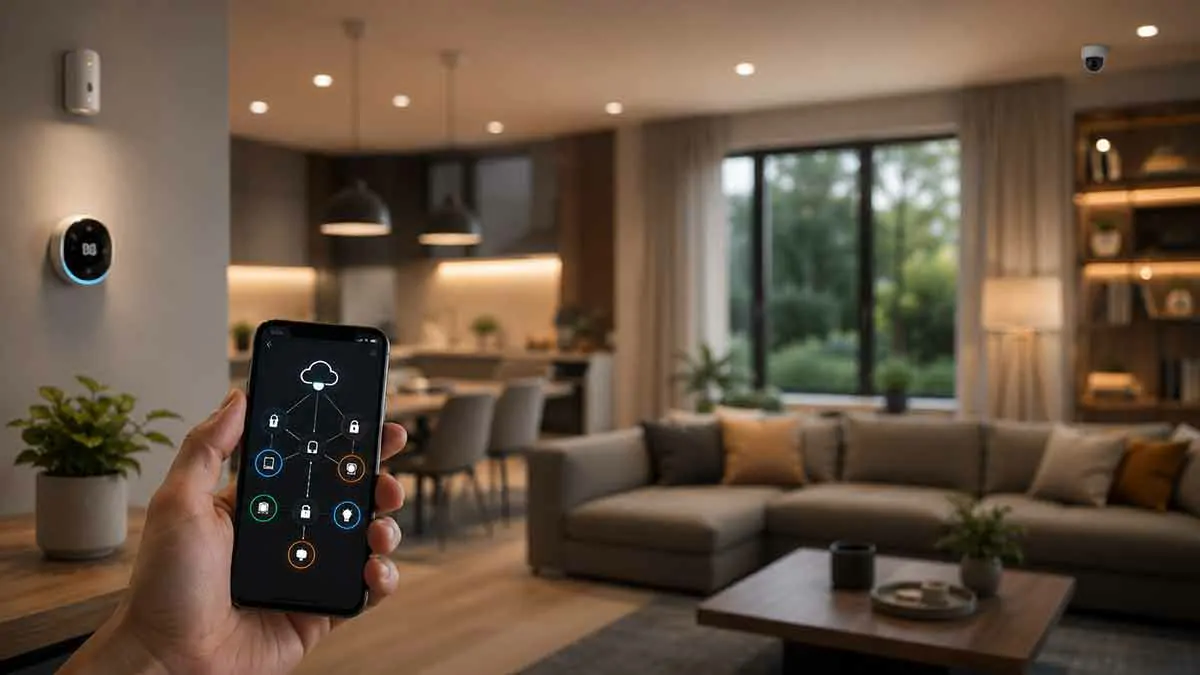
Modern smart homes can rely heavily on cloud services, operate primarily within the local network, or combine both approaches. Understanding the difference between smart home cloud vs local control can help you choose devices, hubs, and automation systems that match your priorities.
Cloud-based smart home systems can make remote access, voice control, notifications, and device management convenient. Local control, meanwhile, can reduce dependence on internet connectivity and may provide faster responses for supported functions.
Neither approach is automatically better for every home.
The better choice depends on what you value most, including reliability, privacy, convenience, compatibility, remote access, cost, and ease of setup.
In this guide, we’ll compare cloud and local smart home control, explain how each works, examine their advantages and disadvantages, and show when a hybrid approach may be the best solution.
Table of Contents
What Is Cloud-Based Smart Home Control?
Cloud-based smart home control means that some device commands, automations, account functions, or other services depend on remote servers operated by the manufacturer or smart home platform.
A simplified cloud-based command may work like this:
Smartphone → Internet → Cloud Service → Internet → Smart Device
When you control a device remotely, your command can travel through the internet before reaching your home.
Cloud services can also handle other functions, including:
- User accounts
- Remote device access
- Voice assistant integrations
- Notifications
- Device synchronization
- Automation processing
- Usage data
- Firmware management
The exact architecture varies between manufacturers and platforms.
What Is Local Smart Home Control?
Local control means that supported commands and automation processes can operate within your home network or directly between compatible devices.
A simplified local setup might look like this:
Smartphone or sensor → Local Network → Smart Home Controller → Device
The internet does not necessarily need to be involved in every command.
For example, a motion sensor could trigger a hallway light through a local automation without sending the event to a remote server.
Local control is particularly useful for everyday functions that should remain available during an internet outage.
Smart Home Cloud vs Local Control: The Main Difference
The biggest difference is where the communication or processing takes place.
Cloud control: Relies on remote servers for some or many functions.
Local control: Keeps supported communication and processing within the home.
This distinction affects several important areas.
| Feature | Cloud Control | Local Control |
|---|---|---|
| Internet dependency | Often higher | Often lower |
| Remote access | Usually excellent | Requires additional setup |
| Local response time | Can vary | Often very fast |
| Offline operation | Limited for cloud-dependent functions | Better for supported functions |
| Setup | Usually easier | Can require more planning |
| Privacy | More cloud data may be involved | More processing can stay local |
| Vendor dependency | Often higher | Can be lower |
| Advanced online services | Usually strong | Often more limited |
The exact behavior depends on the devices and ecosystem you choose.
How Cloud Smart Homes Work
A cloud-based smart home typically connects devices to the internet through your router.
The device communicates with the manufacturer’s servers, where some commands or services may be processed.
For example, when you use a smartphone app while away from home, the command can travel through the manufacturer’s cloud infrastructure and then reach the device.
This architecture makes remote control relatively straightforward.
You can potentially control your home from almost anywhere with an internet connection.
However, cloud dependency also means that an internet outage or cloud-service problem can affect some functionality.
How Local Smart Homes Work
A local smart home processes supported commands within the home.
A hub or controller may coordinate devices using the local network or protocols such as Zigbee, Z-Wave, or compatible Matter setups.
For example:
Motion sensor → Local controller → Smart light
The internet may not be required for this automation.
Local systems can therefore continue performing supported tasks even when the home’s internet connection is unavailable.
However, local operation depends on the specific devices and software.
A device can have some local functions while still requiring the cloud for other features.
Is Cloud Control Easier to Set Up?
In many cases, yes.
Cloud-based products are often designed for straightforward consumer setup.
A typical process may involve:
- Install the manufacturer’s app.
- Create or sign into an account.
- Connect the device to Wi-Fi.
- Follow the setup instructions.
- Add the device to your smart home ecosystem.
The manufacturer handles much of the infrastructure behind the scenes.
This can make cloud-based systems attractive to beginners.
Is Local Control More Difficult?
It can be.
A local-first system may require more attention to:
- Hub compatibility
- Communication protocols
- Network configuration
- Device compatibility
- Automation software
- Local APIs
- Firmware
- Backup and recovery
However, local control does not necessarily mean that you need a complicated technical setup.
Many modern hubs and ecosystems can provide local operation while keeping the user experience relatively simple.
The difficulty depends on the platform you choose.
Cloud Control and Remote Access
One of the biggest advantages of cloud-based systems is remote access.
If you are away from home, a cloud-connected platform can allow you to:
- Check device status
- Turn lights on or off
- Adjust compatible thermostats
- View notifications
- Manage certain security devices
- Change automation settings
This is convenient because the manufacturer provides much of the infrastructure required for remote communication.
Local-only systems require a secure method for remote access if you want to control them from outside your home.
Local Control and Remote Access
Local control does not automatically prevent remote access.
A local-first system can potentially be accessed remotely through a properly configured secure service.
However, this usually requires more planning.
The important distinction is that local control refers to where the device automation or communication occurs inside the home, while remote access refers to how you reach your home system from outside.
You can have local automation and secure remote access at the same time.
What Happens During an Internet Outage?
This is one of the most important differences.
With a heavily cloud-dependent smart home, some functions may stop working when the internet connection fails.
Depending on the device, you might lose:
- Remote app control
- Cloud-based automations
- Voice assistant functionality
- Remote notifications
- Some device controls
A local-first system can potentially continue supporting:
- Physical switches
- Local sensors
- Local lighting
- Local automation rules
- Local schedules
- Communication between compatible devices
However, not every local device will continue functioning during an outage.
You need to verify the actual offline behavior of each device and controller.
Cloud Control and Reliability
Cloud systems can be highly reliable when the internet connection and cloud service are both working normally.
Manufacturers can maintain large-scale infrastructure, redundancy, and remote services that would be difficult for an individual homeowner to reproduce.
But cloud systems introduce additional dependencies.
A smart home function may depend on:
- Your internet connection
- Your router
- The manufacturer’s cloud service
- Your account
- The manufacturer’s software
- Third-party integrations
If one of these components fails, some functionality may be affected.
Local Control and Reliability
Local control can remove some of those dependencies.
For example, a local motion-lighting automation may continue working even if the internet connection is unavailable.
This can make local control particularly attractive for essential everyday functions.
However, local systems have their own dependencies.
A local controller, network, power supply, or communication coordinator can fail.
Local control therefore does not eliminate all points of failure. It simply changes where those dependencies exist.
Which Is Faster: Cloud or Local Control?
Local control often has an advantage in response time because commands do not need to travel to a remote server and back.
For simple actions such as:
Button pressed → light turns on
the difference can be noticeable.
Cloud systems can still be fast, particularly when the internet connection and cloud infrastructure are performing well.
For most users, the practical difference depends on the device, platform, network quality, and automation design.
Cloud vs Local Control for Smart Lighting
Lighting is one of the strongest use cases for local control.
Imagine a motion sensor in a hallway.
With local processing:
Motion detected → local automation → light turns on
The response can be fast and can continue during an internet outage if all required components support local operation.
Cloud-based lighting can still be convenient, especially for remote control, voice assistants, and manufacturer-specific features.
A hybrid setup can provide both.
Cloud vs Local Control for Smart Thermostats
Smart thermostats often benefit from a combination of local and cloud functionality.
Local operation can maintain basic temperature schedules and physical control.
Cloud services can provide:
- Remote temperature changes
- Notifications
- Usage reports
- Weather-based features
- Account synchronization
If climate control is important to your household, check what happens when the internet connection is unavailable before purchasing a thermostat.
Cloud vs Local Control for Smart Security
Security devices require especially careful consideration.
Cloud-connected cameras and doorbells can provide remote notifications and video access from almost anywhere.
However, cloud dependency can become a concern during an internet outage.
Local security devices can continue communicating within the home, depending on their architecture.
For security-critical systems, consider whether important functions continue working when:
- The internet goes down
- The cloud service is unavailable
- A smartphone loses connectivity
- A local controller restarts
Do not assume that a product’s “smart” features will all remain available offline.
Cloud vs Local Control for Smart Sensors
Sensors can be excellent candidates for local automation.
A local motion, door, or temperature sensor can trigger an automation without sending every event through the cloud.
For example:
Door opens → local controller → entryway light turns on
This can reduce latency and internet dependency.
Cloud-based sensors can still be useful when you need remote notifications or cloud analytics.
Privacy Considerations
Privacy is one of the strongest arguments for local control.
Cloud-connected smart homes can potentially send information to external servers.
Depending on the platform, this could include:
- Device activity
- Sensor events
- Voice commands
- Location information
- Automation activity
- Usage patterns
A local-first architecture can reduce the amount of information that needs to leave your home.
However, local control does not guarantee complete privacy.
A device may still contact the manufacturer’s servers for:
- Firmware updates
- Account authentication
- Analytics
- Remote access
- Optional online services
Always review the manufacturer’s privacy practices rather than assuming that a locally controlled device is completely cloud-free.
Vendor Lock-In
Cloud-based smart home systems can create stronger vendor dependency.
If your devices rely heavily on a manufacturer’s cloud platform, changes to that service can affect functionality.
Potential issues include:
- Subscription changes
- Discontinued cloud services
- Account requirements
- API changes
- Reduced third-party compatibility
Local control can reduce some of these risks because supported device functions may not depend entirely on the manufacturer’s servers.
However, local devices can still have proprietary limitations.
What Is Vendor Lock-In?
Vendor lock-in occurs when switching from one manufacturer or ecosystem to another becomes difficult because your devices, automations, accounts, or data depend heavily on the original platform.
For example, if dozens of devices rely on one manufacturer’s cloud service, replacing that platform may require replacing or reconfiguring many devices.
Local standards and broadly supported protocols can help reduce this problem.
Cloud Control and Device Compatibility
Cloud ecosystems can make compatibility easier because the manufacturer handles integrations.
A device may support popular platforms through cloud-to-cloud connections.
This can make setup convenient.
However, these integrations can depend on continued support from multiple companies.
If one service changes its API or integration policy, functionality can be affected.
Local Control and Device Compatibility
Local systems require more attention to compatibility.
A device must be supported by your local controller or communication protocol.
Before purchasing, check:
- Supported protocols
- Controller compatibility
- Local API availability
- Firmware requirements
- Automation support
- Offline functionality
A device that looks compatible on paper may not support every feature locally.
Wi-Fi: Cloud or Local?
Wi-Fi itself does not determine whether a device is cloud-based or locally controlled.
This is an important distinction.
Two Wi-Fi smart plugs can behave completely differently.
One may allow local LAN control.
Another may require communication with the manufacturer’s cloud for every command.
Therefore:
Wi-Fi does not automatically mean cloud control.
Always check the device’s actual architecture.
Zigbee and Local Control
Zigbee is commonly used in local smart home systems.
Devices communicate through a Zigbee network and usually connect to a local coordinator or hub.
Because the device network itself does not require the internet for basic communication, Zigbee can be a strong choice for local-first smart homes.
However, cloud functionality can still be added through the hub or ecosystem.
Z-Wave and Local Control
Z-Wave is another popular option for local smart home communication.
A compatible Z-Wave controller can manage devices within the home.
This makes it useful for local automation involving:
- Lights
- Sensors
- Switches
- Locks
- Thermostats
As with other technologies, the exact features depend on the controller and software.
Matter and Cloud vs Local Control
Matter is designed to improve interoperability between compatible smart home devices and ecosystems.
It can support local device communication through compatible controllers.
However, Matter does not mean that every feature of every device will work without internet access.
Remote access, cloud services, account features, and some ecosystem functionality may still depend on internet connectivity.
When buying a Matter device, check the actual offline and local capabilities rather than assuming that Matter eliminates cloud dependency.
Is Local Control More Secure?
Local control can reduce some privacy and cloud-dependency risks, but it is not automatically more secure in every situation.
A local smart home still needs:
- Strong Wi-Fi security
- Updated firmware
- Secure passwords
- Proper network configuration
- Trusted controllers
- Secure remote-access practices
A poorly configured local system can still be vulnerable.
Security depends on the entire architecture, not simply on whether a device uses the cloud.
Is Cloud Control More Secure?
Cloud services can benefit from professional infrastructure, centralized security teams, monitoring, and frequent software updates.
However, they also create centralized targets and introduce dependence on external services.
The correct question is not simply:
Cloud or local—which is more secure?
Instead, evaluate:
- How the service protects data
- How authentication works
- Whether encryption is used
- How updates are handled
- What happens during service outages
- What remote access options exist
- How long data is retained
Cost Differences
Cloud-based products can have a lower initial setup cost because the manufacturer provides the infrastructure.
However, some services may introduce subscription fees.
Potential cloud-related costs can include:
- Premium automation features
- Video storage
- Advanced notifications
- Cloud recording
- Additional users
- Remote services
Local systems may require a stronger initial investment in hubs, controllers, networking equipment, or storage.
But local-first systems can sometimes reduce recurring cloud subscription costs.
Compare the total cost of ownership rather than the purchase price alone.
Cloud vs Local Control for Beginners
For beginners, cloud-based systems are often easier to start with.
You can purchase compatible devices, install the manufacturer’s app, and begin controlling them quickly.
Local-first systems may require more research.
However, you do not need to choose an extremely complex setup just because you want local control.
Many modern ecosystems offer local operation while keeping setup relatively straightforward.
A good strategy is to begin with a small number of well-supported devices.
Cloud vs Local Control for Advanced Users
Advanced users may prefer local control because it offers greater flexibility.
Local systems can provide more control over:
- Automation logic
- Device communication
- Data processing
- Integrations
- Network architecture
- Long-term system management
However, cloud services can still provide valuable features.
An advanced smart home does not have to reject the cloud completely.
The Hybrid Approach
For many homeowners, the best answer to smart home cloud vs local control is not choosing one exclusively.
A hybrid system can use local control for important everyday functions and cloud services for convenience.
For example:
Local:
- Motion lighting
- Door sensors
- Basic schedules
- Local thermostat control
- Local device-to-device automation
Cloud:
- Remote access
- Voice assistant services
- Remote notifications
- Cloud video storage
- Manufacturer-specific features
This approach can provide a useful balance.
How to Choose Between Cloud and Local Control
Consider these questions before choosing your smart home architecture.
Do You Need Offline Operation?
If your smart home must continue operating during internet outages, prioritize devices and controllers with documented local functionality.
Do You Need Remote Access?
If controlling your home while traveling is important, cloud services can make this easier.
Local systems can also provide remote access, but they require an appropriate secure solution.
How Important Is Privacy?
If minimizing cloud data is a major priority, consider a local-first architecture.
How Comfortable Are You With Technical Setup?
If you want the simplest setup possible, cloud-based products may be easier.
If you are comfortable managing a hub and network, local control can provide more flexibility.
Do You Want to Avoid Subscriptions?
Check whether the cloud platform requires ongoing fees for features you consider essential.
How Long Do You Expect to Keep the System?
For long-term installations, reducing dependence on a single cloud service can be valuable.
Best Strategy for a New Smart Home
If you are building a new smart home today, consider starting with a local-first, cloud-optional approach.
Choose devices that:
- Support standard protocols
- Have documented local functionality
- Work with multiple ecosystems where practical
- Do not require a subscription for basic operation
- Continue supporting essential functions offline
Then add cloud services when they provide useful benefits.
This gives you more flexibility without forcing you to give up convenient features.
How to Test a Device Before Buying
Product descriptions do not always provide enough information.
Before buying, look for documentation explaining:
- Local control
- Offline behavior
- Internet requirements
- Cloud dependencies
- Local APIs
- Hub requirements
- Subscription requirements
If the documentation is unclear, treat the device as potentially cloud-dependent until its local capabilities are confirmed.
Common Mistakes When Choosing Cloud or Local Control
Assuming Matter Means Completely Offline
Matter improves interoperability and can support local communication, but it does not eliminate every cloud dependency.
Assuming Wi-Fi Means Cloud
Wi-Fi devices can support local control.
Choosing Devices Without Considering the Hub
A device’s local capabilities may depend on the controller you use.
Ignoring Subscription Costs
A low-cost device can become expensive if essential features require an ongoing subscription.
Building an Entire System Around One Cloud
This can increase vendor lock-in.
Overcomplicating a Local System
Local control is useful, but unnecessary complexity can make maintenance harder.
A Practical Architecture
A balanced smart home might look like this:
Devices
- Smart lights
- Sensors
- Smart switches
- Thermostat
- Smart plugs
↓
Local Controller
- Runs essential automations
- Coordinates supported devices
- Maintains local schedules
↓
Home Network
- Provides local communication
↓
Optional Cloud Services
- Remote access
- Voice assistants
- Notifications
- Online integrations
This architecture gives the homeowner more control over which functions depend on the internet.
Best Practices for Smart Home Cloud vs Local Control
To build a reliable system:
- Use local control for important everyday automations
- Use cloud services when remote access is valuable
- Check offline behavior before buying devices
- Prefer documented standards and integrations
- Consider long-term subscription costs
- Avoid unnecessary vendor lock-in
- Keep firmware updated
- Secure your home network
- Test important automations during an internet outage
- Keep manual controls for essential devices
So, Which Is Better?
There is no universal winner.
Cloud control is better when convenience, remote access, easy setup, and advanced online services are your priorities.
Local control is better when reliability, privacy, low latency, offline operation, and reduced cloud dependency are more important.
For many homeowners, the best solution is a combination of both.
Use local control for the functions that should continue working when the internet fails. Use cloud services for features that genuinely benefit from remote infrastructure.
This gives you the flexibility of cloud services without making your entire smart home dependent on them.
Final Thoughts
The debate over smart home cloud vs local control is not really about choosing one technology for every device.
It is about understanding where your smart home depends on the internet and deciding which dependencies are acceptable.
Cloud-based systems can provide excellent convenience, remote access, voice services, and easy setup. Local systems can provide fast responses, better offline resilience, and potentially greater privacy and independence.
A hybrid approach often provides the best balance.
When purchasing smart home devices, do not look only at whether a product is compatible with your preferred ecosystem. Check how it communicates, which features work locally, what happens during an internet outage, whether subscriptions are required, and how difficult it would be to replace the platform later.
A well-designed smart home should remain useful even when one part of the system becomes unavailable. By combining local control with cloud services strategically, you can build a system that is convenient today while remaining more resilient and flexible over time.