
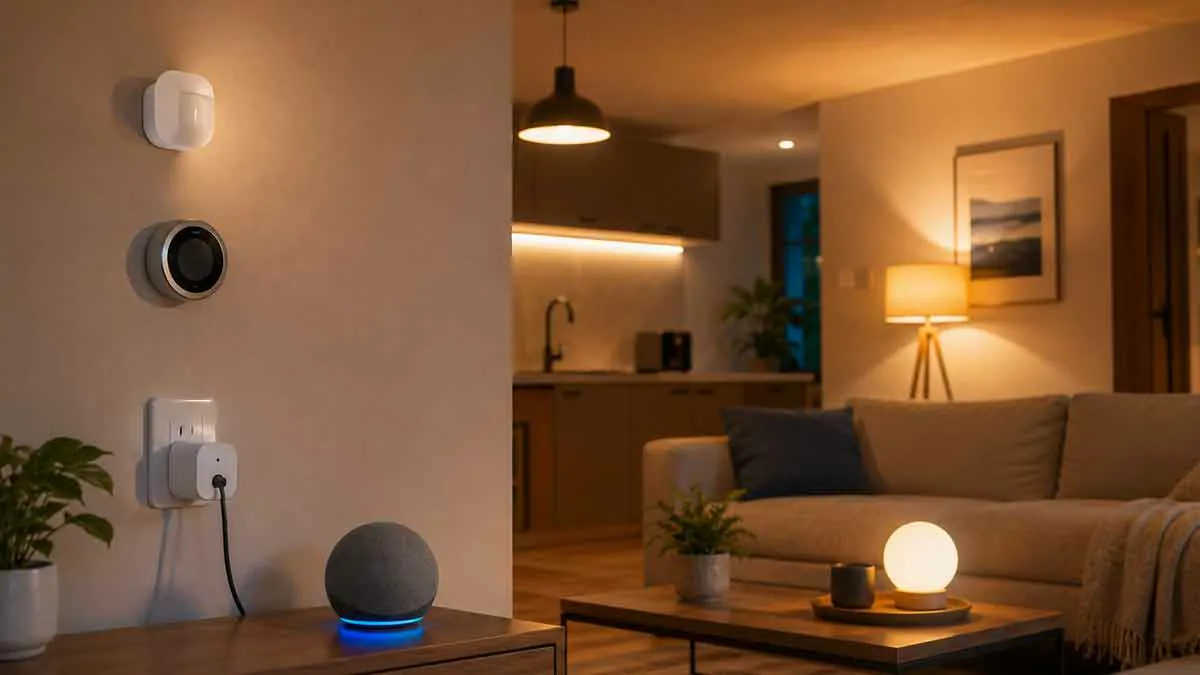
Home automation can sound complicated when you look at advanced smart home systems, but beginners do not need a house full of expensive devices to get started.
A few simple automation projects can make everyday tasks easier, reduce repetitive work, improve comfort, and introduce you to the basics of a connected home without creating unnecessary complexity.
The best beginner projects usually have three things in common: they solve a real problem, require only a small number of devices, and are easy to understand if something goes wrong.
In this guide, we will explore practical home automation projects for beginners, explain what you need for each one, and show how to build a smart home gradually.
What Is Home Automation?
Home automation is the process of using connected devices and programmed rules to make household tasks happen automatically.
Instead of manually controlling a device every time, you create a trigger and an action.
For example:
Trigger: Sunset
Action: Turn on the porch light.
Another example:
Trigger: Everyone leaves home
Action: Turn off selected lights.
A more advanced system can also use conditions.
For example:
Trigger: Motion detected
Condition: It is nighttime
Action: Turn on the hallway light.
This basic concept is enough to create many useful beginner projects.
What Do You Need to Start?
You do not need a complicated installation.
A basic setup can include:
- A reliable home network
- A compatible smart home platform
- One or two smart devices
- A smartphone
- A simple automation
Popular smart home platforms include Google Home, Amazon Alexa, Apple Home, and other ecosystems.
Many modern devices can also work across multiple platforms, depending on their compatibility.
Before buying anything, decide which platform you want to use as your main control system.
How to Choose Your First Automation Project
Start with something that you already do repeatedly.
Think about tasks such as:
- Turning lights on every evening
- Turning lights off before bed
- Switching appliances on or off
- Adjusting temperature
- Checking whether a door is open
- Preparing the home when you arrive
- Turning devices off when everyone leaves
The best first project is usually the one that removes a small daily inconvenience.
1. Automatic Sunset Lighting
Automatic lighting is one of the easiest smart home projects for beginners.
What You Need
- A compatible smart bulb, smart switch, or smart plug
- A smart home platform
How It Works
Create an automation using sunset as the trigger.
Trigger: Sunset
Action: Turn on the selected light.
You can use this for:
- Porch lights
- Entryway lights
- Living room lamps
- Hallway lighting
- Outdoor lighting
This project is useful because it does not require complicated sensors or complicated conditions.
Once it works reliably, you can expand it to several rooms.
2. Automatic Bedtime Lights
A bedtime automation is another simple project that can remove a repetitive task.
Example
Trigger: 10:30 PM
Action: Turn off selected lights.
You can also create different settings for bedrooms and common areas.
For example, bedroom lights could switch off while a hallway light remains on at a lower level.
This project also provides a simple introduction to schedules and multiple actions.
3. Motion-Activated Hallway Light
Motion sensors can make a home feel much smarter without requiring complicated automation.
What You Need
- A compatible motion sensor
- A smart light or switch
- A compatible smart home platform
Example Automation
Trigger: Motion detected
Condition: It is nighttime
Action: Turn on hallway light.
You can add another action to turn the light off after a period of inactivity if your platform and devices support it.
This is particularly useful in:
- Hallways
- Staircases
- Entryways
- Bathrooms
- Garages
A motion-based system can also reduce unnecessary lighting because the light only activates when needed.
4. Smart Plug for a Lamp
A smart plug is an easy way to turn an ordinary lamp into a connected device.
What You Need
- One compatible smart plug
- One suitable lamp
Example Automation
Trigger: Sunset
Action: Turn on lamp.
You can create another schedule:
Trigger: 11:00 PM
Action: Turn off lamp.
This is one of the cheapest ways to learn how schedules and automations work.
Before using a smart plug, make sure the appliance is suitable for automated power control and behaves safely when electrical power is restored.
5. Automatic Morning Lighting
A morning lighting routine can make waking up more convenient.
Example
Trigger: 7:00 AM
Action: Turn on selected bedroom lights.
You can also use different brightness levels if your smart lighting system supports them.
For example:
7:00 AM: Low brightness
7:15 AM: Higher brightness
A gradual lighting routine can be more comfortable than switching bright lights on immediately.
6. Welcome Home Lighting
One of the most practical beginner projects is automatic lighting when someone arrives home.
What You Need
Depending on your platform:
- Smart lights
- Presence or location features
- A compatible automation platform
Example
Trigger: Someone arrives home
Condition: It is after sunset
Action: Turn on entryway and living room lights.
The condition prevents the lights from turning on unnecessarily during the day.
This project introduces beginners to the concept of combining a trigger with a condition.
7. Leaving Home Automation
The opposite of a welcome-home routine is an away automation.
Example
Trigger: Everyone leaves
Actions:
- Turn off selected lights
- Turn off suitable smart plugs
- Change selected devices to an away setting
This can be useful for reducing unnecessary energy consumption.
You should avoid using one automation to control safety-critical equipment unless the system is specifically designed and configured for that purpose.
8. Automated Living Room Lighting
Instead of controlling one light, create a small lighting scene for the living room.
For example:
Evening
Turn on the main lamp and selected accent lights.
Movie Night
Dim the lights.
Bedtime
Turn off the living room lights.
The idea is to group several devices around an activity rather than controlling each light individually.
This is a simple introduction to scenes and multi-device automation.
9. Smart Fan Automation
A compatible smart fan can be controlled using schedules or other supported conditions.
Example
Trigger: 7:00 PM
Action: Turn on the fan.
You could also create:
Trigger: 11:00 PM
Action: Turn off the fan.
For more advanced setups, a temperature sensor can potentially be used as a trigger.
For example:
Condition: Room temperature exceeds a selected level
Action: Turn on the fan.
The exact options depend on the fan, sensor, and smart home platform.
10. Simple Temperature Automation
Temperature-based automation is a good next step for beginners who already have a compatible thermostat or temperature sensor.
Example
Trigger: Room temperature falls below a selected level
Action: Perform a supported heating action.
A different automation could respond when the temperature rises above another threshold.
Keep temperature automations simple at first.
Complex rules can create conflicting commands if multiple systems are trying to control the same equipment.
11. Open Door Notification
A contact sensor can turn a traditional door into a smart information source.
What You Need
- A compatible door or window sensor
- A smart home platform
Example
Trigger: Door opens
Action: Send a notification.
This can be useful for:
- Front doors
- Back doors
- Garage doors
- Windows
- Storage areas
You can later use the same sensor as part of larger automations.
12. Open Garage Door Alert
A smart garage controller or compatible sensor can help you monitor the garage.
Example
Trigger: Garage door remains open
Condition: Late evening
Action: Send an alert.
This is particularly useful if you often wonder whether you left the garage open.
The exact implementation depends on the garage controller and smart home platform.
13. Leak Detection Alert
A water leak sensor is a useful beginner project because it focuses on notification rather than complex device control.
What You Need
- A compatible water leak sensor
- A smart home platform
Example
Trigger: Water detected
Action: Send an alert.
Good locations include:
- Under sinks
- Near washing machines
- Near water heaters
- Near dishwashers
- Near other plumbing connections
A simple alert can provide useful protection without creating a complicated automation system.
14. Smart Plug Energy Routine
A smart plug can also be used to control selected devices according to a schedule.
For example:
Trigger: 11:00 PM
Action: Turn off selected smart plugs.
This can help prevent lamps or other suitable devices from remaining powered unnecessarily.
Do not use a smart plug with appliances that are not designed for automated switching.
15. Morning Home Routine
Once you are comfortable with simple schedules, combine several actions.
Example
Trigger: 7:00 AM
Actions:
- Turn on bedroom lights
- Turn on kitchen lighting
- Adjust a compatible thermostat
- Perform another supported morning action
This is a good first multi-device project because all the actions happen at a predictable time.
Keep the routine short enough that you can easily troubleshoot it.
16. Evening Home Routine
Create another routine for the end of the day.
Example
Trigger: Sunset
Actions:
- Turn on exterior lights
- Turn on selected living room lights
- Activate other supported devices
You can later add conditions so the routine only runs when appropriate.
17. Simple Movie Night Automation
Entertainment is a fun way to experiment with multi-device control.
Example
Trigger: Manual scene or voice command
Actions:
- Dim living room lights
- Turn on compatible entertainment devices
- Adjust supported smart blinds
The goal is to create one command that prepares the room for an activity.
18. Simple Goodnight Routine
A goodnight routine can combine several small actions that would otherwise be done manually.
Example
Trigger: Voice command or scheduled time
Actions:
- Turn off selected lights
- Turn off suitable smart plugs
- Close compatible blinds
- Adjust supported heating settings
This is usually more useful than creating separate automations for each task.
19. Smart Bathroom Light
Bathrooms can be a good place for simple motion-based automation.
Example
Trigger: Motion detected
Condition: Nighttime
Action: Turn on a low-level light.
This avoids turning on bright lighting when someone enters the bathroom during the night.
For rooms exposed to water or high humidity, only use devices suitable for the installation environment.
20. Smart Entryway Automation
The entryway is an excellent beginner project because several devices can work together.
For example:
Trigger: Someone arrives home
Condition: After sunset
Actions:
- Turn on exterior light
- Turn on entryway light
- Perform another supported action
This combines presence, time conditions, and multiple actions into one simple project.
How to Build Your First Automation
A simple process can prevent most beginner mistakes.
Step 1: Choose One Problem
Pick a task you repeat every day.
Step 2: Select the Smallest Number of Devices
Do not buy five devices when one device can solve the problem.
Step 3: Connect the Devices
Add the products to your chosen smart home platform.
Step 4: Create a Simple Trigger
Start with a basic trigger such as a time, sunset, motion event, or manual command.
Step 5: Add One Action
Make sure the automation works before adding more actions.
Step 6: Test It
Run the automation several times under different conditions.
Step 7: Expand Gradually
Once the basic version works reliably, add additional actions or conditions.
This approach makes troubleshooting much easier.
Common Beginner Automation Mistakes
Automating Too Much
Trying to automate the entire house on the first day usually creates unnecessary complexity.
Start with a few useful projects.
Buying Devices Before Checking Compatibility
A smart device is only useful if it works with your chosen ecosystem or can be integrated into it as expected.
Creating Conflicting Automations
Two automations can attempt to control the same device in opposite ways.
For example:
Automation A: Turn light on at 7:00 PM
Automation B: Turn light off at 7:05 PM
If that behavior is not intentional, the system will appear unreliable.
Ignoring Manual Control
Important devices should still be controllable manually when practical.
Using Too Many Conditions
Conditions can make an automation smarter, but they also make troubleshooting harder.
Add them only when they solve a specific problem.
How to Make Beginner Automations More Reliable
Keep each automation focused.
Use clear device and room names.
Avoid controlling one device from too many unrelated routines.
Make sure your network is reliable.
Check battery levels for battery-powered sensors.
Keep important physical controls available.
Most importantly, build automations one at a time.
A simple automation that works every day is more valuable than a complicated routine that fails occasionally.
When to Move to Advanced Automation
Once you are comfortable with basic schedules and triggers, you can explore more advanced concepts such as:
- Multiple conditions
- Presence detection
- Temperature triggers
- Occupancy sensors
- Multi-room scenes
- Energy-saving routines
- Advanced automation logic
- Matter-compatible devices
- More sophisticated smart home integrations
You do not need to use advanced features immediately.
The easiest way to become comfortable with home automation is to gradually build on simple projects.
Best Beginner Projects by Difficulty
Very Easy
- Sunset lighting
- Bedtime lights
- Scheduled smart plug
- Morning lighting
Easy
- Motion hallway light
- Open door notification
- Welcome home lighting
- Leaving home routine
Intermediate
- Temperature automation
- Multi-room morning routine
- Movie night scene
- Energy-saving routine
- Garage alerts
The progression helps you learn how different types of triggers, conditions, and actions work together.
How Much Does Beginner Home Automation Cost?
The cost depends on the project.
A very simple project may require only one smart bulb or smart plug.
A more advanced project may require:
- Multiple smart devices
- Sensors
- A compatible hub
- Additional network equipment
- Professional installation
You do not need to build everything at once.
Starting with one inexpensive project allows you to learn the system before investing in more devices.
The Best Approach for Beginners
The most effective strategy is to build around everyday routines.
Start with lighting.
Then add a smart plug.
Next, add a sensor.
After that, experiment with presence, temperature, or multi-device routines.
This approach creates a gradual learning curve and lets you see what is actually useful in your home.
Avoid buying devices simply because they are advertised as smart.
The best home automation projects are the ones that make a repetitive task easier, faster, or more reliable.
Final Thoughts
Home automation does not have to be complicated.
Beginners can start with simple projects such as automatic lighting, scheduled smart plugs, motion-activated lights, door notifications, and morning or bedtime routines.
Once these basic projects work reliably, you can gradually introduce sensors, presence detection, temperature control, multi-device scenes, and more advanced automation logic.
The key is to start small and solve real household problems.
A smart home becomes more useful when automation removes repetitive work without making the home harder to control. Build one project at a time, test each automation carefully, and expand only when the next addition provides a clear benefit.