
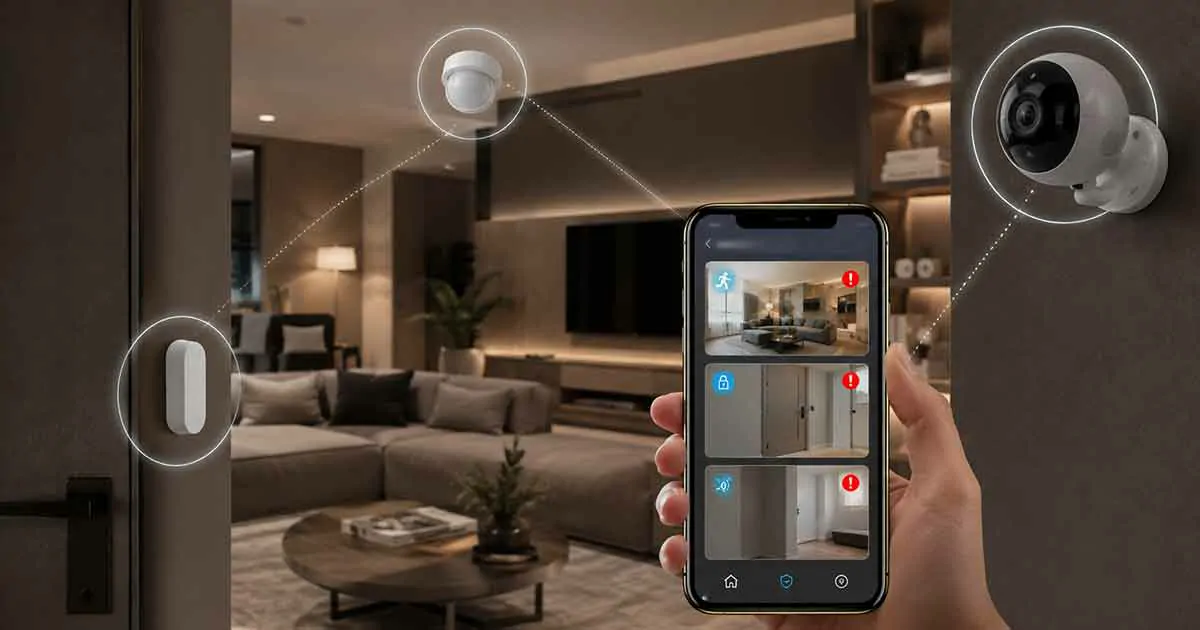
Smart home monitoring makes it possible to keep an eye on your home, receive important alerts, and stay informed about what is happening even when you are away. Instead of relying only on traditional security measures, modern connected homes can use sensors, cameras, smart locks, environmental monitors, and mobile apps to provide real-time information remotely.
Whether you are at work, traveling, or simply in another room, smart home monitoring can give you greater visibility into your home’s activity and condition.
In this guide, we will explain what smart home monitoring is, how it works, which devices can be part of a monitoring setup, the main benefits and limitations, and how to build a practical monitoring system for your home.
Table of Contents
What Is Smart Home Monitoring?
Smart home monitoring is the use of connected devices and software to remotely observe and receive information about activities and conditions inside or around a home.
A smart monitoring system can collect information from different devices and send alerts to a smartphone, tablet, or other connected device. Depending on the system, homeowners may be able to monitor motion, doors and windows, indoor conditions, water leaks, smoke-related events, security cameras, and other household activity.
Unlike traditional monitoring approaches, smart home monitoring can combine several types of connected devices into one system.
For example, a homeowner might receive a notification when a door opens, check a camera remotely, and receive a separate alert if a water leak sensor detects moisture.
The exact capabilities depend on the devices and platform being used.
How Does Smart Home Monitoring Work?
Smart home monitoring generally relies on several components working together.
A typical system may include sensors or monitoring devices, a smart home platform or controller, an internet connection, and a mobile application.
The devices collect information from the home. That information is then communicated to a compatible platform or service, which can process the event and send an alert when necessary.
For example, a simple monitoring sequence could look like this:
Sensor detects an event → smart home system processes it → notification is sent → homeowner checks the situation remotely.
Some systems can also trigger automated actions. A detected event might activate a light, start a camera recording, or send information to another connected device.
This combination of monitoring and automation makes smart home systems more useful than simple notification devices.
What Can You Monitor in a Smart Home?
Smart home monitoring is not limited to security. A well-designed system can provide information about several areas of the home.
Doors and Windows
Door and window sensors can notify homeowners when an entry point is opened or closed.
This can be useful when you are away from home or when you want to know whether a particular door or window has been left open.
For example, a notification could alert you that a back door was opened while nobody should be home.
Motion and Activity
Motion sensors can detect movement in selected areas of the property.
They can be used for security-related monitoring, but they can also support home automation. For example, motion detection may trigger lighting or other connected devices.
The placement of motion sensors is important because furniture, pets, walls, and room layouts can affect how they perform.
Security Cameras
Smart cameras can provide visual monitoring of indoor and outdoor areas.
Depending on the camera, homeowners may be able to view a live feed remotely, receive motion notifications, and review recorded footage.
Cameras can complement other monitoring devices because they provide visual context. A sensor may tell you that movement occurred, while a camera may help you understand what caused it.
Water Leaks
Water leak sensors can monitor areas where leaks or water damage are more likely to occur.
Common locations include areas near water heaters, washing machines, sinks, and plumbing equipment.
A connected leak sensor can send an alert when moisture is detected, potentially giving homeowners an opportunity to respond before a small leak becomes a major problem.
Smoke and Fire-Related Events
Connected fire protection devices can provide alerts when smoke or other dangerous conditions are detected.
These devices can be particularly useful when nobody is home because a local alarm may not be heard by the homeowner from a remote location.
However, smart monitoring should complement, not replace, appropriate fire safety equipment and local safety requirements.
Indoor Environmental Conditions
Smart sensors can also monitor environmental conditions such as temperature and humidity.
This can help homeowners understand changes inside the home and identify unusual conditions.
For example, an unexpected temperature change could indicate a heating or cooling problem, while unusually high humidity may require further investigation.
Smart Home Monitoring vs. Home Security Monitoring
Smart home monitoring and professional home security monitoring are related but not identical.
Smart home monitoring generally refers to using connected devices and software to give homeowners information about their property.
Professional security monitoring may involve a monitoring service that receives alarm events and can follow a predefined response procedure.
A homeowner-managed smart monitoring system may allow you to receive an alert and decide what to do next.
A professionally monitored system may involve a third party responding to certain alarm events.
Some modern systems combine both approaches.
The right option depends on the homeowner’s needs, property, budget, and preferred level of professional assistance.
Key Devices Used for Smart Home Monitoring
A smart monitoring setup can contain different types of connected devices.
Common components include:
- Smart security cameras
- Door and window sensors
- Motion sensors
- Water leak detectors
- Smoke and fire-related sensors
- Temperature sensors
- Humidity sensors
- Smart locks
- Smart doorbells
- Smart home controllers
- Mobile monitoring applications
Not every home needs all of these devices.
A better approach is to identify the situations you want to monitor and then choose devices that address those specific needs.
Benefits of Smart Home Monitoring
Smart home monitoring can provide several practical benefits.
Remote Visibility
One of the biggest advantages is the ability to receive information while you are away.
Instead of wondering whether something happened at home, you can receive an alert and, when supported, check the situation through a connected device.
Faster Awareness
Notifications can help homeowners become aware of potential problems sooner.
A water leak, unexpected door opening, or unusual motion event may be detected before the homeowner physically returns home.
Early awareness can be particularly valuable for problems that can become more serious over time.
Multiple Types of Monitoring
A smart system can combine security and household-condition monitoring.
This means the same connected environment can potentially monitor entry points, movement, cameras, water leaks, temperature, and other conditions.
Automation
Monitoring devices can also work with smart home automation.
For example, a motion event might trigger lighting, while a detected environmental condition could trigger another connected device.
This allows monitoring to become part of a broader smart home system.
Convenient Notifications
Mobile notifications make it easier to stay informed without continuously checking cameras or applications.
Well-configured alerts can provide useful information while reducing the need for constant manual monitoring.
Limitations of Smart Home Monitoring
Smart home monitoring also has limitations that should be considered before installing a system.
Internet Dependence
Many connected monitoring systems depend on an internet connection for remote access and notifications.
If the internet connection fails, some remote monitoring features may become unavailable.
Some devices can continue operating locally, but their capabilities vary.
Power Outages
Connected monitoring devices generally require power.
A power outage can affect cameras, hubs, routers, and other equipment.
For critical monitoring applications, homeowners may consider appropriate backup power solutions.
Privacy Concerns
Cameras, microphones, and connected sensors can collect sensitive information about activities inside the home.
Homeowners should understand what information devices collect, where it is stored, who can access it, and what security controls are available.
Strong account passwords, multi-factor authentication where available, secure Wi-Fi, and regularly updated devices can help reduce security risks.
False Alerts
Poorly configured sensors can generate unnecessary notifications.
For example, motion sensors may detect pets or other activity that does not represent a genuine security concern.
Adjusting sensor placement and notification settings can help reduce unnecessary alerts.
How to Build a Smart Home Monitoring System
You do not need to install every available smart device at once.
A practical approach is to build your monitoring system gradually.
1. Identify What You Want to Monitor
Start by asking what you are trying to observe.
Do you want to monitor doors and windows? Check the home while traveling? Detect water leaks? Monitor indoor conditions?
Your answers will determine which devices are actually useful.
2. Start With High-Priority Areas
Focus on areas where monitoring provides the greatest practical value.
For example, you might start with the main entrance, important windows, a garage, or an area containing water equipment.
3. Choose Compatible Devices
Compatibility matters when building a connected home.
Before purchasing devices, check which smart home platforms and communication standards they support.
Using compatible devices can make it easier to manage multiple products from one system.
4. Configure Notifications Carefully
Not every event needs an immediate notification.
Configure alerts based on importance so that genuinely useful events receive your attention.
Too many notifications can lead to alert fatigue and cause important alerts to be ignored.
5. Secure Your Smart Home Network
Connected monitoring devices should be treated as part of your home’s digital infrastructure.
Use strong, unique passwords and enable multi-factor authentication when available.
Keep device firmware and related applications updated, and use a secure Wi-Fi network.
6. Test the System
After installation, test your monitoring system.
Open monitored doors, trigger sensors, check notifications, and verify remote camera access where applicable.
Testing helps identify problems before you actually need the system.
Smart Home Monitoring While Traveling
Remote monitoring can be especially useful when you are away from home for an extended period.
Before traveling, check that your important devices are online and that notifications are working properly.
You may also want to monitor entry points, cameras, water-related areas, and environmental conditions.
Automation can complement monitoring by making the home appear occupied or responding to certain events automatically.
However, homeowners should avoid relying entirely on remote notifications. Critical safety equipment should remain properly installed and maintained even when smart monitoring is unavailable.
Smart Home Monitoring and Automation
Monitoring and automation are closely connected, but they serve different purposes.
Monitoring answers the question:
What is happening?
Automation answers the question:
What should the home do in response?
For example, a motion sensor may detect movement. Monitoring can send an alert to the homeowner, while automation could turn on a light.
Combining these capabilities can make a smart home more responsive and useful.
However, automation rules should be tested carefully. An overly complicated system can become difficult to troubleshoot and maintain.
How Much Does Smart Home Monitoring Cost?
The cost of smart home monitoring varies significantly depending on the number and type of devices used.
A basic setup using a few sensors may be relatively inexpensive, while a larger system with multiple cameras, controllers, sensors, backup power, and optional professional monitoring can cost considerably more.
There may also be recurring costs for cloud storage, professional monitoring, or other subscription-based services.
When comparing costs, consider both the initial equipment price and ongoing service expenses.
Is Smart Home Monitoring Worth It?
Smart home monitoring can be worthwhile when it solves a specific problem or provides information that is genuinely useful.
It can be especially valuable for homeowners who travel frequently, want remote visibility, or want to monitor multiple aspects of their property from one connected environment.
However, more devices do not automatically mean better monitoring.
A smaller system with reliable devices and well-configured notifications can be more useful than a complicated setup that produces excessive alerts or is difficult to maintain.
The best approach is to build a monitoring system around the risks and situations that matter most to your household.
Final Thoughts
Smart home monitoring provides a practical way to stay informed about your home when you are nearby or far away.
By combining connected sensors, cameras, environmental monitors, smart locks, and other devices, homeowners can receive useful information about what is happening around their property and respond more quickly when something requires attention.
The most effective system is not necessarily the largest one. Instead, it should use reliable devices, sensible notification settings, compatible technology, and appropriate security practices.
Whether you are starting with a single sensor or building a broader connected home, smart home monitoring can become an important part of a modern home technology strategy.