
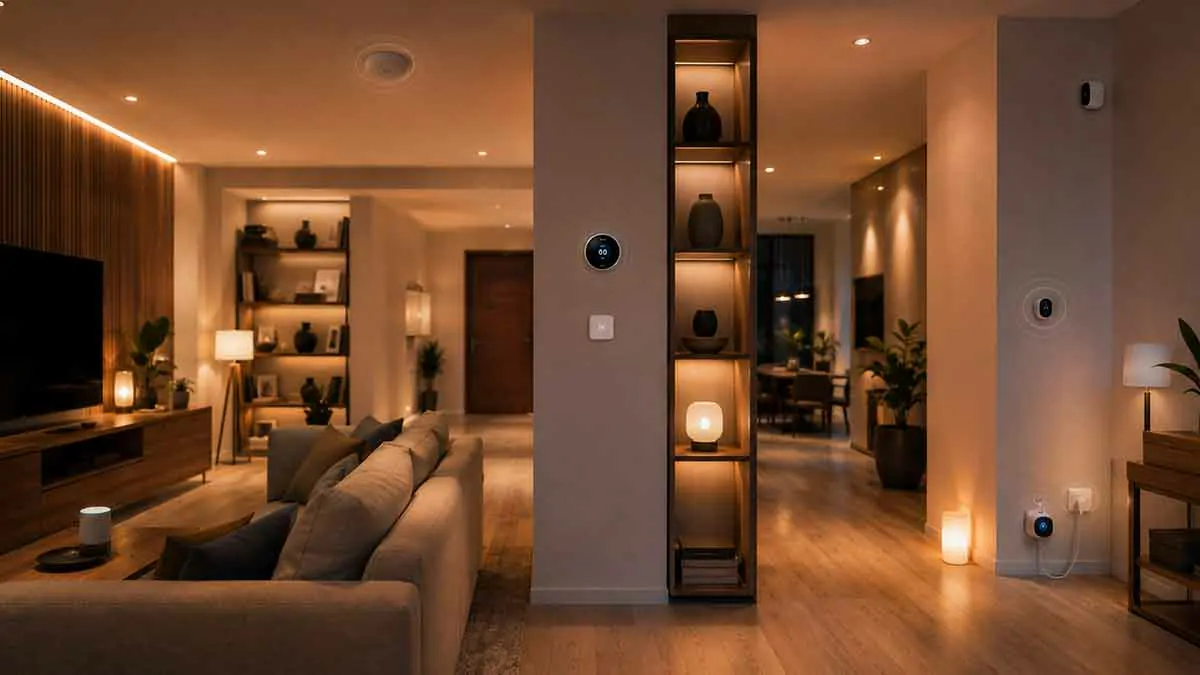
Smart home systems use different types of rules to control connected devices, and two terms that often cause confusion are routines and automations.
At first glance, they may seem interchangeable. Both can control lights, thermostats, smart plugs, sensors, and other connected devices. Both can also simplify repetitive tasks around the home.
The difference usually comes down to how they are structured and how they are triggered.
A routine is generally a predefined sequence of actions designed around a particular activity or situation. An automation is a rule that responds to a trigger, often with additional conditions, to perform one or more actions automatically.
The exact terminology varies between smart home platforms. One manufacturer may call a feature a routine while another uses the term automation for a similar function.
In this guide, we’ll explain smart home routines vs automations, how each works, when to use them, practical examples, common mistakes, and how they can work together.
Table of Contents
What Is a Smart Home Routine?
A smart home routine is a predefined group of actions designed to handle a recurring activity.
Instead of controlling several devices individually, you can activate one routine to perform multiple actions.
For example, a Good Morning routine might:
- Turn on bedroom lights
- Adjust selected smart lights
- Provide a weather update through a compatible assistant
- Adjust a compatible thermostat
- Turn off a bedroom fan
The exact actions depend on the smart home platform and devices you use.
The main idea is that a routine represents a repeatable household activity.
How Smart Home Routines Work
A routine usually combines several actions into one convenient command or sequence.
For example:
Good Night Routine
- Turn off living room lights
- Turn off kitchen lights
- Dim bedroom lighting
- Adjust compatible thermostat settings
- Activate selected security-related devices
You can then activate the routine using a voice command, app, button, or another supported trigger.
Some platforms also allow routines to start automatically based on time, device events, location, or other conditions.
This is one reason the distinction between routines and automations can become confusing.
What Is a Smart Home Automation?
A smart home automation is a rule that causes an action to happen when a particular event or condition occurs.
For example:
When motion is detected in the hallway at night → turn on the hallway light.
The automation waits for a trigger and then performs the configured action.
Automations can range from very simple rules to systems involving multiple triggers and conditions.
Typical automation triggers include:
- Motion detected
- Door opened
- Temperature changes
- Sunrise or sunset
- Person arrives
- Person leaves
- Scheduled time
- Device state changes
The defining characteristic is that the system responds to an event or condition rather than simply waiting for you to manually start a predefined activity.
Smart Home Routines vs. Automations
The simplest way to understand the difference is:
Routine: A predefined sequence designed around an activity.
Automation: A rule that responds to a trigger or condition.
For example:
Good Night Routine: Turn off selected lights and prepare the home for bedtime.
Motion Automation: When motion is detected in the hallway after bedtime, turn on a low-level light.
The routine represents what you want to accomplish as a group of actions.
The automation determines when a device should react automatically.
Why the Terms Can Be Confusing
There is no universal naming system across all smart home platforms.
Some platforms use routine to describe a sequence that can be triggered manually or automatically.
Others use automation for nearly any rule involving a trigger and action.
As smart home platforms become more capable, the features can overlap.
For this reason, it is more useful to understand the underlying logic than to focus only on the terminology used by a particular manufacturer.
When comparing two platforms, look at what each feature can actually do.
Routines Are Useful for Repeated Activities
Routines are particularly useful when you repeatedly perform several actions together.
Consider a typical bedtime routine.
Without a routine, you might need to:
- Turn off the living room lights.
- Turn off the kitchen lights.
- Adjust the bedroom lighting.
- Change the thermostat.
- Check selected devices.
A routine can combine these actions.
One command can then handle the sequence.
This is convenient because the routine represents the entire activity rather than requiring you to remember every individual device.
Automations Are Useful for Reactive Behavior
Automations are especially useful when you want your home to react to something happening.
For example:
Motion detected → turn on hallway light.
Door opened after sunset → turn on entryway light.
Temperature rises above a selected level → adjust compatible climate control.
Everyone leaves → switch selected devices to an away state.
You do not need to manually start these actions when the trigger occurs.
The system responds automatically.
Examples of Smart Home Routines
Good Morning Routine
A morning routine could:
- Gradually increase bedroom lighting
- Turn on selected kitchen lights
- Adjust a compatible thermostat
- Provide useful information through a smart assistant
The exact sequence depends on your household.
Good Night Routine
A bedtime routine could:
- Turn off downstairs lights
- Turn off selected smart plugs
- Dim bedroom lighting
- Adjust compatible climate settings
Movie Night Routine
A movie routine could:
- Dim living room lights
- Turn off lights near the television
- Activate accent lighting
- Adjust compatible entertainment devices
Leaving Home Routine
A leaving-home routine could:
- Turn off selected lights
- Switch selected devices to an energy-saving state
- Adjust compatible thermostat settings
- Prepare selected security devices
However, if you want this to happen automatically whenever the last household member leaves, you would normally use an automation as the trigger.
Examples of Smart Home Automations
Motion-Based Lighting
Trigger: Motion detected.
Condition: It is nighttime.
Action: Turn on hallway lighting.
Sunset Lighting
Trigger: Sunset.
Action: Turn on selected outdoor lights.
Arrival Automation
Trigger: A household member arrives home.
Condition: It is after sunset.
Action: Activate selected entryway lighting.
Departure Automation
Trigger: The last household member leaves.
Conditions: No other recognized household member is home.
Actions: Turn off selected lights and activate an appropriate away state.
Temperature Automation
Trigger: Room temperature changes.
Condition: Home is occupied.
Action: Adjust compatible climate control.
Can a Routine Be Triggered by an Automation?
Yes, depending on the smart home platform.
This is one of the most useful ways to combine the two concepts.
For example, you could create a Welcome Home Routine that defines what should happen when you arrive.
The routine might turn on selected lights and adjust other devices.
Then an automation can determine when to activate it:
Trigger: Household member arrives.
Condition: After sunset.
Action: Start Welcome Home Routine.
This creates a useful separation between the sequence of actions and the event that starts it.
Can a Routine Run Automatically?
In many smart home systems, yes.
A routine does not necessarily have to be manually activated.
Depending on the platform, a routine may be triggered by:
- Time
- Device events
- Location
- Voice commands
- Sensors
- Smart home modes
- Other supported conditions
This is another reason why the terms can overlap.
A routine may contain a sequence of actions, while an automation determines when that sequence should run.
Routine vs. Automation for Smart Lighting
Lighting provides a simple example.
Imagine you want the living room to have a comfortable evening setting.
You could create a Relax Routine that:
- Dims the ceiling lights
- Turns on a floor lamp
- Activates accent lighting
You could then activate that routine manually whenever you want.
Alternatively, you could create an automation:
At 7:00 PM + someone is home → activate Relax Routine.
The routine defines the lighting state.
The automation determines when it should happen.
Routine vs. Automation for Energy Savings
The same principle can be applied to energy management.
A routine might create an Energy Saving state that turns off selected lights and non-essential devices.
An automation could activate that routine when everyone leaves home.
For example:
Routine: Energy Saving
- Selected lights → off
- Decorative devices → off
- Selected smart plugs → off
Automation:
When the last household member leaves → activate Energy Saving routine.
This approach can make energy-related rules easier to organize.
However, not every appliance should be automatically switched off. Critical equipment should be excluded unless you know exactly how it will behave after power is restored.
Routine vs. Automation for Home Security
Security is another area where the two concepts can complement each other.
You could create a routine that prepares the home for an away state.
The routine might:
- Turn off selected lights
- Lock compatible doors
- Adjust selected devices
- Activate appropriate security settings
An automation can determine when the routine should run.
For example:
When everyone leaves → activate Away routine.
This can be more flexible than manually controlling each device.
However, security-sensitive actions should be configured carefully. Location or device presence alone should not automatically be treated as proof that an area is secure.
Routines and Multiple Household Members
Multiple residents can make smart home automation more complicated.
Imagine one person leaves home while another remains inside.
An automation that responds to any departure could incorrectly activate an away routine.
A better approach is to define the condition around the last household member leaving.
For example:
If no recognized household member is present → activate Away routine.
This prevents the home from entering an away state while someone is still inside.
Routines and Guests
Guests can also affect how routines and automations behave.
Suppose everyone in the household leaves while a guest remains home.
If the system tracks only household members, it may incorrectly assume that the house is empty.
This can result in lights switching off or other unwanted actions.
For this reason, important routines should have a simple manual override.
Smart automation should remain convenient for the people actually using the home.
Scheduled Routines vs. Event-Based Automations
Another useful distinction is how predictable the event is.
A scheduled routine works well when the activity normally occurs at a predictable time.
For example:
7:00 AM → Good Morning routine.
An automation is more useful when the timing depends on what is happening.
For example:
Motion detected after sunset → hallway light turns on.
However, scheduled actions can also be implemented as automations on many platforms.
Again, the platform’s terminology is less important than the behavior you need.
When Should You Use a Routine?
A routine is a good choice when you want to group several actions around a recognizable activity.
Use a routine when:
- You repeatedly perform the same sequence
- Several devices should change together
- You want a single command for multiple actions
- You want a reusable household activity
- You want to simplify manual control
If you are thinking “I want one command to do all of these things,” a routine is often a good starting point.
When Should You Use an Automation?
An automation is a better choice when you want the system to react automatically to an event.
Use an automation when:
- A sensor detects something
- Someone arrives or leaves
- A door opens
- The time changes
- The sun rises or sets
- A temperature threshold is reached
- Another device changes state
If you are thinking “Whenever this happens, I want the home to respond,” an automation is usually appropriate.
Common Smart Home Routine and Automation Mistakes
Creating Too Many Rules
A large collection of overlapping routines and automations can become difficult to manage.
Start with the tasks that provide an obvious benefit.
Duplicating the Same Actions
If several rules contain identical device settings, consider creating a reusable routine.
This can make future changes easier.
Using Automation for Everything
Not every task needs to happen automatically.
Sometimes a manual routine activated with a button or voice command is more convenient.
Making Routines Too Large
A routine containing dozens of unrelated actions can become difficult to understand.
Group actions that naturally belong together.
Creating Conflicting Automations
Two automations can sometimes control the same device in opposite ways.
For example:
Automation A: Turn living room lights on at 7:00 PM.
Automation B: Turn living room lights off at 7:05 PM.
Conflicts like this can make a smart home appear unreliable.
Review which rules control the same devices and avoid unnecessary overlap.
How to Organize Smart Home Routines and Automations
A simple organizational structure can make a growing smart home easier to maintain.
Step 1: Identify the Activity
Start with something you already do regularly.
Examples:
- Wake up
- Leave home
- Arrive home
- Watch television
- Go to bed
Step 2: Create the Desired Actions
Decide what should happen during that activity.
For example, a bedtime routine might control several lights and compatible devices.
Step 3: Decide Whether It Should Be Manual or Automatic
Ask whether you want to start it yourself or have the system detect the appropriate event.
If you want manual control, a routine may be enough.
If the system should respond automatically, use an automation or an automation-triggered routine where supported.
Step 4: Test It
Run the routine manually first.
Then test the automation under realistic conditions.
This makes it easier to identify problems before relying on the system every day.
A Practical Example
Consider a homeowner who wants the house to prepare for bedtime automatically.
First, create a Good Night routine:
- Turn off selected living room lights
- Turn off kitchen lights
- Dim bedroom lighting
- Adjust selected devices
Then create an automation:
Trigger: 10:30 PM.
Condition: Someone is home.
Action: Start Good Night routine.
Now the routine defines the actions, while the automation determines when those actions occur.
The homeowner can also manually start the same routine earlier when going to bed before 10:30 PM.
This is one of the main advantages of keeping reusable routines separate from automatic triggers.
Best Practices for Smart Home Routines and Automations
To keep your smart home reliable:
- Use routines for repeatable groups of actions
- Use automations for event-based behavior
- Keep each routine focused on one activity
- Avoid unnecessary automation rules
- Check for conflicting device commands
- Consider all household members
- Add conditions when they prevent unwanted actions
- Keep manual overrides available
- Test new rules before relying on them
- Review your system as your daily habits change
Are Routines and Automations the Same Thing?
Not necessarily.
The exact distinction depends on the smart home platform.
Some systems use the word routine for a sequence of actions that can have triggers.
Others use automation for rules that include triggers, conditions, and actions.
As a result, two platforms may use different terminology for features that behave similarly.
Rather than comparing labels alone, look at the actual capabilities:
- Can it respond to a trigger?
- Can it use conditions?
- Can it run multiple actions?
- Can it be started manually?
- Can it be reused by other rules?
- Can it run locally or does it require cloud access?
These questions provide a more useful comparison than the name of the feature.
Routines and Automations Can Work Together
The most flexible smart homes do not necessarily choose one over the other.
They use each for the job it handles best.
A routine can define a reusable activity.
An automation can determine when that activity should happen.
For example:
Welcome Home routine
- Entryway lights → 70%
- Living room lights → 50%
- Selected devices → preferred state
Arrival automation
- Trigger → household member arrives
- Condition → after sunset
- Action → start Welcome Home routine
This structure makes the system easier to understand and modify.
Final Thoughts
Understanding smart home routines vs automations can make it easier to design a connected home without creating unnecessary complexity.
A routine is generally a convenient way to group actions around a recurring activity, while an automation is a rule that responds to a trigger, condition, or change in the home.
The terminology can vary between platforms, so focus on what each feature actually does rather than relying only on its name.
For a practical smart home, use routines to create reusable activities such as Good Morning, Good Night, Movie Night, or Welcome Home. Use automations when your home should respond automatically to motion, time, temperature, arrival, departure, or other events.
When the two are used together, your smart home can become more responsive while remaining easier to understand, troubleshoot, and control.