
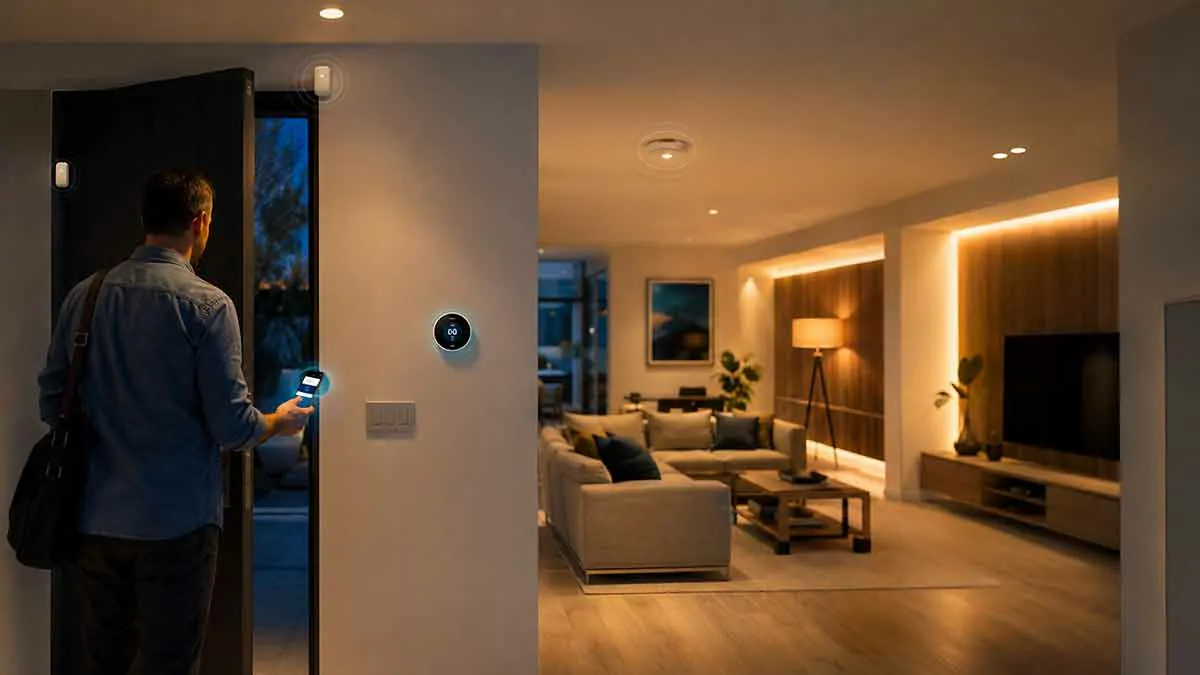
Smart home automation becomes much more useful when your home can respond to whether someone is actually there.
Instead of relying only on fixed schedules, smart home presence detection can help determine when people are home, away, moving through specific areas, or returning to the house. This allows smart devices to respond more intelligently to real-life situations.
For example, your lights can turn on when you arrive home, the thermostat can adjust when everyone leaves, and selected devices can switch to an away mode when the house is empty.
Presence detection can use several technologies, including smartphone location, Wi-Fi connections, motion sensors, Bluetooth devices, smart locks, and other sensors. Each approach has different strengths and limitations.
This complete guide explains how smart home presence detection works, the technologies behind it, practical automation ideas, and how to build a reliable system without making your smart home unnecessarily complicated.
Table of Contents
What Is Smart Home Presence Detection?
Smart home presence detection is the process of determining whether a person is present in or around a home using connected devices and sensors.
Traditional home automation often relies on simple triggers such as:
- A specific time
- A motion event
- A button press
- A scheduled routine
Presence detection adds another layer of context.
Instead of simply asking whether motion was detected, a smart home can attempt to determine whether someone is actually home.
This distinction matters because motion does not always mean occupancy. A room can remain occupied while someone is sitting still, while a pet can trigger a motion sensor when nobody is home.
A good presence detection system combines different signals to make better decisions.
How Does Smart Home Presence Detection Work?
There is no single technology responsible for presence detection.
Different systems use different methods, and some combine multiple sources of information.
Smartphone Location
A smartphone can provide an approximate indication of whether a person is home or away.
When a phone leaves a defined geographic area, the smart home can interpret that as the person leaving.
When the phone returns, it can trigger a welcome-home routine.
This method is convenient because most people already carry a smartphone.
However, it has limitations. Phones can have location services disabled, batteries can run low, and location-based detection may not always reflect exactly what is happening inside the home.
Wi-Fi Presence Detection
A smart home system can sometimes determine whether a known smartphone or other device is connected to the home’s Wi-Fi network.
If the device disappears from the network, the system may interpret this as an indication that the person has left.
Wi-Fi-based detection can be useful because it works with devices that are already connected to the network.
However, network behavior varies between devices and routers. A phone may temporarily disconnect or enter a low-power state without the person actually leaving.
Motion Sensors
Motion sensors are one of the most common components of smart home automation.
They detect movement within a specific area and can trigger lights, alarms, or other devices.
Motion detection is useful for determining whether an area has been recently active, but it should not automatically be treated as proof that someone is home.
For example, someone sitting quietly in a chair may not trigger a motion sensor for several minutes.
Door and Window Sensors
Contact sensors can detect when doors and windows open or close.
These sensors can provide useful context.
For example, if the front door opens shortly after a known smartphone returns home, the system may have stronger evidence that someone has arrived.
Door sensors are therefore often more useful when combined with other signals rather than used alone.
Bluetooth Devices
Bluetooth devices can provide another presence signal.
A smartphone, smartwatch, or other Bluetooth device may be detected when it is within range of a compatible system.
Bluetooth-based detection can be useful for room-level presence in some setups, although range and device compatibility can vary.
Smart Locks
Smart locks can provide useful information about entry and exit events.
When a compatible lock is unlocked, the smart home can use that event as part of an arrival automation.
Smart locks should not necessarily be treated as the only source of presence information, but they can provide valuable context.
Presence Detection vs. Motion Detection
These two concepts are related but not identical.
Motion detection answers a relatively simple question:
Is there movement in this area?
Presence detection attempts to answer a broader question:
Is a particular person likely to be here?
This difference is important.
A motion sensor can detect movement caused by a pet, while presence detection may use a combination of a smartphone, Wi-Fi, sensors, and other signals.
For simple lighting automation, motion detection may be sufficient.
For whole-home automations such as changing thermostat settings or activating away mode, more reliable presence information can be valuable.
Presence Detection vs. Occupancy Detection
Occupancy detection focuses on whether a space is currently being used.
Presence detection can operate at a broader level and may attempt to determine whether a person is at home, nearby, or away.
For example:
- Motion sensor → movement detected
- Occupancy sensor → room likely occupied
- Presence detection → person likely present at home
The exact definitions vary between smart home platforms and device manufacturers, but the concepts are useful when designing automation rules.
Why Presence Detection Matters for Smart Homes
Presence detection can make automations more responsive to actual household behavior.
A schedule assumes that your routine is predictable.
Presence detection responds to what is happening now.
For example, if you normally arrive home at 6:00 PM but return at 4:30 PM one day, a fixed schedule may not turn the lights on until 6:00 PM.
A presence-based automation can respond to your actual arrival instead.
This makes smart home automation feel more natural.
Smart Home Presence Detection for Lighting
Lighting is one of the easiest applications for presence detection.
When you arrive home after dark, selected lights can activate automatically.
When everyone leaves, unnecessary lights can switch off.
You can also combine presence with time conditions.
For example:
- If someone arrives after sunset → turn on entryway lights
- If the home is occupied during the evening → maintain normal lighting
- If nobody is home → turn off selected lights
- If motion is detected at night → activate low-level hallway lighting
This can reduce repetitive manual actions while keeping the system relatively simple.
Presence Detection for Heating and Cooling
Presence detection can also work with smart thermostats.
If everyone leaves the home, the thermostat may be able to switch to an energy-saving setting.
When someone returns, the system can restore a more comfortable temperature.
This approach can be more flexible than a fixed schedule.
However, heating and cooling systems have different response times, so it is not always necessary or efficient to make large temperature changes every time someone leaves for a short period.
A better strategy may be to use presence information together with time, duration, and household routines.
Presence Detection for Home Security
Presence detection can support home security routines by helping the system understand whether the home is occupied.
For example, when everyone leaves, the smart home could:
- Activate selected security devices
- Turn off unnecessary lights
- Lock compatible doors
- Adjust lighting schedules
- Send selected notifications
When someone returns, an appropriate home mode can be restored.
Presence detection should complement dedicated security equipment rather than replace it.
Presence Detection for Smart Plugs and Appliances
Smart plugs can also respond to presence-based routines.
For example, when the home is empty, selected non-essential devices can be switched off.
This can help reduce standby power consumption and eliminate the need to manually check certain appliances.
However, appliances that should never be disconnected from power should be excluded from automatic routines.
Always consider what happens if a device is switched off unexpectedly before including it in an automation.
Presence Detection for Smart Home Routines
Presence becomes particularly useful when it controls multiple devices at once.
A home mode could activate when someone arrives.
An away mode could activate when the last person leaves.
A night mode could activate at a specific time when the home is occupied.
These modes allow multiple automations to work together without creating separate rules for every device.
For example, an away mode could turn off lights and selected smart plugs while keeping security-related devices active.
How to Create a Reliable Home/Away System
A common mistake is relying on one signal.
For example, you might create a rule that says:
If my phone leaves the house, the home is empty.
That can fail if another family member remains at home.
A better approach is to define the home state based on all relevant household members.
For example:
Home: At least one recognized household member is present.
Away: No recognized household members are present.
This simple distinction can prevent many unwanted automations.
Use Multiple Signals When Possible
Reliability improves when multiple signals support the same conclusion.
For example, an arrival could be identified using:
- Smartphone location
- Wi-Fi connection
- Front door activity
- Motion detection
You do not necessarily need all four.
The goal is to use enough information to reduce false triggers without making the system unnecessarily complicated.
Common Presence Detection Problems
Presence detection is useful, but it is not perfect.
False Away Status
The system may incorrectly think everyone has left.
This can happen if a phone loses connectivity or location information temporarily.
The result could be lights switching off while someone is still home.
False Home Status
A device may remain connected to Wi-Fi even after someone has left.
This can prevent an away routine from activating.
Smartphone Battery Problems
If a phone runs out of battery, location-based presence detection may stop working.
Multiple Household Members
Presence automation becomes more complicated when several people live in the same home.
The system must consider everyone rather than relying on one person’s device.
Guests
Guests can create additional complexity.
A home should not necessarily enter away mode simply because the primary household members leave while a guest remains.
How to Improve Presence Detection Reliability
The most reliable systems use several simple techniques.
Add a Delay
Do not immediately activate an away routine the moment a phone disappears.
A short delay can prevent temporary connectivity problems from triggering unnecessary changes.
Confirm the State
Use additional information before making important changes.
For example, an away routine could require that no recognized household devices are present and that the home has been inactive for a certain period.
Avoid Aggressive Automations
Do not automatically turn off everything in the house based on uncertain presence data.
Start with low-risk actions such as decorative lighting.
Once the system proves reliable, you can consider more important automations.
Create Manual Overrides
There should be an easy way to override an automation.
Smart home automation works best when users remain in control.
Privacy Considerations
Presence detection can involve sensitive information about when people are home or away.
Depending on the system, this information may be processed locally or through cloud services.
Before choosing a presence detection solution, consider:
- Where presence data is processed
- Whether data is stored
- Which services have access to it
- Whether location information leaves your home network
- How long activity information is retained
If privacy is important to you, look for systems that provide local processing or clear controls over data sharing.
Can Presence Detection Work Without Wi-Fi?
Yes, depending on the technology being used.
Wi-Fi is only one possible presence signal.
A smart home can potentially use:
- Motion sensors
- Bluetooth
- Door sensors
- Smart locks
- Local sensors
- Other communication technologies
However, the exact capabilities depend on the devices and smart home platform.
Some systems can continue performing local automations even when the internet connection is unavailable, while cloud-dependent features may stop working.
Presence Detection and Matter
Matter is an interoperability standard designed to help compatible smart home devices work together across supported ecosystems.
As smart home standards continue to develop, compatibility between devices can make it easier to combine sensors, lights, locks, and controllers from different manufacturers.
However, Matter support does not automatically mean that every device provides advanced presence detection.
Always check the specific capabilities of the product and platform you are considering.
Practical Presence Detection Automations
Here are several practical examples that can make a noticeable difference.
Arrival Automation
When someone arrives after sunset:
- Turn on entryway lighting
- Turn on selected living room lights
- Restore the normal home lighting scene
Away Automation
When everyone leaves:
- Turn off unnecessary lights
- Turn off selected smart plugs
- Adjust compatible thermostat settings
- Activate the appropriate security mode
Nighttime Bathroom Automation
If motion is detected in the hallway or bathroom at night:
- Turn on a dim light
- Keep brightness low
- Turn it off automatically after inactivity
Work-from-Home Automation
When a person is present during working hours:
- Activate office lighting
- Adjust selected devices
- Maintain a comfortable work environment
Vacation Lighting
When the home is in vacation mode:
- Activate selected lights according to a schedule
- Vary the timing when supported
- Keep normal security routines active
How to Start With Presence Detection
You do not need an advanced system to begin.
Start by identifying one repetitive problem.
For example:
Problem: Lights remain on after everyone leaves.
Solution: Create an away automation that turns off selected lights after confirming that the home is empty.
Or:
Problem: The hallway is dark when you arrive at night.
Solution: Combine arrival information with a sunset condition to activate the entryway lighting.
Once the first automation works reliably, expand gradually.
Best Practices for Smart Home Presence Detection
A few principles can make a significant difference:
- Start with simple automations
- Use multiple presence signals when appropriate
- Consider every household member
- Add delays to prevent false triggers
- Keep manual overrides available
- Avoid automating critical devices too aggressively
- Review privacy and data handling
- Test automations before relying on them
- Keep automation rules easy to understand
- Build gradually instead of automating the entire home at once
Final Thoughts
Smart home presence detection can make automation significantly more intelligent by allowing devices to respond to whether people are actually home rather than relying only on fixed schedules.
Smartphones, Wi-Fi, motion sensors, Bluetooth devices, door sensors, and smart locks can all provide useful signals. The most reliable approach is usually to combine appropriate signals instead of depending entirely on one device.
Start with simple applications such as lighting, then gradually expand to thermostats, smart plugs, security routines, and other devices.
The goal is not to create the most complicated automation system possible. The goal is to create a home that responds naturally to everyday routines while remaining reliable, understandable, and easy to control.