
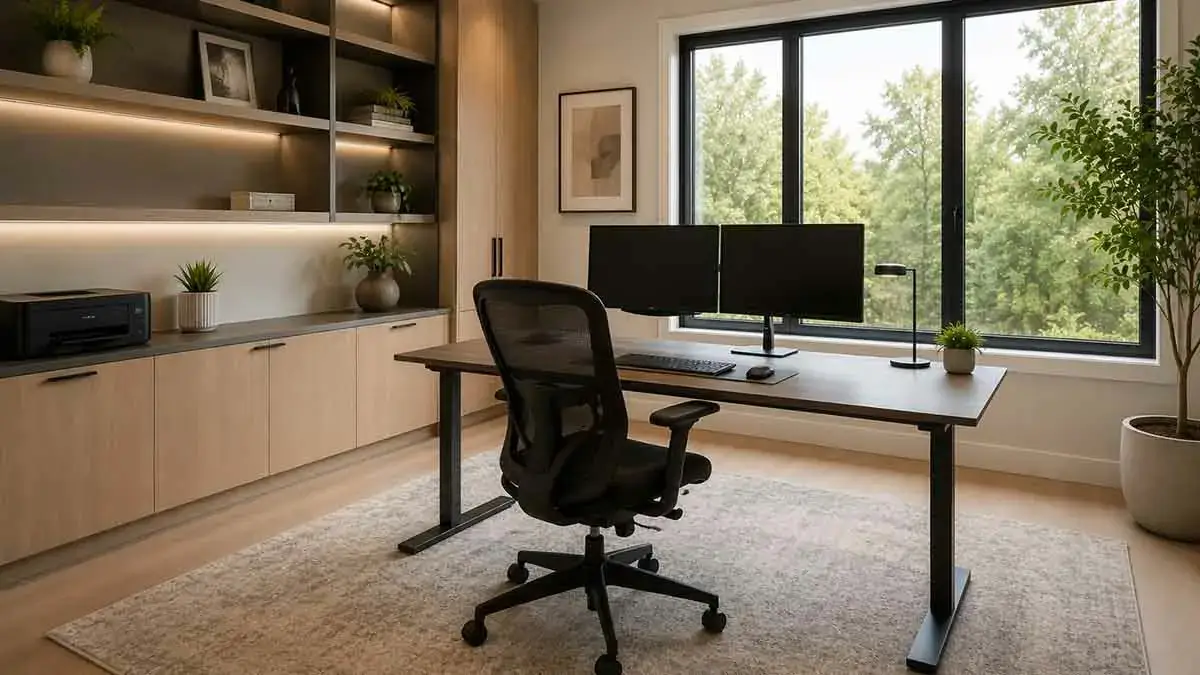
A well-designed home office can make working from home more comfortable, organized, and productive. You do not need a large room or an expensive renovation to create an effective workspace. Simple improvements to the layout, lighting, storage, desk setup, acoustics, and electrical access can make a significant difference.
For homeowners with a dedicated office, larger improvements can include built-in storage, improved insulation, better windows, additional electrical outlets, upgraded flooring, or changes to the room’s layout.
The best home office improvement ideas begin with how the space will actually be used. A workspace for full-time remote work may require different features than a small desk used occasionally for studying, household administration, or creative work.
This guide explains practical ways to improve a home office, from low-cost updates to larger renovation projects, while focusing on comfort, functionality, organization, lighting, technology, and long-term usability.
Table of Contents
What Makes a Good Home Office?
A good home office should support the way you work while remaining comfortable and organized.
Important factors include:
- Comfortable furniture
- Good lighting
- Adequate electrical access
- Reliable internet connectivity
- Sufficient storage
- Low noise
- Good temperature control
- Proper ventilation
- Comfortable ergonomics
- Easy organization
- Appropriate privacy
The most attractive office is not necessarily the most effective. Prioritize the features that improve your daily work experience.
Start With the Home Office Layout
The layout should be the foundation of your home office improvement project.
Consider the location of:
- Desk
- Office chair
- Windows
- Doors
- Electrical outlets
- Storage
- Lighting
- Computer equipment
Leave enough space around the desk and chair to move comfortably.
Avoid positioning furniture where it blocks doors, heating equipment, windows, or important circulation paths.
Choose the Right Location
A dedicated room is ideal, but not always necessary.
A home office can be created in:
- Spare bedrooms
- Finished basements
- Dining areas
- Living rooms
- Hallways with sufficient width
- Converted closets
- Unused corners
Choose the quietest practical location and consider how much privacy your work requires.
Choose the Right Desk Position
The desk is usually the center of the workspace.
When selecting its position, consider:
- Natural light
- Screen glare
- Electrical access
- Door visibility
- Background for video calls
- Available storage
Avoid placing a monitor directly in front of a bright window if it creates excessive glare.
Select the Right Desk
The desk should provide enough working surface without overwhelming the room.
Consider:
- Desk width
- Desk depth
- Height
- Storage
- Cable management
- Computer equipment
- Available floor space
A smaller desk can be more effective than an oversized desk when it allows better circulation and organization.
Choose a Comfortable Office Chair
A comfortable chair is one of the most important home office investments.
Look for:
- Appropriate seat height
- Adequate back support
- Adjustable features
- Stable construction
- Suitable seat depth
The chair should allow you to maintain a comfortable working position without creating unnecessary strain.
Improve Home Office Lighting
Good lighting improves visibility and can make the workspace more comfortable.
Use a combination of:
Ambient Lighting
Provides general illumination.
Task Lighting
Provides focused light for reading and desk work.
Natural Light
Provides daylight and can make the room feel more pleasant.
Avoid relying entirely on a single overhead fixture.
Use Natural Light
Natural light can make a home office feel brighter and more inviting.
Position the desk so that daylight is useful without creating excessive screen glare.
Window treatments can help control changing light throughout the day.
Add Task Lighting
A desk lamp can provide focused illumination for paperwork and detailed tasks.
Consider:
- Adjustable desk lamps
- Directional lamps
- Monitor-mounted lighting
- Wall-mounted task lights
Choose lighting that complements the room’s general illumination.
Reduce Screen Glare
Glare can make computer work uncomfortable.
Possible solutions include:
- Adjusting monitor position
- Using blinds or shades
- Moving the desk relative to windows
- Controlling direct sunlight
- Adjusting screen brightness
The goal is to create balanced lighting rather than simply making the room darker.
Improve Electrical Access
Home offices often require more electrical connections than ordinary bedrooms or living spaces.
You may need power for:
- Computers
- Monitors
- Desk lamps
- Printers
- Speakers
- Chargers
- Networking equipment
Plan electrical access around the actual equipment layout.
Major electrical modifications should be performed according to applicable local requirements.
Plan Outlets Around Furniture
Outlet placement should be considered before finalizing the office layout.
Place outlets where they can be reached without running cables across walking paths.
Additional outlets may be particularly useful near:
- Desk
- Printer station
- Standing desk
- Meeting area
- Charging area
Improve Cable Management
Poor cable management can make even a well-designed office appear cluttered.
Use practical solutions such as:
- Cable trays
- Cable sleeves
- Under-desk organizers
- Velcro straps
- Cable clips
- Properly labeled power connections
Keep cables away from walking paths and areas where they can be easily damaged.
Improve Internet Connectivity
Reliable connectivity is essential for many home offices.
Depending on the home’s layout, consider:
- Wired Ethernet
- Improved Wi-Fi coverage
- A better router location
- Network access points
- Organized networking equipment
For demanding work, a wired connection may provide greater consistency than relying entirely on wireless connectivity.
Improve Home Office Storage
Storage should support the work performed in the room.
Consider storage for:
- Documents
- Books
- Office supplies
- Electronics
- Cables
- Printer materials
- Equipment
Keep frequently used items within easy reach.
Use Built-In Storage
Built-in cabinets can maximize wall space while creating a clean appearance.
They can include:
- Shelves
- Drawers
- Closed cabinets
- File storage
- Equipment compartments
Built-ins are particularly useful when the office has an unusual layout or limited floor space.
Use Vertical Storage
When floor space is limited, use the walls.
Options include:
- Tall cabinets
- Floating shelves
- Wall-mounted organizers
- Pegboards
- Shelving systems
Place frequently used items at comfortable heights and reserve upper shelves for less frequently used items.
Keep the Desk Organized
A clean desk can make the workspace easier to use.
Keep only frequently needed items on the main work surface.
Use drawers, shelves, and organizers for:
- Stationery
- Documents
- Chargers
- Small electronics
- Accessories
A simple organization system is easier to maintain than a complicated one.
Create a Filing and Document Area
If your work involves paper documents, create a dedicated storage area.
Possible solutions include:
- Filing cabinets
- File drawers
- Shelving
- Document boxes
Keep important documents organized and secure according to their purpose.
Improve Home Office Acoustics
Noise can interfere with concentration and video calls.
Potential improvements include:
- Area rugs
- Curtains
- Upholstered furniture
- Acoustic panels
- Solid-core doors
- Wall insulation
Soft surfaces can reduce reflected sound, while structural improvements can help limit sound transmission.
Reduce Outside Noise
If traffic, neighbors, household activity, or other noise is a problem, identify the main source first.
Possible improvements include:
- Better window treatments
- Sealing gaps
- Solid doors
- Acoustic materials
- Improved window performance
For major renovation projects, wall and ceiling insulation may provide additional sound control.
Improve Door and Wall Sound Control
A lightweight interior door can allow significant sound transmission.
For a dedicated office, consider:
- A more substantial door
- Door seals
- Improved wall insulation
- Acoustic treatment
These improvements can be particularly valuable for frequent video meetings.
Improve Temperature and Ventilation
A comfortable temperature helps make long work sessions easier.
Check:
- HVAC airflow
- Window performance
- Insulation
- Ventilation
- Sun exposure
If the office is consistently hotter or colder than other rooms, investigate the underlying cause rather than simply adjusting the thermostat.
Improve Home Office Insulation
If renovation work exposes walls or ceilings, inspect existing insulation.
Improving insulation can help:
- Reduce temperature fluctuations
- Improve comfort
- Reduce outside noise
- Improve energy efficiency
Prioritize areas where heat loss or heat gain is most noticeable.
Upgrade Home Office Windows
Windows can affect natural light, comfort, noise, and energy efficiency.
If replacement is necessary, consider:
- Energy performance
- Noise reduction
- Window orientation
- Air leakage
- Light control
If the budget is limited, address the windows causing the greatest comfort or performance problems first.
Improve Indoor Air Quality
A home office may remain occupied for many hours each day, making indoor air quality important.
Consider:
- Proper ventilation
- Functional HVAC systems
- Moisture control
- Regular filter maintenance
- Low-emission materials
- Controlling dust
Avoid using strong fragrances simply to mask unpleasant odors.
Choose Practical Flooring
Office flooring should be comfortable, durable, and appropriate for the chair being used.
Options include:
- Hardwood
- Engineered wood
- Luxury vinyl
- Laminate
- Carpet
- Cork
If using a rolling office chair, make sure the flooring and chair combination work well together.
Improve the Walls and Ceiling
Simple wall and ceiling improvements can make a home office feel more finished.
Consider:
- Fresh paint
- Decorative molding
- Wall shelving
- Acoustic treatments
- Better ceiling lighting
Keep the design visually calm if the room is used for concentrated work.
Choose a Productive Color Scheme
There is no single color that guarantees productivity.
Instead, choose colors that create the atmosphere you want.
Possible approaches include:
- Soft neutrals for a calm environment
- Light colors for smaller rooms
- Muted greens or blues for a relaxed appearance
- Darker accent colors for visual contrast
Use stronger colors selectively so they do not overwhelm the workspace.
Create a Professional Background
If you regularly participate in video meetings, consider what appears behind your desk.
A good background can include:
- Simple shelving
- Artwork
- Plants
- Books
- A clean wall
- Controlled lighting
Avoid excessive clutter or highly distracting objects.
Improve Video Call Lighting
Good video lighting does not require expensive equipment.
Try to position light so that your face is evenly illuminated.
Useful options include:
- Window light
- Desk lamps
- Adjustable LED lights
- Soft room lighting
Avoid strong light directly behind you because it can make your face appear too dark.
Improve Video Call Acoustics
Clear audio is often more important than an elaborate visual setup.
Reduce echo by using:
- Rugs
- Curtains
- Upholstered furniture
- Acoustic panels
- Bookshelves
Keep microphones away from noisy equipment whenever practical.
Create a Dedicated Meeting Area
If the room is large enough, create a small secondary area for meetings.
It could include:
- Two chairs
- Small table
- Additional lighting
- Simple background
This allows the main desk to remain focused on computer work.
Add a Small Reading or Break Area
A larger home office can benefit from a separate area for reading or short breaks.
Consider:
- Comfortable chair
- Small table
- Floor lamp
- Bookshelf
Keep the area simple so it does not consume valuable workspace unnecessarily.
Make a Small Home Office Feel Larger
Small offices benefit from efficient furniture and visual simplicity.
Use:
- Compact desks
- Floating shelves
- Vertical storage
- Light wall colors
- Wall-mounted equipment
- Cable management
- Multi-functional furniture
Keep the floor as open as possible.
Use a Multi-Purpose Room as an Office
If the office shares space with another function, clearly define the workspace.
For example, a guest room can include a compact desk, while a dining area can include a removable or fold-down workstation.
Use furniture that can serve more than one purpose.
Improve a Large Home Office
Large offices provide more flexibility but can also become inefficient.
Create zones for:
- Primary workstation
- Storage
- Meetings
- Reading
- Equipment
- Breaks
Use furniture placement and rugs to define the different areas.
Create a Built-In Workspace
A built-in workstation can integrate the desk, storage, lighting, and electrical access.
It may include:
- Desktop
- Cabinets
- Shelves
- Drawers
- Cable management
- Task lighting
Built-in designs are particularly useful when the available space has unusual dimensions.
Add a Standing Desk Area
Alternating between sitting and standing can make a workstation more flexible.
A standing setup can be created with:
- Adjustable standing desk
- Sit-stand desk converter
- Height-adjustable workstation
Make sure the monitor, keyboard, and other equipment remain positioned comfortably when the desk height changes.
Improve Ergonomics
Ergonomics should be considered before decorative upgrades.
Pay attention to:
- Chair height
- Desk height
- Monitor position
- Keyboard position
- Mouse placement
- Foot support
- Screen distance
The goal is to create a neutral and comfortable working position.
Organize Computer Equipment
Computer equipment can quickly dominate a home office.
Use:
- Monitor stands
- Under-desk mounts
- Cable trays
- Equipment shelves
- Docking stations
Keep frequently used equipment accessible while moving less frequently used equipment out of the main workspace.
Create a Printer and Equipment Station
If the office includes a printer, scanner, or other equipment, give these items a dedicated location.
A separate station can include:
- Printer shelf
- Paper storage
- Supplies cabinet
- Charging area
This keeps equipment from taking over the primary desk.
Improve Home Office Privacy
Privacy requirements vary depending on the type of work.
Possible improvements include:
- Solid interior doors
- Window coverings
- Room dividers
- Frosted window film
- Strategic furniture placement
For sensitive work, consider both visual and acoustic privacy.
Improve Security for Work Equipment
Work equipment can be expensive and may contain important information.
Consider:
- Lockable storage
- Secure cable management
- Proper device security
- Organized document storage
- Keeping sensitive paperwork out of open view
Physical organization can complement digital security practices.
Make the Office More Flexible
A flexible office can adapt when your work requirements change.
Use furniture that can accommodate:
- Additional monitors
- New equipment
- Video meetings
- Paperwork
- Temporary projects
Avoid designing the room so tightly around one specific device or furniture arrangement that future changes become difficult.
Home Office Improvement Ideas on a Budget
You can improve a home office without major construction.
Affordable improvements include:
- Reorganizing the desk
- Improving cable management
- Adding a desk lamp
- Repainting walls
- Installing shelves
- Decluttering
- Rearranging furniture
- Adding a rug
- Improving window treatments
- Creating a dedicated equipment area
Start with changes that solve actual problems.
Mid-Range Home Office Improvements
With a moderate budget, consider:
- Better office furniture
- New flooring
- Improved lighting
- Closet or storage upgrades
- Additional outlets
- Better window treatments
- Acoustic improvements
- Built-in shelving
These upgrades can significantly improve comfort and organization without a complete renovation.
Major Home Office Renovation Ideas
A major project may include:
- Reconfiguring the room
- Adding built-in cabinetry
- Upgrading electrical circuits
- Installing additional lighting
- Improving insulation
- Replacing windows
- Upgrading the door
- Improving HVAC distribution
- Creating dedicated meeting or storage areas
Structural or electrical changes should be properly planned before construction begins.
Home Office Improvements for Small Homes
Small homes often require flexible solutions.
Consider:
- Fold-down desks
- Wall-mounted desks
- Built-in storage
- Floating shelves
- Multi-purpose rooms
- Storage furniture
- Vertical organization
The goal is to create a functional workspace without sacrificing the room’s primary purpose.
Home Office Improvements for Shared Spaces
If two people share an office, plan the room around both users.
Consider:
- Separate work surfaces
- Adequate outlets
- Individual storage
- Shared equipment zones
- Acoustic separation
- Sufficient lighting
Avoid forcing two workstations into a space without first checking circulation and equipment requirements.
Home Office Improvements for Older Homes
Older homes may require additional attention to:
- Electrical capacity
- Outlets
- Insulation
- Windows
- Heating
- Ventilation
- Internet wiring
If renovation work exposes walls, consider whether upgrading these systems at the same time makes practical sense.
Sustainable Home Office Improvements
A sustainable office does not require expensive materials.
Consider:
- Durable furniture
- Energy-efficient lighting
- Reusing suitable furniture
- Low-emission paints
- Efficient windows
- Better insulation
- Repairable equipment
- Responsible disposal of old electronics
Choosing durable products can reduce the frequency of replacement.
Home Office Improvement Mistakes to Avoid
Choosing the Desk Before Planning the Room
An oversized desk can restrict circulation and storage.
Ignoring Lighting
Poor lighting can make computer work uncomfortable.
Placing the Monitor in Direct Glare
Strong daylight can make screens difficult to see.
Ignoring Cable Management
Loose cables quickly create visual and physical clutter.
Using an Uncomfortable Chair
A stylish chair is not useful if it does not provide adequate support.
Overloading the Room With Furniture
Too much furniture reduces flexibility and circulation.
Forgetting Electrical Planning
Modern workstations often require multiple power connections.
Ignoring Noise
A beautiful office can still be ineffective if outside noise constantly interrupts work.
Creating Too Much Open Storage
Open shelves can become cluttered quickly.
Designing Only for Current Equipment
Technology and work requirements change. Leave room for future upgrades.
How to Plan a Home Office Improvement Project
Step 1: Identify the Problems
Write down what currently makes the office uncomfortable, inefficient, noisy, cluttered, or difficult to use.
Step 2: Define Your Work Requirements
Determine what equipment, storage, privacy, and workspace you actually need.
Step 3: Measure the Room
Record:
- Wall dimensions
- Door location
- Window location
- Ceiling height
- Existing outlets
- HVAC locations
- Built-in features
Step 4: Plan the Furniture Layout
Position the desk, chair, storage, equipment, and other major elements before buying anything.
Step 5: Set a Budget
Separate essential improvements from optional upgrades.
Step 6: Plan Lighting and Electrical Access
Determine where lighting and outlets are needed based on the final furniture and equipment arrangement.
Step 7: Choose Materials and Furniture
Select durable, practical products that fit the room and your work requirements.
Step 8: Complete Major Improvements
Perform electrical, flooring, storage, painting, acoustic, or other renovation work before final setup.
Step 9: Organize the Workspace
Install equipment, manage cables, organize documents, and adjust the furniture for comfortable use.
Step 10: Review the Finished Office
Spend time using the space and identify any remaining problems before making additional purchases.
Home Office Improvement Checklist
Use this checklist when planning your project:
- Identify workspace problems
- Define work requirements
- Measure the room
- Plan the desk position
- Choose an appropriate desk
- Choose a comfortable chair
- Plan lighting
- Reduce screen glare
- Check electrical access
- Plan cable management
- Improve internet connectivity
- Plan storage
- Improve acoustics
- Evaluate temperature control
- Check ventilation
- Consider insulation
- Evaluate flooring
- Plan video call background
- Improve privacy
- Organize equipment
- Set a realistic budget
- Prioritize improvements
Final Thoughts
The best home office improvement ideas focus on making the workspace comfortable, functional, organized, and adaptable.
Start with the fundamentals: layout, desk position, chair, lighting, electrical access, storage, acoustics, and temperature control. These elements have a greater effect on everyday use than decorative upgrades alone.
For a limited budget, begin with decluttering, cable management, better lighting, furniture rearrangement, and improved storage. For a larger project, consider built-in cabinetry, additional outlets, better insulation, improved windows, acoustic upgrades, and dedicated equipment areas.
A home office does not need to be large or expensive to work well. By planning the space around your actual work requirements and using available space efficiently, you can create a workspace that is more comfortable, organized, and practical for everyday use.