
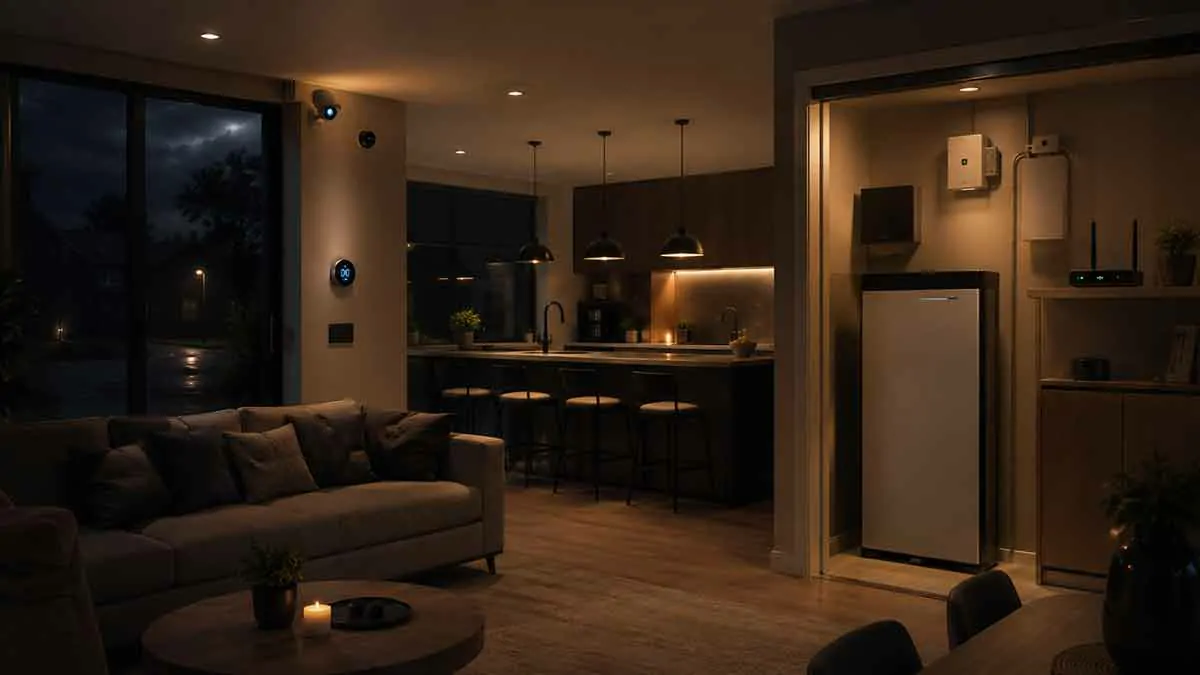
A smart home can make everyday life more convenient, but many connected devices depend on one thing that is easy to overlook: electricity.
When the power goes out, smart lights, Wi-Fi routers, smart hubs, security systems, cameras, sensors, and other devices may stop working. Even devices with batteries can lose important features if the network or central controller shuts down.
This is where smart home backup power becomes important.
A properly designed backup power system can keep essential smart home equipment operating during an outage. Depending on your needs, that could mean keeping your Wi-Fi router online for a few hours, maintaining security devices, powering a smart home hub, or supporting selected appliances and critical equipment.
The right solution depends on the size of your home, the devices you need to keep running, the expected outage duration, and whether you want temporary backup or whole-home power.
In this complete guide, we’ll explain how smart home backup power works, which devices should receive backup power, the difference between UPS systems, battery backups, generators, and solar storage, and how to build a reliable backup strategy.
Table of Contents
What Is Smart Home Backup Power?
Smart home backup power is a system designed to provide electricity to selected smart home devices when the main electrical supply fails.
The goal is not necessarily to power every device in the house.
Instead, many homeowners prioritize essential equipment such as:
- Wi-Fi routers
- Modems or fiber terminals
- Smart home hubs
- Security cameras
- Alarm systems
- Smart locks
- Network switches
- Smart sensors
- Selected lights
- Home servers or storage systems
A small backup system can keep these devices operating for a limited period.
A larger battery system or generator can provide substantially more power and potentially support appliances and other household circuits.
Why Does a Smart Home Need Backup Power?
A conventional home can continue functioning in a limited way during a power outage.
A smart home can be more complicated.
Many connected devices depend on several systems working together.
For example:
Smartphone → Wi-Fi router → smart home hub → smart device
If the router loses power, the entire communication chain may fail even if the smart device itself still has a battery.
This means that backup power should be designed around the whole system, not just individual devices.
What Happens to Smart Home Devices During a Power Outage?
The behavior depends on the device.
Some devices immediately stop working.
Others continue using battery power.
Some devices restart automatically when electricity returns.
Others may require manual intervention or lose their network connection temporarily.
Common effects include:
- Wi-Fi becomes unavailable
- Smart hubs shut down
- Cameras stop recording
- Smart lights turn off
- Network switches lose power
- Smart locks switch to battery operation
- Cloud-based services become inaccessible
- Automations stop running
- Devices restart after power returns
Understanding these behaviors is essential when designing a backup system.
Which Smart Home Devices Should Have Backup Power?
Not every smart device needs backup power.
A useful approach is to divide devices into three categories.
Critical Devices
These should receive priority.
Examples include:
- Security hubs
- Alarm systems
- Network equipment
- Smart home controllers
- Medical or safety-related connected equipment where appropriate
Important Devices
These improve convenience or security but may not need long-term backup.
Examples include:
- Smart lighting controllers
- Cameras
- Smart doorbells
- Smart locks
- Selected sensors
Non-Essential Devices
These usually do not need dedicated backup power.
Examples include:
- Decorative smart lighting
- Entertainment equipment
- Smart speakers
- Non-critical appliances
- Secondary displays
This prioritization helps keep the backup system smaller and more affordable.
Backup Power for Wi-Fi
Your router is one of the most important devices in a connected home.
If your router loses power, many Wi-Fi smart devices become inaccessible.
A router backup system can therefore provide benefits beyond internet access.
A typical network setup might include:
- Modem or fiber terminal
- Router
- Wi-Fi access point
- Network switch
If any critical component loses power, network connectivity may be interrupted.
For this reason, consider powering the complete network chain rather than only the router.
Backup Power for Smart Home Hubs
A smart home hub or controller can be especially important in a local-first smart home.
If the hub shuts down, automations that depend on it may stop.
A UPS can keep the controller operating during short power interruptions.
This can also help prevent abrupt shutdowns that may cause problems for certain computers, network devices, or storage systems.
Backup Power for Security Cameras
Security cameras are often high-priority devices during an outage.
However, keeping a camera powered is only part of the solution.
You also need to consider:
- Network connectivity
- Recording storage
- Cloud access
- Local recording
- Night lighting
- Camera power requirements
If your cameras depend on cloud recording, internet access may still be required.
A locally recording camera system can potentially continue recording during an internet outage if the cameras, network, and storage system all remain powered.
Backup Power for Smart Locks
Many smart locks operate on batteries.
This means the lock itself may continue functioning during a power outage.
However, remote control and some smart features may depend on Wi-Fi, a hub, or another network connection.
If access to your home is critical, understand what your specific lock can do when:
- Household power fails
- Wi-Fi fails
- The internet fails
- The hub shuts down
- The lock’s batteries become depleted
A physical key or other reliable backup access method can also be useful.
Backup Power for Smart Lighting
Smart lighting can be useful during an outage, especially in hallways, stairways, entrances, and other areas where visibility matters.
However, powering every smart bulb may consume more backup energy than necessary.
A more efficient strategy can be to prioritize a few essential lights.
For example:
- Hallway
- Stairway
- Entryway
- Kitchen
- Main bedroom
Smart lights can also be replaced or supplemented with rechargeable emergency lighting for longer outages.
What Is a UPS?
A Uninterruptible Power Supply (UPS) is a backup power device that provides electricity when the primary power supply fails.
A UPS typically contains a battery, charging system, and electronics that switch or maintain power when utility electricity becomes unavailable.
UPS systems are particularly useful for:
- Routers
- Modems
- Network switches
- Smart home hubs
- Computers
- Security equipment
They are especially useful for short interruptions and outages where you want essential electronics to remain powered without interruption.
How Does a UPS Help a Smart Home?
A UPS can provide several benefits.
Short-Term Backup
It can keep selected equipment operating for a limited period.
Automatic Transition
Many UPS systems switch to battery power automatically when utility power fails.
Protection From Power Events
Some UPS units also provide protection against certain voltage fluctuations and power disturbances.
Controlled Shutdown
For compatible equipment, a UPS can provide time to shut down safely instead of losing power suddenly.
For a smart home, even a relatively small UPS can be valuable because network equipment often consumes less power than large appliances.
How Long Will a UPS Power a Smart Home?
There is no single answer.
Runtime depends on:
- Battery capacity
- Load
- UPS efficiency
- Device power consumption
- Battery condition
- Number of connected devices
A router and hub may consume relatively little power, while a gaming computer or large appliance can consume much more.
For example, a small network setup may require significantly less energy than an entire entertainment system.
The best approach is to calculate your actual load before selecting a UPS.
How to Calculate Backup Power Requirements
Start by identifying the devices you want to keep running.
For each device, determine its approximate power consumption in watts.
Then add the loads.
For example:
| Device | Approximate Load |
|---|---|
| Router | 10 W |
| Modem/Fiber terminal | 8 W |
| Smart home hub | 10 W |
| Network switch | 12 W |
| Security system | 15 W |
| Selected lighting | 30 W |
| Total | 85 W |
These numbers are only an example. Always use the actual specifications of your devices.
Once you know the total load, you can estimate the required battery capacity and desired runtime.
Battery Capacity and Runtime
Battery capacity is commonly expressed in watt-hours (Wh).
A simplified calculation is:
Runtime ≈ Battery Capacity ÷ Load
For example, a 500 Wh battery powering a 100 W load could theoretically provide about five hours.
In real-world conditions, runtime will be lower because of conversion losses, battery-management limits, temperature, and other factors.
A more realistic estimate is:
Runtime ≈ Usable Battery Capacity × Efficiency ÷ Load
This is why manufacturer runtime charts can be useful when comparing backup systems.
Small UPS vs Portable Power Station
A small UPS and a portable power station serve overlapping but different purposes.
UPS
Best suited for:
- Routers
- Hubs
- Network equipment
- Computers
- Short outages
- Automatic power switching
Portable Power Station
Best suited for:
- Longer outages
- Larger loads
- Multiple devices
- Portable backup
- Charging from solar panels in compatible systems
Some portable power stations also offer UPS-style functionality.
However, you should verify the manufacturer’s specifications before relying on a particular model for uninterrupted operation.
Whole-Home Battery Backup
For homeowners who want longer backup periods, a larger home battery system may be more appropriate.
A whole-home battery can potentially provide backup power to selected circuits or the entire house, depending on the system and installation.
It can support equipment such as:
- Refrigerators
- Lighting
- Network equipment
- Security systems
- HVAC equipment
- Selected appliances
The required battery capacity depends heavily on the home’s energy consumption.
Whole-home systems generally require professional planning and installation.
Home Generators
Generators are another option for longer outages.
They can provide substantial power and may be suitable for homes where outages last many hours or longer.
Common categories include:
- Portable generators
- Standby generators
- Inverter generators
A standby generator can be connected to a home’s electrical system and may start automatically when utility power fails, depending on the installation.
Generators require careful attention to fuel, ventilation, maintenance, noise, and electrical safety.
Never operate a fuel-burning generator indoors or in an enclosed space because of the risk of carbon monoxide poisoning.
Battery Backup vs Generator
Both systems can provide backup power, but they have different characteristics.
| Feature | Battery Backup | Generator |
|---|---|---|
| Noise | Usually very quiet | Can be noisy |
| Fuel | Electricity/charging | Fuel |
| Maintenance | Generally lower | Generally higher |
| Long outages | Depends on battery size | Can run while fuel is available |
| Installation | Varies | Varies |
| Solar integration | Often available | Not typically the primary purpose |
| Indoor operation | Depends on system design | Fuel-burning units must not be operated indoors |
For short outages and critical electronics, batteries and UPS systems can be convenient.
For extended outages and high loads, generators can provide greater energy availability.
Solar Panels and Smart Home Backup Power
Solar panels can complement a battery backup system.
During an extended outage, solar generation can potentially recharge compatible batteries and extend the available backup period.
However, a normal grid-connected solar installation does not necessarily continue operating during a grid outage.
Many systems shut down automatically when the grid fails unless they are specifically designed with appropriate backup equipment and islanding capabilities.
Therefore, homeowners should not assume that rooftop solar automatically provides backup power.
Solar Battery Storage
A home battery connected to a solar system can store electricity for later use.
During normal operation, the battery may charge from solar generation or the electrical grid, depending on the system.
During an outage, compatible equipment can supply backup power to selected circuits.
This can create a resilient setup:
Solar panels → Battery → Essential home circuits
The actual behavior depends on the system design and installation.
Smart Home Backup Power and Internet Outages
Power outages and internet outages are not always the same thing.
Your home can have:
Power + no internet
or
Internet + no household power
A backup battery may keep your router running, but your internet service could still fail if the ISP’s local equipment loses power.
This is why local smart home control can be valuable.
If essential automations run locally, they may continue working even if internet access is unavailable.
Smart Home Backup Power and Local Control
Local control and backup power work particularly well together.
Imagine this setup:
- Smart home hub → UPS
- Router → UPS
- Smart sensors → battery
- Smart lights → backed-up circuit
If the internet goes down but the local network remains available, supported local automations may continue working.
If household electricity fails, the UPS can keep the controller and network equipment operating for a limited period.
This creates multiple layers of resilience.
How to Prioritize Backup Power
A practical priority order could be:
Tier 1: Essential
- Internet gateway
- Router
- Smart home controller
- Security system
- Critical networking equipment
Tier 2: Important
- Security cameras
- Smart locks
- Essential lighting
- Selected sensors
Tier 3: Convenience
- Smart speakers
- Entertainment devices
- Decorative lighting
- Secondary smart appliances
This approach prevents you from wasting battery capacity on low-priority devices while critical equipment loses power.
Backup Power for PoE Smart Home Devices
Some smart home equipment uses Power over Ethernet (PoE).
Examples can include:
- Security cameras
- Wireless access points
- Network devices
- Video doorbells
With PoE, both data and electrical power travel through the Ethernet cable.
If the PoE switch is connected to backup power, multiple devices can remain operational.
This can be an efficient approach for larger smart home networks.
Backup Power for Home Networking
A reliable backup system should consider the entire network.
A typical setup could include:
Fiber ONT/modem → router → network switch → access points
If only the router is connected to backup power but the fiber terminal or network switch loses power, connectivity may still fail.
For critical connectivity, consider backing up the equipment required for the complete network path.
Battery-Powered Smart Home Devices
Not every device needs household electricity backup.
Many smart home devices already use batteries.
Examples include:
- Door sensors
- Motion sensors
- Smart locks
- Temperature sensors
- Some cameras
- Wireless switches
These devices may continue operating during a household power outage.
However, battery-powered devices can still depend on a powered hub or network infrastructure.
This is another reason to look at the complete system rather than individual devices.
How to Build a Smart Home Backup Power Plan
Step 1: List Your Critical Devices
Write down every device that you want to continue working during an outage.
Step 2: Check Power Consumption
Find the wattage of each device.
If the specification gives voltage and amperage instead, you may be able to estimate power using:
Watts = Volts × Amps
Use actual manufacturer specifications whenever possible.
Step 3: Determine Required Runtime
Decide how long you want your critical devices to operate.
Examples:
- 30 minutes
- 2 hours
- 6 hours
- Overnight
- Several days
Longer runtime requires substantially more stored energy.
Step 4: Choose the Backup Technology
Select a UPS, battery system, generator, or combination based on your requirements.
Step 5: Test the System
Do not wait for a real outage.
Simulate a power failure and confirm that your critical devices continue working.
Step 6: Review the System Regularly
Batteries age.
Devices change.
Your smart home may grow.
Review your backup system periodically.
Common Smart Home Backup Power Mistakes
Backing Up Only the Router
The router may stay powered while the modem, fiber terminal, or access point shuts down.
Ignoring Power Consumption
A backup system that looks large on paper may provide much less runtime under real-world loads.
Powering Everything
Trying to back up every smart device can dramatically increase battery requirements.
Prioritize essential equipment.
Forgetting Battery Maintenance
Some batteries lose capacity over time.
Check the manufacturer’s maintenance recommendations.
Assuming Solar Works During an Outage
Standard grid-tied solar systems may shut down during a grid failure.
Ignoring Local Automations
Backup power is more useful when essential smart home functions can continue locally.
Forgetting Manual Controls
A smart home should still have practical ways to control important devices when technology fails.
Backup Power and Power Quality
Backup power is not only about keeping devices running.
Power quality can also matter.
Some electronic equipment can be sensitive to voltage fluctuations, frequency variations, or sudden interruptions.
A quality UPS can help provide cleaner and more stable power to sensitive electronics, depending on its design.
For sensitive equipment, check whether the UPS provides the type of output recommended by the manufacturer.
How Much Backup Power Does a Smart Home Need?
There is no standard size.
A small smart home network might only require a modest UPS.
A larger home with:
- Multiple access points
- Security cameras
- Network storage
- Smart home servers
- Home automation controllers
- Entertainment systems
may require considerably more capacity.
The correct size should be based on measured or manufacturer-specified loads and the desired runtime.
Is a Whole-Home Backup System Necessary?
Not always.
If your main concern is keeping your smart home operational for short outages, a UPS for the network and controller may be enough.
A whole-home battery or generator becomes more relevant when you also need to operate:
- Refrigeration
- Heating
- Cooling
- Pumps
- Cooking equipment
- Medical equipment
- Other high-power loads
Start by defining what you actually need during an outage.
Smart Home Backup Power for Apartments
Apartment residents may have fewer options than homeowners.
A practical setup can include:
- Small UPS
- Portable battery power station
- Battery-powered lights
- Backup charging for phones
- Battery-powered networking equipment where practical
Whole-home generators or permanently installed batteries may not be feasible.
The goal should be to protect essential connectivity and safety equipment without creating an unnecessarily complicated system.
Smart Home Backup Power for Large Homes
Larger homes often have more complex networks and more smart devices.
A useful strategy is to divide the system into critical and non-critical circuits.
Critical equipment can include:
- Network infrastructure
- Security
- Smart home controllers
- Essential lighting
Larger loads can then be handled separately through a whole-home battery or generator if necessary.
This makes it easier to manage energy consumption during a prolonged outage.
Best Practices for Smart Home Backup Power
A reliable backup strategy should follow several principles:
- Prioritize critical devices
- Back up the complete network path
- Calculate actual power consumption
- Choose runtime based on realistic outage scenarios
- Combine local control with backup power where practical
- Test the system regularly
- Replace aging batteries
- Keep emergency lighting available
- Maintain manual controls for important devices
- Follow all electrical and generator safety requirements
Final Thoughts
Smart home backup power is about more than keeping a few smart devices turned on.
A modern connected home often depends on several layers of equipment, including routers, hubs, network switches, sensors, security devices, and cloud services.
A small UPS can provide meaningful protection for critical electronics during short outages. Larger battery systems and generators can provide longer backup for appliances and essential household circuits.
The most effective strategy is to prioritize the devices that matter most, understand their power requirements, and test how your smart home behaves when electricity or internet connectivity is unavailable.
For many homes, the best solution is a combination of backup power, local smart home control, battery-powered devices, and manual controls.
This layered approach can keep essential smart home functions available when the normal electrical supply is interrupted while avoiding the cost and complexity of backing up everything in the house.