
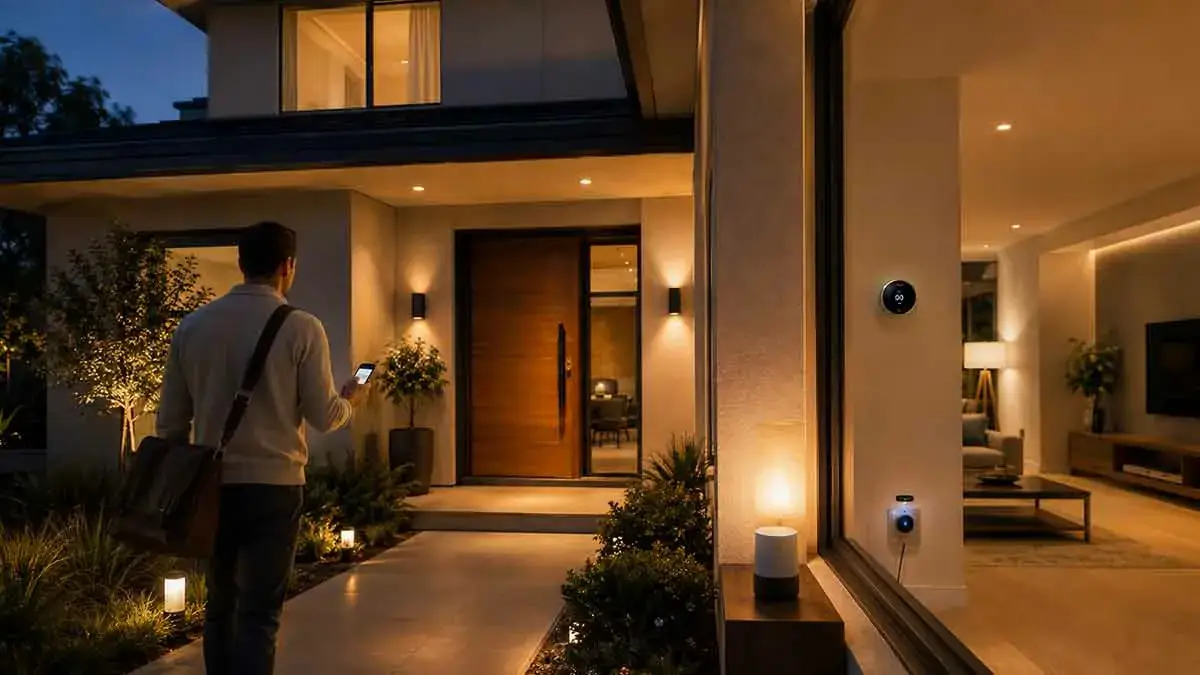
Smart home automation becomes much more convenient when your home can respond to where you are. Instead of relying only on fixed schedules or manually controlling devices, geofencing can trigger automations based on whether you enter or leave a defined geographic area.
For example, your home can turn on selected lights when you arrive after dark, adjust the thermostat when everyone leaves, or activate an away routine when the household is outside a predefined area.
This technology is particularly useful because it can adapt to changing schedules. You may leave home earlier than usual, return later than expected, or make an unplanned trip without needing to change your automation settings manually.
In this smart home geofencing complete guide, we’ll explain how geofencing works, what devices can use it, how to create useful automations, its limitations, and the best practices for building a reliable system.
Table of Contents
What Is Smart Home Geofencing?
Smart home geofencing uses a virtual geographic boundary around a physical location.
The boundary is commonly created around your home using a smartphone or another location-aware device.
When the device crosses that virtual boundary, the smart home platform can interpret the event as an arrival or departure.
For example:
Entering the geofence: You are approaching or arriving at home.
Leaving the geofence: You are moving away from home.
These events can then trigger smart home automations.
A geofence does not physically detect a person. Instead, it uses location information from a compatible device to estimate whether that person has entered or left the defined area.
How Does Smart Home Geofencing Work?
Geofencing typically depends on location services available on a smartphone or another compatible device.
The basic process looks like this:
- Define your home location.
- Create a geographic boundary around it.
- Allow the compatible app or platform to use location information.
- Choose an arrival or departure trigger.
- Connect the trigger to one or more smart home actions.
When your device crosses the boundary, the platform can initiate the selected automation.
For example, an arrival automation could activate the entryway lights after sunset.
A departure automation could turn off selected lights when you leave.
The exact features depend on the smart home platform, smartphone settings, and devices involved.
Geofencing vs. Presence Detection
Geofencing and presence detection are closely related, but they are not exactly the same.
Geofencing primarily determines whether a device has entered or left a geographic boundary.
Presence detection is a broader concept that attempts to determine whether a person is home or away using one or more signals.
For example, a smart home may use smartphone location, Wi-Fi connectivity, motion sensors, Bluetooth devices, and other information to determine presence.
Geofencing can therefore be one component of a larger presence detection system.
This distinction is important when designing reliable automations.
Why Use Geofencing in a Smart Home?
The biggest advantage of geofencing is that it can make automations respond to your actual movements instead of assuming that your schedule is predictable.
A fixed schedule might turn the lights on at 6:00 PM every evening.
But what happens if you arrive at 4:30 PM one day?
A geofencing automation can respond to your arrival instead.
Similarly, a schedule may turn lights off at 8:00 AM, even if you leave at 7:15 AM.
Geofencing can potentially trigger the departure automation earlier.
This makes it particularly useful for homes where daily schedules change.
Smart Lighting Geofencing Ideas
Lighting is one of the simplest applications for geofencing.
Turn On Lights When You Arrive
You can create an arrival automation that activates selected lights when you return home.
For example, after sunset, the automation could turn on:
- Entryway lights
- Living room lights
- Hallway lights
- Porch lights
You do not need to turn on every light in the house.
Choosing only the areas you use when arriving can make the automation more practical.
Combine Arrival With Sunset
Turning lights on every time you arrive would be unnecessary during daylight hours.
A better rule can combine two conditions:
If I arrive home + it is dark → turn on selected lights.
This reduces unnecessary activations and makes the automation more intelligent.
Create a Welcome Home Scene
Instead of activating individual lights, you can create a lighting scene.
A welcome-home scene might use moderate brightness in the entryway and living room while leaving bedrooms and other areas untouched.
This provides a more natural arrival experience without illuminating the entire house.
Geofencing for Smart Thermostats
Smart thermostats can also benefit from geofencing.
When the last household member leaves the defined area, the thermostat can switch to an energy-saving setting.
When someone returns, it can restore a more comfortable temperature.
This can reduce the need to manually adjust the thermostat whenever plans change.
However, heating and cooling systems should not necessarily react to every brief departure.
A short trip to a nearby store may not justify a major temperature adjustment.
Consider using additional conditions, such as a minimum away period, where supported.
Geofencing for Smart Locks
Geofencing can be useful alongside smart locks, but it should be implemented carefully.
For example, arriving home could trigger a notification reminding you to unlock the door or prepare an entry routine.
Some systems may support more direct interactions between location events and compatible locks.
However, automatically unlocking a front door solely because a phone enters a geofence can introduce security risks.
A phone could be stolen, location data could be inaccurate, or the device could be near the property without the user intending to enter.
For this reason, avoid treating geofencing alone as sufficient authentication for sensitive actions.
Geofencing for Home Security
Geofencing can help automate security-related routines.
When the last household member leaves, the home could switch to an away mode.
Depending on your setup, this might:
- Turn off selected lights
- Lock compatible doors
- Activate selected security devices
- Adjust thermostat settings
- Send an appropriate status notification
When someone returns, the system can restore the normal home state.
Geofencing should complement dedicated security devices rather than replace them.
Geofencing for Smart Plugs
Smart plugs can also respond to arrival and departure events.
For example, when everyone leaves, selected non-essential devices can be turned off.
This can be useful for lamps, decorative equipment, and other devices that do not need to remain powered continuously.
Be careful with appliances that require uninterrupted power.
Devices such as refrigerators, medical equipment, networking equipment, or other critical systems should not be included in automatic shutoff routines unless you fully understand the consequences.
Geofencing for Energy Savings
Geofencing can contribute to energy efficiency by helping reduce unnecessary operation of lights, heating, cooling, and other devices.
For example, a departure routine could turn off unnecessary lighting and adjust the thermostat.
However, geofencing itself does not guarantee lower energy bills.
Its effectiveness depends on how the automation is configured and how often it prevents unnecessary energy use.
Combining geofencing with efficient devices and sensible schedules can produce better results.
Geofencing for Garage and Entryway Automation
The garage and entryway are natural areas for location-based automation.
When you arrive home, geofencing can trigger an appropriate welcome routine.
For example:
- Activate exterior lights after dark
- Turn on the entryway
- Prepare selected indoor lighting
- Send a notification about the home’s status
If your garage door is connected to your smart home system, location can potentially be used as one condition in an arrival routine.
However, garage door controls require careful security considerations.
Avoid creating an automation that opens a garage door solely because your phone crosses the geofence.
A location trigger can be inaccurate, and opening a physical access point is a higher-risk action than turning on a light.
Geofencing for Morning and Departure Routines
Geofencing is not only useful for returning home.
A departure automation can eliminate several small tasks.
When the last household member leaves, the system could turn off selected lights and change the home to an away state.
This can be more flexible than a fixed schedule.
For example, if you normally leave at 8:00 AM but leave at 7:15 AM one day, a schedule-based system may continue operating until the scheduled time.
Geofencing can respond to the actual departure instead.
Geofencing for Multiple Household Members
This is one of the most important considerations when setting up geofencing.
Suppose two people live in the same house.
If one person leaves, the system should not necessarily activate the full away routine.
Instead, the automation should ideally determine whether everyone has left.
A simple logic model is:
Someone is home: Keep the home in its normal state.
Everyone is away: Activate the away routine.
This prevents lights from switching off or the thermostat from changing simply because one household member left.
Guest Considerations
Guests can create another challenge.
Imagine that everyone in your household leaves while a guest remains inside.
A geofencing system that tracks only household phones may assume the home is empty.
This could trigger an unwanted away routine.
For this reason, consider how guests should affect your automation before creating aggressive home/away rules.
Manual controls and temporary overrides can help in these situations.
How Large Should a Smart Home Geofence Be?
There is no single ideal geofence size.
A very small boundary may trigger too late or behave inconsistently around the property.
A very large boundary may trigger while you are still far from home.
The best size depends on:
- Smartphone location accuracy
- Your neighborhood
- Traffic patterns
- How quickly you want automations to respond
- The actions being triggered
For low-risk actions such as preparing a lighting routine, a broader geofence may be acceptable.
For more sensitive automations, location should not be treated as the only condition.
Common Smart Home Geofencing Problems
Geofencing can be convenient, but it is not perfect.
Location Accuracy
GPS and other location systems are not always exact.
Your phone may appear slightly outside or inside the boundary even when you have not meaningfully changed your location.
Delayed Triggers
The smartphone may not report a location change immediately.
This can cause an arrival or departure automation to run later than expected.
Battery Optimization
Some smartphones restrict background activity to save battery.
If the smart home app cannot reliably access location information, geofencing may not trigger correctly.
Multiple Phones
Households with multiple residents require more careful configuration.
The system needs to know whether the last person has left rather than simply whether one person has departed.
Temporary Trips
A quick trip outside the geofence can trigger a departure automation even if you return shortly afterward.
This can create unnecessary changes.
How to Make Geofencing More Reliable
Geofencing works best when you treat it as one piece of information rather than an absolute truth.
Add Time Conditions
For lighting, you can combine geofencing with sunset or nighttime conditions.
This prevents lights from activating unnecessarily during daylight.
Add Delays
A short delay can prevent temporary location changes from immediately triggering important automations.
For example, you could wait before switching the entire home into away mode.
Combine Signals
Where supported, combine geofencing with other signals such as:
- Smartphone presence
- Wi-Fi connectivity
- Motion detection
- Door activity
- Smart lock events
Multiple signals can provide stronger evidence than location alone.
Keep Critical Actions Separate
Avoid using geofencing alone for high-risk actions.
Turning on a lamp is low risk.
Unlocking a door or opening a garage door is much more sensitive.
Use stronger conditions for security-related actions.
Privacy and Geofencing
Geofencing requires location information, so privacy deserves careful consideration.
Before enabling a location-based automation, understand how your smart home platform handles location data.
Consider:
- Whether location data is processed locally or in the cloud
- Which apps have access to your location
- Whether location history is stored
- How long data is retained
- Which third-party services receive location information
Use the minimum permissions necessary for the automation you actually need.
If a lighting routine only needs approximate arrival information, there may be no reason to provide broader location access than necessary.
Can Smart Home Geofencing Work Without Internet?
It depends on how the geofencing system is implemented.
Geofencing usually depends on location information from a smartphone, and many platforms use cloud services to process that information.
Once the location event reaches the smart home platform, some local devices may be able to execute the resulting automation without requiring every individual device to communicate with the cloud.
However, cloud-dependent geofencing may not function normally during an internet outage.
This is different from fully local smart home automation, where the logic and triggers can operate within the home network.
If offline operation is important to you, check exactly which parts of your chosen system require an internet connection.
Geofencing and Matter
Matter is designed to improve interoperability between compatible smart home devices.
It can make it easier for supported devices to work across different smart home ecosystems.
However, Matter does not automatically mean that advanced geofencing functionality is available.
Geofencing is often handled by the smart home platform, smartphone application, or automation service rather than by the individual light bulb or sensor.
Always verify the specific capabilities of your platform before assuming that a Matter-compatible device supports a particular location-based automation.
Practical Smart Home Geofencing Automations
Here are several useful examples.
Welcome Home
Trigger: Household member enters the home geofence.
Conditions: After sunset.
Actions: Turn on entryway and selected living room lights.
Leaving Home
Trigger: Last household member leaves the geofence.
Conditions: Nobody else is home.
Actions: Turn off selected lights and activate the away mode.
Energy-Saving Mode
Trigger: Everyone leaves.
Actions: Adjust compatible thermostat settings and switch off selected non-essential devices.
Evening Arrival
Trigger: Someone arrives after dark.
Actions: Activate exterior and entryway lighting.
Vacation Mode
Trigger: Manually enable vacation mode.
Actions: Use selected lighting schedules while keeping security routines active.
The most useful automations are usually simple and based on actions you already perform manually.
Geofencing vs. Fixed Schedules
Both approaches have advantages.
Fixed schedules are predictable and easy to understand.
They work well when your routine rarely changes.
Geofencing responds to actual movement and can adapt to different arrival and departure times.
It is useful when your schedule varies.
In many homes, the best solution is to combine both.
For example, outdoor lights can follow a sunset schedule while indoor welcome lighting responds to arrival.
This creates a system that is both predictable and responsive.
Geofencing vs. Motion Sensors
Motion sensors and geofencing solve different problems.
Geofencing can determine whether a person is approaching or leaving the home.
Motion sensors detect activity in a specific area.
Combining them can produce useful results.
For example:
Arrive home + after sunset → enable entryway lighting.
Motion detected in hallway at night → activate low-level lighting.
This prevents a broad location event from controlling every light in the house.
Best Practices for Smart Home Geofencing
To build a reliable geofencing system:
- Start with low-risk automations
- Use geofencing for convenience rather than critical security
- Consider all household members
- Add delays when necessary
- Combine location with time or other signals
- Avoid unnecessary location permissions
- Test your geofence before creating complex routines
- Keep manual overrides available
- Review automations when household routines change
- Use different rules for lighting and security-sensitive devices
How to Get Started With Smart Home Geofencing
The easiest way to begin is with one simple automation.
For example, create an arrival routine that turns on an entryway light when you arrive after sunset.
Test it for several days.
If it works consistently, add another low-risk action.
You can then gradually expand the system to include departure routines, thermostats, smart plugs, and other devices.
Do not start by connecting every device in the house to one geofence.
A gradual approach makes it easier to identify problems and understand which automations genuinely improve your daily routine.
Final Thoughts
Smart home geofencing gives your automation system an important form of context: where you are relative to your home.
Instead of relying entirely on fixed schedules, geofencing can trigger actions when household members arrive or leave. This makes lighting, climate control, energy management, and everyday routines more responsive.
However, location data is not perfect. GPS accuracy, smartphone settings, battery optimization, multiple residents, guests, and temporary trips can all create false triggers.
The best approach is to use geofencing for convenient, low-risk automations and combine it with other conditions when greater reliability is needed.
Start with something simple, such as arrival lighting or a basic away routine. Once the system proves reliable, expand it gradually. A well-designed geofencing setup should make your smart home more responsive without making it harder to control.