
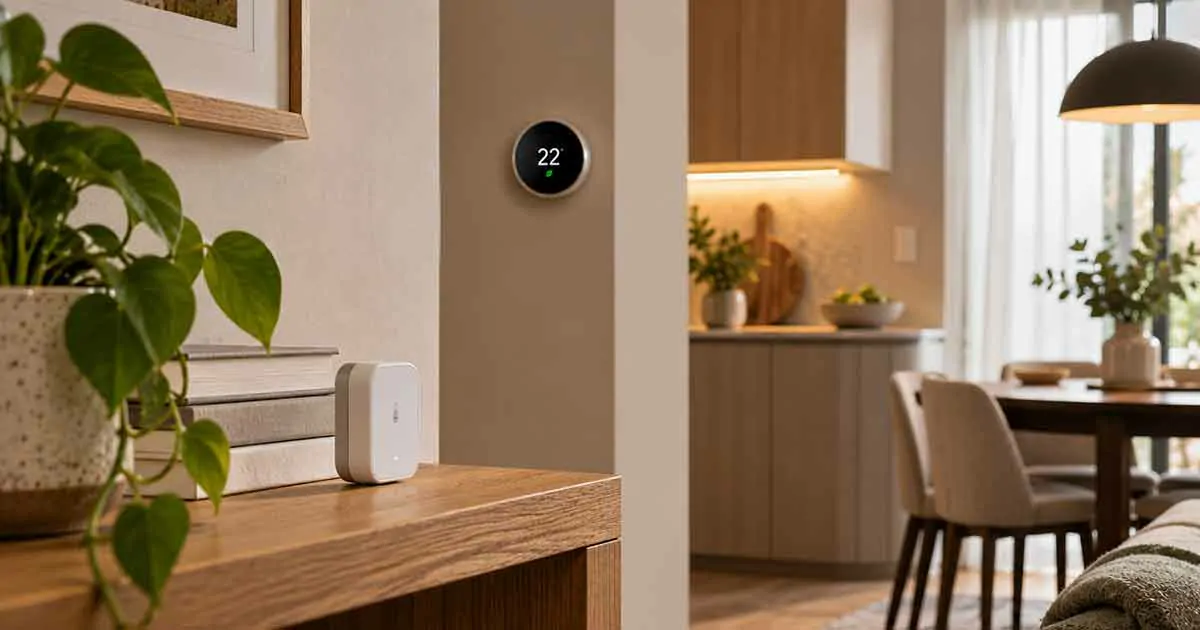
Smart home temperature sensors provide a simple way to monitor temperature in different areas of a home and use that information for automation, comfort, and energy management.
A single thermostat may not accurately represent the temperature throughout an entire house. One bedroom can be warmer than the living room, a home office may become uncomfortable during the afternoon, and rooms located far from the main HVAC system may have different conditions.
A smart temperature sensor can help identify these differences and, when supported by the smart home system, use temperature readings to trigger connected devices.
For example, a compatible thermostat can use a remote temperature sensor to better understand conditions in another room. A smart home system can also send an alert when a room becomes unusually cold or warm.
This guide explains how smart home temperature sensors work, the main types available, important features to consider, and practical ways to use them for comfort, energy management, and home automation.
What Is a Smart Home Temperature Sensor?
A smart home temperature sensor is a connected device that measures the temperature in a specific location and communicates the reading to a compatible smart home system.
Depending on the device, the temperature information may be available through:
- A smartphone app
- A smart home platform
- A compatible thermostat
- A smart display
- An automation system
The sensor may also provide additional measurements such as humidity.
The main advantage is that you can monitor temperature somewhere other than the location of your primary thermostat.
Why Use Smart Temperature Sensors?
Smart temperature sensors can solve several common problems.
Different Temperatures Between Rooms
A thermostat in one location cannot always represent conditions throughout the home.
A remote sensor can provide temperature information from another room.
Better Comfort
You can monitor rooms that are frequently too warm or too cold.
Energy Management
Temperature information can help create smarter heating and cooling routines.
Remote Monitoring
Some sensors allow you to check temperature through a smartphone app.
Protection Alerts
Temperature notifications can warn you about unusually high or low temperatures.
This can be particularly useful when you are away from home.
Best Smart Home Temperature Sensors
There is no single temperature sensor that is best for every smart home.
The right choice depends on whether you need a sensor for a thermostat, general monitoring, automation, or temperature alerts.
1. Thermostat-Compatible Temperature Sensors
Some smart thermostats support dedicated remote temperature sensors.
These sensors allow the thermostat system to measure temperature in another room.
For example:
Bedroom sensor → thermostat uses bedroom temperature for a scheduled period.
This can be useful when the main thermostat is located in a hallway or another area that does not represent the temperature where you spend most of your time.
Before buying one, verify compatibility with your thermostat model.
2. Standalone Smart Temperature Sensors
Standalone sensors can measure and report temperature without being tied to a specific thermostat.
Depending on the product, they may connect through:
- Wi-Fi
- Zigbee
- Z-Wave
- Thread
- Bluetooth
- Other proprietary systems
These sensors can be more flexible when you want to monitor several areas of a home.
3. Smart Temperature and Humidity Sensors
Many smart temperature sensors also measure humidity.
This combination can provide a better picture of indoor conditions.
For example, a sensor may report:
- Temperature
- Relative humidity
Some models provide additional measurements.
Humidity information can help identify rooms that are unusually dry or humid.
4. Wireless Temperature Sensors
Wireless sensors are convenient because they can be placed in different locations without running cables.
Battery-powered models are particularly useful for:
- Bedrooms
- Home offices
- Nurseries
- Living rooms
- Storage areas
Battery life varies by device and communication technology.
5. Wired Temperature Sensors
Wired sensors can provide continuous power and may be suitable for permanent installations.
They can be useful when:
- Battery replacement is inconvenient
- Continuous operation is important
- The sensor is part of a larger HVAC or automation system
However, installation is generally less flexible than with wireless devices.
Temperature Sensors vs. Thermostats
A thermostat and a temperature sensor are not necessarily the same thing.
A thermostat typically controls a heating or cooling system.
A temperature sensor primarily measures temperature.
Some smart thermostats combine both functions and can also use remote sensors.
For example:
Thermostat = measures + controls HVAC
Remote sensor = measures temperature
This distinction is important when choosing a device.
Smart Temperature Sensors for Multi-Room Homes
Temperature can vary significantly between rooms.
Factors include:
- Room size
- Sun exposure
- Insulation
- Window placement
- HVAC airflow
- Floor level
- Number of occupants
- Appliance heat
A sensor in each important area can help identify these differences.
However, adding sensors does not automatically mean that every room will become the same temperature.
The HVAC system itself must be capable of responding to the information.
Smart Temperature Sensors for Bedrooms
Bedrooms are common locations for remote temperature monitoring.
A sensor can help you understand whether the room becomes too warm or too cold overnight.
Depending on your system, you may also create routines around temperature.
For example:
Bedroom temperature rises above a selected threshold → compatible cooling automation activates.
The available automation depends on the devices and platform you use.
Smart Temperature Sensors for Home Offices
Home offices can experience temperature changes due to:
- Computers
- Monitors
- Sunlight
- Limited airflow
- Extended occupancy
A temperature sensor can help you monitor conditions while working.
If your smart home system supports it, the sensor can also contribute to HVAC or fan automation.
Smart Temperature Sensors for Small Homes
A small home may not need multiple sensors.
A single strategically positioned sensor can provide useful information if the main thermostat is located in an unrepresentative area.
For example, if the thermostat is near an entrance where temperatures fluctuate frequently, a sensor in the main living area may provide a more useful reading.
Smart Temperature Sensors for Apartments
Renters can benefit from wireless temperature sensors because they typically require little or no permanent modification.
Potential locations include:
- Bedroom
- Living room
- Home office
- Nursery
- Storage room
Before mounting a sensor, check the lease and avoid installation methods that can damage walls.
Smart Temperature Sensors for Energy Savings
Temperature sensors can support energy-saving strategies by providing more accurate information about indoor conditions.
For example, a smart system could reduce heating or cooling when a specific area is not occupied.
However, temperature alone does not tell you how much electricity or fuel an HVAC system uses.
For actual appliance-level electricity measurement, an energy-monitoring device is more appropriate.
Temperature sensors can help optimize comfort and HVAC operation, while energy monitors measure consumption.
Temperature Sensors and Smart Thermostats
One of the most useful applications is combining a remote temperature sensor with a compatible smart thermostat.
A thermostat located in a hallway may read a different temperature from a bedroom.
A remote sensor can provide another data point.
Some systems allow you to choose which sensor influences the thermostat at different times.
For example:
Daytime → living room sensor
Nighttime → bedroom sensor
This can make temperature management more responsive to your daily schedule.
Not every thermostat supports this functionality, so check the manufacturer’s specifications.
Smart Temperature Sensors and Automation
Temperature can be used as a trigger for many smart home routines.
Cooling Automation
Temperature rises above the selected threshold → compatible cooling device activates.
Heating Automation
Temperature falls below the selected threshold → compatible heating device responds.
Fan Automation
Temperature rises → compatible smart fan turns on.
Alert Automation
Temperature reaches an unusual level → smartphone notification.
The exact capabilities depend on your smart home platform and connected devices.
Temperature Alerts When You Are Away
Temperature alerts can be useful when nobody is home.
For example, you might receive a notification if indoor temperature drops unusually low during winter.
This can provide an early warning of:
- Heating failure
- HVAC problems
- Unexpected temperature changes
- Potential risks to temperature-sensitive belongings
The appropriate threshold depends on your home, climate, and specific needs.
Temperature Sensors for Home Security
Temperature sensors are not security devices in the same way cameras or door sensors are.
However, unusual temperature changes can provide useful information.
For example:
Unexpected temperature increase → investigate possible HVAC or environmental issue.
They can therefore complement other smart home sensors.
Temperature Sensors and Humidity Monitoring
Temperature and humidity are closely related to indoor comfort.
A combined sensor can help you monitor both.
High humidity may contribute to condensation and uncomfortable indoor conditions.
Very low humidity can also affect comfort.
A temperature and humidity sensor can therefore provide more useful environmental information than temperature alone.
What to Look for in a Smart Temperature Sensor
Temperature Accuracy
Look for a sensor with specifications appropriate for your intended use.
Measurement Range
Check the operating and measurement range.
Update Frequency
Some sensors update readings more frequently than others.
Battery Life
For wireless devices, battery life affects maintenance.
Smart Home Compatibility
Make sure the sensor works with your preferred platform.
Connectivity
Check whether it uses:
- Wi-Fi
- Zigbee
- Z-Wave
- Thread
- Bluetooth
- Another protocol
Hub Requirements
Some sensors require a compatible hub or controller.
Humidity Measurement
If indoor environmental monitoring is important, a combined temperature and humidity sensor may be more useful.
Local Control
Local processing or communication can provide advantages for reliability and privacy.
App and Automation Support
Check what you can actually do with the temperature data.
A sensor that only displays readings may be less useful than one that can trigger automations.
Where Should You Place a Temperature Sensor?
Placement can have a major effect on readings.
Avoid placing sensors:
- Directly in sunlight
- Near heating vents
- Near air-conditioning outlets
- Directly above radiators
- Near hot appliances
- Behind furniture
- In poorly ventilated enclosed spaces
For general room monitoring, place the sensor in an area that represents normal room conditions.
Follow the manufacturer’s placement recommendations.
Common Temperature Sensor Placement Mistakes
Near a Window
Direct sunlight can temporarily increase the measured temperature.
Near an HVAC Vent
Airflow can make the sensor reading different from the rest of the room.
Next to Electronics
Some electronics produce heat that can influence measurements.
Too Close to the Floor
Temperature can vary vertically within a room.
Inside an Enclosed Cabinet
Poor airflow may produce an unrepresentative reading.
Smart Temperature Sensors Without a Subscription
Many smart temperature sensors provide basic temperature monitoring without requiring a monthly subscription.
However, some manufacturers may offer paid cloud features.
Before buying, check whether the features you want, such as:
- Historical data
- Advanced alerts
- Cloud storage
- Extended reports
require a recurring payment.
Smart Temperature Sensors Without a Hub
Some sensors can connect directly to Wi-Fi or another supported network.
This can simplify a small installation.
Other sensors use Zigbee, Z-Wave, or Thread and may require compatible infrastructure.
A hub-based system can be useful when you plan to add many sensors and other smart devices.
Smart Temperature Sensors and Matter
Matter can improve interoperability between compatible smart home devices and platforms.
A Matter-compatible temperature sensor can be attractive if you want greater flexibility.
However, Matter does not guarantee that every feature will be available in every ecosystem.
Check the product’s supported measurements, automations, and controller requirements before purchasing.
Battery-Powered vs. Wired Temperature Sensors
Battery-Powered
Advantages:
- Easy installation
- Flexible placement
- Easy relocation
- Suitable for renters
Disadvantages:
- Battery replacement
- Potentially shorter operating life for feature-rich sensors
Wired
Advantages:
- Continuous power
- No battery replacement
- Suitable for permanent installations
Disadvantages:
- More difficult installation
- Less flexible placement
For most residential room monitoring, wireless sensors are usually the easiest option.
Smart Temperature Sensors for Home Automation
Temperature sensors can become more valuable when combined with other smart devices.
For example:
Temperature rises → smart fan turns on.
Or:
Temperature drops → compatible heating system adjusts.
You can also combine temperature with occupancy information.
For example:
Room occupied + temperature above threshold → cooling automation activates.
This can be more useful than temperature-based automation alone.
Temperature Sensors and Occupancy Sensors
Temperature tells you the condition of a room.
Occupancy tells you whether the room is being used.
Combining both can create more intelligent automations.
For example:
Room occupied + temperature too high → cooling routine activates.
While:
Room unoccupied + temperature rises → no immediate cooling action.
The exact automation capabilities depend on the smart home platform.
Smart Temperature Sensors for Baby Rooms
Temperature sensors are sometimes used in nurseries and bedrooms to monitor indoor conditions.
A sensor can provide alerts if the room becomes significantly warmer or colder than the selected range.
However, a smart temperature sensor should be treated as a monitoring tool, not a replacement for appropriate supervision or safe sleeping practices.
Smart Temperature Sensors for Vacation Homes
Temperature monitoring can also be useful in a property that is unoccupied for extended periods.
Remote alerts can help identify unusual conditions.
For example:
Temperature drops unexpectedly → check the property or investigate the HVAC system.
This can provide additional awareness when you are away.
Common Mistakes When Buying Temperature Sensors
Buying Without Checking Compatibility
A sensor may not work with your thermostat or smart home system.
Choosing Based Only on Accuracy
A highly accurate sensor is not useful if it cannot integrate with your automation system.
Ignoring Placement
Poor placement can produce misleading readings.
Forgetting Hub Requirements
Some wireless sensors require additional hardware.
Assuming a Sensor Controls HVAC
A temperature sensor may only measure temperature.
Check whether your system supports control based on its readings.
Ignoring Subscription Requirements
Some advanced cloud features may require a paid plan.
How Many Temperature Sensors Do You Need?
You do not necessarily need one sensor in every room.
Start with areas where temperature differences create a real comfort problem.
Good candidates include:
- Main bedroom
- Living room
- Home office
- Nursery
- Rooms far from the thermostat
If one sensor solves the problem, there may be no reason to add more.
How to Choose the Best Smart Home Temperature Sensor
Before buying, consider:
- What room do you need to monitor?
- Do you need a thermostat-compatible sensor?
- Do you need humidity measurements?
- What smart home platform do you use?
- Does the sensor require a hub?
- What communication protocol does it use?
- How long does the battery last?
- Can the sensor trigger automations?
- Does it support temperature alerts?
- Does it require a subscription?
These questions can help you choose a sensor based on your actual needs rather than the number of features advertised.
Are Smart Temperature Sensors Worth It?
Smart temperature sensors can be worthwhile when the temperature at the main thermostat does not represent the conditions in the rooms you care about.
They can improve visibility, support automation, provide remote alerts, and work with compatible smart thermostats.
They are especially useful in homes with multiple rooms, inconsistent temperatures, home offices, bedrooms, or areas with significant sunlight exposure.
However, the sensor itself does not solve HVAC problems.
If a room is consistently too hot or too cold because of poor insulation, inadequate airflow, or an undersized HVAC system, the underlying problem may need to be addressed separately.
Final Thoughts
The best smart home temperature sensors combine reliable measurements, useful connectivity, strong compatibility, and practical automation features.
Thermostat-compatible sensors are ideal when you want a compatible HVAC system to use temperature readings from another room. Standalone sensors provide more flexibility for general monitoring and automation.
Before buying, consider accuracy, placement, connectivity, battery life, hub requirements, compatibility, privacy, and whether you need humidity measurements.
For many homes, one or two strategically placed temperature sensors can provide valuable information and help create a more comfortable and responsive smart home.