
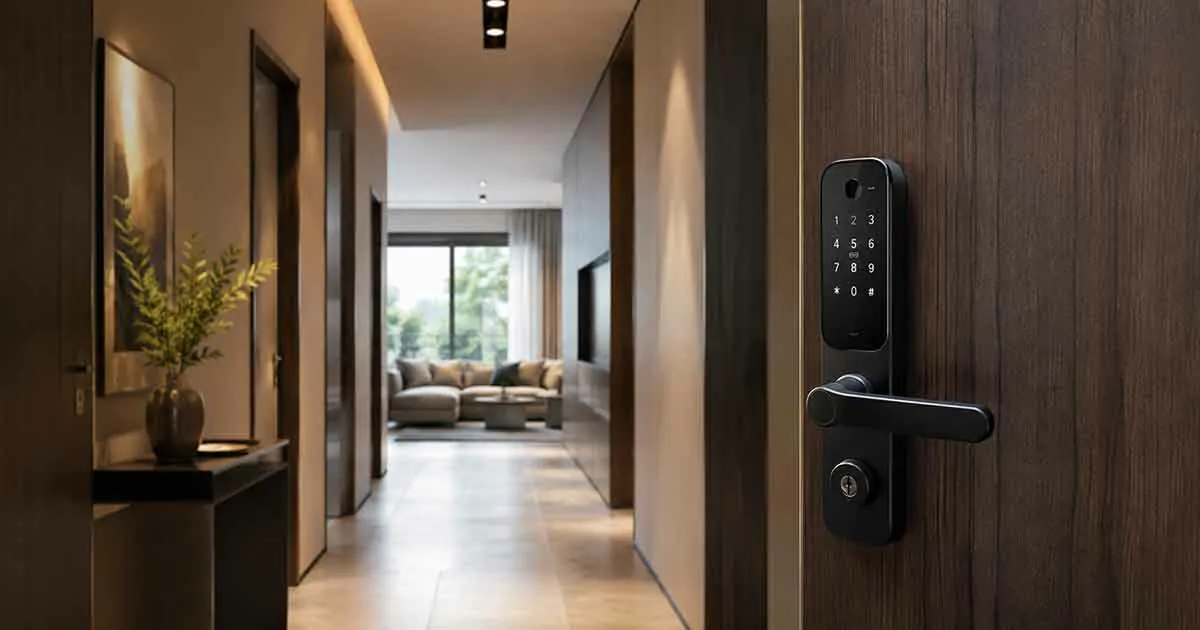
Smart locks can make apartment living more convenient by replacing traditional keys with keypads, smartphone access, fingerprints, or other keyless entry methods. They can also provide features such as automatic locking, temporary access codes, and smart home integration.
However, choosing a smart lock for an apartment is different from choosing one for a detached house. Renters often need to consider landlord approval, existing door hardware, building rules, shared entrances, and whether the lock can be installed without permanent modifications.
For many apartment residents, the best smart lock is not necessarily the one with the most features. It is the one that fits the existing door, preserves a reliable backup entry method, and provides the desired smart features without creating unnecessary installation problems.
This guide explains what to consider when choosing the best smart locks for apartments and how to select a model that works with your living situation.
Table of Contents
What Is an Apartment Smart Lock?
An apartment smart lock is a connected locking device designed to provide keyless or remote access to an apartment door.
Depending on the model, access may be provided through:
- A smartphone
- PIN codes
- Fingerprints
- NFC or other supported credentials
- A traditional key
- A combination of access methods
Smart locks can also provide features such as:
- Automatic locking
- Temporary access codes
- Remote control
- Activity notifications
- Smart home automation
- Battery status alerts
The most important difference for apartment residents is installation compatibility.
A smart lock that works perfectly in a house may not be appropriate for an apartment if the installation requires permanent changes to the door.
Why Smart Locks Are Useful for Apartments
Apartment residents can benefit from smart locks in several practical ways.
Keyless Entry
A keypad or smartphone can eliminate the need to carry a traditional key every time you leave home.
This can be particularly convenient when carrying groceries, luggage, or other items.
Automatic Locking
Auto-lock can help prevent accidentally leaving the apartment door unlocked.
Depending on the model, you may be able to configure the delay before the lock engages.
Temporary Access
Temporary PIN codes can be useful when you need to provide access to:
- Family members
- Friends
- House cleaners
- Maintenance workers
- Trusted guests
Instead of handing over a physical key, you can provide a temporary credential and remove it later.
Smartphone Access
A compatible smart lock can allow you to check or control the lock from your phone.
Remote access may require Wi-Fi, a bridge, a hub, or a cloud service, depending on the model.
Notifications
Some smart locks can notify you when the door is locked, unlocked, or accessed using a specific credential.
The available history and notification features vary between products.
The Biggest Challenge: Apartment Door Compatibility
Before purchasing a smart lock, check your existing door hardware.
Apartment doors can use different configurations from standard residential doors.
You may encounter:
- Standard deadbolts
- Mortise locks
- Lever locks
- Multipoint locks
- Specialized building hardware
- Building-controlled access systems
A smart lock designed for a standard deadbolt may not work with a mortise or multipoint system.
This is why measuring your existing hardware should come before choosing a product.
Check Your Lease Before Installing a Smart Lock
If you rent your apartment, do not assume that you can replace the lock without permission.
Your lease or building rules may specify:
- Which locks can be installed
- Whether modifications are allowed
- Whether the landlord must retain a key
- Whether building management controls access
- Whether the original lock must remain installed
Ask the landlord or property manager before making any permanent changes.
If approval is required, obtain it before purchasing or installing the lock.
Retrofit Smart Locks for Apartments
Retrofit smart locks can be particularly attractive to renters.
Instead of replacing the entire exterior lock hardware, some retrofit designs modify the interior mechanism while allowing the outside portion of the existing lock to remain.
Potential benefits include:
- Less visible modification
- Easier installation
- Preservation of exterior hardware
- Potentially easier restoration when moving out
However, retrofit compatibility depends on the existing lock.
A retrofit design is not automatically compatible with every apartment door.
Keypad Smart Locks for Apartments
Keypad locks allow you to enter a PIN instead of using a physical key.
They can be convenient for apartments because you can share access codes without physically handing someone a key.
Useful features may include:
- Multiple PIN codes
- Temporary codes
- Automatic locking
- Wrong-code protection
- Battery alerts
- Manual key backup
For many apartment residents, a keypad provides the best balance between convenience and simplicity.
Fingerprint Smart Locks for Apartments
Fingerprint locks can provide fast access without requiring a phone or PIN.
They can be useful for residents who want quick entry while keeping the door keyless.
Potential advantages include:
- Fast unlocking
- Individual access profiles
- No need to remember a PIN
- Smartphone-free access
However, fingerprint sensors can perform differently depending on the hardware and environmental conditions.
A backup access method remains important.
Smartphone-Based Smart Locks
Smartphone-based locks allow residents to use a compatible mobile device as a credential.
Depending on the system, the phone may communicate with the lock through:
- Bluetooth
- Wi-Fi
- NFC
- Thread
- Another supported technology
Smartphone access can be convenient, but it introduces another dependency: your phone.
If the phone battery is dead or unavailable, you should have another way to enter the apartment.
Smart Locks With Physical Key Backup
A physical key backup can be valuable in an apartment.
Even if you primarily use a keypad or smartphone, a traditional mechanical key can provide an additional access method when:
- Batteries are depleted
- The phone is unavailable
- The smart lock malfunctions
- Connectivity is unavailable
Before choosing a lock, understand exactly how the backup entry method works.
What Happens When the Battery Dies?
Battery management is particularly important for apartment smart locks.
A dead battery should not leave you locked outside without a practical emergency solution.
Depending on the model, emergency entry may involve:
- A physical key
- An external battery connection
- Emergency power contacts
- A mechanical override
Check the manufacturer’s instructions and understand the emergency procedure before relying on the lock.
Smart Lock Battery Life
Battery life varies depending on the lock and how it is used.
Factors can include:
- Locking frequency
- Wi-Fi connectivity
- Bluetooth usage
- Motor activity
- Battery quality
- Temperature
- Door alignment
A poorly aligned deadbolt can force the motor to work harder, potentially affecting battery life.
Before installing a smart lock, make sure the existing door closes and locks smoothly.
Wi-Fi vs. Bluetooth Smart Locks for Apartments
Connectivity technology affects both functionality and battery use.
Bluetooth
Bluetooth can provide local smartphone communication without requiring the lock to maintain a direct Wi-Fi connection.
It can be suitable if you mainly want local smartphone access.
However, remote control may require additional hardware.
Wi-Fi
Wi-Fi can enable remote access and cloud-connected features.
This can be useful if you want to check or control the lock while away from the apartment.
The downside is that Wi-Fi-connected locks may consume more battery power and depend more heavily on the apartment’s network.
Hub-Based Systems
Some locks use Zigbee, Z-Wave, Thread, or another technology and connect through a compatible hub or controller.
This can be useful if you already have a smart home system.
Matter-Compatible Smart Locks
Matter is designed to improve interoperability among supported smart home devices.
A Matter-compatible smart lock may be attractive to apartment residents who want flexibility when choosing a compatible smart home platform.
However, compatibility should be checked carefully.
Before purchasing, verify:
- Supported platforms
- Required controller
- Connectivity technology
- Remote access requirements
- Available lock features
- Smartphone compatibility
The Matter label alone does not guarantee that every feature will be available through every ecosystem.
Smart Locks Without a Subscription
Many apartment residents prefer smart locks that do not require recurring fees for basic functionality.
A subscription-free lock may provide:
- Keypad access
- Smartphone control
- Auto-lock
- Access codes
- Basic notifications
However, some manufacturers may charge for advanced cloud services or additional features.
Before purchasing, check whether the functions you actually need are included without a monthly plan.
For renters, avoiding unnecessary recurring costs can make the overall setup more affordable.
Smart Locks for Renters
Renters should prioritize reversible installation and compatibility with the existing door.
Before choosing a lock:
- Check the lease.
- Ask the landlord if required.
- Identify the existing lock type.
- Measure the door and hardware.
- Look for retrofit-compatible options.
- Confirm whether the original hardware can be restored.
Keep the original hardware and installation components in a safe place if you may need to reinstall them when moving out.
Smart Locks for Apartment Buildings With Shared Entrances
One important issue is the difference between your apartment door and the building’s shared entrance.
A smart lock installed on your apartment door does not automatically control:
- Main building entrances
- Lobby doors
- Parking entrances
- Elevator access
- Shared gates
Some buildings use centralized access-control systems.
If you want smart access to shared areas, the building’s management system must support it.
Do not modify shared access hardware without authorization.
Smart Locks and Building Access Systems
Some apartment buildings use electronic access systems based on cards, fobs, mobile credentials, or intercom systems.
These systems may not be compatible with consumer smart locks.
Before installing a smart lock, determine whether your apartment door has a conventional mechanical lock or is part of a building-wide access-control system.
If it is managed centrally, consult building management first.
Smart Lock Security for Apartments
A smart lock can improve convenience, but it should be considered only one part of apartment security.
The overall security of an entry door depends on:
- Lock quality
- Door construction
- Door frame
- Strike plate
- Installation
- Access credentials
- Account security
- Building security
A smart lock cannot compensate for a weak door or poorly secured frame.
Important Smart Lock Security Features
When comparing apartment smart locks, consider:
Strong Authentication
The companion account should support appropriate security controls.
Access Code Management
The ability to create and remove individual codes can make shared access easier to manage.
Automatic Locking
Auto-lock can reduce the chance of accidentally leaving the door unlocked.
Tamper Notifications
Some models can provide alerts when suspicious activity is detected.
Failed Entry Protection
Some keypad locks can temporarily restrict attempts after repeated incorrect PIN entries.
Secure Communication
Check how the manufacturer protects communication between the lock, app, hub, and cloud services.
Smart Lock Privacy
Connected locks can generate information about when a door is locked or unlocked.
Depending on the product, data may be stored locally, in the cloud, or through a combination of both.
Before buying, review:
- Data collection
- Cloud storage
- Account requirements
- Sharing options
- Activity history
- Privacy controls
If privacy is important, look for a system that provides the level of local control and data management you prefer.
Smart Lock Automation for Apartments
Smart locks can become more useful when connected to other devices.
Entry Lighting
Apartment door unlocks → entry lights turn on.
This can make arriving home more convenient.
Away Routine
Door locks → selected lights turn off → thermostat changes to Away mode.
This can combine security and energy management.
Night Routine
Door locks → selected lights turn off → home enters nighttime settings.
The exact automation capabilities depend on the lock and smart home ecosystem.
Smart Locks for Apartment Guests
Temporary access is one of the most useful features for apartment residents.
Instead of providing a physical key, you can create a temporary PIN or supported digital credential.
For example, a guest could receive access for a specific period and automatically lose access afterward.
This can be useful for:
- Short visits
- House cleaners
- Babysitters
- Maintenance appointments
- Family members
Only provide access to people you trust, and remove temporary credentials when they are no longer needed.
Smart Locks and Vacation Rentals
If an apartment is used as a permitted short-term rental, a smart lock can simplify guest access.
A keypad can eliminate the need for physical key exchanges.
However, property owners and managers should confirm that the building permits this type of access system and that the lock complies with applicable requirements.
For normal renters, using a smart lock for guests should also comply with the lease and building rules.
Common Smart Lock Problems in Apartments
The Lock Does Not Fit
This usually indicates that the existing lock configuration does not match the smart lock’s requirements.
The Door Does Not Lock Smoothly
Door alignment can prevent a motorized deadbolt from operating correctly.
Wi-Fi Signal Is Weak
Apartment buildings can have crowded wireless environments, thick walls, and complex network configurations.
Battery Drains Quickly
Frequent operation, weak connectivity, cold temperatures, or mechanical resistance can contribute to increased battery consumption.
Building Management Objects
The lock may conflict with building rules or access-control requirements.
Always verify permission before installation.
Smart Features Stop Working
Some features depend on internet access, a hub, Bluetooth, or cloud services.
Understand which functions remain available when connectivity is interrupted.
Smart Lock Installation Tips
Before installing:
- Confirm landlord or building approval.
- Identify the existing lock type.
- Measure the door and hardware.
- Check the smart lock’s compatibility list.
- Confirm the required connectivity.
- Test the door’s existing locking mechanism.
- Read the manufacturer’s installation instructions.
- Keep the original hardware if you are renting.
After installation:
- Test the lock manually.
- Test every access method.
- Configure automatic locking carefully.
- Add only necessary users.
- Set up battery alerts.
- Test the emergency access method.
How to Choose the Best Smart Lock for an Apartment
The best choice depends on your living situation.
For Renters
Prioritize:
- Retrofit installation
- Minimal permanent modification
- Existing-lock compatibility
- Keypad access
- Physical backup
- Subscription-free basic features
For Homeowners
You can consider a broader range of options, including:
- Full smart lock replacements
- Fingerprint locks
- Wi-Fi models
- Hub-based locks
- Matter-compatible systems
- Advanced automation
For Simple Keyless Entry
Choose a keypad model with reliable automatic locking and a backup entry method.
For Smart Home Integration
Choose a lock compatible with the ecosystem you already use.
Are Smart Locks Worth It for Apartments?
For many apartment residents, smart locks can provide significant convenience.
They can eliminate the need to carry keys, simplify guest access, provide automatic locking, and integrate with other smart home devices.
However, apartment compatibility is more important than having the largest feature list.
Renters should focus on permission, installation method, and existing hardware compatibility before purchasing.
Final Thoughts
The best smart locks for apartments combine reliable access, easy installation, appropriate security features, and compatibility with the existing door.
Before choosing one, confirm whether your lease or building rules allow a smart lock. Then identify your existing lock type and determine whether a retrofit or full replacement is appropriate.
Keypad access, automatic locking, temporary codes, physical backup entry, and battery alerts are among the most useful features for apartment living.
If you already use a smart home system, compatibility with that ecosystem can make the lock even more useful by allowing automations such as turning on entry lights when you unlock the door.
For renters, a reversible installation and subscription-free basic functionality can provide a practical balance between convenience, cost, and flexibility.